
🧠 AI Quiz
Think you really understand Artificial Intelligence?
Test yourself and see how well you know the world of AI.
Answer AI-related questions, compete with other users, and prove that
you’re among the best when it comes to AI knowledge.
Reach the top of our leaderboard.


















Banana AI
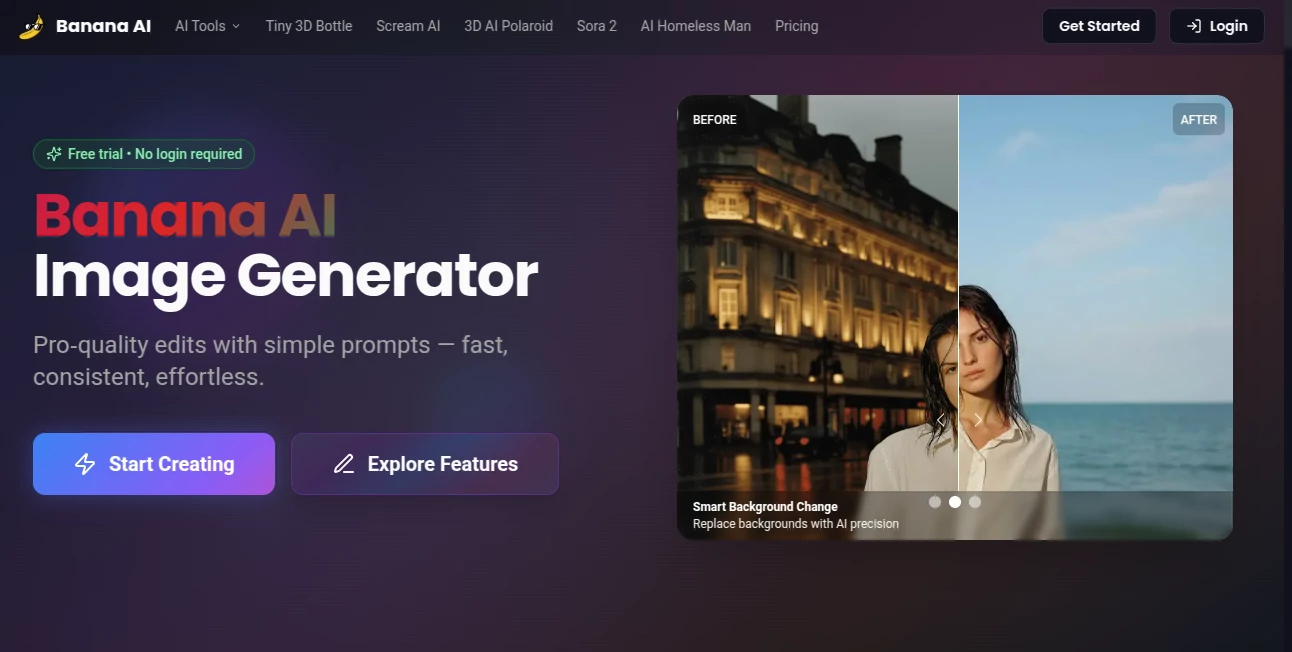
What is Banana AI?
There’s something almost magical about watching a simple phrase turn into a breathtaking piece of art right before your eyes. This platform makes that happen faster and more beautifully than I ever thought possible. I remember the first time I tried it—typed “a lone samurai standing on a misty mountain at dawn” and within seconds had an image that looked like it belonged in a gallery. It’s not just fast; it’s genuinely inspiring, giving anyone the power to create visuals that feel personal and polished without spending hours (or a fortune) on a designer.
Introduction
This tool came along at a moment when so many of us were craving a way to visualize ideas quickly and beautifully. It’s built for people who love to create but don’t have the time or skills to master traditional art software. What sets it apart is how effortlessly it bridges the gap between imagination and image. Whether you’re brainstorming for a book cover, designing social media graphics, or just playing with wild concepts, it delivers results that surprise and delight. I’ve seen non-artists produce work they’re proud to share, and experienced designers use it as a starting point that saves days of work. It’s the kind of tool that feels like a creative partner rather than just another app.
Key Features
User Interface
The layout is clean and welcoming—almost too simple at first glance, but that’s exactly why it works. You type your idea into a single box, choose a style if you want, and hit generate. Everything is right there: no buried menus, no confusing options. The results appear instantly in a grid, and you can zoom in, save, or tweak with a few clicks. I love how it feels like sketching on paper—quick, intuitive, and never in the way of the creative flow.
Accuracy & Performance
This is where it really shines. The images are consistently sharp, detailed, and true to the prompt. It handles complex descriptions well—lighting, mood, composition—and rarely spits out something that feels off. Generations are lightning-fast, even on busy days, and the quality stays high across different styles. I’ve thrown some pretty weird prompts at it (think “a cyberpunk fox wearing a tuxedo in a rainy alley”), and it nails the vibe every time.
Capabilities
From hyper-realistic portraits to dreamy illustrations, vintage posters to futuristic cityscapes—it covers a huge range of aesthetics. You can upload reference images for style matching, adjust aspect ratios for social media or prints, and even generate variations to refine the perfect look. It’s surprisingly good at text in images too, which is a huge plus for logos or memes. The flexibility is impressive for such a straightforward tool.
Security & Privacy
Your creations stay yours. There’s no sneaky data harvesting, and you control what gets saved or shared. The team clearly cares about keeping things private, which is reassuring when you’re experimenting with personal projects or client work. It’s one less thing to worry about in an age where everything seems to be watching.
Use Cases
Writers use it to visualize characters and scenes before they write a single word. Small business owners whip up eye-catching product mockups and social graphics without hiring a designer. Game devs mock up concept art in minutes. Even casual users create album covers, wallpapers, or funny memes that get laughs from friends. I’ve seen a teacher turn history lessons into vivid illustrations that students actually remember, and a marketer build an entire campaign look in one afternoon.
Pros and Cons
Pros:
- Incredibly fast and reliable—great for tight deadlines.
- High-quality results that often look professionally done.
- Super simple to use, even for complete beginners.
- Huge range of styles and customization options.
Cons:
- Occasionally needs a re-run for very specific prompts.
- Free tier has limits that can feel tight if you’re generating a lot.
Pricing Plans
You can start for free with a generous daily quota that’s enough to play around and see the quality. Paid plans are affordable and unlock unlimited generations, higher resolutions, and faster processing. It’s structured in a way that feels fair—casual users stay happy for free, while heavy creators get the power they need without breaking the bank.
How to Use Banana
Just open the site, type your idea into the prompt box (the more detailed, the better), and choose a style if you feel like it. Hit generate and watch the magic happen. Scroll through the results, pick your favorite, and download it in seconds. Want something slightly different? Click the variation button or tweak the prompt and go again. It’s that straightforward—my first session felt more like doodling than using software.
Comparison with Similar Tools
What makes this stand out is the combination of speed, quality, and simplicity. Some competitors are faster but produce inconsistent results, while others are more powerful but come with a steep learning curve. This one strikes the perfect balance—great for quick ideas and professional enough for client work. It doesn’t overwhelm you with endless settings, yet still delivers images that feel thoughtful and complete.
Conclusion
This platform quietly changes how we think about creating visuals. It takes the fear out of starting something new and turns “I wish I could draw” into “Look what I just made.” Whether you’re a seasoned designer looking for quick inspiration or someone who’s never touched art software, it delivers results that surprise and delight. It’s one of those tools you keep coming back to—not because you have to, but because it’s just too much fun not to.
Frequently Asked Questions (FAQ)
How detailed should my prompt be?
The more specific, the better. Adding details like mood, lighting, or style really helps it get closer to what you’re imagining.
Can I use the images commercially?
Yes, all generated images are yours to use however you like, even for commercial projects.
What if I don’t like the first results?
Just tweak the prompt or use the variation button—usually only takes one or two tries to get it perfect.
Does it work on mobile?
Absolutely. The interface is responsive and works great on phones and tablets.
How fast are generations?
Most images appear in 5–15 seconds, depending on complexity and server load.
AI Text to Image , AI Photo & Image Generator , AI Art Generator , AI Design Generator .
These classifications represent its core capabilities and areas of application. For related tools, explore the linked categories above.
Banana AI details
Pricing
- Free
Apps
- Web Tools
Categories

Banana AI Alternatives Product

WonderShare …

Lexica AI
Nano Banana 2

Grok Imagine

NanoAI

Yodayo AI

Nano Banana 2

SeeDream 4.5

Retro Image …
