
🧠 AI Quiz
Think you really understand Artificial Intelligence?
Test yourself and see how well you know the world of AI.
Answer AI-related questions, compete with other users, and prove that
you’re among the best when it comes to AI knowledge.
Reach the top of our leaderboard.

















Nano Banana Pro
Studio-Quality Images from Smart Prompts

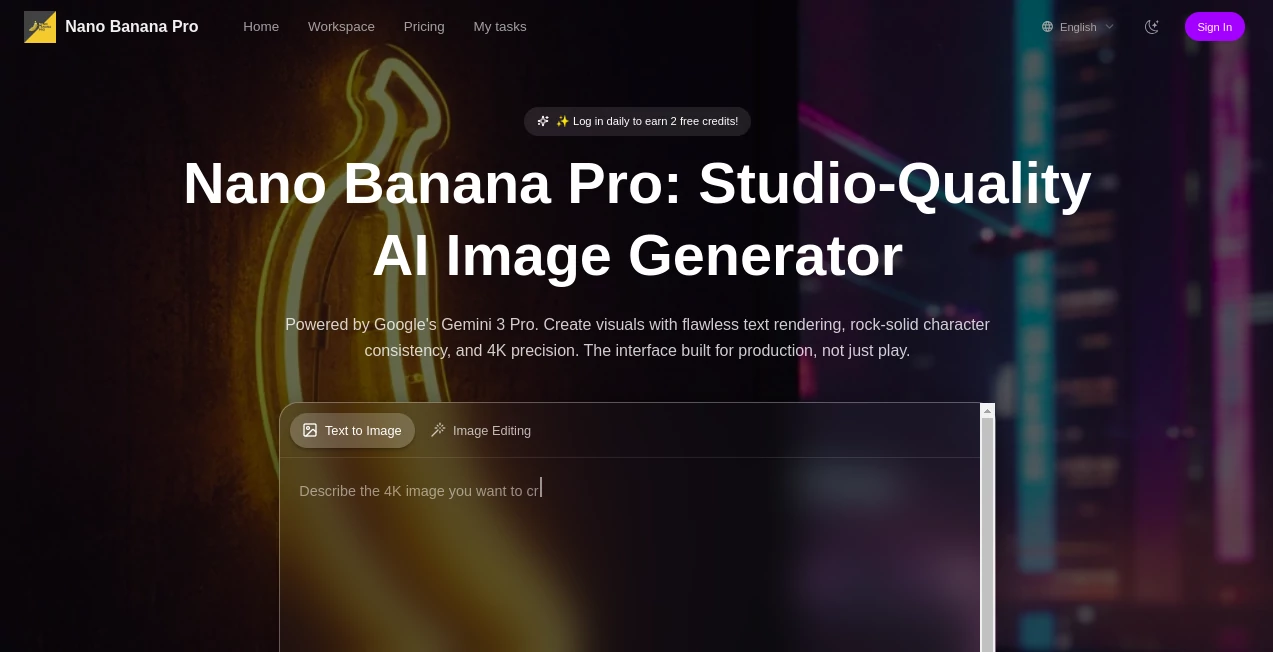
What is Nano Banana Pro?
BananaPro opens up a fresh way to bring ideas to life on the screen, letting creators craft detailed visuals that feel like they came straight from a pro setup. This tool pulls together sharp thinking with hands-on tweaks, turning everyday descriptions into polished pieces that hold up under scrutiny. Those who've dived in often come back with stories of how it nailed those tricky spots others gloss over, like getting the words just right or keeping faces familiar across a whole set.
Introduction
BananaPro took off not too long ago, sparked by a group of makers who wanted more from their digital sketches—something that handled the fine points without the usual headaches. It started as a way to tap into deeper smarts for picture-building, and soon enough, word spread among designers and storytellers tired of half-baked outputs. Now it's a steady go-to for folks chasing that high-end finish, with users swapping tips on everything from quick mockups to full campaign spreads. What draws people in is how it listens to the little details in your notes, weaving them into scenes that click without a bunch of back-and-forth fixes, making the whole process feel less like work and more like a smooth collaboration.
Key Features
User Interface
The main area lays out like a well-kept workshop, with spots to jot your thoughts and drag in starting points that fit right in. Sliders for light and views sit handy, letting you nudge things without digging through menus, and the preview updates on the spot so you see changes as they happen. It's the kind of setup that eases you in, whether you're plotting a single shot or chaining a few together, keeping the focus on your idea rather than the buttons.
Accuracy & Performance
When you spell out a layered idea, it sorts the pieces with a steady grip, placing elements where they make sense and keeping lines crisp without stray marks. The whole build wraps up quick, even for bigger asks, handing back files that look sharp on any setup. Creators point out how it sticks to the script you give, dodging those off-kilter bits that can throw off the whole feel, and handles a couple at once without slowing down.
Capabilities
It goes beyond basic sketches, pulling in words that read clear or faces that stay the same through shifts in pose or place, all while letting you tweak the scene's mood or scale. You can feed it rough drawings to flesh out, or swap languages in the mix without losing the look, opening doors for everything from quick ads to deep info charts. The real strength shows in building sets that flow, like a run of panels where everything ties back without starting over each time.
Security & Privacy
Your rough notes and early tries stay tucked away during the build, handled fresh and cleared once you're set, with no extras hanging around unless you choose to keep them. It gives you the call on who sees what, locking things down for those private brainstorms. That behind-the-scenes care lets folks experiment freely, knowing their starting sparks won't slip out before they're ready to share.
Use Cases
Ad teams whip up localized spreads that shift words but keep the vibe, testing markets without remaking everything from scratch. Designers turn napkin doodles into full product views, stacking angles that sell the story before the real build. Story folks map out scene runs with steady looks, easing the jump from page to frame. Even teachers craft clear breakdowns of tough topics, like step-by-step flows that make the abstract feel close.
Pros and Cons
Pros:
- Holds true to your details, especially on text and steady faces.
- Quick turns with room for a few at once, keeping the pace up.
- Tweaks like light shifts give that pro touch without extra tools.
- Sharp finishes ready for print or share, no marks in the way.
Cons:
- Counts limit how much you can run on the basic go-round.
- Some extras like team shares wait for the bigger plans.
- Needs clear starts to shine; fuzzy ones might need a redo.
Pricing Plans
You start with a few free tries just for jumping in, plus a couple more each day to keep things rolling without cost. From there, the entry level runs about fifteen bucks a month for a solid batch of builds, stepping up to thirty-nine for more room and quicker pulls, and eighty for the full spread with extras like endless holds. They keep it flexible, with month-to-month ease and yearly dips that save a bit, so you pick what fits your flow.
How to Use BananaPro
Kick off by laying out your scene in words, wrapping the key bits in marks to keep them spot-on. Add any face guides or starting sketches to hold the look steady, then play with the light or view sliders till it feels right. Pick your frame shape, let it build, and grab the sharp version for your next move. Swing back to tweak or chain another, building out a full set step by step.
Comparison with Similar Tools
Next to setups that rush through but miss the marks on words or shifts, BananaPro layers in that careful grasp for outputs that last, though those might win on sheer speed for one-offs. Against bigger kits, it trims the extras for a tighter focus, skipping the overload but maybe holding back on deep team ties. It fits right for steady creators, blending quick hits with quality that stands out in the mix.
Conclusion
BananaPro quietly lifts the bar on how we shape sights from thoughts, giving makers a sharper edge for scenes that stick. It turns the tangle of trial into a trail of triumphs, proving a bit more insight goes a long way in the craft. As more hands reach for digital drafts, this one's primed to keep pushing, turning everyday sparks into standout stories worth the share.
Frequently Asked Questions (FAQ)
How does it keep faces the same across shots?
Feed in guides or set points to lock the look, so shifts stay smooth.
What about words in the mix?
Mark them clear in your notes, and they come out sharp and true.
Can it handle different tongues?
Yes, it swaps them in while holding the style steady.
What's the end size like?
Up to full clear frames, set for print or big views.
How many tries on the free side?
A handful to start, with a couple fresh each day to play.
AI Text to Image , AI Photo & Image Generator , AI Art Generator , AI Design Generator .
These classifications represent its core capabilities and areas of application. For related tools, explore the linked categories above.
Nano Banana Pro details
This tool is no longer available on submitaitools.org; find alternatives on Alternative to Nano Banana Pro.
Pricing
- Free
Apps
- Web Tools
Categories

Nano Banana Pro Alternatives Product

Generador De…

GPT Image 1.5

Modelfy 3D

Nano Banana …

Nano Banana …

claude image

Undertale Te…

SAM 3D

Motion Contr…
