
🧠 AI Quiz
Think you really understand Artificial Intelligence?
Test yourself and see how well you know the world of AI.
Answer AI-related questions, compete with other users, and prove that
you’re among the best when it comes to AI knowledge.
Reach the top of our leaderboard.


















BetterPic

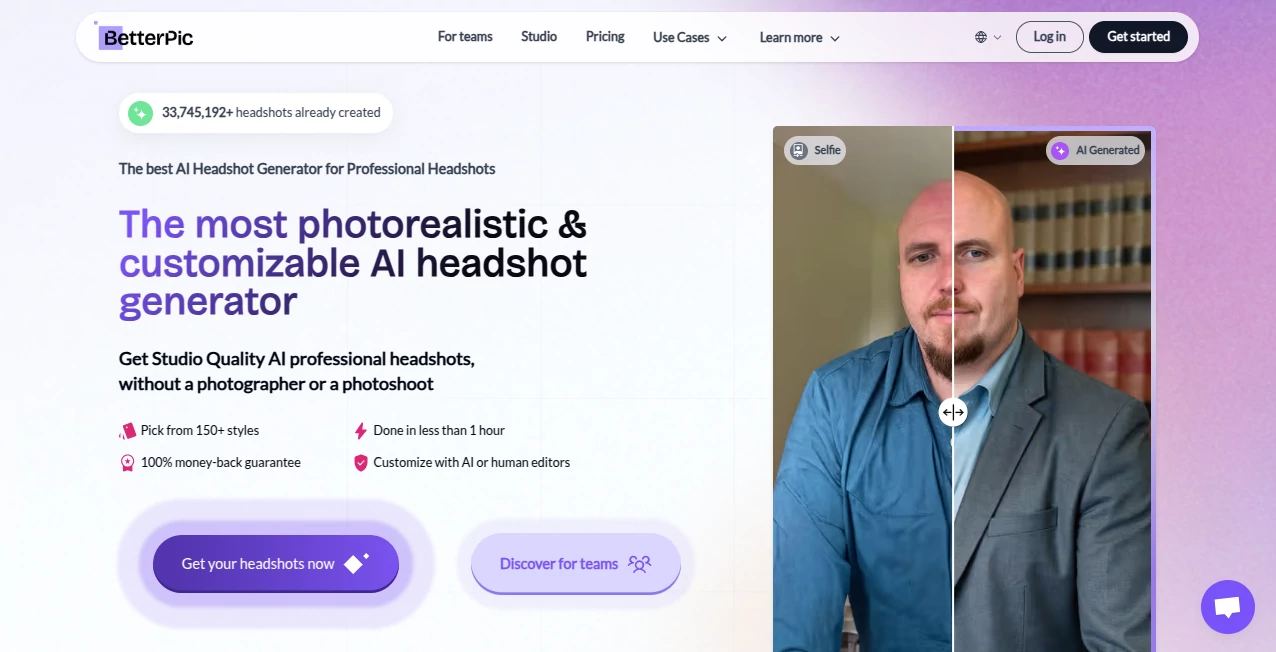
What is BetterPic?
You know that moment when you take a decent photo of your product on your phone, but it still looks like... well, a phone photo? This tool fixes exactly that. It takes your real product shot, removes the background cleanly, and drops it into stunning, studio-quality scenes that make your listing look like it cost thousands. I tried it with a handmade candle once—uploaded a quick iPhone pic against a messy table, and minutes later I had it glowing on a marble surface with perfect lighting. The difference was night and day, and it actually moved the needle on my sales.
Introduction
For anyone selling online, photography is half the battle. Professional shoots are expensive and time-consuming, while stock photos feel generic. This platform bridges that gap beautifully by letting you upload your own product images and instantly place them in high-end, realistic environments. Whether you're running an Etsy shop, Shopify store, or Amazon listings, it gives small brands the visual edge that used to be reserved for big players. What really stands out is how natural the results look—shadows, reflections, and lighting all match the scene like the product was actually photographed there. It's become a quiet favorite among indie sellers who want their listings to compete without breaking the bank.
Key Features
User Interface
The dashboard is refreshingly simple. You upload your product image (or drag it in), choose from hundreds of ready-made scenes, and hit generate. No complicated settings, no layers to wrestle with—just a clean, focused flow that gets you from upload to download in under a minute. Even if you're not tech-savvy, it feels like you're working with a friendly assistant rather than software.
Accuracy & Performance
The background removal is impressively precise—even on tricky items like jewelry or textured fabrics. The AI handles edges cleanly and preserves details like reflections or subtle gradients. Generation speed is fast (usually 10–30 seconds per image), and the output quality is consistent, even on mobile uploads. Sellers who've used it for hundreds of products say it rarely disappoints.
Capabilities
Beyond basic background swaps, it offers smart scene matching, realistic lighting adjustments, and shadow generation that make products look naturally placed. You can generate multiple variations at once, upscale images, or even remove unwanted objects from the original photo. It's especially strong for e-commerce categories like jewelry, cosmetics, apparel, and home goods, where visual appeal is everything.
Security & Privacy
Your images are processed securely and deleted after generation unless you choose to save them. No training on your data, no sharing with third parties. For brands concerned about proprietary designs, it's reassuring to know your product shots aren't being used to train anyone else's AI.
Use Cases
Etsy sellers use it to create seasonal collections in minutes—same candle, different holiday backdrops. Shopify store owners refresh product shots for new campaigns without reshooting. Amazon FBA sellers generate compliant, professional-looking images for listings that stand out in search results. Even drop-shippers transform generic supplier photos into branded visuals that feel custom-made.
Pros and Cons
Pros:
- Studio-quality results without the studio cost or hassle.
- Fast, consistent, and beginner-friendly.
- Hundreds of realistic scenes tailored for e-commerce.
- Smart lighting and shadow matching that looks natural.
Cons:
- Best results come from clean, well-lit product photos.
- Free tier is limited; heavy users will want a paid plan.
Pricing Plans
It starts with a free tier that gives you a handful of generations to try it out. Paid plans begin at a very reasonable monthly rate for 100–200 images, scaling up for higher volume or faster processing. There are also one-time credit packs if you prefer not to subscribe. Most small sellers find the basic paid plan more than enough to cover their monthly needs.
How to Use BetterPic
Upload your product photo (PNG or JPG works best), let the AI remove the background automatically, then browse or search the scene library for the perfect backdrop. Click generate, wait a few seconds, and download your new image. You can also adjust lighting intensity or try different angles. For best results, shoot your products on a plain background with good natural light—though even imperfect photos often turn out surprisingly well.
Comparison with Similar Tools
While some competitors focus on quantity of scenes, this one prioritizes quality and realism—shadows and reflections are noticeably better matched. It also feels more intuitive and faster than tools that require more manual tweaking. For e-commerce sellers who care about conversion over gimmicks, it's the clear choice.
Conclusion
This tool quietly changes the game for online sellers. It takes one of the biggest pain points—professional product photography—and makes it fast, affordable, and accessible. Whether you're launching a new product line or refreshing old listings, it gives you visuals that look expensive without the expense. In a world where first impressions matter more than ever, this is the kind of edge that turns browsers into buyers.
Frequently Asked Questions (FAQ)
Do I need perfect photos to start?
No, but clean, well-lit shots on a simple background give the best results.
Can I use the images commercially?>
Yes, 100% yours to use however you want.
How many images can I generate per month?
Depends on the plan, but even the basic paid tier covers most small shops.
What file formats do I get?
High-resolution PNG with transparent background or final composite.
Is there a watermark on free images?
Yes, but it's removed on paid plans.
AI Photo & Image Generator , Photo & Image Editor , AI Graphic Design , AI Image to Image .
These classifications represent its core capabilities and areas of application. For related tools, explore the linked categories above.
BetterPic details
This tool is no longer available on submitaitools.org; find alternatives on Alternative to BetterPic.
Pricing
- Free
Apps
- Web Tools
Categories

BetterPic Alternatives Product

BananaPro

ChromaPeel

NanoBanana2F…
Photoshoot

ds image

OutfitSwap S…

Max Studio AI

Image to STL

Ai logo maker
