🧠 AI Quiz
Think you really understand Artificial Intelligence?
Test yourself and see how well you know the world of AI.
Answer AI-related questions, compete with other users, and prove that
you’re among the best when it comes to AI knowledge.
Reach the top of our leaderboard.


















Bitsafve

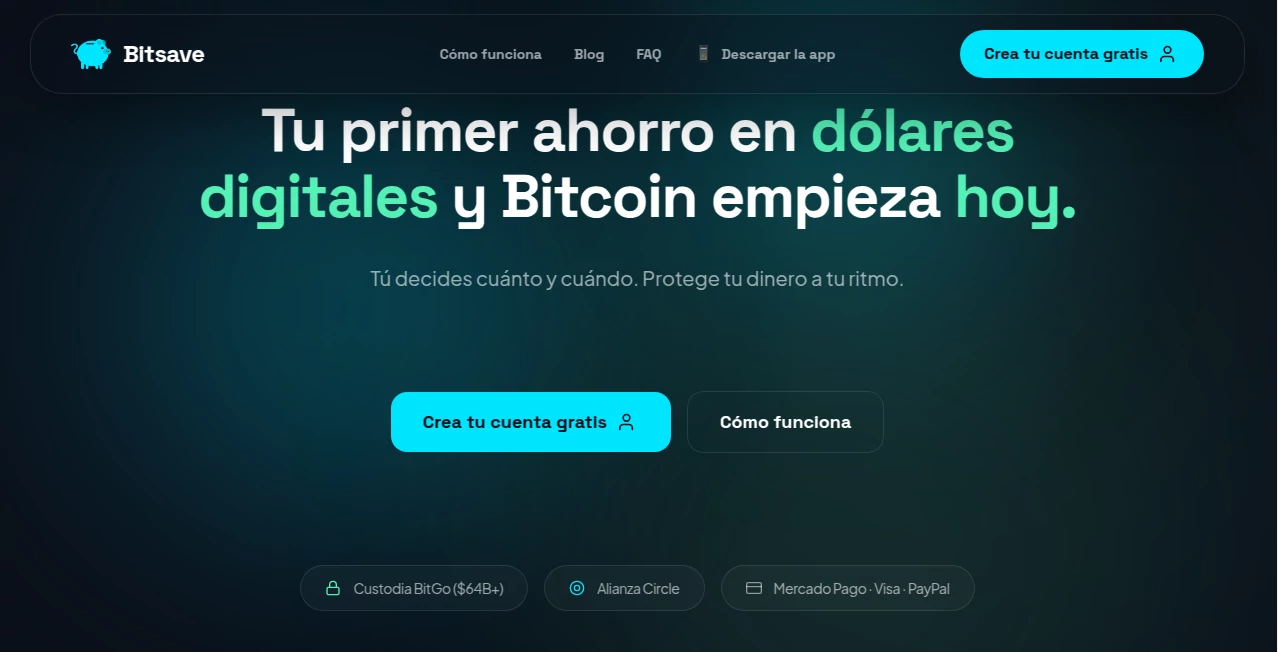
What is Bitsafve?
Remembering dozens of strong passwords is impossible, writing them down is dangerous, and trusting big-name managers sometimes feels like handing over the keys to your digital life. This tool quietly solves that problem with a clean, no-nonsense approach: everything stays encrypted on your device, the company never sees your data, and you get rock-solid security without the usual bloat. I’ve switched over from another popular manager and immediately felt the difference—no upsell pop-ups, no forced family plans, just a straightforward vault that loads fast and feels trustworthy from day one.
Introduction
Password managers should be invisible tools that protect without getting in the way. Too many add layers of complexity, collect unnecessary data, or push premium features you don’t need. This one keeps things refreshingly simple: end-to-end zero-knowledge encryption, cross-device sync that actually works offline-first, and a focus on privacy that isn’t just marketing talk. It’s built for people who want real security without handing their entire digital footprint to a corporation. The moment you start using it, you realize how freeing it is to have a single master password and let everything else stay locked away safely—accessible only to you.
Key Features
User Interface
The app and browser extension share the same clean, dark-friendly design: a compact vault list, quick-search bar at the top, and one-click autofill that just works. Adding a new entry takes seconds—type the site, username, password (or let it generate one), and you’re done. Folders, tags, and favorites keep things organized without feeling over-engineered. It’s the kind of interface that disappears when you don’t need it and appears exactly when you do—fast, intuitive, and never in your face.
Accuracy & Performance
Autofill is reliable across sites—works on tricky login pages, multi-step forms, and even some older banking portals where other managers stumble. Sync is near-instant when online and seamless when you’re offline; changes made on one device appear on others without conflict. Password generation follows best practices (customizable length, character types, avoidance of ambiguous symbols), and the built-in breach checker actually scans against real-time databases. It’s quietly dependable—exactly what you want from something you trust with every login.
Capabilities
Unlimited passwords and devices on every plan, secure notes and credit card storage, TOTP authenticator built-in, password health dashboard, data breach monitoring, emergency access for trusted contacts, secure file attachments (encrypted), and cross-platform support (Windows, macOS, Linux, iOS, Android, all major browsers). The zero-knowledge architecture means even if the servers were compromised, your vault stays unreadable. It’s a full-featured vault without the usual privacy compromises.
Security & Privacy
Everything is encrypted locally with AES-256 before it ever leaves your device—zero-knowledge means the company has no access to your master password or vault contents. Open-source client code lets anyone audit the encryption layer. Regular independent security audits, no analytics tracking, no data selling, and support for hardware keys (YubiKey, etc.) make it one of the more trustworthy options out there. For people who care deeply about privacy, that foundation is everything.
Use Cases
A freelancer manages dozens of client logins and project accounts without ever reusing passwords—everything stays organized and autofills instantly across laptop and phone. A family shares a few essential accounts (streaming, utilities) via secure shared folders without exposing the master passwords. A security-conscious developer stores API keys, SSH credentials, and 2FA seeds in one encrypted place, knowing nothing is sitting unencrypted on a cloud server. Someone recovering from a breach uses the health dashboard and breach alerts to lock things down fast. Wherever passwords are part of daily life, it removes the stress.
Pros and Cons
Pros:
- True zero-knowledge—your data is unreadable even to the company.
- Unlimited devices and passwords on every plan—no artificial limits.
- Built-in TOTP means fewer apps cluttering your phone.
- Fast, reliable autofill across platforms and tricky sites.
- Transparent pricing and open-source client for peace of mind.
Cons:
- Secure file attachments are limited in size on lower plans.
- Emergency access setup requires careful planning (but that’s true of any good manager).
- Still a newer player, so brand recognition lags behind the giants.
Pricing Plans
Free plan covers unlimited passwords, devices, and basic sharing—more generous than most competitors. Premium adds priority support, larger file attachments, advanced sharing controls, and early access to new features for a very reasonable monthly or annual fee. Family/team plans bundle multiple users at a discount. No hidden fees, no feature-gating essentials—everything core is available even on free.
How to Use PassWithProof
Download the app or extension, create a strong master password (use the built-in generator if you want), and start adding entries manually or import from your old manager. For autofill, enable the browser extension and let it suggest strong passwords when you sign up for new sites. Organize with folders or tags, turn on TOTP for accounts that support it, and set up emergency access for a trusted person if desired. Sync happens automatically across devices. When you need something, search or browse—it’s almost always faster than typing.
Comparison with Similar Tools
Big-name managers often collect telemetry, have had breaches, or push family plans you don’t need. This one keeps everything zero-knowledge, open-source on the client side, and doesn’t nickel-and-dime for basics like unlimited devices. Where others feel enterprise-heavy or consumer-bloated, this strikes a clean, privacy-first balance that works equally well for individuals and small teams.
Conclusion
Good password management shouldn’t feel like a chore or a privacy gamble. This tool makes it simple, secure, and surprisingly satisfying—because when your credentials are handled right, you stop thinking about them and start focusing on what actually matters. In a world where every account is a potential weak link, having one place that’s truly private and reliable is worth far more than most people realize. If you’re still juggling passwords in your head or a spreadsheet, this is the gentle push you’ve been waiting for.
Frequently Asked Questions (FAQ)
Is my master password ever sent to the servers?
Never—encryption happens locally; servers see only encrypted blobs.
Can I use it on multiple devices?
Unlimited devices on every plan, including free—sync is seamless.
What happens if I forget my master password?
It’s unrecoverable by design (zero-knowledge). Use emergency access or recovery codes wisely.
Does it work offline?
Yes—full vault access offline; sync occurs when you reconnect.
Can I share passwords securely?
Yes—secure sharing with granular permissions, even across different accounts.
These classifications represent its core capabilities and areas of application. For related tools, explore the linked categories above.
Bitsafve details
This tool is no longer available on submitaitools.org; find alternatives on Alternative to Bitsafve.
Pricing
- Free
Apps
- Web Tools
Categories

Bitsafve Alternatives Product

HelloDay.ai

lovetype16

AI Dream Ana…

MixBooze

What The Food

We Are Charl…

Judgement Ta…

SomniaScope …

TWT Chat