
🧠 AI Quiz
Think you really understand Artificial Intelligence?
Test yourself and see how well you know the world of AI.
Answer AI-related questions, compete with other users, and prove that
you’re among the best when it comes to AI knowledge.
Reach the top of our leaderboard.


















Bitvoiper

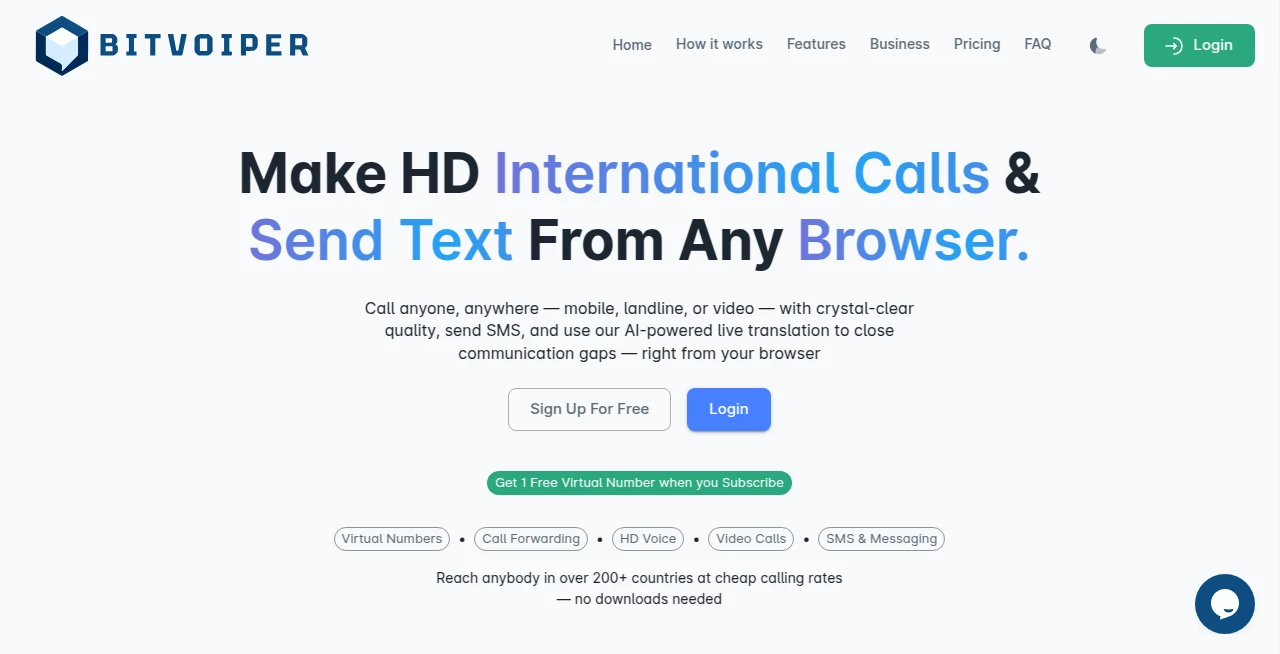
What is Bitvoiper?
Phone calls used to be simple—until they weren’t. Dropped audio, echo, background noise, bad connections… we’ve all lived through the frustration. This platform quietly fixes most of that. It takes ordinary VoIP and adds layers of intelligence that make conversations feel natural again: voices come through rich and full, noise disappears, echo vanishes, and the connection holds even when your Wi-Fi is barely breathing. I’ve had calls with people on the other side of the world where it sounded like they were sitting next to me—no robotic artifacts, no awkward pauses. That kind of clarity changes how you communicate, especially when the conversation actually matters.
Introduction
VoIP has been around long enough that we expect it to just work. Yet too often it still feels like a compromise: thin sound, lag, background chaos bleeding through. This service steps in with a different philosophy—it doesn’t just route audio; it actively cleans, enhances, and stabilizes it. The result is calls that feel closer to in-person than most people thought possible over the internet. Small teams, remote freelancers, international families, podcasters, customer support crews—anyone who lives on the phone finds the difference noticeable immediately. It’s not about adding more features you’ll never use; it’s about making the core experience reliable and pleasant again.
Key Features
User Interface
The app keeps things refreshingly straightforward. Clean dialer, recent calls list, contacts that sync fast, and a settings panel that doesn’t bury the useful options. The in-call screen shows real-time audio stats (jitter, packet loss, bitrate) so you can see why a call sounds good—or doesn’t. Everything loads quickly, even on older devices. It’s the kind of design that disappears while you talk, which is exactly what you want from a phone app.
Accuracy & Performance
Audio processing happens in real time with almost zero added latency. Noise cancellation removes fans, traffic, keyboards, crying babies—without chopping up voices. Echo cancellation is aggressive yet natural; you rarely hear yourself back. Packet loss concealment fills gaps smoothly so dropouts don’t turn into garbled nonsense. On poor connections it gracefully reduces bitrate to keep the call alive instead of crashing. In practice, people on the other end often ask “Are you really on Wi-Fi?” because it doesn’t sound like it.
Capabilities
HD voice (wideband audio), AI-driven noise/echo suppression, adaptive bitrate, call recording (with consent indicators), team messaging integration, virtual numbers in multiple countries, call forwarding, voicemail-to-text, and browser-based softphone mode. It supports multiple devices simultaneously (ring all, pick up on one), and the background mode keeps calls alive even when the app is minimized. For businesses, it offers SIP trunking compatibility and CRM click-to-call hooks. The combination of crystal audio and practical business features makes it versatile for personal and professional use.
Security & Privacy
End-to-end encryption on calls and messages, secure SIP signaling, no storage of call recordings unless you explicitly save them locally. Virtual numbers come with strong privacy controls (caller ID masking, block lists). No unnecessary data collection—your contacts and call logs stay on-device unless you choose cloud backup. For remote workers and international teams handling sensitive conversations, that matters.
Use Cases
A remote freelancer takes client calls on spotty hotel Wi-Fi and still sounds like they’re in a studio. A small support team handles dozens of daily calls without background noise complaints. An international family stays close with clear, natural-sounding conversations despite oceans between them. A podcaster records guest interviews over VoIP that need almost no cleanup later. A startup founder closes deals on the move because the other side can hear every word perfectly. Wherever voice clarity builds trust or saves time, it quietly makes a difference.
Pros and Cons
Pros:
- Exceptional call quality even on mediocre connections.
- AI noise and echo cancellation that actually works in real life.
- Simple, fast interface—no learning curve.
- Strong privacy and encryption without sacrificing usability.
- Reasonable pricing that scales well for small teams.
Cons:
- Some advanced PBX features (IVR, queues) require higher tiers.
- Desktop app is solid but not quite as polished as the mobile version.
- Free tier is generous but limited for heavy business use.
Pricing Plans
Free plan covers personal use with unlimited calling to other users, basic noise cancellation, and one virtual number. Pro plan adds premium audio enhancements, call recording, team messaging, and multiple numbers. Business tiers unlock CRM integrations, analytics, priority support, and unlimited concurrent calls. Pricing is competitive—many small teams find the monthly cost lower than one missed deal due to bad audio. Annual billing saves a nice chunk.
How to Use BitVoiper
Download the app (iOS, Android, Windows, macOS, or use the web version). Sign up with email or phone. Add credit or choose a plan for outbound calls to regular numbers. For free app-to-app calls, just add contacts or share your username. During a call, toggle AI enhancements (noise cancel, echo reduction) with one tap. Record if needed (both sides get visual consent indicator). Save voicemails as text or audio. It’s intuitive enough that most people never open the help docs.
Comparison with Similar Tools
Many VoIP providers focus on price or features but let audio quality slide. This one prioritizes sound first—then adds the rest. Where competitors sound thin or introduce lag with processing, this delivers rich audio with minimal latency. It’s less about being the cheapest and more about being the clearest, which matters far more in real conversations. For teams and professionals who live on calls, that clarity becomes addictive.
Conclusion
Voice communication should feel effortless and human—not like you’re talking through a tin can on a bad day. This platform brings back that feeling by treating audio quality as the foundation, not an afterthought. When every word lands clearly, conversations flow better, misunderstandings drop, and relationships (business or personal) strengthen. In a remote-first world, that’s not a nice-to-have—it’s essential. If your calls matter, this makes them matter more.
Frequently Asked Questions (FAQ)
How good is the call quality on bad internet?
Very good—adaptive bitrate and packet concealment keep it intelligible even when others drop.
Does it work internationally?
Yes—virtual numbers in many countries, low-cost outbound rates worldwide.
Can I record calls?
Yes—with visible consent notification for both parties (required for legal compliance).
Is it secure for business use?
End-to-end encryption, secure signaling, no persistent call storage unless you choose.
Do I need a headset?
Not required—built-in echo cancellation works well on phones and laptops—but a headset always sounds better.
AI Productivity Tools , AI Voice Assistants , AI Speech Synthesis , AI Voice & Audio Editing .
These classifications represent its core capabilities and areas of application. For related tools, explore the linked categories above.
Bitvoiper details
This tool is no longer available on submitaitools.org; find alternatives on Alternative to Bitvoiper.
Pricing
- Free
Apps
- Web Tools
Categories

Bitvoiper Alternatives Product

AiZolo

David One

Read PDF Alo…

Black Screen

photo to URL

Solmi AI
Automaited

ModelsLab

Airtable AI …
