
🧠 AI Quiz
Think you really understand Artificial Intelligence?
Test yourself and see how well you know the world of AI.
Answer AI-related questions, compete with other users, and prove that
you’re among the best when it comes to AI knowledge.
Reach the top of our leaderboard.


















Builder.io

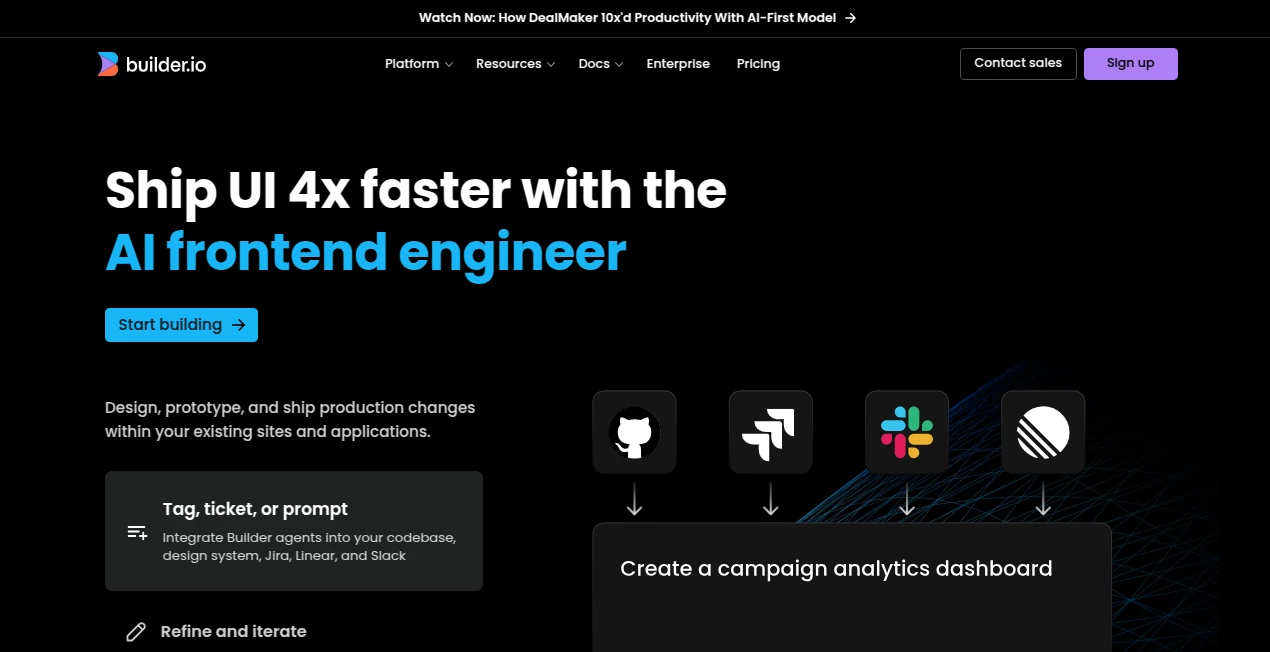
What is Builder.io?
Remember the days when launching a new landing page meant endless back-and-forth between designers and developers? This platform quietly eliminates that headache. You drag, drop, and tweak visually while the code stays clean, performant, and perfectly in sync with your existing stack. I’ve watched teams cut their launch time from weeks to days, and the best part? The output doesn’t feel “no-code” — it feels like a real, production-grade site built by people who care.
Introduction
Builder.io was created to bridge the gap between design freedom and developer sanity. It lets designers work in a visual canvas that generates clean, production-ready code while developers retain full control over the underlying tech stack. What started as a visual editor has evolved into a complete platform that powers brands like Zapier, Disney, and Under Armour. The magic lies in its ability to feel like a natural extension of your existing workflow rather than a replacement. You’re not locked into yet another walled garden — you’re just given superpowers to move faster without compromising quality.
Key Features
User Interface
The interface is surprisingly intuitive. The visual editor looks and feels like Figma or Webflow, but with a deep understanding of your actual codebase. You can drag components, adjust spacing, and style everything with pixel-perfect precision — all while the code updates in real time. Switching between visual editing and code view is seamless, and the layout feels familiar even if you’ve never used it before. It’s one of those tools where you open it once and immediately think, “Why hasn’t anyone done this sooner?”
Accuracy & Performance
The generated code is clean, semantic, and optimized out of the box. It respects your existing design system, component library, and performance requirements. Pages load fast because the output is literally your stack’s native code — no bloated wrappers or unnecessary JavaScript. In practice, teams report page speeds staying in the high 90s on Lighthouse even after heavy customization. That’s not luck; it’s deliberate engineering.
Capabilities
You can build entire pages, sections, or individual components. It integrates deeply with Next.js, React, Shopify, and more — pulling in your existing components and letting you compose them visually. There’s AI-assisted content generation, A/B testing, personalization, and dynamic data fetching — all without writing extra code. For e-commerce teams, the Shopify integration is particularly impressive: you can visually edit product pages, collections, and checkout flows while staying 100% compliant with Shopify’s Liquid templating.
Security & Privacy
Security is handled at the enterprise level. You can self-host the visual editor if needed, and all data stays within your infrastructure. Role-based access control, SOC 2 compliance, and audit logs are standard on higher plans. It’s clear they understand that large brands can’t take chances with their frontend infrastructure — and they don’t ask you to.
Use Cases
Marketing teams launch campaign pages in hours instead of weeks. E-commerce brands visually customize product detail pages and collections while staying in sync with their catalog. Product teams prototype and iterate on internal tools without spinning up a full dev environment. Agencies use it to deliver pixel-perfect client sites faster than ever. One agency I know cut their average project timeline by 40% — and the clients never noticed the speed boost because the quality stayed sky-high.
Pros and Cons
Pros:
- Generates clean, maintainable code that matches your existing stack
- Visual editor that feels like Figma but actually produces production code
- Deep integrations with Next.js, React, Shopify, and more
- AI-assisted content and personalization that actually work
- Enterprise-grade security and self-hosting options
Cons:
- Learning curve for teams new to visual development
- Some advanced custom logic still requires code
Pricing Plans
The free plan is generous enough for small projects and personal sites. Paid plans start at a reasonable price for teams and scale up based on usage and features like A/B testing, personalization, and team seats. Enterprise plans offer dedicated support, self-hosting, and custom SLAs. What’s refreshing is that the pricing feels fair — you pay more as you grow, not just because you exist.
How to Use Builder.io
Connect your repo or start from scratch. Drag in components from your existing library or use pre-built ones. Style visually, add dynamic data, and preview on any device. When ready, hit publish — the code deploys directly to your site. For Shopify, install the app and start editing product pages in minutes. It’s one of those tools where the first “aha” moment comes quickly — usually within the first hour.
Comparison with Similar Tools
Compared to Webflow or Framer, Builder.io doesn’t try to replace your entire stack — it enhances it. Unlike headless CMS platforms, it’s laser-focused on visual editing with developer-friendly output. The result is a tool that sits comfortably between no-code builders and full custom development, giving you the best of both worlds without the usual compromises.
Conclusion
Builder.io quietly solves one of the most persistent problems in modern web development: how to let designers move fast without creating tech debt. It’s not just a visual editor — it’s a production-grade platform that respects your existing codebase and scales with your team. If you’re tired of choosing between speed and quality, this is the tool that finally lets you have both.
Frequently Asked Questions (FAQ)
Does it work with my existing components?
Yes — it pulls in your React, Vue, or Svelte components and lets you use them visually.
Can I self-host?
Absolutely, enterprise plans include full self-hosting options.
Is it good for e-commerce?
One of the strongest Shopify integrations available — visual editing for product pages, collections, and more.
Do I need to rewrite my site?
No — it integrates with your existing Next.js, React, or other frameworks.
Is there a free plan?
Yes, generous free tier for small projects and personal sites.
AI Landing Page Builder , AI Website Builder , AI No-Code & Low-Code , AI Design Generator .
These classifications represent its core capabilities and areas of application. For related tools, explore the linked categories above.
Builder.io details
This tool is no longer available on submitaitools.org; find alternatives on Alternative to Builder.io.
Pricing
- Free
Apps
- Web Tools
Categories

Builder.io Alternatives Product

Album Cover …

square face …

SeeDream 4.5

Wplace Live

Fine Image

Nano Banana …

GenPPT AI

MakeMyOC

Nano Banana …
