
🧠 AI Quiz
Think you really understand Artificial Intelligence?
Test yourself and see how well you know the world of AI.
Answer AI-related questions, compete with other users, and prove that
you’re among the best when it comes to AI knowledge.
Reach the top of our leaderboard.


















byteflow

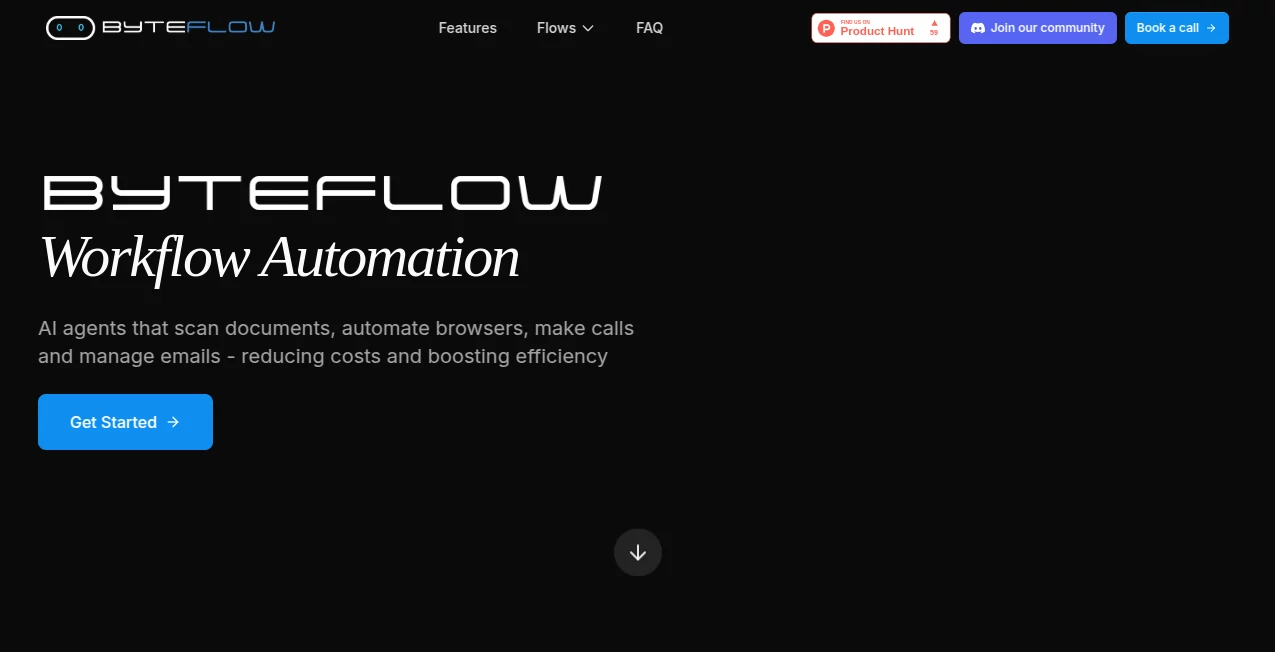
What is byteflow?
There's something genuinely exciting about watching a tangled mess of repetitive tasks untangle themselves into smooth, reliable operations overnight. This platform delivers that thrill, giving technical teams the power to craft AI-driven automations that handle everything from voice calls to document digging without a line of code in sight. I've seen it turn skeptical devs into believers when a quick drag-and-drop setup replaced days of scripting headaches, freeing up time for the stuff that really matters.
Introduction
Built for folks who live in the trenches of ops and development, this AIPaaS hub lets you visually stitch together workflows that feel almost alive—adapting, scaling, and healing themselves when things shift. No more brittle scripts that crumble at the first UI tweak; instead, you get self-healing browser runs, scalable voice agents, and smart document parsers that just work. It's caught on with teams across sales, supply chain, and support because it bridges the gap between big ideas and everyday execution, often launching full agents in minutes. Picture a sandbox where you test and tweak before going live— that's the kind of thoughtful touch that makes complex automation feel approachable, even fun.
Key Features
User Interface
The drag-and-drop builder is a joy—nodes for triggers, agents, and actions snap together like puzzle pieces, with a sandbox preview that runs your flow in real time. No overwhelming panels or hidden settings; everything's visible, configurable, and responsive, whether you're wiring a simple chat response or a multi-step voice campaign. A friend on a dev team told me it cut their prototyping time in half, just because spotting issues early felt so natural.
Accuracy & Performance
Self-healing tech keeps automations steady even when sites change layouts, while real-time tracking logs every trigger and outcome for quick debugging. It scales to thousands of tasks without hiccups, and the visual feedback loop means iterations happen fast—often nailing complex sequences on the second try. In practice, it's reliable enough that teams trust it for critical paths, like lead qualification calls that convert without dropping the ball.
Capabilities
From voice agents that handle natural conversations in multiple languages to browser bots that fill forms or scrape intelligently, plus document extractors that adapt to new formats—it's a full suite. Text-to-workflow generation kicks off ideas quickly, and hundreds of connectors mean it plays nice with your existing stack. The real standout is how it reuses smarts across projects, turning one-off fixes into organization-wide wins.
Security & Privacy
Industry-standard measures guard your data, with controlled access and no unnecessary lingering of sensitive info. It's designed for enterprise comfort, letting you run in cloud or integrate securely, so proprietary processes stay protected while you scale.
Use Cases
Sales crews automate lead calls that qualify and nurture around the clock, boosting conversions without extra headcount. Support teams route tickets and resolve issues via smart chat or voice, cutting response times dramatically. Supply chain pros optimize inventory alerts and supplier pings, while devs streamline CI/CD with automations that adapt on the fly. One ops lead I know turned chaotic invoice processing into a hands-off flow that saved their team dozens of hours weekly.
Pros and Cons
Pros:
- Visual building makes advanced automation accessible without deep coding dives.
- Self-healing keeps things running smooth, slashing maintenance headaches.
- Broad integrations and specialized flows cover voice, browser, docs, and more.
- Sandbox testing catches issues early, building confidence fast.
Cons:
- Geared toward technical users, so pure no-coders might need a gentle ramp-up.
- Heavy reliance on connectors means checking compatibility for niche tools.
Pricing Plans
It starts flexible with options tailored to team size and usage, often including demos to see the fit firsthand. Plans scale from starter setups for smaller crews to enterprise tiers with full support and custom connectors, ensuring you pay for the horsepower you need without overkill.
How to Use ByteFlow
Sign up and dive into the builder—drag a trigger node, link an agent for logic, and cap with actions like sending data or responding. Test in the sandbox, watch logs for tweaks, then deploy to live. Start small with a chat flow, add voice or browser branches as confidence grows, and soon you're orchestrating full ops without breaking a sweat.
Comparison with Similar Tools
Against code-heavy frameworks that demand constant fixes, this one's visual and adaptive edge keeps momentum high. Where single-purpose bots limit scope, the multi-flow approach (voice, docs, browser) covers more ground in one place. It's the balanced pick for teams wanting robustness without the rigidity, delivering faster launches and fewer breakdowns.
Conclusion
This platform quietly revolutionizes how teams tackle automation, blending visual ease with agent smarts that scale beautifully. It's the tool that turns "we should automate that" into "it's already done," freeing minds for innovation over upkeep. If you're ready to multiply your output without multiplying the effort, this is the launchpad worth exploring.
Frequently Asked Questions (FAQ)
Do I need coding skills?
Not really—the visual builder handles most, though basic tech familiarity helps for advanced tweaks.
What about UI changes breaking flows?
Self-healing adapts automatically, keeping things stable where others falter.
Can it handle voice calls?
Yes, with scalable agents that converse naturally and integrate seamlessly.
How many integrations?
Hundreds, plus custom options for whatever your stack throws.
Is there a trial or demo?
Absolutely—book one to see it in action on your use case.
AI Workflow Management , AI No-Code & Low-Code , AI Productivity Tools , AI Developer Tools .
These classifications represent its core capabilities and areas of application. For related tools, explore the linked categories above.
byteflow details
This tool is no longer available on submitaitools.org; find alternatives on Alternative to byteflow.
Pricing
- Free
Apps
- Web Tools
Categories

byteflow Alternatives Product

ChatFlowchart

TopPDF

Notion

Unix Timesta…

Airtable AI …

OhNoCode

eesel AI

onuml

Somnio
