
🧠 AI Quiz
Think you really understand Artificial Intelligence?
Test yourself and see how well you know the world of AI.
Answer AI-related questions, compete with other users, and prove that
you’re among the best when it comes to AI knowledge.
Reach the top of our leaderboard.


















Caricature Generator
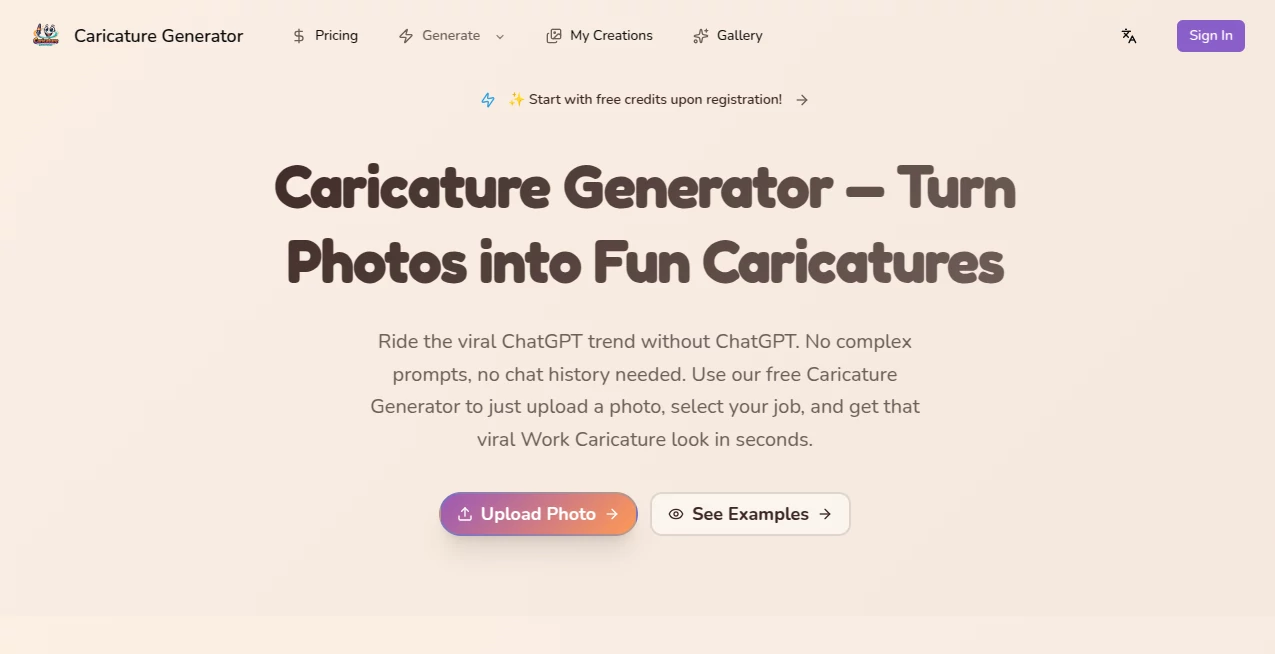
What is Caricature Generator?
Ever looked at a selfie or a group photo and thought, “This would be hilarious as a cartoon”? This little tool does exactly that—and it does it surprisingly well. Upload any picture, wait a few seconds, and out comes a caricature that exaggerates just the right features: the big smile, the wild hair, the expressive eyes. It’s playful without being mean, detailed without looking overdone. I’ve sent these to friends as birthday surprises and the reactions are always the same—laughter followed by “Wait, how did it know to make my nose look like that?!” It captures personality in a way that feels personal, not robotic.
Introduction
Caricatures have this unique power: they make us laugh at ourselves while still feeling seen. Traditionally you needed a street artist with years of practice or expensive software and skill. This platform removes every barrier. No drawing ability required, no waiting in line, no learning curve—just your photo and a couple clicks. What started as a fun side project has quietly become a favorite for people who want quick, shareable art that actually looks good. The exaggerations are clever, never cruel, and the style options let you dial in exactly the vibe you’re after. It’s lighthearted tech that delivers real smiles.
Key Features
User Interface
The whole thing is built to be stupidly easy. Big upload button front and center, a handful of style thumbnails underneath, and a “Generate” button that’s impossible to miss. No login required for basic use, no account nagging. After upload you see instant previews of different exaggeration levels and artistic flavors. Everything loads fast, even on mobile. It never feels like you’re fighting the interface—it’s just there to get out of your way and let the fun happen.
Accuracy & Performance
It’s impressive how well it reads a face. Eyes, nose, mouth, jawline—every feature that makes someone recognizable gets gently amplified without turning into a monster. Processing takes 5–15 seconds in most cases, and the output stays consistent even with tricky lighting or angles. Group photos are handled surprisingly cleanly too—no one face gets ignored. The quality-to-speed ratio is one of the best I’ve seen in this space.
Capabilities
Besides standard portrait caricatures, you get multiple artistic styles (comic-book bold, soft painterly, retro cartoon, minimalist line art, and more). You can adjust exaggeration strength with a simple slider, choose background colors or patterns, and generate several variations at once to pick your favorite. Outputs come in high resolution suitable for printing, social sharing, or even gifts. It works on selfies, pet pics, couple shots, and even the occasional baby photo (adorable results, by the way).
Security & Privacy
Your photo is processed in the moment and not stored long-term. No account is forced, so there’s no profile tied to your images unless you choose to create one for saving favorites. Files are deleted from servers shortly after generation. For casual fun or gifting, that low-commitment privacy feels just right.
Use Cases
A guy uses it to turn his girlfriend’s favorite selfie into a cartoon birthday card—she cried laughing when she opened it. A teacher makes caricatures of each student as end-of-year keepsakes; the kids go wild. A content creator drops weekly cartoon versions of himself reacting to trending topics—engagement jumps because people love the visual joke. Small businesses use staff caricatures on their “meet the team” pages—suddenly the about-us section feels warm and human. It’s the perfect low-effort, high-smile addition to almost any personal or light marketing project.
Pros and Cons
Pros:
- Results look genuinely hand-drawn, not like generic filter effects.
- Fast enough to use in real-time at parties or events.
- Multiple styles and exaggeration levels give real creative choice.
- High-res downloads perfect for prints, stickers, or social avatars.
- Free tier is generous—no hard paywall to try it.
Cons:
- Group shots with many overlapping faces can occasionally confuse it.
- Very low-light or heavily filtered selfies sometimes lose detail.
- Unlimited generations and extra styles sit behind a paid plan.
Pricing Plans
You can play for free right away—several high-quality caricatures per day, no card needed. The premium plan removes limits, unlocks every style, removes any small watermark, and gives priority processing during busy times. It’s priced like a couple of coffees a month, which feels fair when you consider how much joy (and occasional viral post) one good caricature can create.
How to Use Caricature Generator
Click the big “Upload Photo” area or drag your image in. Wait 2–3 seconds while it processes. Browse the style thumbnails—click one to see the result instantly. Move the exaggeration slider left for subtle or right for bold. Hit download when you love it. Want options? Generate a few at different levels and pick the winner. That’s it—under a minute from selfie to shareable cartoon.
Comparison with Similar Tools
A lot of caricature apps lean too hard into cartoon filters that look plastic or overly simplified. This one keeps more of the real person’s essence while still exaggerating for humor. Where others produce only one fixed style, the variety here lets you match the mood—cute, edgy, vintage, whatever fits. Speed, quality, and creative control put it ahead of most free and even some paid competitors.
Conclusion
In a world full of serious filters and heavy editing apps, this tool brings back the simple joy of caricature—the art of seeing someone and laughing with affection. It’s quick, it’s clever, and it turns ordinary moments into keepsakes people actually treasure. Whether you’re gifting a laugh, spicing up your socials, or just having fun with friends, it delivers every time. Sometimes the best tech is the kind that reminds us to smile at ourselves.
Frequently Asked Questions (FAQ)
How many free caricatures can I make?
Usually 5–10 per day depending on current server load—plenty to play with.
Does it work well on group photos?
Yes, though best with 2–4 people. More than that and faces can get a bit crowded.
Can I print the results?
Absolutely—downloads are high-res and look great on mugs, posters, t-shirts.
What if my photo has bad lighting?
It still tries, but brighter, clearer selfies give the sharpest exaggerations.
Is there a watermark on free versions?
Very small and removable in most cases; paid plan removes it completely.
Photo & Image Editor , AI Image to Image , AI Design Generator , AI Fun Tools .
These classifications represent its core capabilities and areas of application. For related tools, explore the linked categories above.
Caricature Generator details
Pricing
- Free
Apps
- Web Tools
Categories

Caricature Generator Alternatives Product

Freepik

Z Image Turbo

AI Picture G…

Connections …

JFIF to JPG …

Beard Remover

Reztune

Square Image
whisk ai
