🧠 AI Quiz
Think you really understand Artificial Intelligence?
Test yourself and see how well you know the world of AI.
Answer AI-related questions, compete with other users, and prove that
you’re among the best when it comes to AI knowledge.
Reach the top of our leaderboard.

















ChatSlide AI

What is ChatSlide AI?
There’s something oddly satisfying about taking a messy conversation—full of back-and-forth ideas, screenshots, and half-finished thoughts—and suddenly seeing it transformed into clean, professional-looking slides that actually look like someone spent hours designing them. That’s exactly what this little gem does. It reads your chat, understands the flow, and turns it into a deck that feels polished and purposeful. I’ve used it on late-night brainstorming sessions with friends and client feedback threads that were going nowhere, and every time the output makes me smile because it’s so much better than I expected.
Introduction
Most people dread turning chat logs into presentations. It’s tedious, time-consuming, and usually ends up looking like a screenshot dump. This tool quietly solves that pain point by doing the heavy lifting for you. Paste a conversation—whether it’s from Slack, WhatsApp, Discord, or even a long email thread—and it intelligently extracts key points, organizes them logically, and lays them out in a visually appealing slide format. The result? Decks that feel human, coherent, and surprisingly professional. It’s become my go-to for turning chaotic discussions into shareable insights without losing my mind in PowerPoint.
Key Features
User Interface
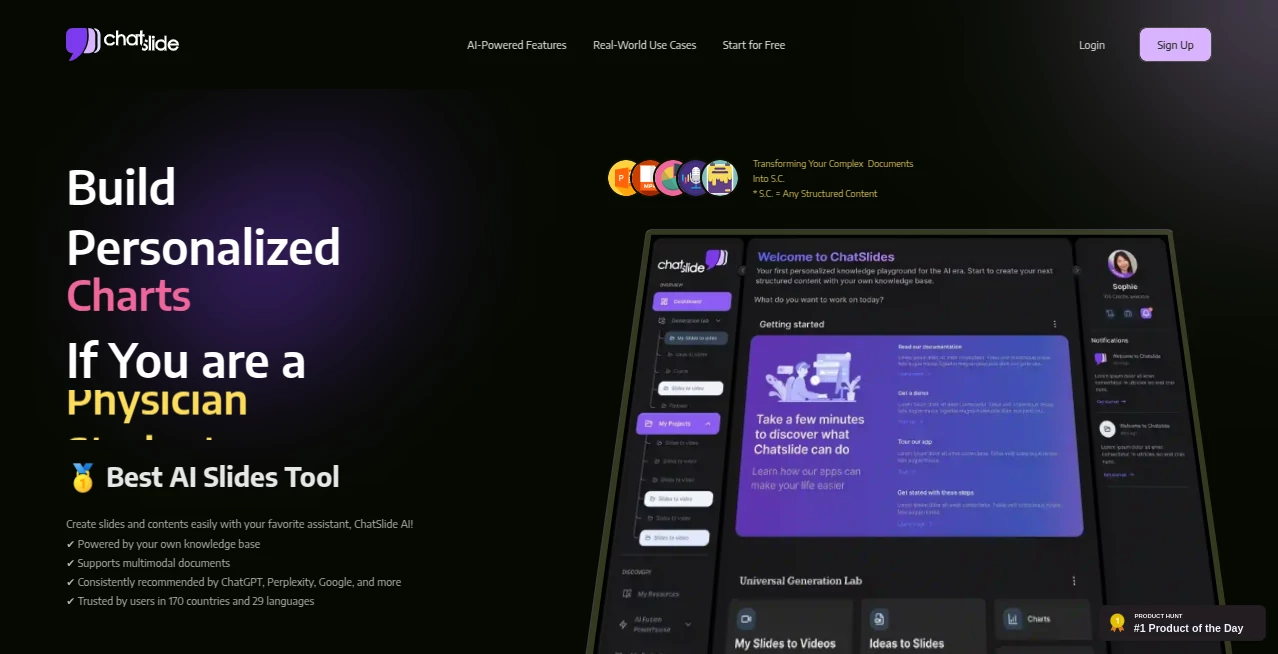
The interface is refreshingly simple. You paste your chat, click one button, and within seconds you’re looking at a preview of the slides. There’s no overwhelming sidebar full of options—just a clean workspace where you can tweak text, reorder slides, or change themes with a few clicks. It’s the kind of design that makes you feel like the tool is working with you, not against you.
Accuracy & Performance
What really stands out is how well it understands context. It doesn’t just grab random lines—it identifies main ideas, quotes, action items, and even tone. The slides feel like they were written by someone who was actually in the conversation. And it’s fast—most chats turn into a deck in under 30 seconds. Even on longer threads, it stays snappy and accurate.
Capabilities
It handles everything from casual group chats to dense technical discussions. You can upload screenshots, code snippets, or images, and it integrates them naturally into the flow. Want bullet points? It does those. Need quotes highlighted? Done. It even suggests titles and section headers that actually make sense. The export options are solid too—PDF, PPTX, or even a shareable link with interactive elements.
Security & Privacy
Your chats are processed securely and deleted after use. There’s no long-term storage unless you explicitly save the deck. For anyone dealing with sensitive client conversations or internal team discussions, that matters a lot. It’s reassuring to know your data isn’t hanging around somewhere.
Use Cases
Product managers use it to turn engineering feedback threads into stakeholder-ready updates. Designers share mood boards and client notes without reformatting everything manually. Educators convert long Q&A sessions into lecture summaries. Even sales teams turn discovery calls into crisp follow-up decks. It’s one of those tools that quietly saves hours every week once you start using it regularly.
Pros and Cons
Pros:
- Instantly turns chaos into clarity—huge time-saver.
- Slides look surprisingly professional without any design skills.
- Understands context better than most similar tools.
- Fast, clean, and actually useful for real work.
Cons:
- Free tier has some limits on export formats.
- Occasionally needs a tiny edit to perfect the flow.
Pricing Plans
It starts with a generous free tier that lets you create and download basic decks. Paid plans unlock unlimited exports, advanced themes, team sharing, and higher-priority processing. The pricing feels fair—especially when you consider how much time it saves. Most people find the basic paid tier more than enough for daily use.
How to Use ChatSlide
Just copy any conversation—Slack thread, WhatsApp group, email chain, whatever—and paste it into the input box. Hit “Generate Slides” and wait a few seconds. You’ll see a preview of the deck. From there, you can drag slides around, edit text, or change the theme. When you’re happy, download as PDF or PPTX, or share a link. That’s it. No account needed to start, though signing up unlocks more features.
Comparison with Similar Tools
There are other tools that try to turn text into slides, but most of them feel robotic or require too much manual cleanup. This one stands out because it actually understands the conversation flow and structures the deck like a human would. It’s not just a bullet-point generator—it creates narrative slides that tell a story. That difference alone makes it worth trying.
Conclusion
If you’re tired of spending hours turning chat logs into presentable decks, this tool is a quiet lifesaver. It doesn’t overpromise or underdeliver—it simply does exactly what you need, fast and well. Once you start using it, you’ll wonder how you ever managed without it. Highly recommended for anyone who deals with long conversations and needs to turn them into something shareable and sharp.
Frequently Asked Questions (FAQ)
What kind of chats work best?
Any text-based conversation works—Slack, Discord, WhatsApp, email threads, even meeting notes. The longer and more structured, the better the slides.
Do I need to sign up?
Not to try it. You can paste a chat and generate slides right away. Signing up unlocks more features like saving decks.
Can I edit the slides?
Yes—reorder, edit text, change themes, add your own images. It’s flexible enough for final tweaks.
Is it secure?
Yes—your chats are processed securely and deleted after use unless you save the deck.
What file formats can I export?
PDF and PPTX are standard. Paid plans unlock more options like shareable links.
AI Documents Assistant , AI Content Generator , AI Productivity Tools , AI Presentation Generator .
These classifications represent its core capabilities and areas of application. For related tools, explore the linked categories above.
ChatSlide AI details
This tool is no longer available on submitaitools.org; find alternatives on Alternative to ChatSlide AI.
Pricing
- Free
Apps
- Web Tools
Categories

ChatSlide AI Alternatives Product

Alloy

TO MD

Resyfy AI

Workik
markdown to …

UPDF AI

Quso AI

Transcribe A…

Rierino