
🧠 AI Quiz
Think you really understand Artificial Intelligence?
Test yourself and see how well you know the world of AI.
Answer AI-related questions, compete with other users, and prove that
you’re among the best when it comes to AI knowledge.
Reach the top of our leaderboard.


















chibi generator
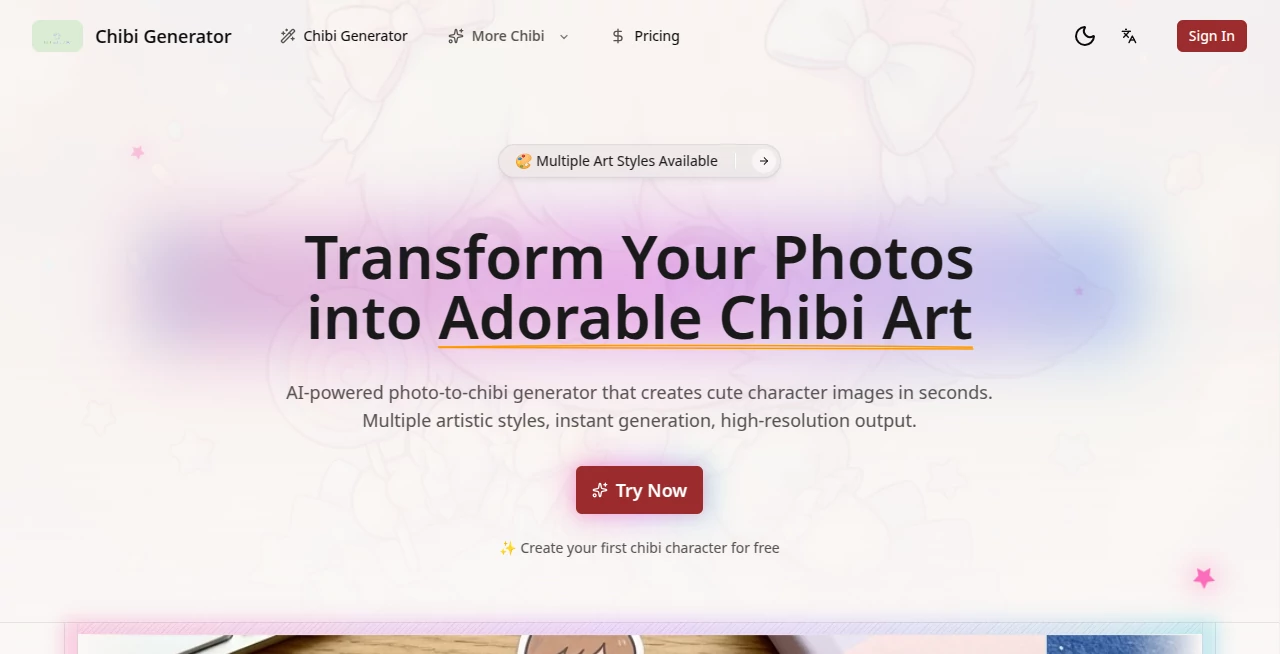
What is chibi generator?
There’s something instantly heartwarming about seeing yourself—or your pet, your favorite character, even your coffee mug—reimagined as a tiny, big-headed, sparkling-eyed chibi version. This little tool captures that exact charm and makes it ridiculously easy. You upload a photo or just describe what you want, and in seconds you get a cute, polished chibi illustration that feels personal and full of personality. Friends have sent me their results and honestly, the giggles never stop. It’s the kind of thing that turns a boring afternoon into a burst of joy.
Introduction
Chibi style has this magical ability to make anything feel softer, friendlier, and more lovable—and now you don’t need to be an artist or wait weeks for a commission to see it happen. This platform takes that idea and runs with it, letting anyone create high-quality chibi art from selfies, pet photos, anime OCs, or even wild text prompts like “a chibi astronaut riding a giant cat wearing sunglasses.” What I love most is how fast and forgiving it is. Messy selfie? Bad lighting? Doesn’t matter—it still pulls out the important details and turns them into something adorable. It’s become my go-to whenever I want a quick gift idea, social media avatar refresh, or just a little mood-lifter.
Key Features
User Interface
The layout is clean and kind. Big upload button, clear text box for prompts, a handful of helpful style presets, and that’s basically it. You see your result almost immediately, with options to tweak expression, background, or add accessories right there. No overwhelming menus or confusing sliders—just the essentials done well. It feels like the creators actually used it themselves and removed everything that annoyed them.
Accuracy & Performance
It’s surprisingly good at keeping the important parts of your reference—face shape, hair color, outfit vibe—while still giving that classic chibi exaggeration. Faces stay recognizable even when the head is comically large. Generation is quick (usually under 30 seconds), and the quality holds up whether you’re downloading for stickers, profile pics, or printing tiny keychains. In my experience, even phone selfies with messy backgrounds come out clean and charming.
Capabilities
You can start from a photo, a text description, or mix both. Want your chibi wearing a specific outfit, holding an item, or posed in a certain way? Just say it. Backgrounds range from simple gradients to full scenes. Multiple variations per prompt mean you almost always find at least one winner. And the style stays consistent—cute, rounded, expressive—without drifting into uncanny territory.
Security & Privacy
Your uploaded photos don’t get stored long-term or used for training. Once the generation is done, the input is gone. It’s a small but important detail that makes you feel safe dropping personal pictures into the tool without second thoughts.
Use Cases
Couples turn date-night selfies into matching couple chibis for anniversary posts. Streamers use their own chibi as emotes and profile art that instantly feels approachable. Pet owners immortalize their grumpy cat or hyper puppy in adorable form as phone wallpapers. Content creators make custom merch mockups in seconds. Even teachers have used it to create mascot versions of themselves for classroom rewards—it’s that flexible and instantly likable.
Pros and Cons
Pros:
- Incredibly fast and consistent chibi style—always cute, never creepy.
- Works great with both photos and text prompts.
- Generates multiple options so you’re rarely stuck with just one result.
- Free tier is generous enough for regular fun use.
Cons:
- Free generations have a small watermark.
- Very complex prompts (multiple characters + detailed action) can occasionally confuse it.
Pricing Plans
The free plan gives you a solid number of generations per day—enough to play around and share with friends regularly. Paid plans remove the watermark, increase daily limits, give priority during busy times, and unlock higher resolutions. It’s priced reasonably so that even casual users feel good about supporting it when they want a bit more.
How to Use ChibiGenerator
Upload a clear photo (or skip if you’re going text-only), write a short description of the pose, outfit, or vibe you want, choose a style preset if you like, and hit generate. You’ll get several variations almost instantly. Pick your favorite, download it, and you’re done. If the first batch isn’t perfect, tweak the prompt slightly and try again—small changes usually make a big difference.
Comparison with Similar Tools
Many chibi generators either produce very stiff results or require heavy prompt engineering. This one strikes a rare balance: it understands natural language well, keeps proportions cute and consistent, and rarely gives you something unusable. Compared to more general image tools, the chibi focus means it’s specialized in exactly the right way—cute, expressive, and instantly shareable.
Conclusion
Sometimes the simplest ideas are the most powerful. Turning real people, pets, or wild ideas into tiny, joyful chibi versions is one of those ideas. This tool does it with warmth, speed, and surprising quality, making it easy to spread smiles without spending hours or money. Whether you use it once for a laugh or every week for content, it brings a little lightness to the day—and that’s harder to find than you’d think.
Frequently Asked Questions (FAQ)
Do I need a perfect photo?
No—a normal selfie or even a slightly blurry one usually works fine. Clear faces help most.
Can I make group chibis?
Yes, just describe multiple characters or upload a group photo—results are surprisingly good.
Is the free version usable for social media?
Absolutely, though the watermark is small and tasteful.
How detailed can prompts be?
Very—outfits, expressions, backgrounds, accessories… the more specific, the better (usually).
Can I use these commercially?
Yes on paid plans; check the terms for free usage if you plan to sell.
AI Image to Image , AI Art Generator , AI Design Generator , AI Fun Tools .
These classifications represent its core capabilities and areas of application. For related tools, explore the linked categories above.
chibi generator details
Pricing
- Free
Apps
- Web Tools
Categories

chibi generator Alternatives Product

AI Slop Canv…

Brave Pink H…

Roblox Man F…

AI Raphael

Undertale Te…
Caricature A…

flux 3
text to 3d w…

Z-Image
