
🧠 AI Quiz
Think you really understand Artificial Intelligence?
Test yourself and see how well you know the world of AI.
Answer AI-related questions, compete with other users, and prove that
you’re among the best when it comes to AI knowledge.
Reach the top of our leaderboard.


















CodeWiki
AI-Powered Code Documentation That Stays Fresh

What is CodeWiki?
CodeWiki steps in as a game-changer for developers drowning in outdated notes and scattered code comments, automatically spinning up clear, clickable guides that mirror every tweak in the repository. This tool feels like having a tireless archivist on your team, one that not only catalogs your work but chats back when you need a quick rundown on that tricky function. Teams who've dipped into it often come away lighter, with fewer "how does this work?" emails flying around and more time spent actually building.
Introduction
CodeWiki bubbled up from the quiet frustration of codebases that outgrow their docs faster than anyone can update them, dreamed up by folks at Google who saw the pain firsthand in sprawling projects. It landed in public preview not long ago, quickly pulling in curious coders from indie shops to big outfits, all nodding at how it cuts through the fog of legacy code or fresh forks. What started as a way to keep things tidy has turned into a conversation starter at dev meetups, where stories flow about slashing onboarding weeks down to days. At its heart, it's a nod to the idea that good docs shouldn't be a chore—they should just happen, letting the real magic stay in the making.
Key Features
User Interface
The dashboard opens like a well-thumbed notebook, with pages that link straight to your code spots and diagrams that redraw themselves on the fly. A chat window sits cozy in the corner, ready for plain-talk questions without pulling you out of the flow. Navigation feels natural, like wandering a familiar hallway—click a term, land on the line it lives in, all without the clutter of sidebars or search bars stealing the show. Even on a crowded screen, it breathes easy, keeping your eyes on the insights rather than wrestling the layout.
Accuracy & Performance
Every scan after a commit pulls the full picture, matching words to wires with a precision that rarely leaves gaps, so your guides ring true even as branches twist. It hums along without hiccups, refreshing in minutes flat and handling hefty repos like a champ, so you get answers that feel pulled from the now, not some dusty draft. Devs mention how it spots the subtle shifts—like a renamed variable—that trip up manual notes, keeping the whole thing sharp as a fresh pull request.
Capabilities
From sketching out architecture flows to breaking down API quirks, it builds a full web of pages that tie back to your actual lines, complete with visuals that update as you type. The chat sidekick dives in with spot-on replies, drawing from the latest state to explain dependencies or debug dreams. It stretches to cover everything from quick library peeks to deep audits, even hinting at upcoming tweaks for private setups, making it a swiss army knife for anyone knee-deep in code jungles.
Security & Privacy
Public spots get the green light for free, with private ones queued up for a local spin that keeps things in-house, away from prying clouds. It handles the handoffs with standard locks, wiping transients and letting you gatekeep who peeks at what. That balance gives teams breathing room, especially those juggling sensitive stacks, knowing their secrets stay sandboxed until they're good and shared.
Use Cases
New hires hit the ground running, flipping through fresh pages to grasp the big picture before their first push. Seasoned scouts use the chat to unpack unfamiliar crates, saving hours of grep hunts. Audit crews pull up annotated paths for compliance checks, spotting risks without rummaging. Even solo wanderers keep their side gigs documented without the afterthought, turning chaotic commits into coherent chronicles.
Pros and Cons
Pros:
- Keeps docs dancing with every change, no more stale snapshots.
- Chat queries cut straight to the chase, like a coworker who's always online.
- Visuals that evolve mean less explaining, more exploring.
- Onboards rookies fast, freeing mentors for meatier mentors.
Cons:
- Public-first focus leaves private plays on a waiting list.
- Tied to cloud comforts, which might chafe offline diehards.
- First scans on monster repos can take a beat to brew.
Pricing Plans
Public playgrounds come at no cost, letting you dive in without a dime for open repos. Private pursuits sit on a sign-up sheet for a forthcoming extension, with details still under wraps but promising a fit for fenced gardens. That free front door has hooked plenty, with the upgrade path teasing more without twisting arms right away.
How to Use CodeWiki
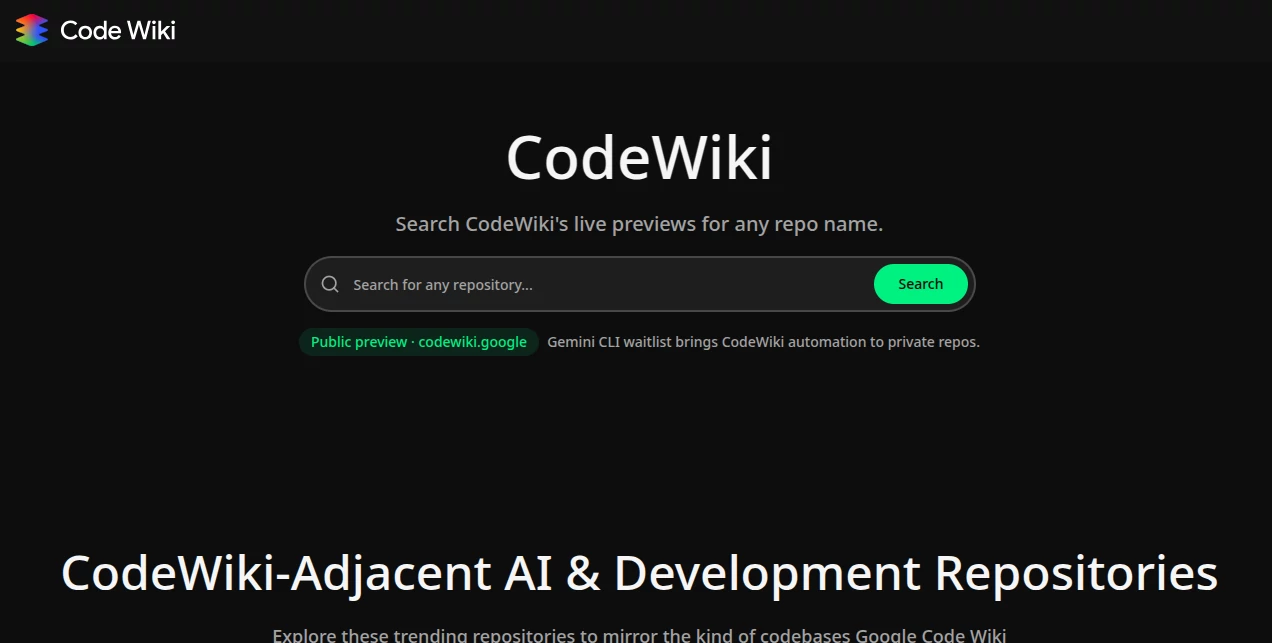
Head over and punch in your repo name to pull up the live look, then wander the woven pages that light up with links and layouts. Fire off a question in the chat bubble to get the gist on a glitch or graph, clicking through to the code cradle for a closer peek. For your own stacks, watch for the CLI cue to hook it local, scanning after saves to keep the knowledge knitting tight.
Comparison with Similar Tools
Stack Overflow shines for crowd wisdom on woes, but CodeWiki keeps it house-specific, skipping the search sprawl for tailored takes straight from your source. GitHub Copilot whispers code completions in your ear, while this one maps the maze you've already wandered, trading suggestions for summaries that stick. It edges in for doc-deep dives, where forums flood and auto-writers wander, carving a cozy spot for comprehension over creation.
Conclusion
CodeWiki quietly rewires the doc dilemma, turning tangled trees into tidy trails that teams can trek without tripping. It hands back hours lost to lost lore, fostering flows where questions fade into quiet confidence. As code keeps climbing in complexity, this keeper of keys stands ready, proving that the best helpers are the ones that handle the housekeeping so you can chase the horizon.
Frequently Asked Questions (FAQ)
What's the wait for private repos?
Join the list for the CLI tool—it's gearing up to run local without leaks.
Does it work on any language?
Yep, from Python puzzles to Rust riddles, it scans the spectrum.
How fresh are the updates?
Post-commit refreshes keep it current, often in under a minute.
Can I tweak the outputs?
Sure, the pages are editable, blending auto with your hand.
Free forever for opens?
Public stays gratis, with privates pending that extension drop.
AI Code Assistant , AI Code Explanation , AI Developer Docs , AI Developer Tools .
These classifications represent its core capabilities and areas of application. For related tools, explore the linked categories above.
CodeWiki details
This tool is no longer available on submitaitools.org; find alternatives on Alternative to CodeWiki.
Pricing
- Free
Apps
- Web Tools
Categories

CodeWiki Alternatives Product

Devplan

Luma AI

AutoChangelog

Interview Co…

DeepSeek

Kimi K2.5

GPTLocalhost

SuperAI

Tate-A-Tate
