🧠 AI Quiz
Think you really understand Artificial Intelligence?
Test yourself and see how well you know the world of AI.
Answer AI-related questions, compete with other users, and prove that
you’re among the best when it comes to AI knowledge.
Reach the top of our leaderboard.


















CopilotHub

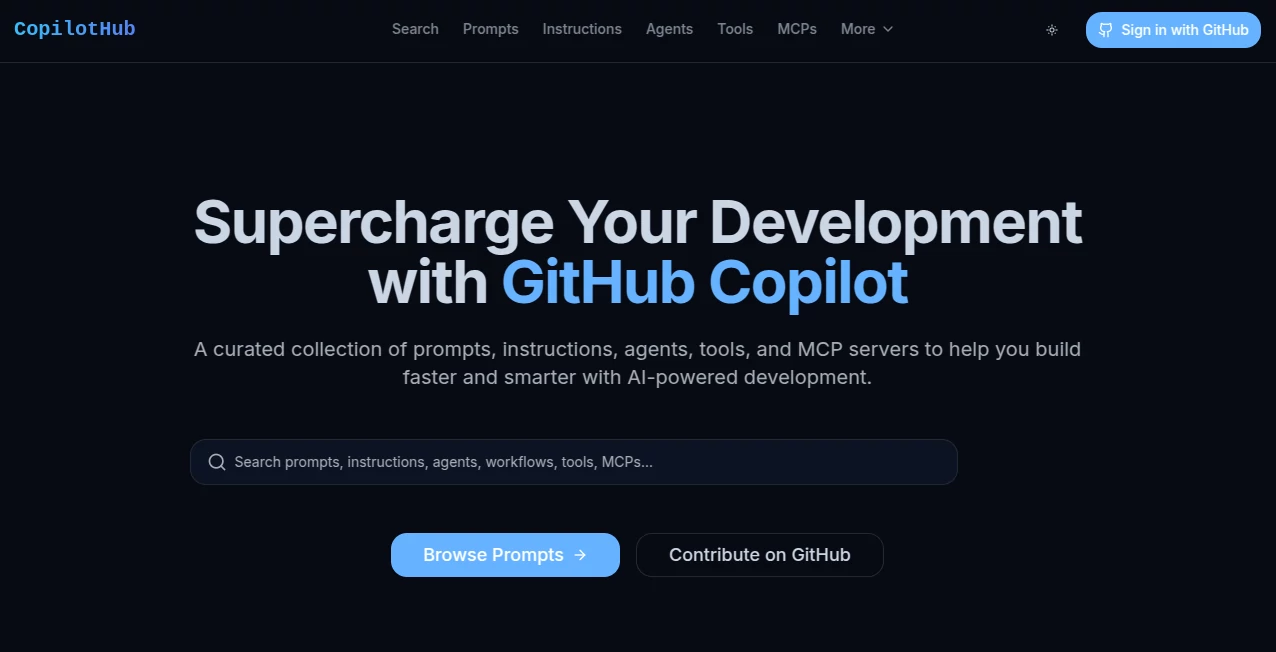
What is CopilotHub?
Stumbling through vague suggestions in your editor can feel like guessing in the dark, but this spot lights the way with a treasure trove of tried-and-true prompts and resources tailored just for AI-assisted coding. It's a welcoming hub where developers swap battle-tested ideas that turn everyday tasks into smooth sails, whether you're refactoring legacy messes or spinning up fresh features. I've pulled a few gems from here for a tricky migration project, and the step-by-step guidance shaved off hours I'd have spent trial-and-error elsewhere.
Introduction
Built out of real-world frustration with hit-or-miss AI outputs, this collection gathers the best community contributions to make the most of code companions. You'll find neatly organized prompts for popular stacks, agents that tackle specific challenges like security reviews or UI polish, and even servers to extend capabilities further. What stands out is the focus on practical, production-ready stuff—no fluff, just things that work in actual codebases. It's grown into a lively spot for devs to browse, copy, and contribute, fostering that shared wisdom that makes tough jobs feel a little less solitary.
Key Features
User Interface
The layout keeps things straightforward: categories up top for quick jumps to frameworks like React or SQL, a search bar that pulls relevant hits instantly, and clean cards with copy buttons that make grabbing a prompt effortless. Scrolling through feels natural, with sections for modernization, agents, and tools clearly marked—no overwhelming walls of text, just easy discovery that invites you to linger and explore.
Accuracy & Performance
Every entry here comes from real use, often with notes on what works best, so you get reliable guidance that lands solid results more often than not. The curated approach means less noise—prompts refined for common pitfalls, leading to cleaner outputs without endless tweaking. In practice, it's the kind of resource that boosts confidence, turning potential frustrations into quick wins.
Capabilities
Dive into specialized prompts for migrations, like shifting class components to hooks or updating dependencies safely, alongside agents for architecture checks or technical writing. Tools round it out with handy extensions, and MCP servers add that extra layer for advanced setups. It's all about amplifying your workflow, from small refactors to big overhauls, with contributions keeping it fresh and relevant.
Security & Privacy
As a public resource, it focuses on sharing knowledge openly while encouraging responsible use—no personal data involved, just code ideas to copy and adapt freely. It's community-driven in the best way, with transparency that builds trust for everyday browsing.
Use Cases
A backend dev tackling a framework upgrade pulls migration prompts that guide safe steps, avoiding downtime surprises. Frontend folks grab Tailwind tweaks for faster styling, or UX agents for design feedback loops. Teams modernizing old apps find step-by-step paths that keep things stable, while solo builders discover agents for security scans that catch issues early. It's those targeted helps that turn daunting tasks into manageable ones.
Pros and Cons
Pros:
- Curated quality that cuts through trial-and-error guesswork.
- Easy copy-and-paste for instant application in your editor.
- Community contributions keep it evolving with fresh insights.
- Focused categories make finding the right fit a breeze.
Cons:
- Depth varies by category, with popular ones richer than niche.
- Relies on user submissions, so occasional polishing needed.
Pricing Plans
Access comes completely open and free, with everything available to browse, search, and use without any gates or sign-ups. It's that generous spirit—community-supported all the way—that makes it a staple without adding to your tool budget.
How to Use CopilotHub
Head over, scan the categories or punch in a keyword like "TypeScript migration," and skim the cards for what clicks. Hover for details, hit copy on a promising one, then paste into your editor for the assist. Bookmark favorites or contribute your own finds—it's simple enough to weave into daily routines, turning quick visits into habit-forming boosts.
Comparison with Similar Tools
Scattered forums or general prompt shares often bury gems in noise, but this one's curated focus delivers higher signal with less digging. It's more targeted than broad repositories, prioritizing actionable, tested entries that fit real workflows better than generic lists.
Conclusion
This hub captures the collaborative heart of modern development, offering a steady stream of practical wisdom that elevates everyday coding. It's the kind of resource that grows with you, turning solo struggles into shared successes. Whether you're deep in a refactor or just exploring better ways, it's worth keeping close—a quiet ally that makes the hard parts a little easier.
Frequently Asked Questions (FAQ)
How do I contribute a prompt?
It's open for submissions—share what works for you to help the community grow.
Are the prompts framework-specific?
Many target popular ones like React or Next.js, with broad ones too.
What's an MCP server?
Extensions that add context capabilities for richer assists.
Is it only for advanced users?
No—beginners find gentle starters, pros get deep dives.
How often is it updated?
Community keeps it fresh with regular additions.
AI Code Assistant , AI Developer Tools , AI Tools Directory .
These classifications represent its core capabilities and areas of application. For related tools, explore the linked categories above.
CopilotHub details
This tool is no longer available on submitaitools.org; find alternatives on Alternative to CopilotHub.
Pricing
- Free
Apps
- Web Tools
Categories

CopilotHub Alternatives Product

Project Mela

AI Just Bett…

AIDir

Max Studio AI

Startup Tool…

Lovable APP

Workik

ModelsLab

WebToMind