🧠 AI Quiz
Think you really understand Artificial Intelligence?
Test yourself and see how well you know the world of AI.
Answer AI-related questions, compete with other users, and prove that
you’re among the best when it comes to AI knowledge.
Reach the top of our leaderboard.


















CozAIPhoto
What is CozAIPhoto?
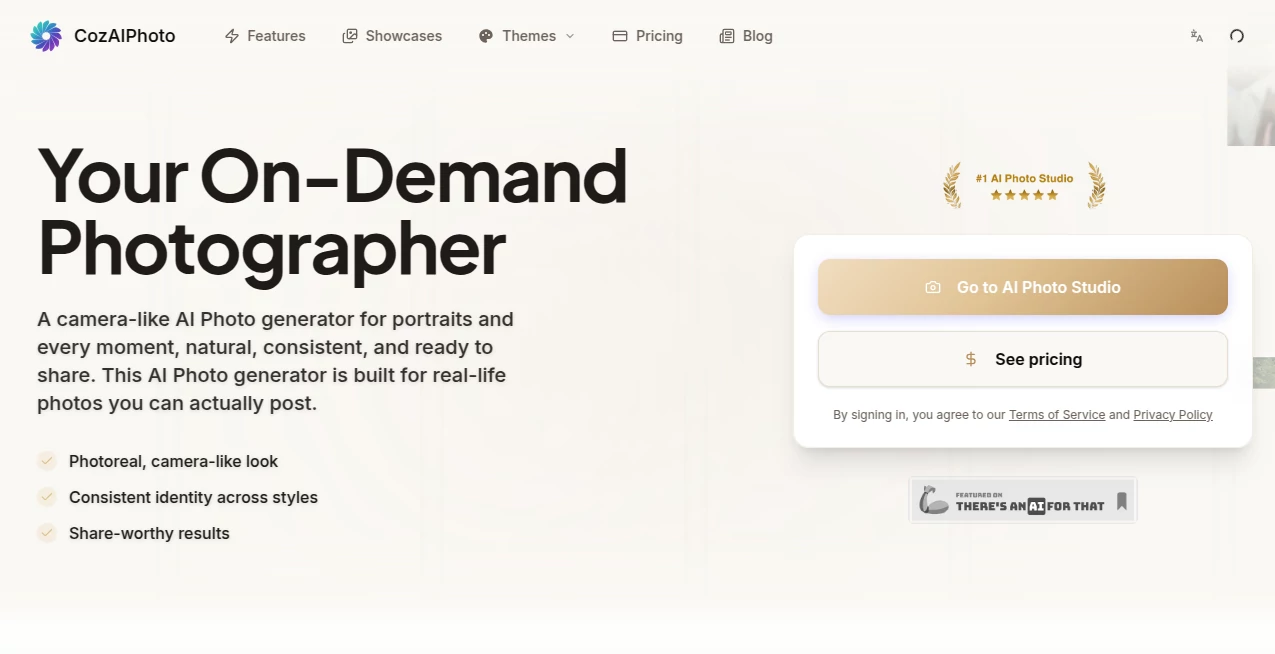
There's a special kind of relief when you need a fresh profile picture, a set of lifestyle shots, or professional headshots but don't want to book a photographer, schedule a shoot, or spend hours editing. This tool steps in like a personal studio assistant, turning a single good reference photo into a whole collection of natural-looking, camera-like images in minutes. The results feel real—proper lighting, consistent identity, everyday moments that actually look like they could have been captured on a nice camera. I've seen friends refresh their LinkedIn photos and suddenly get more connection requests, or small business owners create cohesive brand visuals without leaving their desk. It's the kind of practical magic that makes you wonder why we ever tolerated the old way.
Introduction
Professional photography has always been expensive and time-consuming. CozAIPhoto changes that by giving you an on-demand AI photographer that understands faces, lighting, and real-life scenes. Upload one clear reference photo (a good selfie or portrait works best), choose a style—studio headshot, urban casual, travel vibe, cozy indoor moment—and it generates a set of photoreal images that keep your identity consistent while adapting naturally to the setting. The output isn't the usual plastic AI look; it aims for that believable camera quality you can actually post on social media, dating apps, or professional profiles. For anyone who needs good photos regularly but doesn't have the budget or time for traditional shoots, it feels like having a skilled photographer on speed dial.
Key Features
User Interface
The experience is deliberately simple and welcoming. You upload a clear front-facing photo, browse curated style presets (studio portraits, street looks, travel scenes, lifestyle moments), select resolution, and generate. Progress is easy to follow, and you can compare outputs side by side. The interface stays out of the way so you can focus on choosing the shots you like best. It works smoothly on desktop and feels intuitive even if you're not tech-savvy.
Accuracy & Performance
It excels at keeping your face and overall appearance consistent across different outfits, backgrounds, and moods—something many AI photo tools still struggle with. Lighting looks natural, skin textures stay realistic, and the results rarely fall into the uncanny valley. Most generations finish in under two minutes, making it practical for quick updates or larger batches when you need a full set of images.
Capabilities
Generate professional headshots, casual everyday moments, travel-style photos, dating profile shots, and more from a single reference. Choose from various realistic presets or create coordinated sets for branding and social media. Outputs come in high resolution (up to 4K on higher plans), and you can generate multiple images per batch for variety. The tool is tuned for photoreal results that feel like they were taken with a good camera, not generated from scratch.
Security & Privacy
Your reference photos and generated images are handled with care. You control what you upload and keep, and the system is designed to respect user data. For personal branding or professional use, that sense of control and discretion matters a lot when you're putting your face out there.
Use Cases
A job seeker refreshes their LinkedIn headshot and suddenly feels more confident applying to roles. A content creator builds a consistent visual identity across Instagram and TikTok without weekly photoshoots. Someone updating their dating profile generates warm, natural shots that better reflect their personality. A small business owner creates lifestyle images for their website and socials that look polished and on-brand. It's especially useful for anyone who needs good photos regularly but doesn't want the hassle or cost of traditional photography.
Pros and Cons
Pros:
- Results look photoreal and camera-like, not obviously AI-generated.
- Strong identity consistency across different styles and scenes.
- Fast generation times that fit into busy schedules.
- Curated presets make it easy to get usable shots quickly.
- Great value compared to hiring a photographer for regular updates.
Cons:
- Best results come from clear, well-lit reference photos (blurry or heavily filtered inputs can reduce quality).
- Higher resolution and larger batches require paid plans.
- Very specific or unusual styles may need a few tries to perfect.
Pricing Plans
It offers a free or low-entry way to try the service so you can see the quality firsthand. Paid plans (Basic, Premium, Pro) scale with more credits, higher resolutions, larger batch sizes, priority processing, and extra features like the photo editor. The structure is straightforward—pay for the volume and quality you actually need, whether you're an individual refreshing your profiles or a team creating content regularly.
How to Use CozAIPhoto
Upload a clear, well-lit reference photo of yourself (front-facing works best). Browse the style presets and pick ones that match the vibe you want—professional, casual, travel, etc. Select your preferred resolution and hit generate. Review the set of images, choose your favorites, and download them. For best results, start with a good reference and experiment with a couple of styles. The whole process is quick enough that you can generate fresh looks whenever your profiles or content need updating.
Comparison with Similar Tools
Many AI photo generators produce stylized or artistic results that don't work well for real-world use like LinkedIn or dating apps. Others struggle with keeping your face consistent when changing scenes. This tool stands out by focusing on photoreal, camera-like quality with strong identity lock, making the outputs feel natural and share-ready. It's less about wild creativity and more about reliable, everyday photography that actually looks like you.
Conclusion
Good photos open doors—better job opportunities, stronger personal brands, more meaningful connections. CozAIPhoto makes getting those photos simple, fast, and surprisingly high quality. It removes the barriers of cost, time, and logistics that used to stand between you and looking your best online. Whether you're updating your professional image, refreshing social profiles, or just wanting some nice shots for yourself, it delivers results you can be proud to share. In a world where first impressions often happen on a screen, having an on-demand photographer in your pocket is a pretty powerful advantage.
Frequently Asked Questions (FAQ)
How many photos can I generate at once?
Free and basic plans allow smaller batches; higher plans support up to 15 images per generation for coordinated sets.
Do I need a perfect reference photo?
A clear, well-lit front-facing photo gives the best results, but the tool is forgiving and improves on decent inputs.
Are the images suitable for professional use?
Yes—many users rely on them for LinkedIn, resumes, branding, and client-facing content.
Can I use the same reference for different styles?
Absolutely. One good reference can generate studio portraits, casual street looks, travel scenes, and more while keeping your identity consistent.
Is there a free way to try it?
Yes, you can start with limited generations to test the quality before upgrading to a paid plan.
Photo & Image Editor , AI Photo Enhancer , AI Art Generator , AI Design Generator .
These classifications represent its core capabilities and areas of application. For related tools, explore the linked categories above.
CozAIPhoto details
Pricing
- Free
Apps
- Web Tools
Categories

CozAIPhoto Alternatives Product

Nano Banana …

Z image AI

ai banana

Seedream 5.0

GPT Image 1.5

ChromaPeel

GEMPIX2
Seedream 5.0

Nano Banana 2