
🧠 AI Quiz
Think you really understand Artificial Intelligence?
Test yourself and see how well you know the world of AI.
Answer AI-related questions, compete with other users, and prove that
you’re among the best when it comes to AI knowledge.
Reach the top of our leaderboard.


















CUTY AI

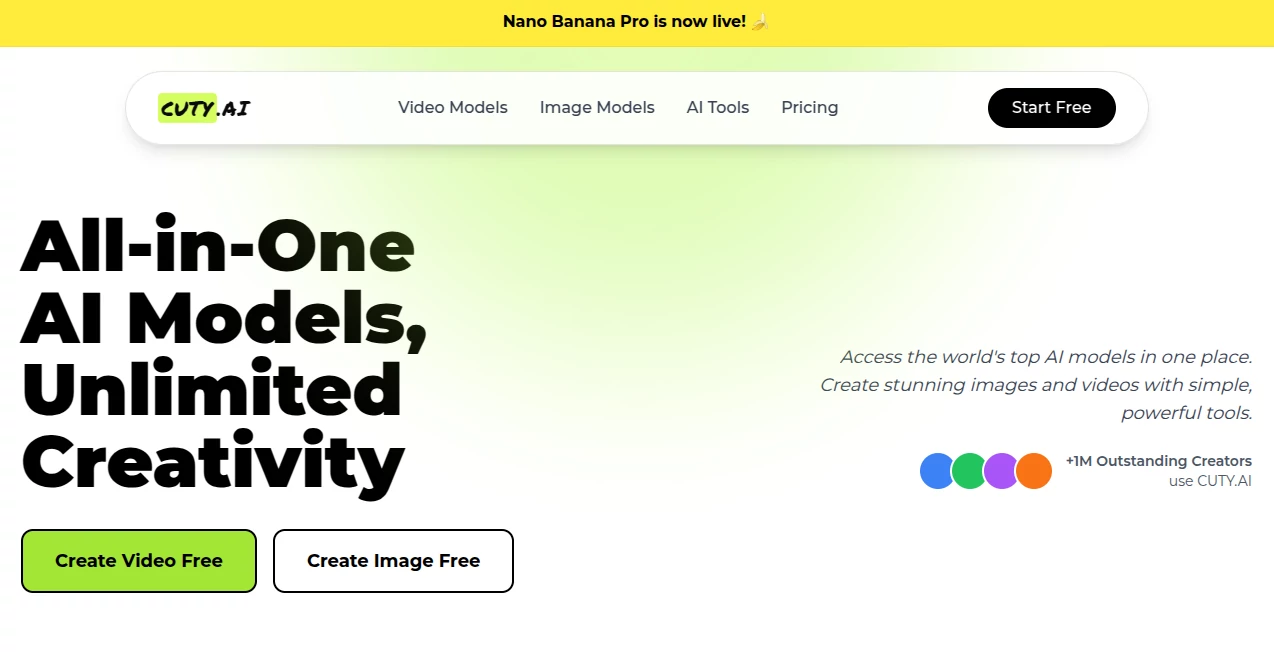
What is CUTY AI?
Imagine sketching a wild idea in your head—a dreamy landscape, a quirky character, or a quick product shot—and having it turn into a stunning visual in seconds, no brushes or software wrestling required. That's the everyday thrill this platform brings to creators who crave speed without skimping on quality. I've seen marketers whip up campaign visuals that pop, artists experiment with styles they'd never try otherwise, and even beginners produce work that looks pro right out of the gate. It's like having a tireless studio partner who just gets you.
Introduction
This tool has quietly become a favorite for anyone tired of juggling a dozen apps to get one decent image or video. It pulls together some of the sharpest AI models out there, letting you generate, edit, and animate content all in one spot. What started as a way to streamline creative workflows has grown into a hub where over a million creators now hang out, sharing everything from photorealistic portraits to smooth video clips that sync perfectly to music. The real draw? It feels effortless yet powerful—drop a prompt, upload a reference, and watch ideas come alive with details you didn't even know you wanted. It's the kind of platform that makes you wonder how you managed before.
Key Features
User Interface
The dashboard greets you like an old friend—clean, no clutter, with everything right where you'd expect it. Pick a model from a simple list, type your prompt, upload an image if you want, and hit go. Previews pop up fast, and tweaking feels natural, like chatting with someone who already knows your style. I once spent ten minutes playing with a single prompt, flipping between models and watching variations appear instantly—no lag, no frustration.
Accuracy & Performance
It nails the little things that matter: consistent faces across edits, lighting that feels real, and motion in videos that doesn't jerk or blur. Generations fly—seconds for images, a minute or two for clips—and the quality holds up even on busy prompts with lots of details. Users keep raving about how it handles tricky stuff like text in images or complex scenes without falling apart. It's reliable in a way that lets you trust the output right away.
Capabilities
From text-to-image that captures your exact mood to image-to-video that brings stills to life with natural movement, it covers the full creative loop. Swap characters in clips, sync lips to audio, upscale for print, remove backgrounds, or generate custom emojis and characters—it's all there. The variety of models means you can go photorealistic one minute and artistic the next, all without switching tabs or learning new tricks.
Security & Privacy
Your work stays yours, processed securely with compliance standards that give peace of mind. Paid plans add private generations so nothing leaks, and everything's handled responsibly. It's the kind of quiet reliability that lets you experiment boldly, knowing your ideas aren't going anywhere they shouldn't.
Use Cases
Marketers crank out ad visuals and short promo clips that match their brand perfectly, no designer needed. Artists explore wild styles or consistent characters for series without starting from scratch every time. Social creators animate memes or turn photos into talking avatars that hook viewers. E-commerce sellers generate product shots with perfect lighting and backgrounds, saving hours. Even educators build custom illustrations or animated explanations that make lessons stick. The possibilities keep surprising people.
Pros and Cons
Pros:
- One place for top models means no more app-hopping.
- Fast, high-quality results that look way more expensive than they are.
- Free tier lets you play without commitment.
- Commercial rights on paid plans open doors for real work.
Cons:
- Watermarks on free outputs (though easy to remove with upgrade).
- Credit system means heavy users will want to top up.
Pricing Plans
It starts with a solid free plan that gives you enough generations to get hooked—no card required. Paid options kick in with more credits, watermark-free files, private mode, and full commercial rights. It's straightforward: pay for what you use, scale as your projects grow, and never feel locked in. The value hits hard when you see how much time and hassle it saves.
How to Use Cuty AI
Jump in, pick a model that fits your vibe—say Flux for crisp images or Hailuo for smooth videos—then type what you want or upload a starting image. Tweak settings like style or aspect ratio if you feel like it, hit generate, and watch the magic happen. Download or remix the result in seconds. I started with a simple prompt for a cozy café scene and ended up with a whole series of variations in under five minutes—it's that addictive.
Comparison with Similar Tools
While other platforms scatter models across different sites or bury good ones behind paywalls, this one gathers the best in one spot with a flow that just works. It stands out for speed and consistency, especially on video, where many competitors still struggle with artifacts or awkward motion. For creators who want quality without the headache, it's hard to beat.
Conclusion
This platform quietly redefines what creative tools can be—fast, powerful, and genuinely fun to use. It takes the guesswork out of visuals, letting you focus on the ideas that matter. Whether you're building a brand, telling a story, or just messing around, it delivers results that surprise and delight every time. Give it a spin; you might find yourself wondering how you ever created without it.
Frequently Asked Questions (FAQ)
Is it really free to start?
Yes—dive in with a generous free tier and no card needed.
Can I use outputs commercially?
Absolutely on paid plans—full rights for ads, products, or anything else.
How fast are generations?
Images in seconds, videos in a minute or two—super snappy.
Do I need design skills?
Not at all—just describe what you want, and it handles the rest.
What about video quality?
Smooth motion, lip sync, and high-res options that look pro.
AI Photo & Image Generator , AI Image to Video , AI Video Generator , AI Text to Image .
These classifications represent its core capabilities and areas of application. For related tools, explore the linked categories above.
CUTY AI details
This tool is no longer available on submitaitools.org; find alternatives on Alternative to CUTY AI.
Pricing
- Free
Apps
- Web Tools
Categories

CUTY AI Alternatives Product

grok bikini
Uni-1
Wan 2.7

v04 ai

VIGGLE

Seedance 2 P…
Omnesuite AL…

Seedance 2

FLUX 2
