
🧠 AI Quiz
Think you really understand Artificial Intelligence?
Test yourself and see how well you know the world of AI.
Answer AI-related questions, compete with other users, and prove that
you’re among the best when it comes to AI knowledge.
Reach the top of our leaderboard.


















DebuggAI

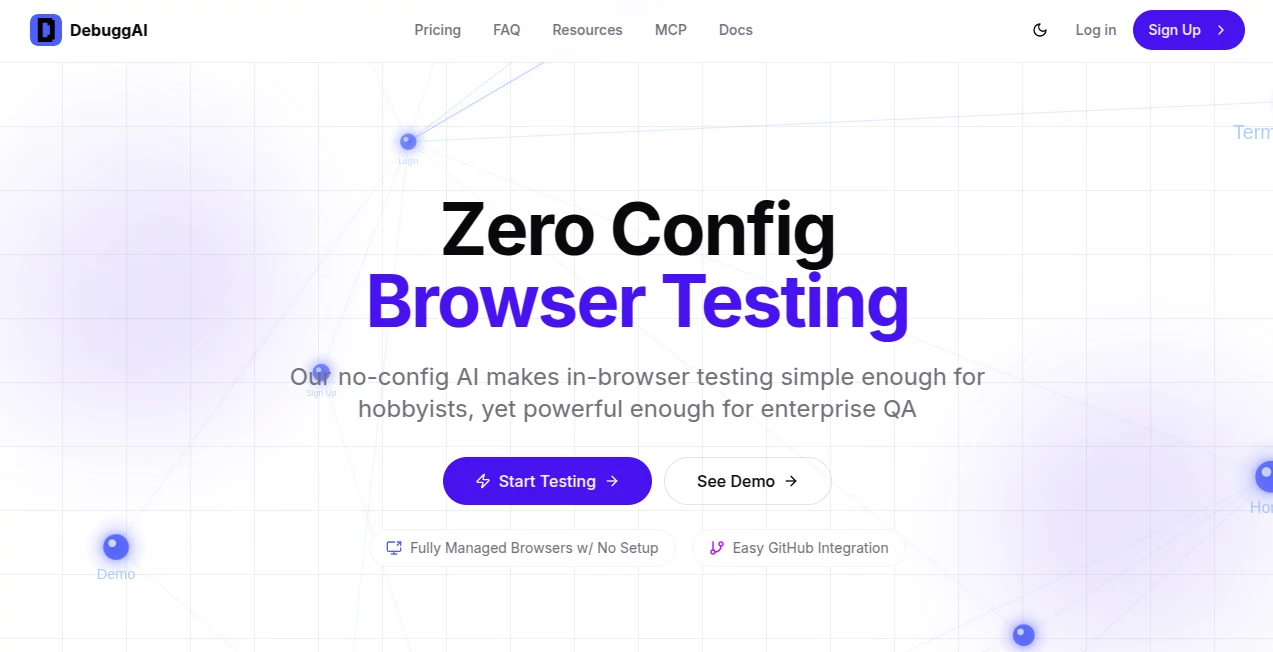
What is DebuggAI?
Debugg slips into the development workflow like a trusted pair of eyes, scanning pull requests for potential snags before they hit production. This handy service automates checks in real browser environments, flagging issues in user paths that might otherwise slip through. Developers who've woven it into their routine often share how it cuts down on those last-minute scrambles, turning tense merges into confident pushes that keep projects humming along.
Introduction
Debugg came about from the shared gripes of coders bogged down by finicky test setups that ate up evenings better spent building. A small team of tinkerers rolled it out to bridge that gap, focusing on smart checks that run right where the action happens—inside browsers—without the usual setup headaches. It didn't take long for word to spread through GitHub nooks, where folks swapped screenshots of clean runs that caught glitches no one saw coming. What started as a fix for one repo's woes has grown into a staple for squads juggling stacks of all sorts, proving that a little foresight can save a lot of firefighting down the line.
Key Features
User Interface
The whole setup lives inside your familiar GitHub flow, popping results as neat comments on pull requests with clips and breakdowns that read easy at a glance. No jumping to side apps or dashboards—just install the connector, add a quick config file, and watch it weave in without a ripple. It's the kind of smooth that lets you stay in your zone, spotting a failed flow or quick win right alongside the code diffs, like having a sharp reviewer who always shows up on time.
Accuracy & Performance
It digs into changes with a keen eye, mapping out paths that matter and running them true to life, often nailing the breaks that manual peeks miss. Checks wrap up briskly, from repo pull to full playback in a couple minutes, keeping waits short even on beefier builds. Teams point to how it holds steady across tweaks, delivering spot-on verdicts that build trust without the false alarms that waste rounds.
Capabilities
From spotting layout shifts to verifying form handoffs, it covers the full sweep of browser behaviors, adapting to whatever tech your project runs on without a custom overhaul. It picks up on diffs to zero in on what's new, firing off targeted probes that include recordings for a deep dive if things go sideways. Plus, it handles the behind-scenes bits like secure links and clean builds, letting you focus on fixes rather than fiddling with pipes or pots.
Security & Privacy
Every run happens in fenced-off spaces with locked-down paths that shield your work from stray glances, using quick-lived tunnels that vanish once the dust settles. It keeps your repo's secrets close, only pulling what's needed for the check and wiping the slate clean after. Builders lean on that solid backdrop, knowing their branches stay safe even as the tool pokes around under the hood.
Use Cases
Solo devs slip it into side projects to catch those sneaky responsive quirks before sharing with the world. Agencies layer it over client updates, ensuring handoffs don't hide holes that bite later. Bigger crews use it to guard core flows like sign-ins or carts, keeping merges smooth across far-flung contributors. Even open-source maintainers find it a boon for vetting contributions, turning potential pitfalls into polished pulls without the endless back-and-forth.
Pros and Cons
Pros:
- Plugs straight into your daily drive, no extra apps to juggle.
- Targets just the changed bits, saving time on full sweeps.
- Handy clips make digging into flops a breeze.
- Works wide, from tiny tweaks to sprawling stacks.
Cons:
- Shines best on web fronts; back-end beasts might need pals.
- Free lane caps at public spots, nudging privates to pay up.
- Fresh setups might take a nudge to nest right.
Pricing Plans
Public playgrounds get the full ride for free, with a healthy hundred runs a month and all the basics baked in. Private paths open at twenty bucks monthly for endless checks and quicker helps, while group gears run custom, tossing in shared seats and tailored ties. It's built to grow with you, starting light and layering on as your pulls pile up.
How to Use Debugg
Hook it up with a one-tap install on your repo, drop in the workflow snippet, and step back as it spots new branches. When you push a change, it grabs the goods, spins up a safe space, and runs the rounds, dropping notes with verdicts and views right in the thread. Peek the playback for clues, tweak as needed, and merge with a nod—repeat to keep the rhythm rolling.
Comparison with Similar Tools
Where old-school runners demand devops dances and config chaos, Debugg smooths the path with plug-and-play smarts, though those might pack more punch for pure power users. Against broad test beds, it hones in on PR precision without the sprawl, saving setups but perhaps skimping on standalone spins. It fits folks craving quick, contextual catches over comprehensive suites.
Conclusion
Debugg stands as a steady hand in the code shuffle, easing the edge off reviews so builders can breathe easier. It turns potential potholes into prompt prompts, fostering flows that feel foolproof from the first fork. As projects keep branching out, this one's primed to prune the pains, keeping your work sharp and your worries light.
Frequently Asked Questions (FAQ)
Does it play nice with my setup?
Yep, any web stack rolls right, no tweaks required.
How quick are the checks?
A few minutes from push to post, clips included.
What if a test tanks?
Grab the recording and replay to pinpoint the pinch.
Safe for private work?
Locked lanes and temp touches keep it tight.
Free for teams?
Public yes, privates nudge to pro for the full flow.
AI Code Assistant , AI Code Explanation , AI Testing & QA , AI Developer Tools .
These classifications represent its core capabilities and areas of application. For related tools, explore the linked categories above.
DebuggAI details
This tool is no longer available on submitaitools.org; find alternatives on Alternative to DebuggAI.
Pricing
- Free
Apps
- Web Tools
Categories

DebuggAI Alternatives Product

AutoChangelog

ModelsLab

CodeProt

Emergent

Toonifyit

SuperAI

JSON to TOON…

Screenshot t…

Project Mela
