🧠 AI Quiz
Think you really understand Artificial Intelligence?
Test yourself and see how well you know the world of AI.
Answer AI-related questions, compete with other users, and prove that
you’re among the best when it comes to AI knowledge.
Reach the top of our leaderboard.


















ds video
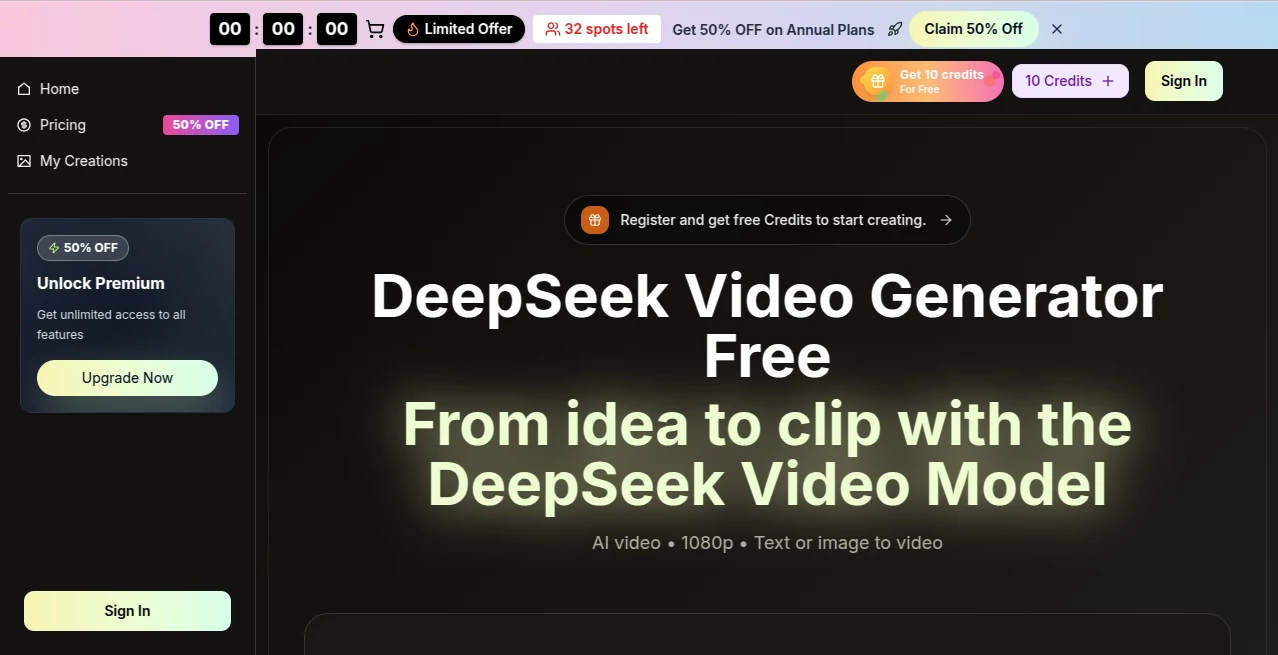
What is ds video?
You type a short scene description or drop in a single photo, and moments later a clip plays that actually feels directed. The lighting has mood, motion carries weight, and the whole thing holds together without the usual AI weirdness. I’ve shown these to friends who normally shrug at generated video, and their first reaction is usually “Wait, that looks real.” It’s the kind of tool that turns a quick idea into something shareable and surprisingly polished, whether you’re making a quick social post or testing a story beat for something bigger.
Introduction
Creating video has always been time-consuming and expensive. DeepSeek Video quietly lowers that barrier. It takes text prompts or reference images and turns them into short cinematic clips with natural movement, coherent storytelling, and production-ready quality. The model understands context, physics, and emotional tone, so results feel thoughtful rather than random. People use it for everything from quick marketing spots to narrative tests, and the speed means you can experiment without burning through the day. It’s not about replacing filmmakers; it’s about giving creators a fast way to see their ideas move and breathe.
Key Features
User Interface
The dashboard keeps things simple and focused. You choose style and aspect ratio (16:9, 9:16, square, or wider cinematic formats), write or paste your prompt (up to 800 characters with smart expansion), optionally upload an image for stronger guidance, then hit generate. Previews load quickly so you can tweak and try again without losing momentum. It never feels overwhelming—just enough controls to shape the vision without getting in the way.
Accuracy & Performance
Motion stays natural and physics-aware, characters remain consistent across shots, and lighting behaves realistically. Complex prompts with multiple subjects or camera moves come out coherent more often than not. Generation is fast—many clips finish in seconds to a minute—and the output holds up well at 720p or 1080p, with 4K export available on higher plans. It’s reliable enough that you can iterate quickly and trust the results won’t fall apart on the details.
Capabilities
Text-to-video and image-to-video modes, multiple built-in models for different strengths, support for narrative scenes, music visuals, and short films. It handles dialogue with lip-sync, ambient sound, and effects, and offers various aspect ratios and quality levels up to 4K. You can refine timing, color, and audio after generation. The hybrid approach (text plus image) gives extra control when you want precise visual grounding while still letting the AI handle natural movement.
Security & Privacy
Your prompts and reference images are processed securely, with no unnecessary long-term storage. Commercial rights come with paid plans, and the system is designed to respect creator ownership. For anyone working with client ideas or personal projects, that thoughtful approach builds confidence to experiment freely.
Use Cases
A small brand turns a single product photo into a polished lifestyle clip that performs better than their previous ads. An indie filmmaker mocks up emotional beats to test tone before full production. A musician creates visuals that match the song’s mood instead of generic stock footage. A content creator generates daily Reels with consistent style and natural motion, saving hours compared to traditional editing. It shines whenever you need storytelling impact fast without a full crew.
Pros and Cons
Pros:
- Cinematic quality with natural motion and strong prompt understanding.
- Fast generation that supports real creative iteration.
- Hybrid text + image mode gives precise creative control.
- Multiple aspect ratios and quality levels up to 4K export.
- Commercial rights included on paid plans.
Cons:
- Clip length is typically short (5–10 seconds), though multi-shot workflows help build longer stories.
- Very abstract or overly complex prompts can still need refinement.
- Higher resolutions and priority access require a paid subscription.
Pricing Plans
A free tier with daily credits lets you test the quality without commitment. Paid monthly or yearly plans (with attractive discounts for annual billing) unlock more credits, higher resolutions, priority generation, and unlimited downloads. The structure scales sensibly—light users stay on free or basic, while heavier creators move up as their needs grow. Many say the paid tiers pay for themselves after just a few solid projects.
How to Use DeepSeek Video
Open the creation dashboard, choose your style and aspect ratio, then write a clear prompt describing the scene and mood. Optionally upload a reference image for better visual consistency. Hit generate and watch the preview. Tweak the prompt or reference strength if the feel isn’t quite right, then export in your preferred format. For longer narratives, break the story into separate clips and combine them later. The whole process is fast enough to try multiple variations in one sitting.
Comparison with Similar Tools
Many AI video generators still struggle with inconsistent characters, unnatural motion, or lighting jumps. This one stands out with stronger prompt understanding, more natural physics, and cinematic choices that feel directed rather than algorithmic. The hybrid guidance and clean output quality put it ahead of tools that feel either too basic or too experimental. It’s especially strong when you want results that look polished enough to share or use in real projects right away.
Conclusion
Turning ideas into moving pictures used to take days or weeks. DeepSeek Video shrinks that timeline dramatically while keeping the output feeling thoughtful and alive. It doesn’t replace creative vision—it amplifies it, giving creators a fast, reliable way to test concepts, build visuals, and tell stories without getting stuck in production hurdles. For anyone who thinks in scenes and moments, it’s a welcome shortcut that makes the fun part come sooner.
Frequently Asked Questions (FAQ)
How long are the generated clips?
Typically 5–10 seconds, with multi-shot workflows allowing longer storytelling.
Do I need a reference image?
No—text-only works well—but adding one improves visual consistency and style control.
What resolutions are available?
720p HD and 1080p Full HD standard, with 4K export on higher plans.
Can I use the videos commercially?
Yes—paid plans include full commercial rights for ads, content, and client work.
Is there a watermark on free generations?
Free clips may include a small watermark; paid plans remove it completely.
AI Animated Video , AI Image to Video , AI Video Generator , AI Text to Video .
These classifications represent its core capabilities and areas of application. For related tools, explore the linked categories above.
ds video details
Pricing
- Free
Apps
- Web Tools
Categories

ds video Alternatives Product

Sora-2.co

Voe4 AI Video

Seedance 2.0…

Veo 4 AI

See dance 2.…

Seedance AI

Sora AI Vide…

Whisper Thun…

Toon Composer