
🧠 AI Quiz
Think you really understand Artificial Intelligence?
Test yourself and see how well you know the world of AI.
Answer AI-related questions, compete with other users, and prove that
you’re among the best when it comes to AI knowledge.
Reach the top of our leaderboard.


















DesignLumo

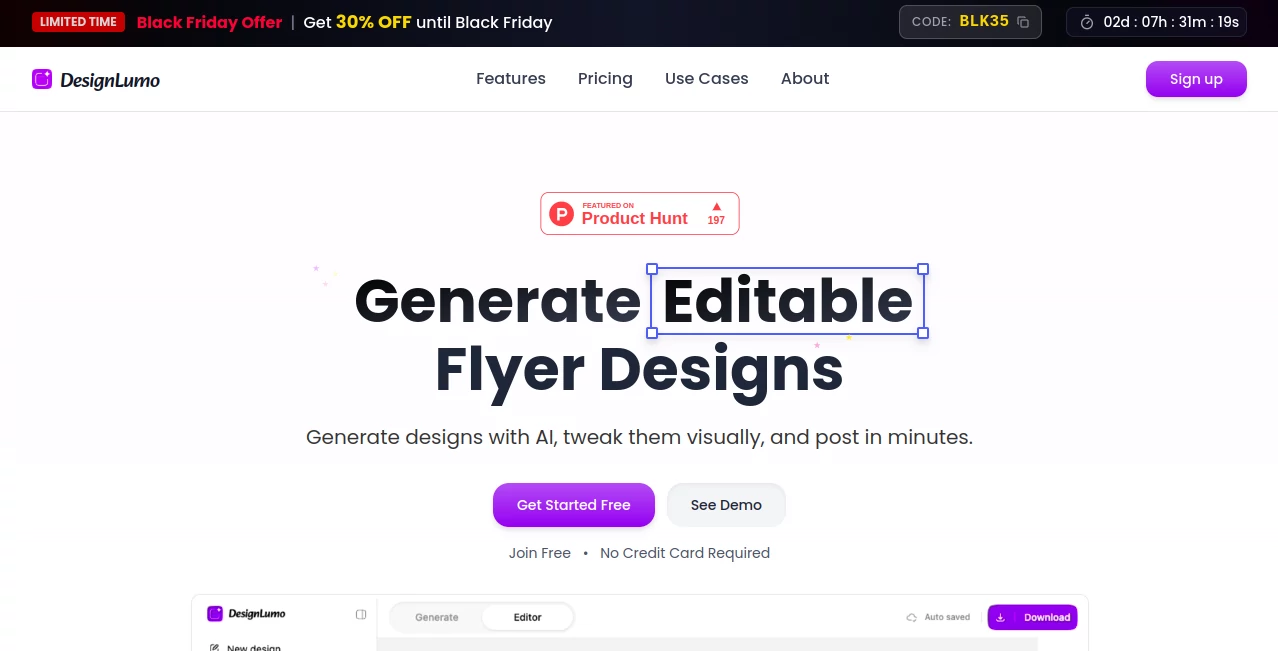
What is DesignLumo?
DesignLumo slips into the workflow of busy creators, turning a handful of words into fully tweakable visuals that capture the exact mood you had in mind. This setup feels like having a sharp-eyed collaborator who gets your vision on the first try, churning out pieces ready for social feeds or print without the usual back-and-forth. Folks who've swapped their old routines for it often talk about the quiet thrill of seeing something fresh pop up, tailored just so, saving them from the drag of starting over every time.
Introduction
DesignLumo came together a short while back, sparked by a group of marketers who'd grown weary of sifting through endless stock options that never quite hit the mark. They set out to craft something that listened to your story and sketched it out in layers you could reshape, and it caught on quick among small teams and solo hustlers looking to keep their branding sharp without the steep costs. Over time, users have shared how it cut their prep time in half, letting them chase bigger ideas instead of wrestling pixels. What draws people in is that sense of ownership right from the start—your words shape the output, and it stays yours to mold, evolving into a staple for those who value speed wrapped in substance.
Key Features
User Interface
The dashboard opens with a welcoming chat spot where you spill your concept, and soon enough, a set of previews lines up for a quick scan, each one expandable with a tap. From there, the editor unfolds like a familiar workspace, with drag handles for shifting bits around and a sidebar that suggests tweaks without crowding the view. It's the kind of setup that hums along quietly, adapting to your pace whether you're plotting a quick post or layering a full spread, keeping distractions at bay so the focus stays on your flow.
Accuracy & Performance
When you describe a scene with specific vibes or elements, it latches onto the details without wandering off, delivering results that echo your intent close enough to feel spot-on after a minor nudge. Processes kick off in seconds, even for busier builds, and hold steady without hiccups, making it reliable for those crunch-time rushes. Many who've tested it against their sketches note how it preserves the core feel, turning potential misses into keepers with just a fresh prompt or two.
Capabilities
It reaches across a range of formats, from eye-catching posts to detailed layouts, pulling in your uploads like logos to weave them seamlessly into the mix. Once generated, everything stays open for shifts—colors, placements, even pulling in extras like fonts or backgrounds—while a quick chat refines it further on the spot. The real stretch comes in applying consistent looks across pieces, ensuring your style carries through without repeating the setup each round.
Security & Privacy
Your creations remain firmly in your hands, with no strings attached to how you use or share them, and the backend keeps things tidy by focusing only on the task at hand. It gives you full say over what sticks around in your library, so personal projects or client mocks don't linger exposed. That straightforward trust lets users dive in without the usual second-guessing, knowing their edge stays sharp and solely theirs.
Use Cases
Small business owners whip up weekly promotions that match their voice, swapping in fresh angles without calling in outside help. Content teams batch out seasonal graphics, ensuring everything aligns under one banner for smoother launches. Freelancers mock client pitches with layered previews that speed up approvals, turning nods into next steps. Even educators craft visual aids that pop, blending text and images to hold attention without the extra effort.
Pros and Cons
Pros:
- Sparks original pieces that sidestep the sameness of stock picks.
- Hands over full edit access, blending ease with deep control.
- Rolls with your brand details for consistent looks across the board.
- Packs in high-quality saves without extra watermarks or waits.
Cons:
- Credit limits on entry plans might nudge toward upgrades for heavy use.
- Best shines on clear descriptions; looser ones can need refining.
- Focused mainly on visuals, so text-heavy docs might feel secondary.
Pricing Plans
A free trial lets you dip in with a starter set of runs, no strings upfront, to see if it clicks for your rhythm. From there, the entry point sits light at seven bucks a month for basics like core edits and commercial nods, stepping to fifteen for fuller access with endless saves and brand tools. Higher tiers around thirty open up more room for teams or bigger outputs, with yearly options trimming the tab and a full-month refund to ease the leap.
How to Use DesignLumo
Kick off by signing in and chatting your rough idea into the box, watching as options bloom in moments. Pick one that sparks and slide into the editor to shift colors or add your pieces, or just ask for a quick change right there. Lock in your faves, export in sharp form, and stash the setup for next time—it's a loop that builds as you go, turning one-offs into a steady stream.
Comparison with Similar Tools
Where some setups lean on ready-made frames that you fill in, DesignLumo starts from your words for something bespoke, though those might suit template fans better for sheer volume. Against image-only makers, it layers in the edit freedom without flattening out, but could trail in raw speed for super-simple asks. It carves a spot for those wanting fresh starts with familiar finishes, blending the best of both without the baggage.
Conclusion
DesignLumo quietly reshapes the daily grind of visual crafting, handing over a canvas that's alive with possibility from the first word. It turns the spark of an idea into something shareable and true to you, proving that a smart nudge can lift the whole process. As more hands reach for tools that match their speed, this one keeps pace, fostering outputs that not only work but whisper your story just right.
Frequently Asked Questions (FAQ)
Can I tweak the results after they're made?
Yes, everything opens up for shifts, from tiny details to full overhauls.
Does it work for team projects?
Higher plans let you share kits and access, keeping styles synced across the group.
What formats can I save in?
From web-ready thumbs to crisp high-res for prints, all without marks.
Is there a way to try it first?
A no-card trial gives you runs to test the fit before committing.
How does it handle my brand look?
Upload once, and it pulls through automatically for every new piece.
AI Design Generator , AI Graphic Design , AI Design Assistant , AI Presentation Generator .
These classifications represent its core capabilities and areas of application. For related tools, explore the linked categories above.
DesignLumo details
This tool is no longer available on submitaitools.org; find alternatives on Alternative to DesignLumo.
Pricing
- Free
Apps
- Web Tools
Categories

DesignLumo Alternatives Product

ModelsLab

Z-Image Free

Freepik

Flux 2 Klein

GenPPT AI

Avatarka AI

onstyle

poseup

Nano Banana 2
