🧠 AI Quiz
Think you really understand Artificial Intelligence?
Test yourself and see how well you know the world of AI.
Answer AI-related questions, compete with other users, and prove that
you’re among the best when it comes to AI knowledge.
Reach the top of our leaderboard.


















Discord ID Lookup
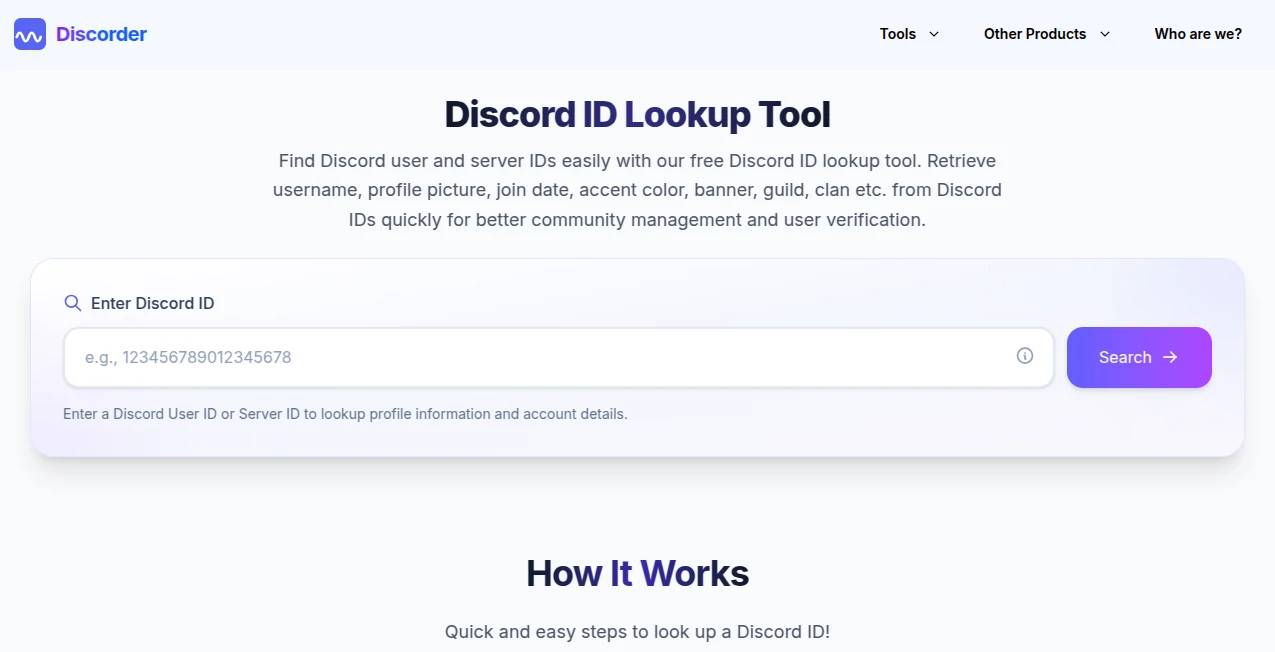
What is Discord ID Lookup?
Discord IDs are those long strings of numbers that power almost everything behind the scenes—user mentions, bot commands, server management, and integrations. Yet when you need one quickly, hunting through menus or asking someone to enable developer mode feels like a chore. This tool cuts straight through that hassle. Paste a username, mention, or known ID, and it pulls the exact numeric identifier in seconds, along with useful public profile details. Moderators, developers, and everyday users keep it bookmarked because it just works—no login, no fuss, no waiting. I’ve seen server admins save minutes on every new member verification, and bot creators test commands faster because the right ID is always one click away.
Introduction
Finding a Discord user or server ID used to mean turning on developer mode, right-clicking profiles, and copying snowflakes manually. It’s doable, but it breaks your flow every single time. This simple lookup tool changes that. Enter a username, @mention, or partial ID, and it returns the precise 17-19 digit number instantly, plus publicly available info like join date, avatar, and status. It’s part of a larger free Discord tools suite, but this particular feature stands out for how reliably it delivers clean, accurate results without any extra steps or privacy headaches. For anyone managing communities, building bots, or just trying to reconnect with old friends, it’s become one of those quiet daily helpers you wonder how you lived without.
Key Features
User Interface
The design is refreshingly straightforward—one input field, a clear button, and results that appear instantly below. No accounts, no ads cluttering the page, no unnecessary options. You can paste a full mention, a username, or even a known ID, and the output is neatly organized with the ID front and center plus supporting details. It’s the kind of interface that disappears when you’re focused—exactly what you want when you’re in the middle of moderating or coding.
Accuracy & Performance
It pulls directly from Discord’s public data, so the IDs and basic profile information are as accurate as the platform itself allows. Recent username changes might have a short delay, but the core numeric ID is rock-solid. Lookups happen in real time with almost no waiting, even during busy hours. Moderators who use it daily mention how reliable it feels compared to manual methods or other scattered tools that sometimes return outdated or incomplete results.
Capabilities
Supports both user ID and server ID lookups. For users, it returns the exact ID, username, avatar, join date, accent color, banner (if public), and basic status. For servers, it pulls the server ID along with available public details. You can use it for quick verification, bot development testing, community management, or simply finding someone’s ID when they share a mention. It handles partial inputs gracefully and presents everything in a clean, copy-friendly format.
Security & Privacy
Only publicly available information is retrieved—no private servers, no hidden data, no breaching Discord’s terms. The tool doesn’t store your searches or require any personal login for basic use. Everything stays between you and Discord’s public API. For server admins and developers handling sensitive communities, that respectful approach to privacy is a big reason they trust it day after day.
Use Cases
Server moderators paste a suspicious mention and instantly verify the real user ID before taking action. Bot developers test commands by quickly grabbing IDs without switching apps or enabling developer mode. Streamers check follower legitimacy or reconnect with long-lost community members by searching old mentions. Content creators use it to tag collaborators accurately in scripts or automations. Even regular users find it handy when sharing server invites or troubleshooting invite links that need the numeric ID. It quietly solves little frustrations that add up throughout the day.
Pros and Cons
Pros:
- Lightning-fast and accurate—no more manual hunting through settings.
- Completely free with no usage limits or hidden paywalls.
- Clean, no-login experience that respects your time and privacy.
- Works for both users and servers in one simple interface.
- Results are copy-friendly and ready for immediate use in bots or moderation.
Cons:
- Only shows publicly available information (as expected from Discord’s API).
- Recent username changes can have a short delay before updating.
- No advanced filtering or bulk lookup in the free version (though single lookups are unlimited).
Pricing Plans
It’s completely free to use with no limits on lookups. No premium tiers, no subscriptions, no “pro” version pushing you to upgrade. The team keeps it open and accessible because they believe useful Discord tools should stay that way. That straightforward approach wins a lot of loyalty from the community.
How to Use Discord ID Lookup
Go to the lookup page, paste a username, @mention, or known ID into the search box. Click the lookup button and wait a second or two. The exact numeric ID appears at the top, followed by any available public profile details. Copy the ID with one click and paste it wherever you need it—bot commands, moderation notes, invite links, or scripts. For server IDs, the process is identical. That’s all there is to it—simple, fast, and reliable every time.
Comparison with Similar Tools
Other Discord utilities often bury ID lookup behind developer mode toggles or require full bot tokens and complicated setups. This one keeps things standalone and instant—no extra configuration, no risk of token exposure. While some community-powered lookups have gone down due to Discord cracking down on tokens, this approach stays safe and compliant by using only public API calls. It’s lighter, faster, and more trustworthy than most alternatives floating around.
Conclusion
In the busy world of Discord communities, small efficiencies add up. This lookup tool removes one of those tiny daily frustrations and replaces it with speed and reliability. Whether you’re moderating a large server, building bots, or just trying to reconnect with someone, having the right ID in seconds makes everything smoother. It’s not flashy, but it’s genuinely useful—and in a sea of complicated tools, that simplicity and dependability are worth celebrating.
Frequently Asked Questions (FAQ)
Do I need to enable developer mode?
No—the tool handles everything for you.
Can I look up private servers?
No, only public information is available, in line with Discord’s rules.
Is it really free?
Yes, completely free with no limits or hidden costs.
How accurate is the information?
It pulls directly from Discord’s public API, so it’s as accurate as the platform allows.
Can I use it for bot development?
Absolutely—many developers use it daily for testing and verification.
Other .
These classifications represent its core capabilities and areas of application. For related tools, explore the linked categories above.

Discord ID Lookup Alternatives Product

Judgement Ta…

Pokemon Frie…

MCP DXT Serv…

Ultimate Too…

Al Maze Gene…

URL to Any

Free AI Dire…

Suno top

Aback Tools