
🧠 AI Quiz
Think you really understand Artificial Intelligence?
Test yourself and see how well you know the world of AI.
Answer AI-related questions, compete with other users, and prove that
you’re among the best when it comes to AI knowledge.
Reach the top of our leaderboard.


















Docutracker

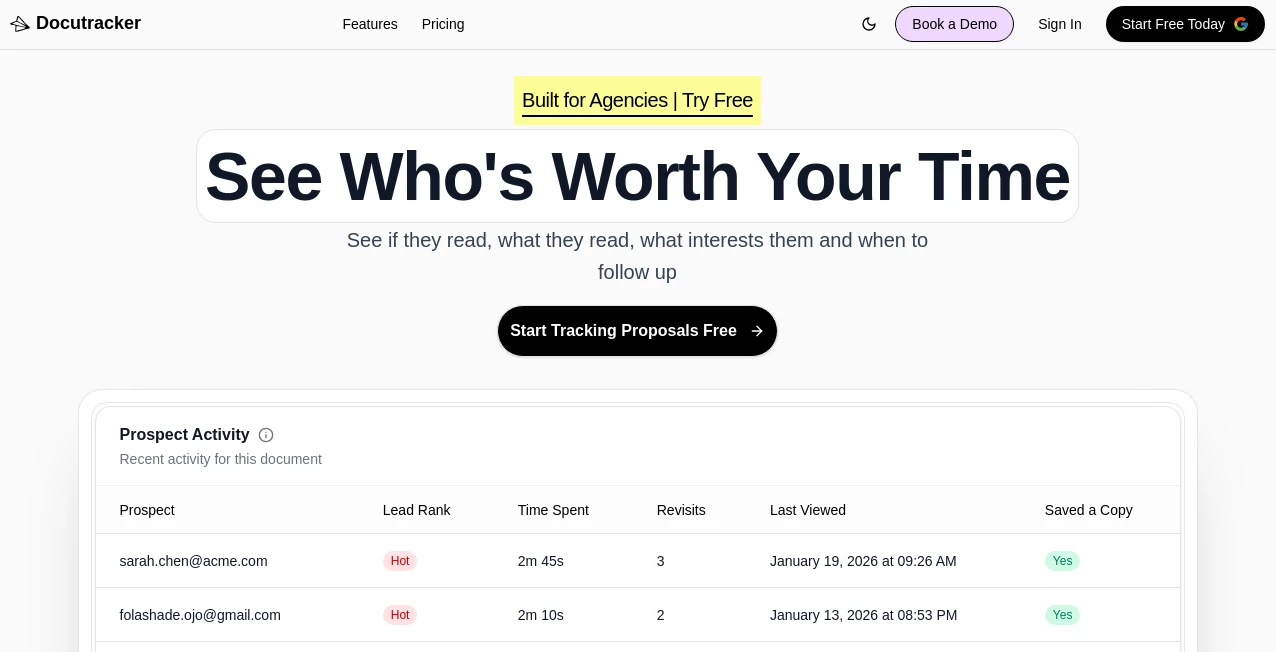
What is Docutracker?
That sinking feeling when you realize an important receipt, contract, or certificate has vanished into the chaos of your phone or desktop folders is universal. This tool quietly ends that stress. You snap a photo or upload a PDF, give it a quick title or tag, and it’s instantly filed, searchable, and backed up. No more digging through email threads or hoping the paper copy is still in that one drawer. I’ve watched people go from “I swear I had it somewhere” to pulling up a tax document from three years ago in ten seconds. It’s the kind of simple reliability that makes daily life noticeably calmer.
Introduction
Paperwork follows us everywhere—warranties, medical records, leases, invoices, IDs—and yet most of us still treat it like an afterthought until we desperately need something. This platform changes that habit without turning organization into a second job. It’s a personal document vault that lives in your pocket: scan once, tag once, find forever. Designed for regular people (not just accountants or lawyers), it focuses on speed, search, and peace of mind. Users often say the real win isn’t the fancy features—it’s the moment they realize they’re no longer afraid of losing something important. That shift in confidence is hard to overstate.
Key Features
User Interface
The app opens to a clean home screen: big “+” button to scan or upload, recent documents front and center, and a search bar that actually works. Tagging is one tap—predefined categories plus custom labels. Viewing is split-screen friendly: thumbnail grid or detailed list, zoomable previews, and instant OCR text extraction so you can search inside PDFs. It feels like the tool was built by someone who hates clutter and loves finding things fast—no unnecessary steps, no visual noise.
Accuracy & Performance
OCR is sharp—handwritten notes, faded receipts, typed contracts all come through readable. Search pulls results from file names, tags, dates, and document content in seconds, even with hundreds of items. Sync is reliable across devices; changes made on phone appear on tablet almost instantly. Uploads handle large PDFs without choking, and offline mode lets you scan and tag even without signal (syncs when you reconnect). It’s dependable in the moments that matter most.
Capabilities
Unlimited document storage on paid plans, powerful full-text search, automatic date & category detection, custom tags & folders, export to PDF/CSV, sharing secure links, password protection for sensitive files, automatic backups to cloud, and multi-device sync. It recognizes common document types (receipts, invoices, IDs, contracts) and suggests smart tags. You can also set reminders for expiring documents (passports, warranties, subscriptions). It’s a complete personal filing system in your pocket.
Security & Privacy
End-to-end encryption for all stored files, zero-knowledge architecture (even the team can’t access your documents), optional passcode/biometric lock, secure sharing with expiration & view limits, and GDPR-compliant data handling. You control exactly who sees what and for how long. For anything personal or financial, that level of care makes a real difference.
Use Cases
A freelancer keeps every invoice, contract, and expense receipt in one place—tax season becomes a quick export instead of a scavenger hunt. A parent scans kids’ vaccination records, school forms, and medical notes; everything’s findable at the doctor’s office. A homeowner tracks warranties, appliance manuals, and renovation permits—when the fridge breaks, the warranty is one search away. Travelers store passports, visas, boarding passes, and insurance docs; nothing gets lost mid-trip. Wherever important papers live, this keeps them safe, organized, and instantly accessible.
Pros and Cons
Pros:
- Search is genuinely powerful—finds text inside scanned documents, not just file names.
- Beautifully simple interface that doesn’t overwhelm or slow you down.
- End-to-end encryption and zero-knowledge give real peace of mind.
- Unlimited storage & sync on paid plans—no artificial caps.
- Smart reminders for expiring IDs, warranties, subscriptions.
Cons:
- Free tier has storage and feature limits (understandable, but noticeable for heavy users).
- Initial scan quality depends on lighting/camera—good phone flashlight helps a lot.
- Advanced folder nesting and team sharing are higher-tier features.
Pricing Plans
Free plan gives generous storage and core features—enough for most personal use. Pro plan removes limits, adds unlimited storage, advanced search filters, reminders, secure sharing, and priority support. Family/team plans allow shared vaults with role-based access. Pricing feels fair—many users say it’s cheaper than replacing one lost document or paying for premium cloud storage alone.
How to Use DocuTracker
Open the app, tap the “+” button, scan with camera or upload existing file. Add a title, pick or type tags (receipt, ID, contract, etc.), snap a quick note if needed. Save. To find something later, just type any word from the document or a tag—results appear instantly. Set reminders for expiring items (passport renewal, warranty end). Share secure links for one-time views if needed. Back up automatically happens in the background. That’s the daily rhythm—scan once, find forever.
Comparison with Similar Tools
Many scanner apps stop at digitizing—basic OCR, folders, maybe cloud sync. This one goes further: powerful full-text search, smart tagging, reminders, secure sharing, and true zero-knowledge privacy. Where others feel like digital filing cabinets, this feels like an intelligent personal assistant for paperwork. It’s less about scanning and more about never losing track of what matters.
Conclusion
Paperwork doesn’t have to be chaos. This tool turns the scattered mess of important documents into something calm, searchable, and safe. It gives back time, reduces stress, and quietly builds confidence that nothing critical will slip through the cracks. For anyone who’s ever panicked over a missing receipt, contract, or ID, it’s the kind of simple upgrade that quietly improves daily life. Once you have it, it’s hard to imagine going back.
Frequently Asked Questions (FAQ)
How much can I store for free?
Generous amount for personal use—hundreds of documents with full search and sync.
Can I search inside handwritten notes?
Yes—OCR handles both printed and clear handwritten text surprisingly well.
What happens if I lose my phone?
Everything syncs to the cloud; log in on a new device and all documents are there.
Can I share documents securely?
Yes—generate expiring, password-protected links with view/download control.
Is it available on all devices?
iOS, Android, web access—syncs seamlessly across everything.
AI Documents Assistant , AI Productivity Tools , AI Files Assistant .
These classifications represent its core capabilities and areas of application. For related tools, explore the linked categories above.
Docutracker details
This tool is no longer available on submitaitools.org; find alternatives on Alternative to Docutracker.
Pricing
- Free
Apps
- Web Tools
Categories

Docutracker Alternatives Product

KarmaGuy

JFIF to JPG …

Markdown to …

Lexikon AI

Nifty

PDF to Video

ClawBridge

Your Own AI

AntForms
