🧠 AI Quiz
Think you really understand Artificial Intelligence?
Test yourself and see how well you know the world of AI.
Answer AI-related questions, compete with other users, and prove that
you’re among the best when it comes to AI knowledge.
Reach the top of our leaderboard.


















Editly

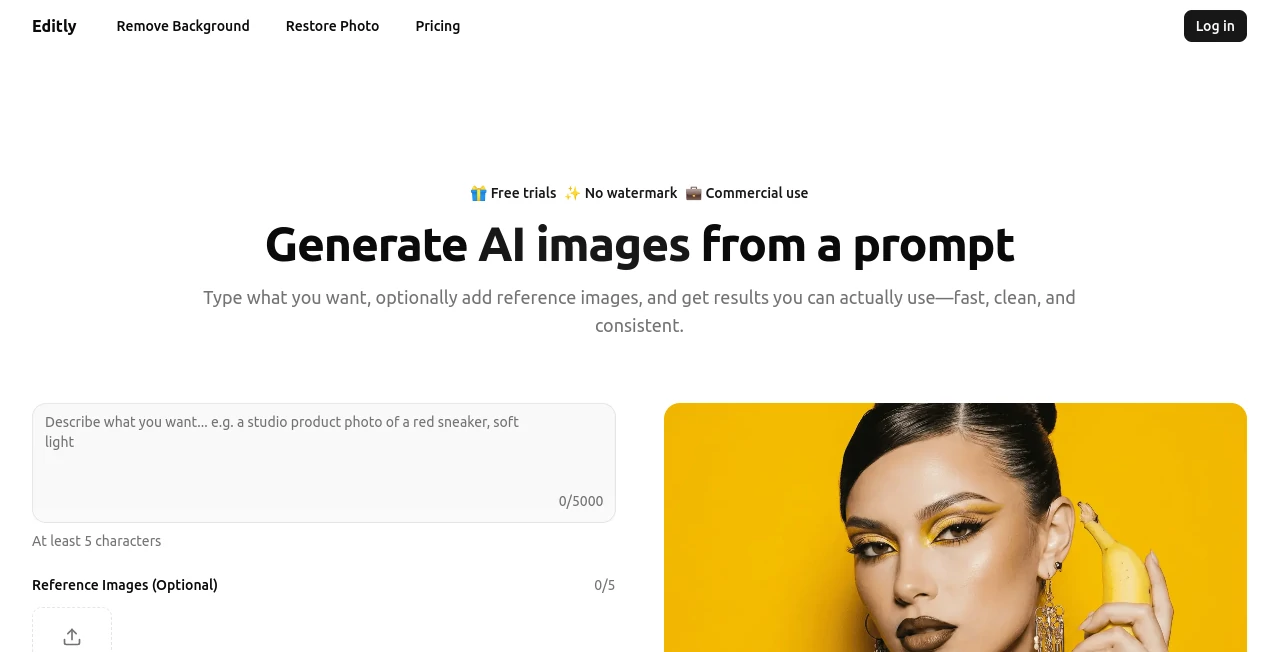
What is Editly?
There's something truly satisfying about dropping a vague idea into a prompt box and watching a crisp, ready-to-use image emerge moments later—or taking a faded family snapshot and seeing it revived with colors that pop like the day it was taken. This browser-based gem makes that happen without a single download, blending generation, cutouts, and restoration into one smooth ride. I've tinkered with plenty of editors, but this one's clean approach and spot-on results keep pulling me back, especially when time's tight and perfection matters.
Introduction
Tired of juggling multiple apps for creating new visuals, cleaning up products, or breathing life into old photos? This platform bundles it all under one roof, powered by sharp AI that understands tricky details like hair strands or subtle textures. It launched with a focus on real-world workflows—think quick concepts for ads or thumbnails, flawless background removals for e-commerce, and gentle touch-ups on cherished archives. Users often mention how it cuts through the usual hassle, delivering production-ready files fast. What stands out is the thoughtful balance: powerful enough for pros polishing hundreds of shots, yet simple for casual fixes on a tablet during downtime.
Key Features
User Interface
The layout feels uncluttered from the first click—a spacious area for prompts or uploads, straightforward options that don't overwhelm, and previews that load without delay. Dashboard keeps tabs on your credits and past jobs neatly tucked away, so you stay focused on creating rather than navigating. It's the kind of design that vanishes into the task, whether you're on a big monitor or phone screen, making those late-night edits feel almost relaxing.
Accuracy & Performance
It handles complex prompts with impressive fidelity, nailing styles from fine-art portraits to pixel logos, and tackles tough edges in cutouts—like jewelry or fur—without the halo artifacts that plague others. Restorations come back natural, reducing noise and scratches while preserving authentic faces, often in seconds. From my own runs, even layered scenes with references stay consistent, turning out files that feel thoughtfully composed rather than rushed.
Capabilities
Generate fresh scenes from descriptions, steer with reference uploads for spot-on consistency, or dive into precise background removals that export clean PNGs. The restoration side gently revives blurry or damaged shots, boosting clarity without overcooking details. All outputs come watermark-free, versatile for commercial drops or personal projects, with high-res ready for print or web.
Security & Privacy
Everything processes securely in the background, with jobs handled privately and no unnecessary lingering of your files. It's built for trust, especially when uploading personal archives or client assets, giving that quiet reassurance so you can experiment freely.
Use Cases
E-commerce folks rely on the cutouts for product listings that shine, swapping busy backgrounds for clean whites in batches. Artists brainstorm concepts with prompt generations, layering references for series that match perfectly. Families digitize old albums, watching scratched prints turn vivid again for framing or sharing. Marketers whip up thumbnails or ad visuals on the fly, testing ideas without waiting on designers.
Pros and Cons
Pros:
- All-in-one for generation, removal, and restoration—saves switching apps.
- Crisp, professional outputs that rarely need extra tweaks.
- Browser-only convenience works anywhere, anytime.
- No watermarks, even on heavier plans.
Cons:
- Credits expire after 30 days, so plan your bursts.
- Best with clear inputs for peak magic.
Pricing Plans
Ditch subscriptions for straightforward credit packs: Hobby at $19 for 1,200 credits covers solid sessions, Plus at $29 doubles that, and Pro at $49 loads up for intensive runs—all with full access for 30 days post-purchase. It's flexible spending that fits sporadic or steady use, with priority support scaling up—no surprises, just value when you need it.
How to Use Editly
Dash in, type a vivid description or upload your shot, add references if steering details, and let it process—previews appear quick for a thumbs-up. Download the winner clean, or queue more for batches. For restoration, drop an old pic and watch clarity return; cutouts are one-drop simple. Track spends in the dashboard, and you're set for seamless rounds.
Comparison with Similar Tools
While some focus solely on generation or basic removals, this integrates the trio smoothly, with restoration that feels more nuanced and cutouts that handle finicky edges better. It's lighter on commitment than subscription heavies, yet delivers comparable polish without the bloat—ideal for those valuing speed and cleanliness over endless bells.
Conclusion
This tool quietly redefines quick image work, blending creation and cleanup into flows that feel intuitive and rewarding. It's the companion for turning rough ideas or worn memories into something sharp and shareable, proving smart design can make advanced edits approachable. Give it a spin; the clarity might just surprise you.
Frequently Asked Questions (FAQ)
Do outputs have watermarks?
None at all—clean files ready for anything.
What about old photo fixes?
It excels at natural revivals, handling scratches and noise gently.
Can I guide generations?
Upload references for precise style and detail control.
Commercial use okay?
Fully supported, no restrictions on your creations.
How private are uploads?
Processed securely, no lingering without need.
Photo & Image Editor , AI Photo Enhancer , AI Background Remover , AI Art Generator .
These classifications represent its core capabilities and areas of application. For related tools, explore the linked categories above.
Editly details
This tool is no longer available on submitaitools.org; find alternatives on Alternative to Editly.
Pricing
- Free
Apps
- Web Tools
Categories

Editly Alternatives Product

String Art G…

MAGIK FACE

gemini water…

Pixelied

Seedream 4.5

Image Text E…

Ghibli Image…

Gualele

Editaimg