🧠 AI Quiz
Think you really understand Artificial Intelligence?
Test yourself and see how well you know the world of AI.
Answer AI-related questions, compete with other users, and prove that
you’re among the best when it comes to AI knowledge.
Reach the top of our leaderboard.


















Elasticnote

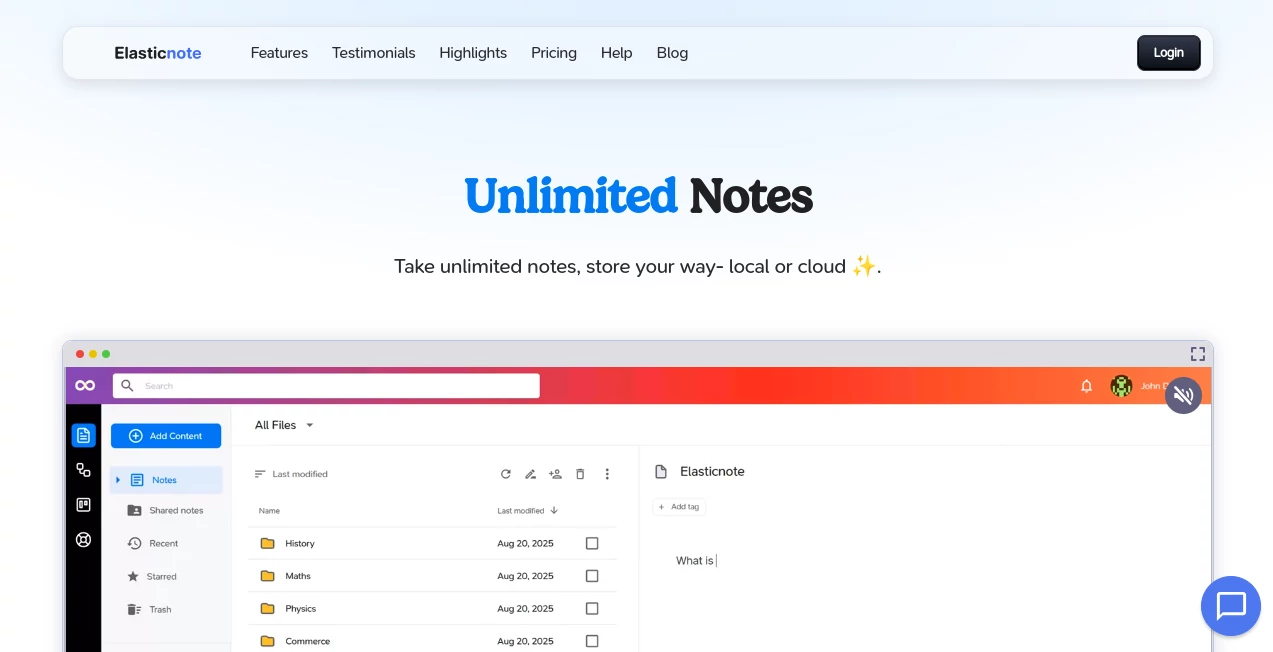
What is Elasticnote?
There's something deeply satisfying about a note-taking app that just gets out of your way and lets you focus on the ideas flowing from your head. This one nails that feeling, blending rock-solid privacy with tools that feel thoughtful rather than flashy. I've switched a few times over the years, chasing that perfect balance, and this has stuck longer than most—mostly because it trusts you with your own data while still offering clever extras when you need them.
Introduction
In an era where every app seems hungry for your data, stumbling on something that prioritizes privacy without skimping on features feels like a quiet win. This platform lets you jot unlimited thoughts either tucked safely on your own device or synced securely to the cloud, with options like GitHub integration that version your notes like code. It's not overloaded with bells; instead, it focuses on what matters—a smooth editor, task boards, diagrams, and even a bit of AI help for when words get stuck. Users from engineers to bloggers keep praising its straightforward vibe, how it adapts to personal or work flows without forcing a template on you. One-off lifetime payment seals the deal for many, no nagging subscriptions lurking.
Key Features
User Interface
It opens like a familiar drive folder, clean and uncluttered, where workspaces unfold into notes that edit beautifully with blocks for text, checklists, or equations. Switch to a Kanban view for tasks or sketch diagrams with animated connections—everything responds quick, no lag even on older laptops. I love how it installs as a PWA for that app-like feel on desktop or phone, making jumps between devices seamless without the bloat.
Accuracy & Performance
Local storage means lightning access with zero server waits, while cloud sync hums reliably without draining battery. The editor handles syntax highlighting flawlessly for code snippets, and searches dig deep with regex if you need precision. From my evenings organizing project scraps, it never stumbles on large notes or embedded images, keeping the rhythm unbroken.
Capabilities
Beyond basic scribbles, you get a full block editor with tables, emojis, and Markdown export, plus built-in AI to polish paragraphs or continue thoughts when inspiration dips. Kanban boards track todos with drag ease, diagrams wireframe ideas beautifully, and GitHub sync turns notes into versioned repos. Import old folders wholesale, collaborate via shares on paid, or tap the API for custom workflows—it's versatile without overwhelming.
Security & Privacy
Local notes stay purely yours on disk, untouched by anyone else, while cloud gets AES-256 encryption and GDPR-compliant hosting in Europe. No analytics tracking your habits, just straightforward control that puts privacy front and center. For anyone wary of data leaks, this approach builds real trust—your words remain your words, period.
Use Cases
Engineers version code ideas alongside GitHub repos, designers sketch wireframes that evolve into full diagrams, marketers outline campaigns on Kanban while sharing selects with teams. Tech bloggers draft posts with perfect syntax, then export clean Markdown. Even personal users corral life admin—recipes, travel plans, reading lists—knowing it's all private and portable.
Pros and Cons
Pros:
- True privacy with local storage that feels liberating.
- Lifetime deal ends the subscription fatigue.
- Handy extras like Kanban and diagrams in one spot.
- AI assist that's helpful without being pushy.
Cons:
- Local-only limits real-time collab for free users.
- Browser support leans toward Chrome-like for full local access.
Pricing Plans
Free forever for basics—limited workspaces and storage to get the feel. Jump to Personal at a one-time $29 for unlimited everything: notes, AI, 25GB cloud, GitHub sync, sharing, and API. No recurring bites, just own it outright and upgrade as life grows.
How to Use Elasticnote
Fire it up in your browser, create a workspace tied to a local folder or cloud, and start typing in the block editor. Add checklists, embed images, or switch to Kanban for tasks—drag away. For AI help, highlight and ask it to expand or refine. Sync to GitHub with a token for backups, share links on paid, and install as PWA for offline vibes. It's that pick-up-and-go simplicity that keeps daily use effortless.
Comparison with Similar Tools
Against the big names with their endless templates and tracking, this one stands out for pure privacy and local control, skipping the noise for focused features like built-in diagrams and version sync. It's lighter than all-in-one suites yet more capable than plain Markdown apps, hitting that sweet spot for users who want power without the prying eyes or monthly drain.
Conclusion
If you're tired of apps that feel like they're watching over your shoulder, this one's a refreshing shift—private, capable, and honestly priced for the long haul. It respects your thoughts enough to keep them safe while giving just the right nudges to make them better. Give it a spin; chances are, it'll become that quiet companion for all the ideas worth keeping.
Frequently Asked Questions (FAQ)
Can I access notes offline?
Local workspaces work fully offline, with cloud syncing when back online.
How does GitHub sync work?
One-click token setup versions notes like repos, perfect for backups or history.
Is the AI always on?
Only when you call it—highlight and prompt for rewrites or continuations.
Collaboration possible?
Paid plans let you invite views or edits via secure shares.
Import from other apps?
Folders or Markdown imports make switching a breeze.
AI Writing Assistants , AI Productivity Tools , AI Task Management , AI Notes Assistant .
These classifications represent its core capabilities and areas of application. For related tools, explore the linked categories above.
Elasticnote details
This tool is no longer available on submitaitools.org; find alternatives on Alternative to Elasticnote.
Pricing
- Free
Apps
- Web Tools
Categories

Elasticnote Alternatives Product

AiZolo

Simplified

Productivity…

Clay Read

Manus

promptcat

KwaKwa Cours…

Motion

Meet Submind