🧠 AI Quiz
Think you really understand Artificial Intelligence?
Test yourself and see how well you know the world of AI.
Answer AI-related questions, compete with other users, and prove that
you’re among the best when it comes to AI knowledge.
Reach the top of our leaderboard.


















Evaline Chatbot AI

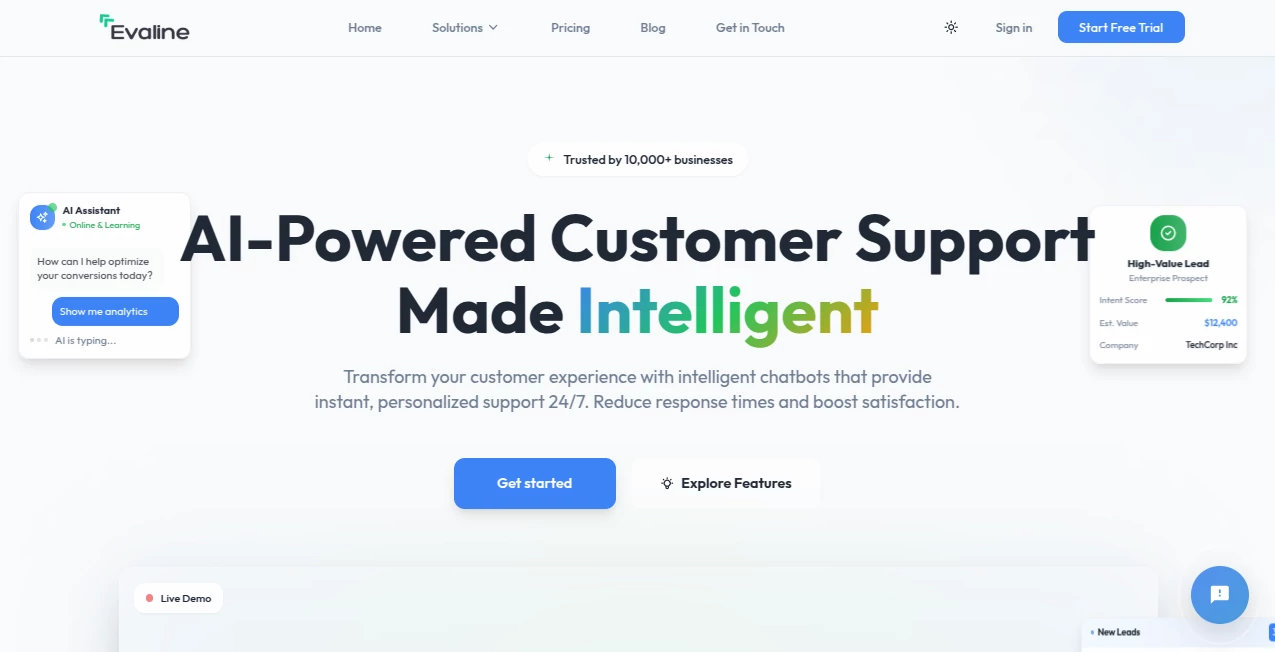
What is Evaline Chatbot AI?
Writing something important—whether it's a job application, a blog post, a sales email, or even a child's school essay—and wondering if it's actually good can be quietly stressful. This tool steps in with feedback that feels thoughtful rather than robotic. You paste your text, choose what kind of review you need (clarity, tone, persuasiveness, grammar, structure), and it returns specific, actionable suggestions in plain language. I've watched people take a draft that felt "okay but flat" and turn it into something sharp and confident after one round. The difference isn't just polish—it's confidence that comes from knowing exactly what to fix and why.
Introduction
Most writing tools either correct grammar or suggest buzzwords. This one goes deeper: it reads for intent, audience fit, emotional impact, logical flow, and overall effectiveness. It's designed for real-world writing—cover letters, marketing copy, blog articles, reports, personal statements—where the goal isn't just correctness but actually moving the reader. Early users talk about the relief of getting honest, constructive notes without judgment, and how those notes often reveal blind spots they never noticed. For anyone who writes under pressure or wants their words to land better, it's like having a very smart, very patient editor available 24/7.
Key Features
User Interface
The screen is calm and focused: a large text box for your content, a dropdown to select evaluation type (professional, creative, persuasive, academic, casual), and optional context fields (target audience, word limit, purpose). Hit evaluate and the feedback appears in clear sections—strengths first, then specific improvements with examples. No overwhelming dashboards or pop-ups. You can regenerate with different tones or depths. It feels like a conversation with someone who genuinely wants your writing to succeed.
Accuracy & Performance
It catches subtle issues—overused phrases, weak transitions, tone mismatches, logical gaps—that generic checkers miss. Suggestions are precise and context-aware: a cover letter gets advice on matching company values; a blog post gets notes on reader engagement. Processing is near-instant even for longer pieces, and the feedback stays consistent across runs. Writers who compare versions before and after often notice measurable improvements in clarity and impact.
Capabilities
Evaluates for clarity, conciseness, tone, persuasion, structure, grammar, originality, emotional resonance, audience alignment, and overall effectiveness. Supports multiple writing styles and goals. Provides rewrite suggestions, strength/weakness breakdowns, specific line-by-line notes, and an overall score with improvement roadmap. Works on anything from 50-word emails to 2000-word essays. Multilingual support covers major languages with natural nuance.
Security & Privacy
Your text is processed ephemerally—nothing is stored on servers after the session unless you explicitly save it. No training on user content. No account required for basic use, so no profile ties your writing to you. For job applications, personal statements, or client work, that zero-retention privacy is a real comfort.
Use Cases
A recent graduate refines their cover letter until it feels confident and tailored; they land interviews faster than expected. A small business owner rewrites product descriptions that suddenly convert better because they're clearer and more persuasive. A blogger gets feedback on draft posts that helps tighten arguments and boost reader retention. A non-native speaker polishes important emails and essays to sound natural and professional. Wherever writing needs to persuade, inform, or connect, this tool quietly raises the bar.
Pros and Cons
Pros:
- Feedback feels thoughtful and specific—not just generic grammar fixes.
- Multiple evaluation lenses let you focus on what matters most for your piece.
- Fast, reliable, and private—no account forced for core use.
- Helps non-native writers sound natural without losing their voice.
- Free tier is generous enough for important one-off pieces.
Cons:
- Very long documents (5,000+ words) may need to be broken into sections.
- Creative writing sometimes benefits more from human taste than AI analysis.
- Advanced features (unlimited saves, history, batch mode) require paid plan.
Pricing Plans
Free plan covers several full evaluations per day—enough for job applications, important emails, or blog drafts. Paid plans unlock unlimited use, saved history, batch processing, priority support, and advanced modes (e.g., A/B comparison, tone matching). Pricing stays reasonable—many users say one month covers what they used to spend on professional editing for a single big piece.
How to Use Evaline
Paste your text into the main box. Select the evaluation type (professional, creative, persuasive, etc.) and add optional context (audience, purpose, word limit). Hit evaluate. Read through the breakdown—strengths, specific suggestions, line notes, overall score. Apply changes directly or regenerate with different focus. Download or copy the improved version when you're happy. The cycle is fast enough to iterate several times before sending or publishing.
Comparison with Similar Tools
Grammar checkers catch errors but rarely improve impact. Generic AI chats give broad advice without structure. This one combines detailed critique, actionable rewrites, and context-aware scoring in a way that feels purpose-built for real-world writing goals. It sits between basic editors and expensive human proofreaders—more insightful than the first, more affordable and instant than the second.
Conclusion
Good writing isn't just correct—it's clear, persuasive, and human. This tool helps bridge that gap for anyone who wants their words to land better without spending hours second-guessing. It doesn't replace your voice; it sharpens it. When you hit send on something important and feel quietly confident instead of anxious, that's when you realize how much difference thoughtful feedback can make. For students, professionals, creators, and anyone who writes to connect—this is a small investment with outsized returns.
Frequently Asked Questions (FAQ)
How many evaluations are free?
Several full analyses per day—enough for important pieces or daily practice.
Can it handle non-English text?
Yes—strong support for major languages with natural nuance.
Is my text stored or used for training?
No—processed ephemerally and deleted after the session unless you save it.
Can I use it for academic writing?
Yes—one of the modes is tuned specifically for essays, reports, and academic tone.
What if my text is very long?
Break it into sections for best results; paid plans support longer single submissions.
AI Creative Writing , AI Content Generator , AI General Writing , AI Writing Assistants .
These classifications represent its core capabilities and areas of application. For related tools, explore the linked categories above.
Evaline Chatbot AI details
This tool is no longer available on submitaitools.org; find alternatives on Alternative to Evaline Chatbot AI.
Pricing
- Free
Apps
- Web Tools
Categories

Evaline Chatbot AI Alternatives Product

Jasper

AI Fanfic Ge…

SupaTraffic

Course Hero

LinkedIn Spe…

Image Descri…

ReportRemarks

Harvey

Husslix1.1