🧠 AI Quiz
Think you really understand Artificial Intelligence?
Test yourself and see how well you know the world of AI.
Answer AI-related questions, compete with other users, and prove that
you’re among the best when it comes to AI knowledge.
Reach the top of our leaderboard.


















Faceless

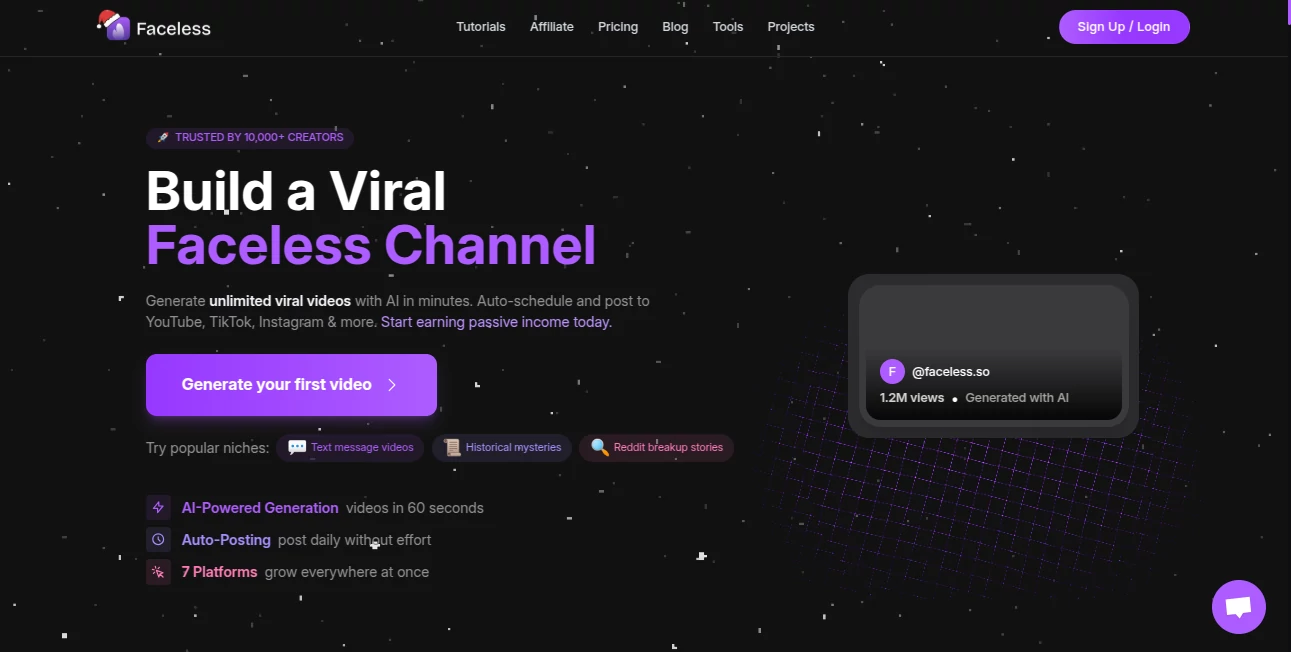
What is Faceless?
Picture this: you jot down a quick idea, maybe a funny Reddit thread or a blog post that's been sitting on your desk, and within minutes, a slick, ready-to-post video pops out—complete with spot-on visuals, voiceover that sounds human, and those little text effects that make people stop scrolling. That's the daily reality this tool delivers, and honestly, it's become my go-to for whipping up content that actually performs without me ever stepping in front of a camera. I tried it on a whim one evening, fed it a niche topic I knew nothing about, and the result was so sharp I posted it the next morning—views started rolling in before breakfast.
Introduction
Creating video content that grabs attention used to mean hours of filming, editing, or hiring a team, but this platform flips the script entirely. It takes your text—whether from a prompt, Reddit post, or blog—and turns it into professional-grade faceless videos optimized for YouTube, TikTok, and Instagram. What drew me in was how it handles the whole process: script, visuals, voiceover, subtitles, B-roll, music, and even auto-posting if you want. No more wrestling with timelines or hunting stock footage. It's built for creators who want to scale without burning out, and from what I've seen, it delivers that consistency that keeps algorithms happy and audiences coming back. One creator I follow went from sporadic posts to a daily schedule, all faceless, and his engagement skyrocketed—proof that when the tool works this smoothly, the results follow.
Key Features
User Interface
The dashboard feels like a breath of fresh air—clean, no clutter, and everything you need is right there. You start by picking a topic or pasting text, then it guides you through customization with a timeline editor that's surprisingly powerful yet easy to grasp. Desktop-optimized for those long editing sessions, it lets you tweak subtitles, add effects, adjust timing, and preview in real time without lag. I remember fumbling with clunkier editors before; this one just clicks, letting you focus on the story instead of the software.
Accuracy & Performance
What really stands out is how spot-on the AI gets with transcription and lip-sync—far better than most I've tried. It pulls accurate captions even from tricky audio, and the voiceover matches the visuals with natural flow. Generation is quick, often under a few minutes for full videos, and the output looks polished: smooth transitions, realistic physics in animations, and subtitles that pop without overwhelming. I've generated batches on busy days and never once hit a wall—it's reliable enough that you can trust it for consistent posting.
Capabilities
From simple text-to-video to advanced editing with timeline control, it covers everything: AI-generated visuals, voiceovers in multiple styles, B-roll integration, custom subtitles with effects, and even multi-platform optimization. You can pull from Reddit or blogs, choose presets or custom prompts, and schedule posts automatically. It's especially strong on viral hooks—those text overlays and transitions that make shorts addictive. Plus, access to high-end models like Veo 3.1 at a fraction of the usual cost means you get cinema-quality results without breaking the bank.
Security & Privacy
Your content stays yours—processed securely with no unnecessary data grabs, and the platform follows solid standards so you can focus on creating rather than worrying. It's reassuring when you're uploading personal ideas or client scripts; everything feels contained and professional.
Use Cases
Content creators building faceless channels use it to churn out daily shorts from Reddit stories or niche topics, watching views climb without ever showing their face. Marketers turn blog posts into engaging ads that auto-post across platforms, saving hours weekly. Even educators craft quick explainers with polished visuals, making lessons pop for students. I know someone running a motivational page who went from manual editing to fully automated series—consistent posting, zero burnout, and steady growth.
Pros and Cons
Pros:
- Turns ideas into viral-ready videos faster than you can brew coffee.
- Timeline editor that's powerful yet beginner-friendly.
- Voiceovers and lip-sync that actually sound and look natural.
- Auto-posting and multi-platform optimization save endless time.
- High-quality results at a fraction of what competitors charge for similar tech.
Cons:
- Best on desktop for full editing control—mobile is more limited.
- Free tier has some caps, so heavy users will want to upgrade.
Pricing Plans
It starts with a free option to test the waters, then scales affordably with plans that include all features—no hidden upsells. Paid tiers unlock unlimited generations, higher resolutions, and priority access to premium models, making it worth every penny for anyone serious about consistent content. The value jumps out when you compare it to what you'd spend on separate tools or freelancers.
How to Use Faceless.so
Sign up quick (no long forms), pick a topic or paste your text—Reddit thread, blog, or custom prompt. Choose a style, tweak voiceover and visuals if you want, then hit generate. Preview in the timeline editor, add effects or subtitles, and schedule posts or download. I started with a simple Reddit story, watched it build, made a couple tweaks, and had a ready-to-go short in under 10 minutes. Batch a few at once for a week's worth of content—it's addictive once you get the rhythm.
Comparison with Similar Tools
Where other generators spit out generic clips, this one nails storytelling with better transcription, smoother sync, and that timeline control that feels pro-level. Competitors often lack the auto-posting or advanced effects, or they charge way more for similar quality. It's the balance of ease, power, and affordability that sets it apart—perfect for creators who want results without the headache.
Conclusion
This tool quietly changes the game for anyone tired of showing their face or spending hours editing. It hands you professional videos that hook viewers, keeps your workflow smooth, and lets you focus on ideas instead of tech. Whether you're building a channel or just experimenting, it's one of those rare finds that actually delivers on the promise of AI creativity—try it, and you'll probably wonder how you ever managed without it.
Frequently Asked Questions (FAQ)
How long does a video take to generate?
Usually a few minutes, depending on length and complexity—fast enough for daily content.
Can I customize the voice and visuals?
Absolutely—multiple voice styles, effects, and B-roll options let you make it your own.
Is there a free plan?
Yes, start free and upgrade when you're ready for more generations and premium features.
Does it work for long videos?
Best for shorts and mid-length, but the quality holds up beautifully for social formats.
Can I auto-post to platforms?
Yes, schedule directly to YouTube, TikTok, Instagram, and more with one setup.
AI Animated Video , AI Video Generator , AI Short Clips Generator , AI Text to Video .
These classifications represent its core capabilities and areas of application. For related tools, explore the linked categories above.
Faceless details
This tool is no longer available on submitaitools.org; find alternatives on Alternative to Faceless.
Pricing
- Free
Apps
- Web Tools
Categories

Faceless Alternatives Product

Gemini AI vi…

Veo 3.2

Veo 3.1

Omnesuite AL…

Kling O1

Runway Gen-4…

Seedance 2.0…

seedance2

AISeedance2