
🧠 AI Quiz
Think you really understand Artificial Intelligence?
Test yourself and see how well you know the world of AI.
Answer AI-related questions, compete with other users, and prove that
you’re among the best when it comes to AI knowledge.
Reach the top of our leaderboard.

















FaceShot AI

What is FaceShot AI?
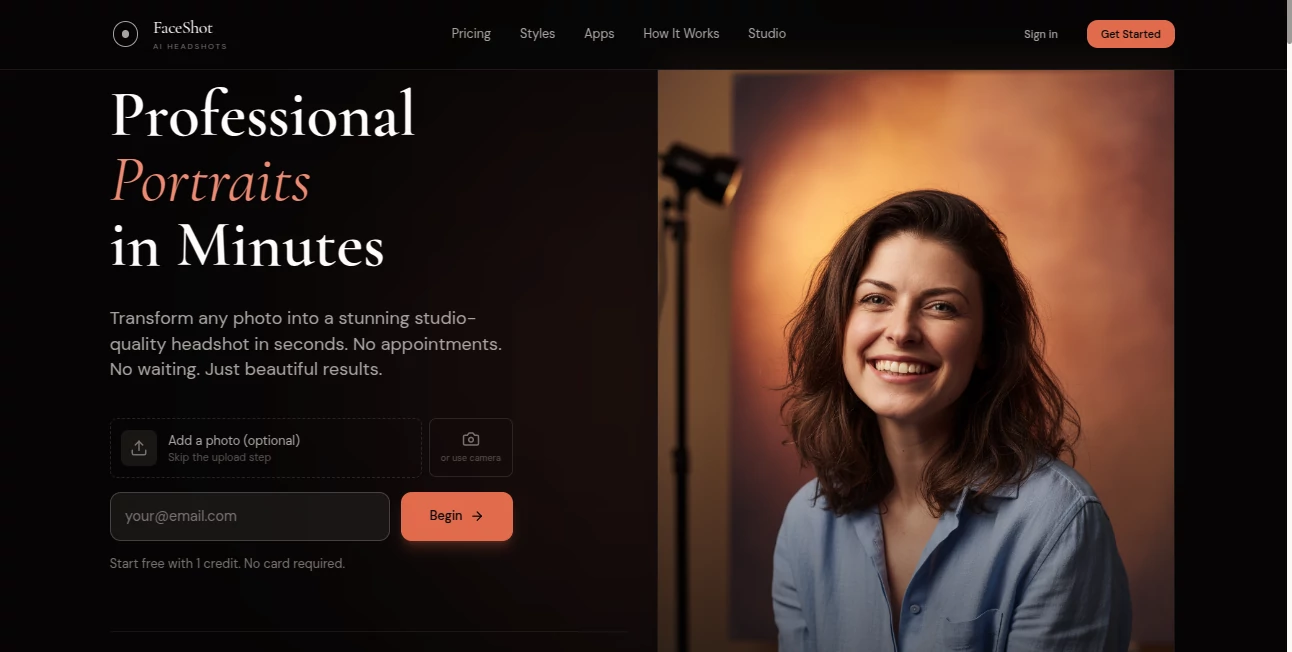
There’s a quiet confidence that comes with a great headshot—the kind that makes people pause on your LinkedIn profile or actually read your bio instead of scrolling past. This tool turns that confidence into something you can create in your bedroom with just your phone. Snap a few selfies (good lighting helps, but it’s forgiving), pick a style, and minutes later you have studio-quality portraits that look like you paid a photographer hundreds of dollars. I’ve seen freelancers replace grainy webcam pics with these and immediately notice more connection requests. It’s not magic; it’s just really good at understanding what makes a face look professional, approachable, and polished without losing who you are.
Introduction
Headshots used to be a hassle: book a photographer, find an outfit, hope the lighting cooperates, pay the invoice, wait for edits. This platform collapses all of that into a few taps. Upload selfies, choose from dozens of professional styles (corporate, creative, casual, tech-founder vibe, etc.), and get back multiple variations that feel custom-tailored. It’s become a quiet favorite among job seekers, entrepreneurs, actors, realtors, coaches—anyone who knows a strong photo opens doors faster. The results carry real weight: natural skin tones, perfect lighting balance, subtle retouching that enhances rather than erases character. It’s the shortcut people wish they’d had years ago.
Key Features
User Interface
Everything is built around simplicity. A prominent upload area accepts phone selfies or existing photos, followed by a clean grid of style thumbnails—each with a name and preview vibe (e.g., “Modern Executive”, “Creative Artist”, “Confident Coach”). Click one (or several), wait a short moment, and scroll through your generated headshots. Before/after sliders, zoom for detail checks, and one-click downloads. No account forced upfront, no confusing settings—just the fastest path from selfie to professional portrait.
Accuracy & Performance
It reads faces with impressive intelligence: keeps your bone structure, eye shape, hair texture, and skin tone intact while fixing lighting, smoothing imperfections naturally, and placing you against perfect backgrounds. Results arrive consistently in 30–90 seconds per style. The consistency across different selfies of the same person is strong—no sudden jawline changes or weird age shifts. It handles diverse skin tones, glasses, facial hair, and hairstyles without common AI pitfalls.
Capabilities
Generates 10–20 high-resolution headshots per style from 4–10 input selfies, offers 30+ professional looks (corporate, creative, LinkedIn-optimized, actor headshots, real estate pro, etc.), automatic background removal/replacement, subtle retouching (skin smoothing, eye enhancement, color balance), and multiple output formats (square, portrait, LinkedIn-ready). It works on any device, requires no special lighting or studio setup, and produces print-ready 4K resolution when needed.
Security & Privacy
Your photos are processed in memory and deleted from servers immediately after generation—no storage, no training on user images. No mandatory account for basic use, so your selfies never get tied to a permanent profile unless you opt in for saved projects. For people sharing personal images, that zero-retention policy is a meaningful layer of comfort.
Use Cases
A job seeker tired of rejection emails uploads selfies and gets a polished LinkedIn photo that finally makes recruiters pause. A life coach replaces blurry Zoom backgrounds with a clean, professional portrait that builds instant credibility. An actor creates multiple headshots in different moods for casting submissions without paying for a shoot. A realtor updates every agent profile photo on the team website in one afternoon. Wherever first impressions matter online, this tool quietly levels up the presentation.
Pros and Cons
Pros:
- Results look authentically professional—not like heavy filters or obvious AI edits.
- Multiple styles from one set of selfies give huge variety without extra shoots.
- Fast turnaround keeps momentum instead of waiting days for a photographer.
- Generous free trial lets you see real quality before committing.
- High-resolution outputs work for print, LinkedIn, websites, business cards.
Cons:
- Best results come from decent selfies (good lighting, straight-on angles help).
- Unlimited generations and all styles require a paid plan.
- Very unusual angles or heavy shadows can occasionally need a re-upload.
Pricing Plans
Free trial gives you several full-quality headshots across a few styles—no card needed to see the difference. Paid plans unlock unlimited generations, all 30+ styles, priority processing, and commercial-use rights. Pricing feels fair—many users say one month’s cost is less than a single traditional headshot session, with far more options and zero scheduling hassle.
How to Use Image Enhancer
Take 4–10 clear selfies (natural light, straight-on, varied expressions help). Upload them via drag-and-drop or file picker. Browse the style gallery and select the looks you like (or pick several). Wait 30–90 seconds per style. Use the before/after slider to compare, zoom in on details, then download your favorites in high resolution. Paid users can generate more variations or batch-process different looks. Done—professional headshots ready to post or print in minutes.
Comparison with Similar Tools
Many AI headshot generators produce overly smoothed, plastic-looking results or struggle with likeness. This one keeps your real features while professionally enhancing lighting, skin, and background—striking a balance that feels authentic. Where others offer only a few generic styles, the variety here matches real-world professions and personalities. Speed, realism, and ease of use make it stand out in a crowded field.
Conclusion
First impressions online often start with a photo. A strong headshot doesn’t just show your face—it shows your professionalism, warmth, and confidence. This tool makes that possible without the cost, time, or stress of traditional shoots. It turns ordinary selfies into images people trust and remember. For job seekers, entrepreneurs, creators, or anyone who wants to show up better online, it’s a small investment with outsized returns. Sometimes the right portrait really does open the next door.
Frequently Asked Questions (FAQ)
How many selfies should I upload?
4–10 works best—different angles and expressions help the AI capture you accurately.
Do the results look fake?
No—enhancements are subtle and natural; it refines rather than reinvents your face.
Can I use them for LinkedIn or business?
Yes—high-res outputs and commercial rights on paid plans make them perfect.
What if my lighting was bad?
It fixes lighting and exposure automatically, though brighter selfies give the sharpest results.
Are my photos kept anywhere?
No—processed in memory and deleted immediately after you download.
Photo & Image Editor , AI Selfie & Portrait , AI Design Generator , AI Profile Picture Generator .
These classifications represent its core capabilities and areas of application. For related tools, explore the linked categories above.
FaceShot AI details
This tool is no longer available on submitaitools.org; find alternatives on Alternative to FaceShot AI.
Pricing
- Free
Apps
- Web Tools
Categories

FaceShot AI Alternatives Product

Nano Banana …

X Grok Imagi…
ai image cre…

Sketchready

Mage

SurgePix
Artifox

Beardless Fi…

Image to Ima…
