
🧠 AI Quiz
Think you really understand Artificial Intelligence?
Test yourself and see how well you know the world of AI.
Answer AI-related questions, compete with other users, and prove that
you’re among the best when it comes to AI knowledge.
Reach the top of our leaderboard.

















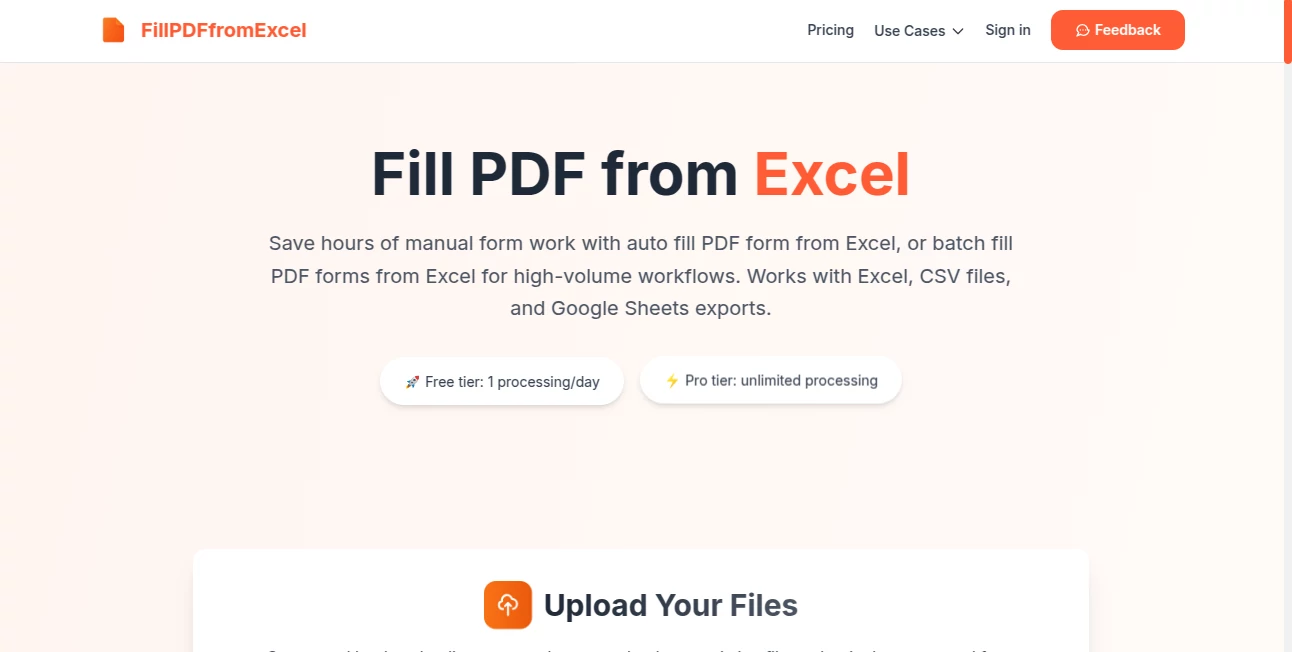
Fill PDF from Excel
What is Fill PDF from Excel?
There’s nothing more soul-crushing than filling out the same PDF form dozens or hundreds of times—copying names, dates, addresses, and checkboxes from a spreadsheet while praying you don’t make a typo. This tool quietly removes that pain. You upload your PDF template and an Excel (or CSV) file, it intelligently matches the columns to the form fields, and then creates perfectly filled PDFs for every row in your data. No manual entry, no copy-paste errors, no wasted afternoons. I’ve watched office admins go from dread to relief after their first batch run—the kind of small win that actually changes how you feel about Mondays.
Introduction
Repetitive paperwork is the silent time-thief in almost every industry: HR onboarding, tax forms, client contracts, school registrations, insurance claims. Most people still do it the hard way—opening each PDF one by one. This platform changes the equation by turning that tedious process into a simple, repeatable workflow. It understands both your spreadsheet structure and your PDF fields, maps them automatically (with easy manual tweaks), and delivers individual filled documents ready to send or archive. The beauty is in its simplicity and reliability—set it up once, and every future batch becomes almost effortless. For anyone who deals with high-volume forms, it feels like finally getting a reliable assistant who never gets tired or makes mistakes.
Key Features
User Interface
The design is refreshingly straightforward. You drag your PDF form template and your Excel/CSV file into clear upload zones. The tool then shows an automatic mapping screen where columns line up with form fields—you can review and adjust with a few clicks. No complex dashboards or confusing options. Everything happens in one clean flow, with progress indicators that keep you informed without overwhelming you. It’s the kind of interface that makes you think “why hasn’t this always existed?”
Accuracy & Performance
The mapping is surprisingly smart—it recognizes similar column headers and field names without much help. When it needs a nudge, the adjustment interface is intuitive. Processing speed is excellent even with hundreds of rows; you’re rarely left waiting. The filled PDFs come out clean, with data placed exactly where it belongs, preserving the original layout and formatting. In real-world use, the error rate is dramatically lower than manual entry, which means fewer embarrassing mistakes and less time spent double-checking.
Capabilities
It handles both single and bulk processing, supports .xlsx, .xls, and .csv files (including Google Sheets exports), works with any PDF that has fillable form fields, and produces separate filled PDFs for each row. You can review mappings, make corrections, and download everything in one go. It’s ideal for any repetitive form work—employee records, client intake, tax documents, registrations—without requiring you to install software or connect to your actual systems.
Security & Privacy
Your uploaded files are processed only for the current session and are not stored as a core feature. There’s no long-term retention of your PDFs or data unless you explicitly choose to save something. This standalone approach gives real peace of mind, especially when handling sensitive information like personal records or client details.
Use Cases
HR teams use it to generate hundreds of offer letters or onboarding packets from a single spreadsheet. Accountants batch-fill tax forms or invoices for dozens of clients in minutes. School administrators create student registration confirmations without repetitive typing. Real estate agents prepare disclosure documents or lease agreements quickly. Even small business owners streamline invoice generation or vendor agreements. Wherever you have a list of data and a repeatable PDF form, it turns hours of drudgery into a quick, accurate process.
Pros and Cons
Pros:
- Eliminates manual data entry errors and saves enormous amounts of time.
- Smart automatic mapping with easy manual adjustments.
- Works with standard Excel/CSV files—no special formatting required.
- Fast, reliable processing even for larger batches.
- Free tier available for testing and light use.
Cons:
- Requires PDFs with actual fillable form fields (not scanned images).
- Free daily limit may feel restrictive for heavy daily users.
- Very complex or conditional forms may still need some manual review.
Pricing Plans
The free tier gives you one processing per day—perfect for occasional needs or testing the tool on your own forms. The Pro plan removes limits entirely, allowing unlimited batch processing and faster support. It’s priced sensibly for the time it saves; many users find the paid tier pays for itself after just one or two large runs compared to the cost of manual labor or hiring help.
How to Use Fill PDF from Excel
Start by uploading your PDF form template (it must have fillable fields). Then upload your Excel or CSV data file. The tool will automatically detect and map columns to fields—review the suggestions and make any adjustments needed. Preview a sample if you want, then generate the batch. Download the filled PDFs individually or as a zip file. The entire process usually takes just a few minutes, even for hundreds of records. Save your mapping for future use to make repeat jobs even faster.
Comparison with Similar Tools
Many PDF fillers require complex setup, software installation, or direct integration with your systems. Others are limited to very basic forms or small batches. This one stands out for its balance of simplicity, speed, and reliability—no installation, no risky permissions, and solid handling of real-world spreadsheets. It’s particularly strong for users who want a fast, standalone solution rather than another heavy enterprise tool.
Conclusion
Repetitive form filling is one of those hidden time sinks that quietly drains productivity and morale. This tool removes the pain without adding new complexity. It turns what used to be a dreaded chore into a quick, accurate, almost enjoyable step in your workflow. Whether you’re handling dozens or thousands of records, it delivers clean, professional results with minimal effort. For anyone tired of manual data entry, it’s one of those rare tools that genuinely makes work feel lighter.
Frequently Asked Questions (FAQ)
Do my PDFs need to be fillable forms?
Yes—the tool works with PDFs that have actual form fields. Scanned or image-only PDFs won’t work.
How many records can I process at once?
The free tier allows limited daily use; paid plans support large batches without restrictions.
Is my data stored on the servers?
Files are processed for the session and not stored long-term as a core feature.
Can I use Google Sheets data?
Yes—simply export your Google Sheet as Excel or CSV and upload it.
What if the automatic mapping isn’t perfect?
You can easily review and manually adjust any field mappings before generating.
AI PDF , AI Forms & Surveys , AI Documents Assistant .
These classifications represent its core capabilities and areas of application. For related tools, explore the linked categories above.
Fill PDF from Excel details
Pricing
- Free
Apps
- Web Tools
Categories

Fill PDF from Excel Alternatives Product

Markdown to …

PDF to MD

SuperAI

JFIF to JPG …

The #1 Text …

TO MD

GLM-OCR Onli…

Flowmata AI

Meet Submind
