🧠 AI Quiz
Think you really understand Artificial Intelligence?
Test yourself and see how well you know the world of AI.
Answer AI-related questions, compete with other users, and prove that
you’re among the best when it comes to AI knowledge.
Reach the top of our leaderboard.


















Filmora
Effortless Video Editing for Every Creator

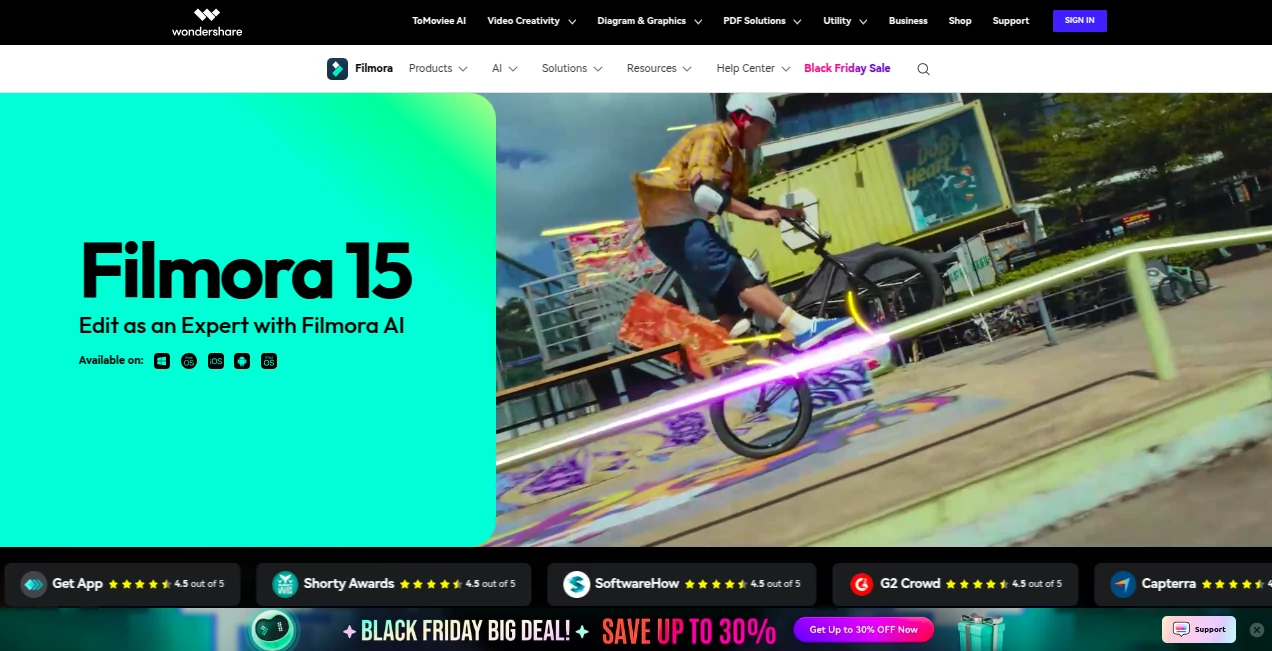
What is Filmora?
Filmora steps in as a friendly guide through the world of video crafting, turning raw clips into stories that shine without the usual headaches. This software has a way of making the process feel like a natural extension of your ideas, whether you're piecing together a family montage or polishing a pitch for work. Many who dive in come away with a sense of accomplishment, having pulled off something that looks straight out of a pro reel, all while keeping things light and fun.
Introduction
Filmora found its footing years ago, sparked by a need to simplify the often overwhelming task of shaping footage into something shareable. It started as a breath of fresh air for those tired of steep learning walls, quickly gathering fans who appreciated how it blended solid tools with an approachable vibe. Over time, updates have layered in clever touches that anticipate what you're trying to achieve, drawing in everyone from weekend warriors to those dipping toes into content creation. What keeps people returning is that balance—it empowers without intimidating, letting your vision take the wheel while handling the details behind the scenes.
Key Features
User Interface
The layout greets you like an old sketchpad, with wide spaces for dragging clips and a timeline that stretches out intuitively as your project grows. Tabs for effects and sounds sit neatly to the side, popping open only when needed, and the preview window updates on the fly so you see changes as they happen. It's the kind of setup that clicks after a few minutes, forgiving for newcomers while offering shortcuts that speed up seasoned hands, all without cluttering the creative flow.
Accuracy & Performance
When you layer in transitions or tweak colors, the results land true to what you had in mind, with smooth playback that holds steady even on longer sequences. It leans on your hardware smartly, speeding through renders without unnecessary waits, and handles high-res footage with a reliability that lets you focus on the story rather than the stalls. Folks often mention how it keeps the momentum going, turning what could be a choppy session into one that rolls right along.
Capabilities
From syncing audio that matches the beat perfectly to pulling unwanted bits from the frame, it covers the essentials and then some, like building animated graphs from data or crafting subtitles that keep pace with the dialogue. You can pull in multi-camera angles and blend them seamlessly, or dip into a vast stock of sounds and overlays to add polish without starting from scratch. The range makes it versatile, whether you're aiming for quick social clips or something with a bit more depth.
Security & Privacy
Your projects stay tucked away in your local setup, with no forced cloud shares or data dips unless you choose to export directly to platforms. It respects the quiet side of creation, keeping files secure on your drive and giving you full say over what goes out. That straightforward approach builds a sense of ease, letting you experiment freely without lingering doubts about where your rough cuts might end up.
Use Cases
A small business owner might stitch together a product demo, adding flair that highlights features without overwhelming the message. Teachers could weave lesson highlights into engaging recaps, syncing voiceovers with visuals to hold attention longer. Families turn vacation rolls into heartfelt reels, blending music that tugs at memories. Even aspiring filmmakers test scene ideas, layering effects to see what sticks before committing to bigger gear.
Pros and Cons
Pros:
- Picks up the pace for beginners, with tools that feel second nature.
- Packed with ready-to-use bits that spark ideas without blank stares.
- Updates often, bringing fresh ways to refine your work.
Cons:
- Some advanced paths might call for a bit more exploring to unlock fully.
- Certain generated extras carry notes on use, worth a quick check for work projects.
- Relies on decent setup for the smoothest high-end runs.
Pricing Plans
You can ease in with a free version that covers the basics, letting you test the waters without commitment. From there, yearly options around the sixty-dollar mark open up the full suite, including endless exports and premium touches. It scales nicely, with bundles for teams or one-offs if you're just dipping in, keeping the door open without pressure.
How to Use Filmora
Launch it up and start by pulling in your clips to the media bin, then drag them to the timeline where they snap into place. Layer on sounds or effects from the library with a simple drop, tweak timings with the handles, and preview as you go. When it feels right, hit export and pick your spot—straight to social or a file for later. Save often, and poke the help spots for those little tricks that save steps next time.
Comparison with Similar Tools
Next to heavier hitters that demand more upfront time, Filmora lightens the load for quick turns, though those might offer deeper dives for studio-level fine-tunes. Against simpler apps, it layers in more options without the overwhelm, striking a middle ground that suits most without skimping on substance. It shines for those wanting results without the ritual, edging out where ease meets enough power to grow with you.
Conclusion
Filmora wraps up the rush of video making into something approachable and rewarding, handing creators the means to bring their clips to life without losing the joy along the way. It stands as a testament to how thoughtful design can turn potential chores into creative outlets, fostering stories that connect and inspire. Whether for a one-off or a steady stream, it keeps the focus on what matters—your message, moving forward.
Frequently Asked Questions (FAQ)
Does it play nice on older machines?
It runs smooth on most setups, but a nudge toward newer graphics helps for the full speed.
Can I pull straight to YouTube?
Yes, with built-in tweaks that match their sweet spots for seamless shares.
What about using the extras in paid work?
Most stock bits are good to go, but check labels on generated ones for the fine print.
Works on Mac too?
Absolutely, with extras that tap into Apple's strengths for even quicker turns.
How do I back out if it's not a fit?
Free trial gives a full feel, and plans flex easy if you decide to step away.
AI Animated Video , AI Video Editor , AI Video Enhancer , AI Thumbnail Maker .
These classifications represent its core capabilities and areas of application. For related tools, explore the linked categories above.
Filmora details
This tool is no longer available on submitaitools.org; find alternatives on Alternative to Filmora.
Pricing
- Free
Apps
- Web Tools
Categories

Filmora Alternatives Product

Seedance AI

Seedance 2.0

wan2-6.org
Kling Motion

Wan AI Video…
JoyFlix AI

AI Motion Co…

Seedance AI …

ModelsLab