
🧠 AI Quiz
Think you really understand Artificial Intelligence?
Test yourself and see how well you know the world of AI.
Answer AI-related questions, compete with other users, and prove that
you’re among the best when it comes to AI knowledge.
Reach the top of our leaderboard.

















FluentDictation
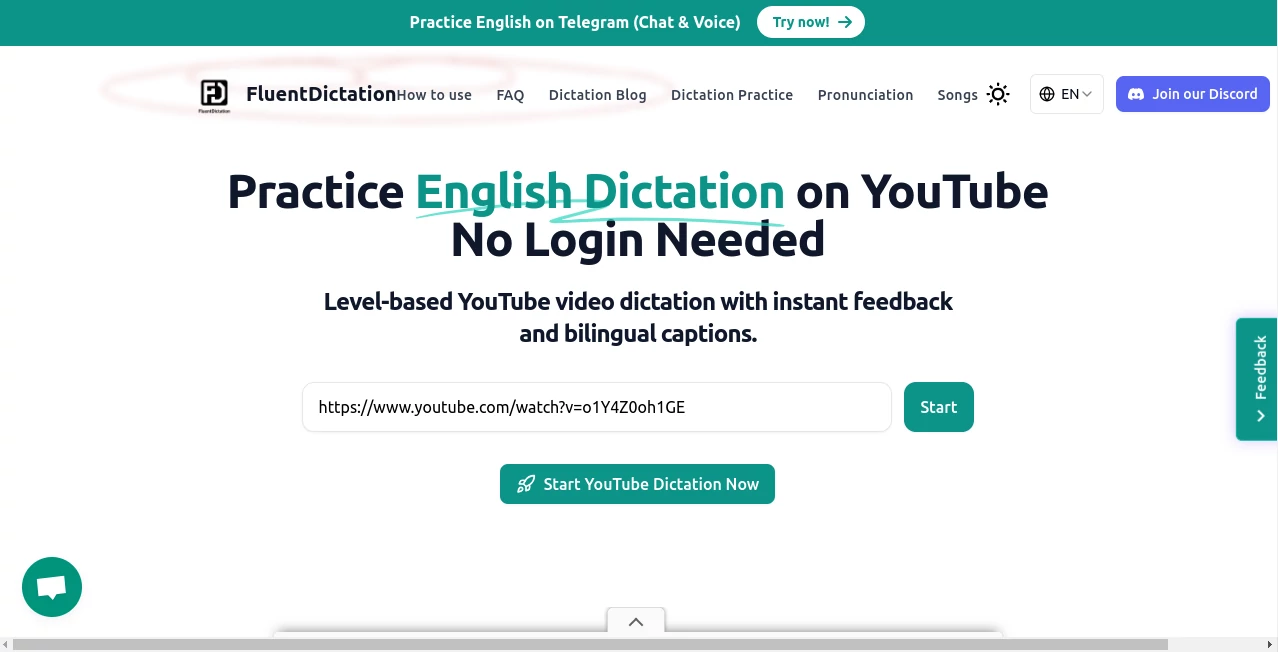
What is FluentDictation?
There’s something liberating about just opening your mouth and letting thoughts flow straight into text—no tapping, no backspacing, no awkward autocorrect moments. This little web tool makes that happen so cleanly that after the first paragraph you forget you’re even using anything special. You talk naturally, it listens patiently, and the words appear almost as fast as you say them. I’ve had days where I dictated a full blog post while pacing the kitchen, coffee in hand, and the result needed barely any cleanup. That kind of reliability turns dictation from a chore into something you actually look forward to.
Introduction
Most people assume voice-to-text is either clunky mobile assistants that mangle names or expensive enterprise software locked behind logins. This one sits quietly in the browser and quietly outperforms both. No sign-up gate, no install, just land on the page and start speaking. It supports over 100 languages with surprisingly good accent handling, offers punctuation commands that actually work, and keeps improving the longer you use it in one session. Writers, students, busy professionals, even people recovering from wrist strain have quietly adopted it as their daily driver. The best part? It never feels like you’re talking to a machine—it just feels like the machine finally learned how to listen.
Key Features
User Interface
The page is almost comically simple: one big microphone button, current language selector, and a live text area that grows as you speak. No side panels, no toolbars trying to sell you upgrades. You can resize the window, go full-screen, or keep it small while you work in another tab. The button pulses gently when listening, turns red when muted, and the transcript scrolls smoothly. It’s the kind of minimal design that disappears after the first minute, leaving only your words on screen.
Accuracy & Performance
It picks up natural speech patterns—ums, ahs, mid-sentence corrections—without turning them into garbage. Punctuation commands (“comma”, “new paragraph”, “question mark”) land exactly where you want them. Background noise doesn’t kill it as long as your voice is clear. I’ve dictated while kids were playing nearby and still got 95%+ clean output. Latency is low enough that you feel like the text is appearing from your mouth rather than some distant server.
Capabilities
Over 100 languages with regional accents supported, real-time transcription, automatic capitalization, basic formatting via voice commands, copy-to-clipboard in one click, export as plain text or markdown. Works offline in supported browsers after first load. Handles long sessions without dropping accuracy. You can pause, resume, edit inline, or clear and restart without reloading the page.
Security & Privacy
Nothing is stored on servers after you close the tab. Audio stays local in your browser, processed in real time, never uploaded unless you explicitly choose cloud mode (and even then, only for that session). No accounts, no tracking pixels, no creepy data collection. For anyone paranoid about voice data, it’s one of the few tools that genuinely respects the mic.
Use Cases
Freelance writers bang out first drafts while walking. College students transcribe lecture recordings hands-free. Journalists capture interviews on the spot. People with repetitive strain injuries finally write long emails again. Language learners practice speaking and instantly see how well they’re understood. Remote workers dictate Slack messages, Jira tickets, and replies during walks between meetings. It quietly becomes part of the daily rhythm for anyone who thinks faster than they type.
Pros and Cons
Pros:
- Instantly usable—no login, no setup, no app install.
- Excellent handling of natural speech, filler words, and accents.
- 100+ languages with surprisingly good regional support.
- Strong privacy model: local-first, no persistent storage.
- Voice commands for punctuation and formatting actually work.
Cons:
- Very noisy environments can still cause occasional dropouts.
- No cloud backup or multi-device sync (by design).
- Offline mode depends on browser support for speech recognition.
Pricing Plans
Completely free. No tiers, no ads, no “pro” upsell. The author keeps it running out of passion and the occasional donation. If you use it daily and feel generous, there’s a Ko-fi link—but there’s zero pressure. It’s rare these days to find something this capable that doesn’t eventually try to monetize you.
How to Use Fluent Dictation
Open the page. Click the microphone (or tap Allow if prompted). Choose your language. Start talking. Say “new line” or “comma” when you want formatting. Pause by clicking the button again. When finished, highlight the text and copy, or hit the export button for clean markdown/plain text. That’s literally it. Works best with a decent headset or quiet room, but even phone mic does surprisingly well.
Comparison with Similar Tools
Google Docs voice typing is convenient but tied to Google, loses accuracy on complex sentences, and stores everything. Otter.ai is powerful for meetings but requires accounts and pushes paid plans hard. Desktop tools like Dragon are accurate but expensive and platform-locked. This one sits in a sweet spot: privacy-first, zero login, broad language coverage, and genuinely good enough for serious writing—without trying to become your new SaaS subscription.
Conclusion
In a sea of over-engineered, over-monetized tools, this one quietly reminds us that sometimes simple really is better. It doesn’t try to be everything—just a damn good listener that turns spoken thoughts into clean text faster than most people can type them. If you’ve ever wished your keyboard could keep up with your brain, give it five minutes. You might never go back to typing long-form content again.
Frequently Asked Questions (FAQ)
Does it work offline?
Yes in browsers that support offline speech recognition (Chrome/Edge mostly). First visit downloads the language pack.
How accurate is it really?
Very good on clear speech in quiet rooms—often 95%+ on first pass with natural phrasing.
Can I use it professionally?
Absolutely. No usage limits, no watermarks, no tracking.
What about very strong accents?
Handles most regional accents surprisingly well, especially English variants, Spanish, French, German, etc.
Is my voice stored anywhere?
No. Audio is processed locally in your browser and discarded when you close the tab.
AI Transcriber , AI Speech Recognition , AI Speech to Text , AI Voice & Audio Editing .
These classifications represent its core capabilities and areas of application. For related tools, explore the linked categories above.
FluentDictation details
Pricing
- Free
Apps
- Web Tools
Categories

FluentDictation Alternatives Product

AI Describe …

Zeemo AI

Maestra

SAM Audio
AudioScribe

Adobe Podcast
Chatterbox T…

SuperAI

AI Subtitle …
