🧠 AI Quiz
Think you really understand Artificial Intelligence?
Test yourself and see how well you know the world of AI.
Answer AI-related questions, compete with other users, and prove that
you’re among the best when it comes to AI knowledge.
Reach the top of our leaderboard.


















FLUX 2 Dev

What is FLUX 2 Dev?
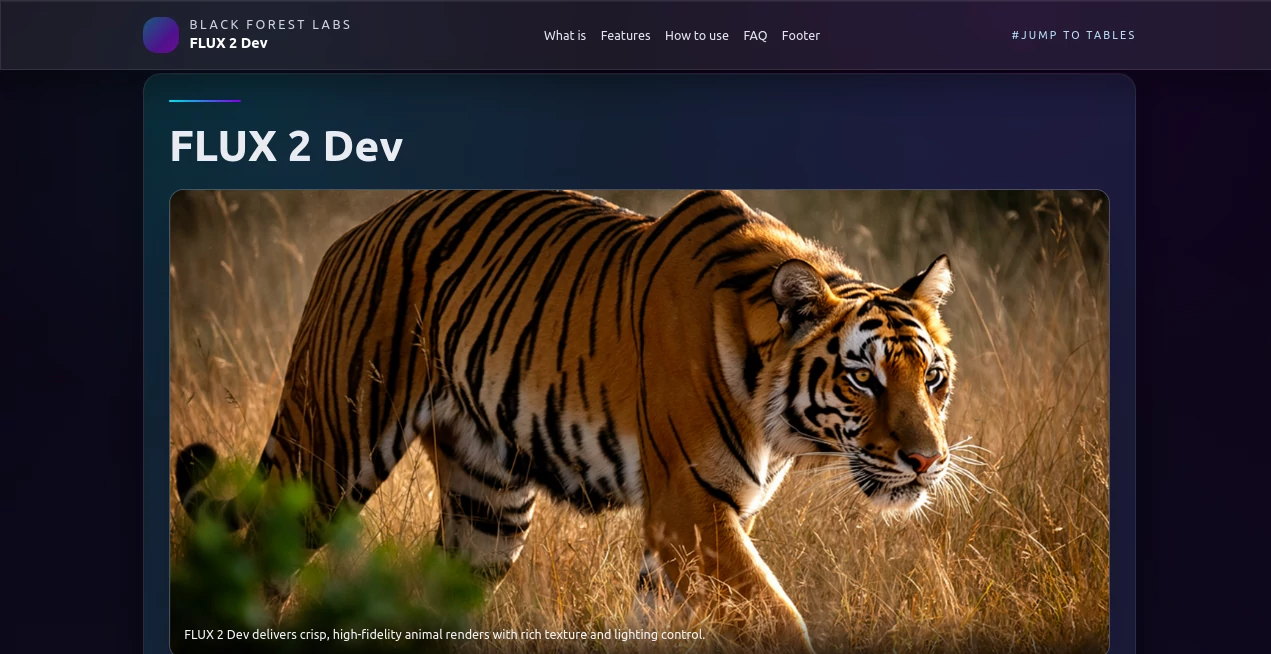
Flux2 steps forward as a powerhouse for turning detailed visions into stunning visuals, blending smart processing with open access that invites creators to experiment freely. This setup draws in those who crave sharp, consistent results from complex ideas, whether for quick sketches or full campaigns. Users often share how it transforms a rough outline into something that feels ready for the spotlight, keeping the creative energy high without the usual roadblocks.
Introduction
Flux2 came together through the efforts of a dedicated team aiming to push boundaries in visual tools, launching as an open option that quickly gained notice among digital artists and marketers. It built on earlier ideas but added layers of depth, like handling longer descriptions and mixing multiple starting points for steady looks across pieces. What started as a fresh approach has grown into a go-to for folks tired of locked-down systems, with stories circulating about how it sped up workflows that once dragged on for days. At its core, it's about making high-end creation approachable, letting users build with confidence knowing the foundation is solid and shared widely.
Key Features
User Interface
While it thrives in flexible setups, the experience often flows through node-based environments where you link elements like prompts and samplers with simple drags, building chains that update live as you adjust. Checkpoints load smoothly, and previews spin up without clutter, making it easy to test tweaks on the fly. Even without a flashy front end, the workflow feels intuitive after a short spin, like piecing together a puzzle where each part clicks into place naturally.
Accuracy & Performance
It captures the fine points of your directions with a precision that stands out, rendering details like subtle shades or clear markings without the common blur. Runs wrap up efficiently, often in under a dozen seconds on capable setups, balancing speed with quality that holds up on larger scales. Those who've run it through real tests highlight how it keeps things consistent even in batches, avoiding the dips that can frustrate during long sessions.
Capabilities
From crafting scenes from words alone to refining existing visuals with added guides, it handles a wide range, including blending several sources for uniform styles or characters across outputs. It shines with extended inputs, weaving in specifics like color codes or layouts, and supports everything from draft previews to polished finals up to four megapixels. The setup also plays well with add-ons for poses or segments, opening doors to everything from concept boards to branded spreads.
Security & Privacy
As an open framework, it puts control in your hands, running locally or on trusted hosts without mandatory data shares, keeping your rough ideas off the grid unless you choose otherwise. Deployments on edge networks add layers of quick, private processing, and the community focus means transparent handling from the start. Creators value that open nature, allowing them to tweak and secure their flows without hidden catches.
Use Cases
Marketers craft cohesive ad sets that match brand tones across banners and posts, saving time on revisions. Artists prototype character arcs for stories, ensuring faces and moods carry through frames without redrawing. Developers build interactive previews for apps, like avatar generators that respond in real time. Even educators use it to visualize abstract ideas, turning lessons into vivid aids that stick with students longer.
Pros and Cons
Pros:
- Delivers top-tier quality with details that pop in text and textures.
- Open access means no gates, just community-driven growth.
- Handles complex mixes for steady results across projects.
- Runs efficient on modern gear, cutting wait times significantly.
Cons:
- Needs solid hardware to shine, which might limit lighter setups.
- Setup takes a bit for those new to node flows.
- Best with clear guides, so vague starts can wander.
Pricing Plans
Flux2 keeps things open and free at the core, with no upfront costs for the model itself, though running it might tap into hardware or cloud fees depending on your path. Community hosts offer trials or basic tiers without charge, while pro deploys could add small per-use tabs for scaled access. The model encourages experimentation without barriers, scaling naturally as your needs grow.
How to Use Flux2
Start by grabbing the files from a trusted repo, then set up your environment with a quick install of needed libraries. Load the core into a workflow tool, feed in your description along with any guides or starters, and set your steps—aim low for tests, higher for finals. Preview the output, refine with adjustments, and export in your preferred format, ready to drop into designs or shares.
Comparison with Similar Tools
Compared to earlier versions, Flux2 adds smarter flows and longer inputs for richer scenes, though those might feel lighter on resource pulls. Against broader diffusion setups, it edges in quality for detailed renders but trades some speed for that polish. Quick-preview options outpace it for roughs, yet Flux2 pulls ahead in finals that demand consistency and crispness.
Conclusion
Flux2 opens up new ways to shape visuals, blending power with openness that empowers creators at every level. It turns ambitious ideas into tangible assets, proving that shared tools can drive standout work without the usual strings. As digital spaces keep expanding, this one's poised to lead, fostering outputs that not only impress but inspire the next wave of innovation.
Frequently Asked Questions (FAQ)
What makes Flux2 stand out from older models?
It brings advanced flows, higher details, and built-in mixing for steady styles.
How many steps for a good result?
Twelve to twenty for quick looks, twenty-eight to forty for top quality.
Can it run on everyday computers?
With tweaks, yes on strong cards, keeping memory in check for smoother runs.
Does it handle multiple starting images?
Absolutely, up to ten for keeping characters or themes consistent.
Where to find setup guides?
Check community docs or workflow shares for step-by-step starts.
AI Text to Image , AI Photo & Image Generator , AI Image to Image , AI Art Generator .
These classifications represent its core capabilities and areas of application. For related tools, explore the linked categories above.
FLUX 2 Dev details
This tool is no longer available on submitaitools.org; find alternatives on Alternative to FLUX 2 Dev.
Pricing
- Free
Apps
- Web Tools
Categories

FLUX 2 Dev Alternatives Product

Mage

Nano Banana …

Genmi AI

Freepik

Nano Banana …

Z-Image

GPT Image 1.5

NanoEditor

Beard Remover