
🧠 AI Quiz
Think you really understand Artificial Intelligence?
Test yourself and see how well you know the world of AI.
Answer AI-related questions, compete with other users, and prove that
you’re among the best when it comes to AI knowledge.
Reach the top of our leaderboard.


















Flux2 Klein
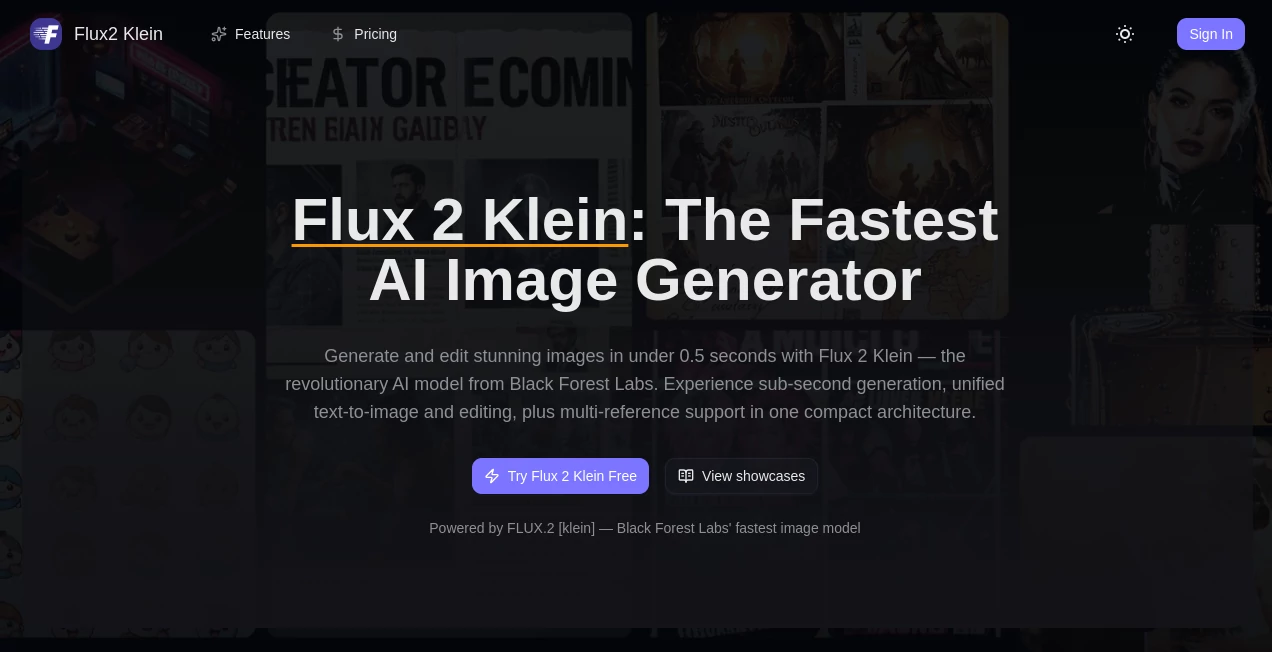
What is Flux2 Klein?
You type “a lone astronaut floating above a neon city at dusk, cinematic lighting, ultra-sharp”, hit enter, and thirty seconds later there it is—crisp, atmospheric, exactly the mood you pictured. That kind of speed paired with real visual quality is still rare, and this one delivers it consistently. I’ve lost count of how many times I’ve watched someone skeptical about AI art open their eyes wide after the first generation. It doesn’t feel like magic anymore; it feels like a reliable creative partner that actually understands what you’re asking for.
Introduction
Most text-to-image models force you to choose between quality and waiting forever. This one quietly refuses that trade-off. Built as a distilled, optimized version of the Flux family, it keeps nearly all the visual intelligence while slashing generation time dramatically. People who used to walk away from their computer during long renders now stay glued to the screen because the results arrive before the kettle boils. It’s become a favorite for quick ideation, mood-board building, concept art sprints, and anyone who wants beautiful images without the usual patience tax. The balance it strikes—speed without looking cheap—is what keeps creators coming back day after day.
Key Features
User Interface
The screen is clean and focused. A wide prompt box sits front and center, optional negative prompt and style sliders live just below, and a big generate button that begs to be clicked. No nested menus, no account labyrinth—just type, tweak if you feel like it, and go. Previews load progressively so you see the image sharpen as it finishes. It’s the kind of interface that disappears after the first use; you stop noticing it because you’re too busy reacting to what it made.
Accuracy & Performance
Prompt adherence is tight—details you mention rarely get ignored or mangled. Hands, text in images, complex compositions with multiple subjects all come out far more coherent than you’d expect from something this quick. Generation times hover around 20–40 seconds on good hardware, sometimes faster, and the model rarely produces outright failures. The consistency across runs is impressive too; regenerate the same prompt and you’ll get variations that still feel like siblings, not strangers.
Capabilities
It handles photorealism, painterly styles, anime, product mockups, surreal concepts—pretty much anything you can describe. Supports image-to-image and inpainting so you can refine or expand existing generations. Aspect ratios are flexible, resolutions go up to 2K in practice, and the model understands nuanced lighting, depth, and material qualities surprisingly well. For something so fast, the level of polish in skin textures, fabric folds, and atmospheric perspective is genuinely impressive.
Security & Privacy
No account is forced on you. Generations run in the browser or via a simple API call with zero persistent storage of your prompts or images unless you explicitly save them yourself. For creators working on client concepts or personal projects, that low-friction, no-tracking approach is a quiet relief.
Use Cases
A freelance illustrator needs five concept variations for a book cover pitch by tomorrow morning—she gets them all before dinner. A social media manager creates eye-catching post graphics in under ten minutes each, matching brand colors perfectly. An indie game dev prototypes UI icons and environment mood pieces without opening Photoshop. A small brand owner generates product lifestyle shots for ads when the photographer is booked for weeks. It fits into tight schedules and creative ruts alike, always ready when inspiration strikes.
Pros and Cons
Pros:
- Genuinely fast enough to feel like real-time brainstorming.
- Keeps fine details and complex scenes coherent where others fall apart.
- No forced sign-up or heavy cloud dependency—works offline-capable in many setups.
- Style control is subtle but effective; small prompt tweaks make big differences.
Cons:
- Very long, extremely detailed prompts can occasionally lose minor elements.
- Hardware hungry if you run it locally—best on a strong GPU.
Pricing Plans
You can run it completely free locally if you have the hardware, or jump into hosted versions with generous daily quotas at no upfront cost. Paid tiers unlock higher resolutions, faster queues, and unlimited generations for people who treat it like a daily creative engine. The pricing stays reasonable—many users say it costs less per month than one stock photo subscription, yet delivers infinite originals tailored exactly to their vision.
How to Use Flux2 Klein
Type (or paste) your prompt. Add any style hints or negative terms you want. Choose aspect ratio and quality preset. Click generate. While it works, tweak the prompt if you feel like it—changes take effect on the next run. When the image appears, upscale if needed, download, or use it as a base for img2img refinement. That loop—prompt, generate, refine—becomes addictive because each iteration feels meaningful and fast.
Comparison with Similar Tools
Where some models trade speed for quality and others sacrifice coherence for prompt flexibility, this one finds a rare middle ground. It doesn’t pretend to be everything to everyone; instead it excels at being very good at the things most people actually need: fast, sharp, controllable results that don’t require a PhD in prompt engineering. For everyday creative work, it often leaves heavier models feeling unnecessarily slow and fiddly.
Conclusion
Great art tools don’t just make pictures—they make the act of creating feel exciting again. This one brings that feeling back for a lot of people. It strips away the waiting and the frustration so you can stay in the flow, chasing ideas instead of fighting tech. Whether you’re building a portfolio, feeding social channels, or just playing with visuals for fun, it’s hard to imagine going back to slower, less reliable ways of turning words into worlds. Once you experience the speed and clarity it offers, everything else starts to feel like it’s lagging behind.
Frequently Asked Questions (FAQ)
How fast is it really?
Most generations finish in 20–45 seconds on decent hardware; even complex scenes rarely push past a minute.
Do I need a powerful computer?
Local runs love a good GPU (12 GB VRAM+ recommended), but hosted versions work on anything with a browser.
Can I use my own images as starting points?
Yes—img2img and inpainting modes are built in and work very naturally.
Is there a free way to try it?
Absolutely—open-source weights are available, and many hosted demos give solid free quotas.
How good is text in images?
Much better than most open models—readable signs, logos, and titles come out clean far more often.
AI Text to Image , AI Photo & Image Generator , AI Art Generator , AI Design Generator .
These classifications represent its core capabilities and areas of application. For related tools, explore the linked categories above.
Flux2 Klein details
Pricing
- Free
Apps
- Web Tools
Categories

Flux2 Klein Alternatives Product

Nano Banana 2

BeYourCover

Upscale image
imagen 5

Luma AI

VIGGLE

Z Image Turbo

Qwen Image

MuseArt AI
