🧠 AI Quiz
Think you really understand Artificial Intelligence?
Test yourself and see how well you know the world of AI.
Answer AI-related questions, compete with other users, and prove that
you’re among the best when it comes to AI knowledge.
Reach the top of our leaderboard.


















Flux 2

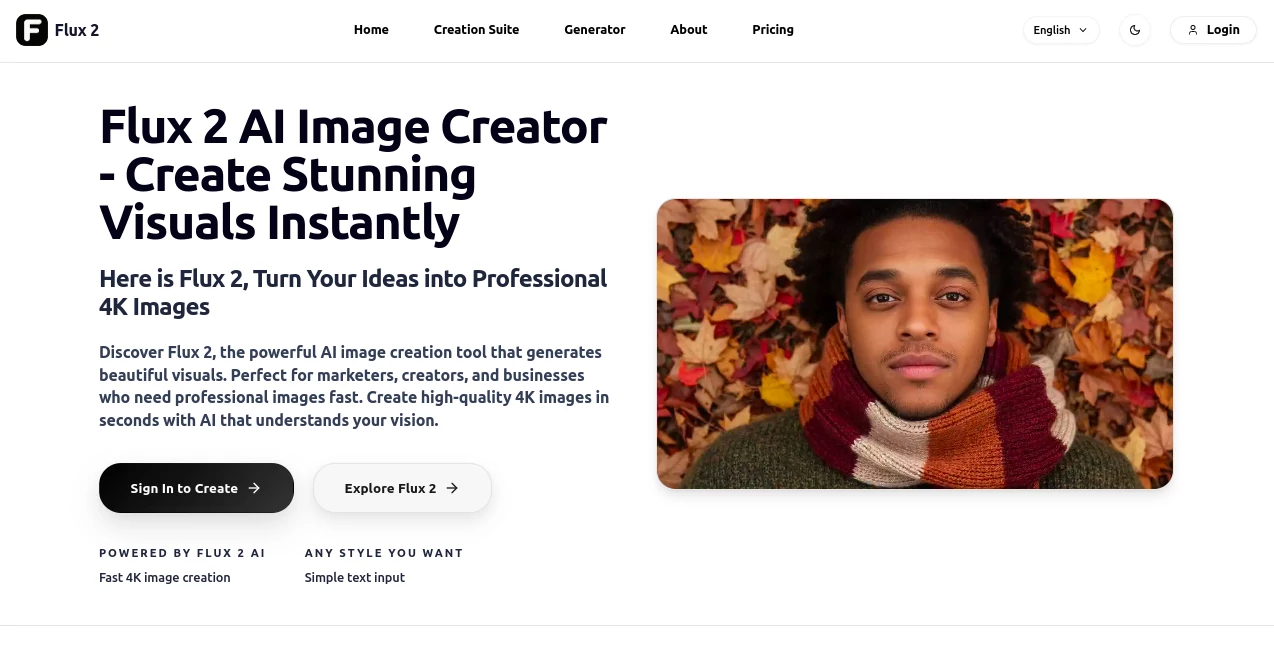
What is Flux 2?
Flux2AI steps up as a go-to spot for anyone needing quick, top-notch visuals without the hassle of hiring a photographer or fiddling with editing software. Just type in what you envision, and it whips up crisp 4K scenes that look like they came straight from a pro shoot. Folks in creative fields often chat about how it saves them hours, letting them focus on the big picture rather than getting bogged down in details.
Introduction
Flux2AI came along at a time when content creators were drowning in demands for fresh images but short on time and budget. A team of tech-savvy artists put it together to bridge that gap, starting with simple text inputs that now handle everything from basic sketches to full-blown campaigns. It's picked up steam among small business owners and social media whizzes who share stories of campaigns that took off after a few tweaks here. What draws people in is the way it keeps things straightforward—no steep learning curve, just solid results that feel tailored to your needs, evolving quietly as more users shape its path.
Key Features
User Interface
The layout greets you with a big, inviting text box where you can jot down your ideas, complete with a character counter to keep things in check. From there, a few clicks let you pick styles or upload references, and previews start popping up almost right away. It's all laid out in a logical flow, with easy buttons for adjustments and exports, making the whole thing feel like a casual brainstorming session rather than a tech workout.
Accuracy & Performance
When you describe a scene, it captures the little things—like how light falls or text blends in—without throwing in random extras that don't fit. Outputs land in just a few seconds, even for detailed requests, and the quality holds up sharp on any screen size. Users mention how it rarely needs a second try, delivering pieces that look natural and ready to use out of the gate.
Capabilities
Beyond basic drawings, it lets you build consistent looks across multiple shots, tweak angles like a director, and even pull in your own photos to guide the style. You can run batches for testing ideas or hook it up to other tools for bigger projects, covering everything from quick social posts to polished ads. The range makes it versatile, whether you're aiming for a single standout image or a whole set that tells a story.
Security & Privacy
Everything you upload or create stays protected with solid encryption and access controls, so only you decide who sees what. It follows strict standards for handling files, clearing out temporary stuff after each job, which gives peace of mind when working on sensitive brand materials. That reliability is a big reason teams keep coming back without second-guessing the setup.
Use Cases
Marketers use it to mock up ad visuals with matching characters that keep the brand feel consistent across posts. Small shops generate product shots that look studio-fresh, helping listings stand out without extra shoots. Content creators test storyboards by turning script snippets into sequential frames, speeding up the planning phase. Even educators pull in custom illustrations for lessons, making abstract ideas pop in ways that stick with students.
Pros and Cons
Pros:
- Lightning-fast turnaround that fits tight deadlines.
- High-end quality at a fraction of traditional costs.
- Easy consistency for ongoing projects like campaigns.
- Flexible options that adapt to different creative needs.
Cons:
- Credit limits on lower plans can add up for heavy users.
- Advanced controls might take a couple tries to master.
- Best results come from clear, detailed inputs.
Pricing Plans
You can start with a handful of free tries to get a feel, then basic access runs about eight bucks a month for a decent batch of images. Step up to pro for around twenty-six, which opens priority speeds and more tweaks, or go studio at sixty for unlimited runs and dedicated help. Credits roll over if unused, and extras are easy to grab, keeping things flexible without big commitments.
How to Use Flux2AI
Begin by typing your idea into the prompt area, maybe adding a reference snap for guidance. Choose a style that matches your vibe, then generate a preview to see it take shape. Fine-tune with camera shifts or lighting nudges if needed, and once it clicks, upscale and download for your project. It's a simple loop that lets you iterate fast, building from rough drafts to finals in no time.
Comparison with Similar Tools
Unlike some that flood you with options but skimp on quality, Flux2AI focuses on polished, quick hits that save real time, though those might offer more free plays for casual dabblers. Against bigger suites with endless add-ons, it keeps the core tight and affordable, potentially missing niche filters but winning on everyday ease. Overall, it strikes a sweet spot for pros who want reliability without the extras.
Conclusion
Flux2AI wraps up the hunt for dependable image tools by blending speed with substance, giving creators the edge to bring visions to life without the usual roadblocks. It turns those 'someday' projects into today's triumphs, fostering a space where ideas flow freely and results shine bright. As visual demands keep rising, this one's poised to stay a steady hand, helping more stories get told through striking scenes.
Frequently Asked Questions (FAQ)
How long does a typical image take?
Most come through in under ten seconds, ready for tweaks or export.
Can I use these for commercial stuff?
Yes, all plans include rights for business use, no extra fees.
What if my prompt doesn't hit the mark?
Refine with more details or references—small changes often do the trick.
Does it work on mobile?
The site plays nice on phones, though bigger screens help for previews.
How do credits work?
Each image pulls five, with plans refreshing monthly and rollovers for extras.
AI Text to Image , AI Photo & Image Generator , AI Art Generator , AI Design Generator .
These classifications represent its core capabilities and areas of application. For related tools, explore the linked categories above.
Flux 2 details
This tool is no longer available on submitaitools.org; find alternatives on Alternative to Flux 2.
Pricing
- Free
Apps
- Web Tools
Categories

Flux 2 Alternatives Product

Z-Image Gene…

loraai.me

OCMaker AI

ColorChanger

AIGAZOU

NanoBananaPro

SellerPic

Nano Banana …

Freepik