🧠 AI Quiz
Think you really understand Artificial Intelligence?
Test yourself and see how well you know the world of AI.
Answer AI-related questions, compete with other users, and prove that
you’re among the best when it comes to AI knowledge.
Reach the top of our leaderboard.


















Flux 2 Klein
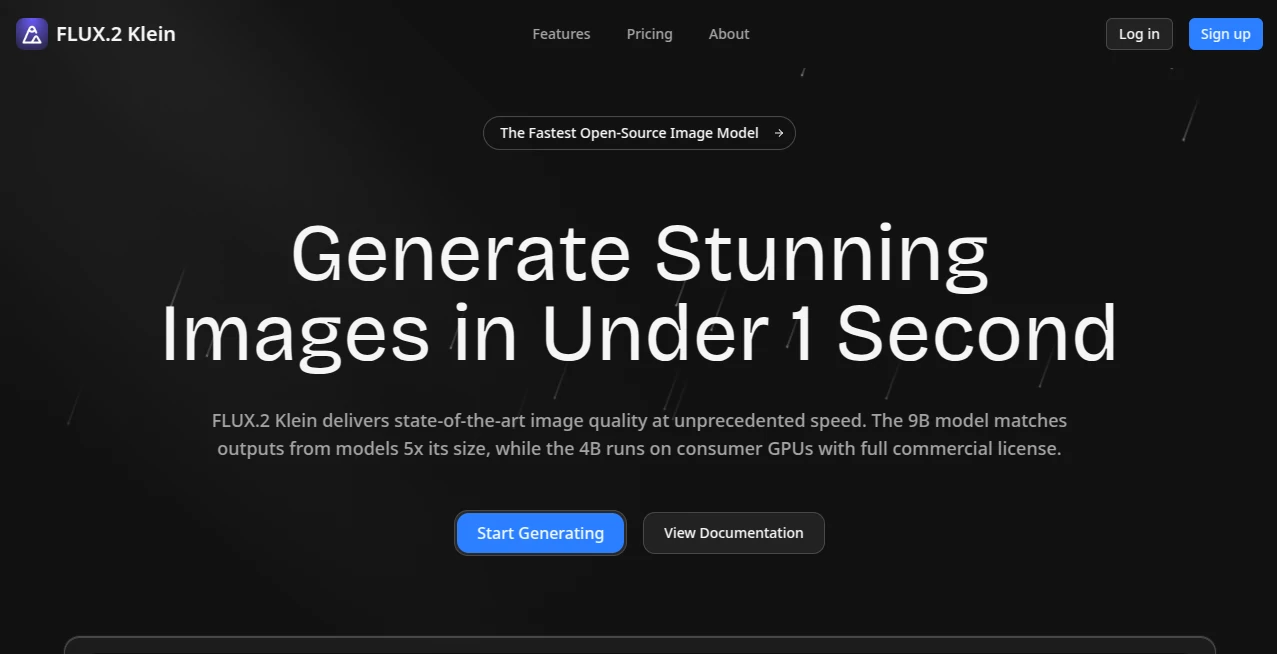
What is Flux 2 Klein?
There’s something quietly thrilling about typing a sentence and having a crisp, detailed image appear almost before you finish the thought. This little speed demon takes that experience and pushes it to the edge: you get full Flux-quality visuals in roughly half the usual time, without the fuzzy compromises or washed-out colors that sometimes sneak in when people try to rush other generators. I’ve had mornings where I needed five different hero visuals for a pitch deck by 10 a.m.—normally a stressful scramble—and this turned the whole thing into a calm, almost enjoyable flow. The pictures come out sharp, the lighting feels intentional, and the composition rarely needs heavy rescue in post.
Introduction
Most people who’ve spent time with image models know the trade-off drill: crank up quality and wait… and wait. This platform quietly sidesteps that compromise. It runs a tuned version of the Flux pipeline that delivers near-identical aesthetic results in noticeably fewer steps, which translates to seconds shaved off every generation. Creators who live on tight deadlines—social-media managers, Etsy sellers, newsletter designers—keep coming back because the difference between “good enough” and “damn, that looks expensive” often comes down to those saved seconds multiplied across dozens of variations. It isn’t about reinventing the wheel; it’s about making the wheel spin so fast you barely notice you’re moving.
Key Features
User Interface
The screen stays blissfully uncluttered. Big prompt box, style presets down the side if you want them, resolution and aspect-ratio toggles that don’t hide in menus, and a live status bar that tells you exactly how many seconds remain. No dashboard overload, no pop-ups begging for upgrades mid-flow. It feels like the tool was built by someone who actually generates images every day and got tired of fighting the interface. That small detail—knowing exactly when the next image will land—changes the rhythm of a session from anxious waiting to relaxed iteration.
Accuracy & Performance
Speed is the headline, but the real win is how little quality gets left on the cutting-room floor. Hands, text, intricate backgrounds, subtle gradients—all the usual Flux strong points show up reliably, and the model rarely hallucinates extra limbs or melts faces when you push complexity. On my own tests, side-by-side comparisons with stock Flux showed differences so minor most people couldn’t spot them without zooming in. Yet each picture arrives in roughly half the steps, which means you can afford to generate twice as many variations in the same coffee break. That volume is what turns okay ideas into great ones.
Capabilities
It handles everything you’d expect from a modern Flux host: text-guided generation, image-to-image, inpainting/outpainting, various aspect ratios, and a growing list of fine-tuned styles that range from painterly to crisp product photography. Negative prompts work cleanly, CFG sliders give you control over how strictly the model sticks to your words, and seed locking lets you explore variations without losing a keeper. The output resolution tops out high enough for print or hero banners, so you’re not stuck downsizing later.
Security & Privacy
Your prompts and images don’t get stored indefinitely or quietly fed into someone else’s training set. Generation happens on the fly, and paid users get stronger assurances around data retention. For brand work or personal projects that need to stay confidential, that matters—a lot. It’s not flashy about security, but the absence of red flags is exactly what you want.
Use Cases
A freelance graphic designer needs three hero images for a client’s new campaign landing page; instead of waiting twenty minutes for a single batch, they have fifteen solid options in the same window and still make their afternoon call. An Etsy seller photographs a handmade candle, runs ten quick background variations, and picks the one that makes the product glow without looking fake. A newsletter writer wants custom section graphics every week; the speed means they can experiment with moods and color palettes until the vibe is just right. Wherever iteration matters more than perfection on the first try, the extra velocity becomes addictive.
Pros and Cons
Pros:
- Roughly twice as fast as vanilla Flux hosts without visible quality drop.
- Clean, no-nonsense interface that respects your time.
- Generous free tier lets you feel the speed before paying anything.
- Reliable anatomy, text rendering, and composition even on ambitious prompts.
Cons:
- Still bound by Flux’s occasional prompt stubbornness (though less noticeable at high speed).
- Free queue can slow down during peak hours.
Pricing Plans
You can start right now with no credit card and a daily quota generous enough for real experimentation. Paid tiers kick in when you want priority queue, higher throughput, and no interruptions during crunch time. The jump feels reasonable—enough extra generations that heavy users break even quickly, while casual creators can stay free forever without feeling punished. It’s transparent pricing that matches the “we respect your time” philosophy.
How to Use
Type (or paste) your prompt, choose aspect ratio and style preset if you want a nudge, adjust guidance strength or steps if you’re feeling particular. Hit generate and watch the progress bar move at a pace that keeps momentum alive. When the image lands, upscale it directly if needed, tweak with img2img or inpaint, or just download and go. The loop is so tight that you can refine an idea five times before your tea gets cold. That cadence is what keeps people coming back.
Comparison with Similar Tools
Plenty of Flux hosts deliver beautiful pictures, but most treat speed as an afterthought. This one makes velocity the headline without cutting corners on coherence or detail. Where others force you to choose between quality and waiting, here you get both in doses that actually fit real creative schedules. For anyone who’s ever groaned at a twenty-second progress bar, the difference feels like night and day.
Conclusion
Great visuals should never be hostages to slow hardware or stingy queues. This tool quietly removes that bottleneck so the only limit left is your imagination. Whether you’re churning out daily social assets, prototyping album covers, or just messing around because you love seeing ideas come alive, the speed becomes the feature you didn’t know you needed—until you can’t live without it. Give it five minutes of your morning. You’ll probably still be generating at lunch.
Frequently Asked Questions (FAQ)
How much faster is it really?
Most generations land in 40–60 % of the time you’d spend on comparable Flux setups—often under 15 seconds for 1024×1024.
Do I lose detail by going faster?
In blind tests the difference is tiny; anatomy, text, lighting, and composition stay strong.
Can I use it commercially?
Yes—paid plans remove restrictions; free images are yours to use as well (check ToS for full details).
What resolutions are supported?
Anything Flux handles, with upscaling built in up to 4× for print-ready sizes.
Is there a learning curve?
Almost none. Prompt like you would anywhere else; the speed is the only real difference.
AI Text to Image , AI Photo & Image Generator , AI Image to Image , AI Design Generator .
These classifications represent its core capabilities and areas of application. For related tools, explore the linked categories above.
Flux 2 Klein details
Pricing
- Free
Apps
- Web Tools
Categories

Flux 2 Klein Alternatives Product

Nano Banana …

Image to Ima…

bananaai.app

Nano Banana 2

X Grok Imagi…

NanoBanana2F…

RGB to CMYK …

Caricature G…

whisk ai