🧠 AI Quiz
Think you really understand Artificial Intelligence?
Test yourself and see how well you know the world of AI.
Answer AI-related questions, compete with other users, and prove that
you’re among the best when it comes to AI knowledge.
Reach the top of our leaderboard.


















FLUX.2 Pro

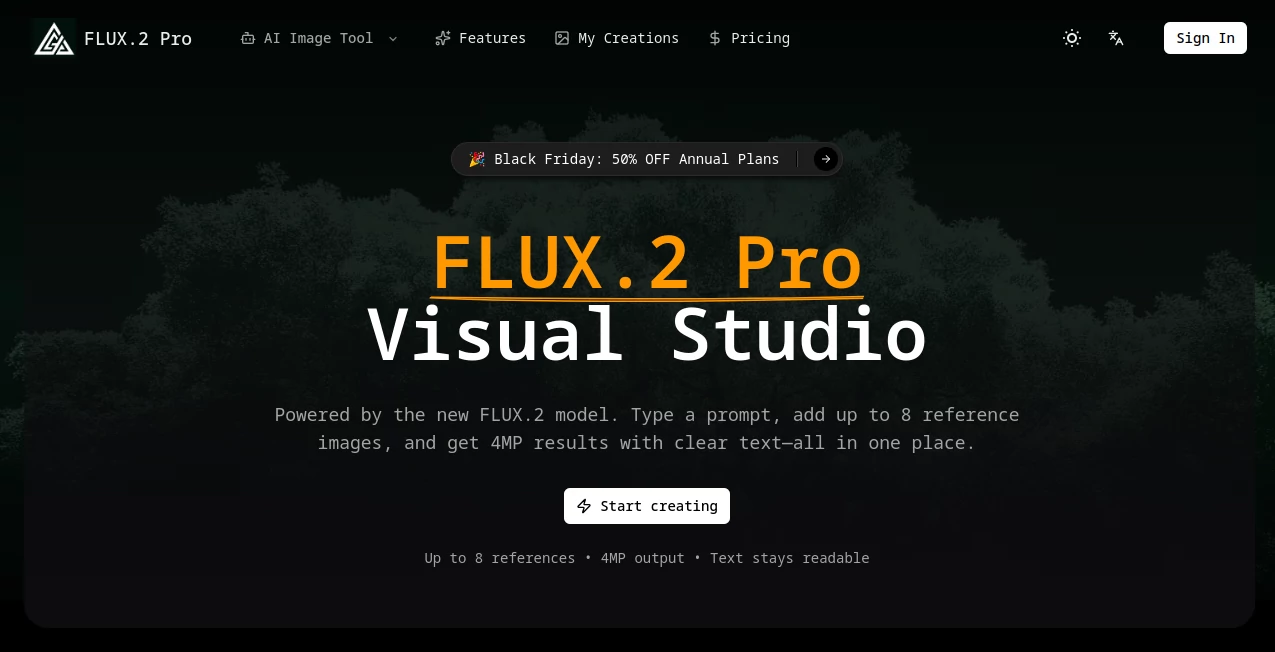
What is FLUX.2 Pro?
Flux2Pro dives into the heart of visual storytelling, letting creators spin detailed scenes from simple descriptions or tweak existing shots with ease. This browser-based haven turns prompts into sharp, ready-to-use images that pack a punch, drawing in teams and solo artists who want results without the rigmarole. It's the kind of spot where a quick idea blossoms into something shareable, often leaving users grinning at how spot-on the output feels right from the start.
Introduction
Flux2Pro showed up on the scene as a streamlined answer to the mess of juggling multiple apps for image work, cooked up by folks who knew the drill from years in creative trenches. It hit it off quick with marketers and designers swapping screens of before-and-afters that screamed efficiency, like nailing a campaign visual in one go instead of endless revisions. What keeps it buzzing is that blend of power and plain sailing—handling hefty details without the headaches, making it a go-to for anyone chasing that pro edge on a deadline dash.
Key Features
User Interface
The dashboard pops up light and lively, with your credit tally and latest tries right up front, plus a few nudge-you-along tips if you're new. Sliders for tweaking vibes and sizes sit handy, and the whole thing runs smooth in any browser, no downloads nagging at you. It's set up like a trusty sketchpad that anticipates your next stroke, keeping the focus on the fun without burying you in buttons.
Accuracy & Performance
It latches onto your words tight, weaving in real-world smarts to keep things grounded and consistent, like holding onto a character's look through a whole series. Renders fly out fast, even with multiple refs mixed in, and the text comes through crisp—no blurry signs or off-kilter fonts to fix later. Users often point out how it nails those finicky bits, turning what could be a redo into a one-and-done win.
Capabilities
From fresh builds off a string of words to remixing shots with new lights or poses, it covers the bases with room for up to eight guides to steer the style. Batch runs keep branding steady across a lineup, and the outputs hit 4MP sweet spots, downloadable clean for whatever comes next. It's got that knack for blending refs into something cohesive, opening doors for everything from quick mocks to full visual arcs.
Security & Privacy
Your uploads and ideas stay locked down during the process, with no extra hangs around after the job's wrapped, giving you peace to play without the paranoia. It keeps things straightforward on the data front, letting you control what's saved or shared, so sensitive concepts remain your secret until you're set to show.
Use Cases
Marketing crews whip up ad variants that match the brand vibe, testing angles without reshooting. Designers prototype interfaces with spot-on layouts, complete with readable labels that save debug time. Storytellers map out sequences for books or boards, keeping threads tight across panels. E-shop owners generate product spreads that pop, localizing looks for different markets on the fly.
Pros and Cons
Pros:
- Sticks to prompts like glue, cutting back on frustrating rerolls.
- Blends multiple guides for outputs that feel custom-forged.
- High-res files drop ready, no watermarks or compression woes.
- Browser-only setup means jump in from anywhere, anytime.
Cons:
- Credit system can nibble at budgets for heavy batching.
- Best on clear refs; muddled inputs might need a cleanup first.
- Lacks some advanced post tweaks built right in.
Pricing Plans
You start by signing up and grabbing a plan to load credits, with each run pulling a couple to keep things fair. It's scaled for different flows—light users might coast on basics, while teams stack up for unlimited-ish access. The setup's flexible, with no big upfront walls, letting you scale as the sparks fly without feeling pinched.
How to Use Flux2Pro
Log in, pick your plan to fuel up, then jot your idea and toss in any guide pics—up to eight for that extra nudge. Dial in the mode, sliders for feel and fit, and let it loose; soon your history fills with options to rerun or upscale. Snag the keepers as clean PNGs, and swing back to riff on variations for the full flow.
Comparison with Similar Tools
Against broader generators that sprawl across modes, Flux2Pro tightens the loop on pro visuals, though those might offer more wild-card styles for casual spins. Where some lean heavy on hardware, this one's web-light, trading bells for browser bliss but perhaps missing offline oases. It edges out for focused creators who prize precision over playground breadth.
Conclusion
Flux2Pro carves out a cozy corner in the creative chaos, handing over tools that turn thoughts into visuals with a pro's poise. It nudges the everyday maker toward standout work, proving that a sharp setup can spark series that stick. As visuals keep climbing the must-have list, this studio stays a steady hand, ready to render the next big idea into something unforgettable.
Frequently Asked Questions (FAQ)
How many guides can I use per run?
Up to eight, blending them smooth to match your vision.
What file sizes come out?
Straight to 4MP PNGs, crisp and compression-free.
Does it work on any browser?
Yep, fires up fine on the usual suspects, no extras needed.
Can I edit mid-process?
Tweak prompts or refs before hitting go for best bets.
Support for tricky text?
Nails it readable and right, even in busy scenes.
AI Text to Image , AI Photo & Image Generator , AI Image to Image , AI Art Generator .
These classifications represent its core capabilities and areas of application. For related tools, explore the linked categories above.
FLUX.2 Pro details
This tool is no longer available on submitaitools.org; find alternatives on Alternative to FLUX.2 Pro.
Pricing
- Free
Apps
- Web Tools
Categories

FLUX.2 Pro Alternatives Product

Flux.2 AI

Fine Image

meta ai image

Retro Image …

Nano AI

BananaFrame

Text Behind …

WonderShare …

Gpt Image 1.5