
🧠 AI Quiz
Think you really understand Artificial Intelligence?
Test yourself and see how well you know the world of AI.
Answer AI-related questions, compete with other users, and prove that
you’re among the best when it comes to AI knowledge.
Reach the top of our leaderboard.


















FocusBees

What is FocusBees?
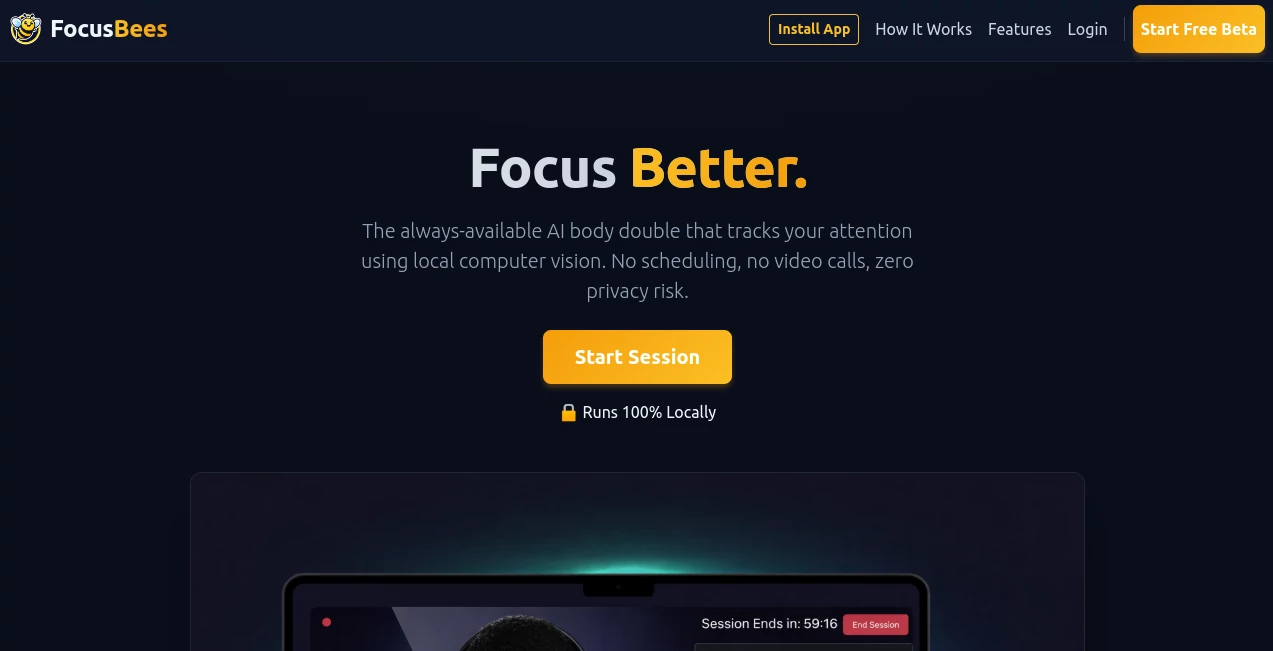
Some days, sitting down to work feels like wrestling with your own brain—distractions pull from every corner, and before you know it, hours slip away. This little gem changes that, acting like a quiet companion that keeps an eye on your attention without ever feeling intrusive. It's the kind of subtle nudge that turns scattered sessions into deep, satisfying flows, and once you try it, you'll wonder how you managed without that gentle accountability.
Introduction
Built for anyone who's ever promised themselves "just one more tab" and lost the afternoon, this tool brings a fresh twist to staying on track. It uses clever local tech to monitor where your focus wanders, all running right in your browser—no apps to install, no data floating off to distant servers. What stands out is the privacy-first approach; everything happens on your machine, so it's just you and your work, with a smart coach in the background. I've had mornings where starting felt impossible, but firing this up shifted the vibe—suddenly, there's this calm presence helping me stick to the task, and the results pile up in ways that feel almost effortless.
Key Features
User Interface
It loads straight in your browser with a clean, no-fuss screen that asks for nothing more than a click to begin. Once running, subtle indicators let you know it's watching without overwhelming the view—think a small overlay or status note that blends into the background. Switching tasks or pausing feels natural, like flipping a switch, and it all stays light on resources so your machine doesn't groan under the load.
Accuracy & Performance
The attention tracking picks up on real shifts—when your eyes glaze over or you drift to another window—with a reliability that surprises for something running locally. It processes everything on-device, so there's no lag from sending data back and forth, keeping responses snappy even on older laptops. Over a session, it builds a quiet picture of your patterns, offering insights that ring true without overreaching.
Capabilities
Core to it all is that body-double feel: an always-on partner that observes your engagement via computer vision, flagging gentle reminders or logging streaks to build momentum. No need for bookings or calls; it starts when you do, adapting to your rhythm for private, uninterrupted blocks. It's particularly good at spotting when focus fades, helping reclaim those moments without judgment.
Security & Privacy
This is where it truly earns trust—every bit of processing stays local, meaning no images or data ever leave your device. Zero risk of prying eyes or leaks; it's designed from the ground up for complete privacy, so you can dive into sensitive work or personal projects with total peace. In a time when everything seems to track you, this commitment to on-device only feels like a rare and welcome relief.
Use Cases
Writers battling blank pages find it steadies the course, keeping them in the document longer without the usual wander. Students cramming for exams use it to stretch study bursts, turning short reviews into solid retention. Remote workers juggle deep tasks amid home chaos, relying on that silent watch to pull them back when emails tempt. Even creatives sketching ideas appreciate the unobtrusive guard that protects flow states from self-interruption.
Pros and Cons
Pros:
- Unmatched privacy with everything staying on your machine.
- Simple start-up that fits any workflow without setup hassles.
- Gentle yet effective tracking that builds better habits over time.
- Lightweight run that doesn't slow down your daily grind.
Cons:
- Relies on your camera for vision cues, so dim rooms might need a lamp.
- Browser-bound, so no offline mode beyond the session.
Pricing Plans
It keeps barriers low by running free in the browser, with core coaching available without a subscription or sign-up fuss. For those wanting extras like detailed logs or custom nudges, upgrades might appear down the line, but the heart of it stays open to all—democratizing that focus boost in a way that feels generous and straightforward.
How to Use FocusBees
Open your browser, head over, and enable JavaScript if prompted—then hit the start for a private session. Grant camera access once, settle in with your task, and let it run quietly in the background. Check occasional feedback or end when done; over days, patterns emerge that guide tweaks. I started with short bursts, building to longer stretches, and the difference in output was night and day.
Comparison with Similar Tools
Unlike apps that phone home with your every move or demand scheduled calls, this one keeps everything local and always ready, trading bells for pure, private support. It sidesteps the noise of gamified trackers, focusing on real attention cues that cut deeper without the gimmicks. For anyone wary of data trails, it's the standout choice—simple, secure, and sincerely effective where others overpromise and underdeliver on trust.
Conclusion
In the end, it's those quiet tools that reshape our days, turning intention into action with a steady hand. This one does just that, offering a private space to hone your focus amid the storm. Give it a session or two, and you'll likely find yourself reaching for it whenever the work matters—proof that sometimes the best help is the kind that watches without watching too close.
Frequently Asked Questions (FAQ)
Does it record anything?
No—processing is local and temporary, nothing saved or sent.
What if I work without a camera?
Vision is key for attention cues, so a webcam helps it shine.
Can I use it on mobile?
Browser-based, though desktop offers the smoothest ride.
Any setup required?
Just JavaScript and a quick permission—then you're off.
How does it know when I'm off-task?
Local vision spots gaze drifts or absences, gently noting without judgment.
AI Life Assistant , AI Productivity Tools , AI Task Management , AI Coaching .
These classifications represent its core capabilities and areas of application. For related tools, explore the linked categories above.
FocusBees details
This tool is no longer available on submitaitools.org; find alternatives on Alternative to FocusBees.
Pricing
- Free
Apps
- Web Tools
Categories

FocusBees Alternatives Product

Lexikon AI

AuraMeaning

FeelsTheAura

MediTailor -…

Alai

MeetAssist

ChatGPT

Hall Of Tarot

Black Screen
