
🧠 AI Quiz
Think you really understand Artificial Intelligence?
Test yourself and see how well you know the world of AI.
Answer AI-related questions, compete with other users, and prove that
you’re among the best when it comes to AI knowledge.
Reach the top of our leaderboard.


















FridayGPT

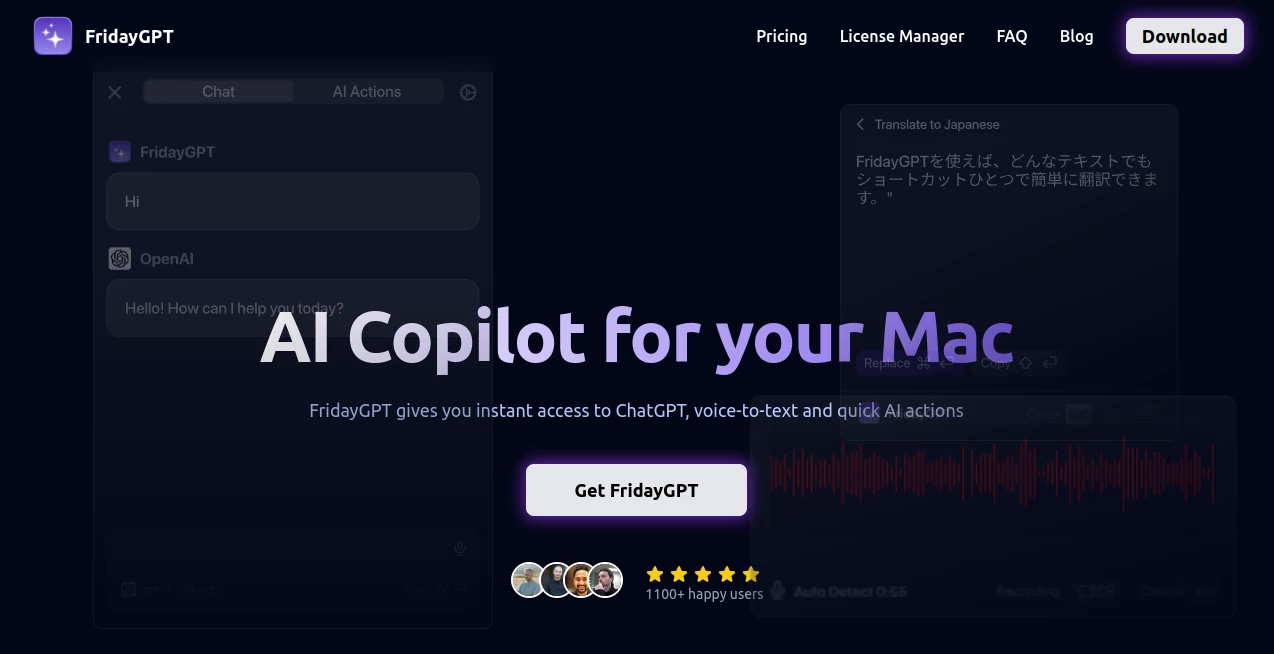
What is FridayGPT?
Picture this: you're knee-deep in a report, fingers flying across the keyboard, when a nagging grammar glitch stops you cold—or worse, you're rambling through an idea on voice note, wishing it would just transcribe flawlessly without the usual dictation disasters. That's where this gem steps in, a trusty sidekick that slips right into your daily grind, making those little frustrations vanish like morning fog. I've seen friends swear by it after one week, going from "ugh, another tab open" to "man, this thing reads my mind," and honestly, once you feel that seamless nudge toward smarter work, there's no turning back. It's not flashy; it's the quiet hero that amps up your Mac without stealing the spotlight.
Introduction
Ever feel like your workflow's a patchwork of half-baked tools, each one demanding its own dance? This app flips that script, weaving AI smarts straight into whatever you're doing on your Mac—be it tweaking emails, brainstorming notes, or jotting voice memos that actually make sense. Born from the real-world gripes of folks who live on their laptops, it started as a simple fix for the endless app-switching that eats hours, and now it's evolved into something that feels almost intuitive, like an extra brain humming in the background. What hooked me early on was how it handles the messy bits of creativity without overcomplicating things; suddenly, that rambling voice rant becomes a polished transcript, or a sloppy draft sharpens up with one nudge. Over a thousand users are already singing its praises, sharing those "aha" moments where productivity isn't just better—it's effortless, like the app's been listening to your unvoiced wishes all along.
Key Features
User Interface
The beauty here lies in how it tucks away until you need it, popping up as a clean sidebar or quick popup that doesn't clutter your screen—think of it as a whisper, not a shout. One-click actions let you highlight text anywhere and fire off a fix or summary without fumbling through menus, and the voice button sits ready like an old pal waiting for your next thought. It's cross-compatible with Intel and Apple silicon, so no matter your setup, it flows smooth, adapting to your habits rather than forcing a rigid routine. Users often mention how that minimal vibe cuts the learning curve to zero; you just... start using it, and it starts feeling like part of the furniture.
Accuracy & Performance
Let's talk reliability—where built-in dictation might trip over accents or spit out punctuation nightmares, this one leans on proven tech like OpenAI's Whisper to slash errors by up to five times, nailing spellings and pauses with eerie precision. It juggles over a hundred languages for transcription and translation without breaking a sweat, and even on longer rants, it keeps pace, delivering clean results in seconds. I've tested it during chaotic work calls, and it held up like a champ, turning garbled audio into gold-standard notes that saved me from frantic rewinds. Speed-wise, it's snappy across the board, whether you're on a quick rewrite or a deep dive, making those "just one more tweak" moments fly by.
Capabilities
From grammar tweaks and rewrites that polish your prose on the fly to full-on summaries that distill pages into punchy insights, the toolkit here is as versatile as it is deep—select text, hit a button, and watch it transform. Voice-to-text shines with options for cloud or local processing, including offline modes via Ollama that keep things humming without internet whims. You can even craft custom actions, like formatting reports or brainstorming lists, all without touching code, and it plays nice with a slew of providers from OpenAI to Groq. Throw in instant chats on any screen overlay, and you've got a setup that handles everything from casual emails to heavy brainstorming, often leaving you wondering how you ever managed without it.
Security & Privacy
In an age where data feels like fair game, this app stands out by putting you in the driver's seat—you supply your own API keys, so nothing sensitive lingers on their end, and local options mean zero cloud leaks for offline warriors. Payments route through trusted Stripe, and with no sneaky data grabs, it's built for that peace-of-mind vibe where you can pour in work secrets without a flinch. Folks in creative fields especially appreciate this hands-off approach; it's like having a vault in your pocket, secure enough for client pitches or personal journals, letting you focus on the craft instead of the cover-up.
Use Cases
Imagine a marketer mid-campaign, highlighting a block of copy for an instant rewrite that amps up the punch—gone are the days of tab-hopping to another app. Or picture a student dictating essay notes during a walk, watching raw thoughts crystallize into structured outlines with flawless transcription, saving hours of typing later. Remote teams use it for quick voice summaries of meeting recaps, turning audio chaos into shareable gems, while writers lean on custom prompts to brainstorm plot twists right in their docs. Even for everyday hustles, like fixing that email draft before hitting send, it proves its worth as the unsung booster that turns good days into great ones.
Pros and Cons
Pros:
- One-time buy with lifetime access feels like a steal, ditching those nagging subscriptions.
- Offline capabilities keep you rolling anywhere, no Wi-Fi woes to derail the flow.
- Custom actions open endless tweaks, tailored just for your quirky workflow.
- Developer's ear for feedback means it's always sharpening, like a tool that grows with you.
Cons:
- API costs add up if you're heavy on cloud features, though locals keep it free.
- Updates lock after a year unless renewed, a minor hitch for the perpetually upgrading.
Pricing Plans
At its core, it's a straightforward one-time grab for the Mac app, hooking you up with lifetime use and a full year of tweaks—no drip-feed drama here. That initial outlay covers the essentials, from voice magic to custom setups, and if you're hooked on the steady stream of upgrades, a yearly renewal keeps the fresh features flowing without breaking the bank. It's refreshingly honest pricing that rewards commitment, letting you scale as your needs do, all while keeping the barrier low for that first "why not?" try.
How to Use FridayGPT
Getting rolling is a breeze: snag the download after purchase, pop in your license key to unlock it, then feed in your API choices or set up local runs for that offline edge. From there, highlight any text on your screen—be it a browser blurb or doc draft—and tap into actions like "fix this" or "sum it up" for instant results in a tidy popup. For voice vibes, hit the mic, pick your provider, and let it capture, transcribe, or even translate on the spot; build custom shortcuts for repeats, like a go-to rewrite formula, and suddenly your Mac feels tuned just for you. It's those small rituals that build the habit, turning "oh yeah" moments into your new normal.
Comparison with Similar Tools
Stack it against the usual suspects, and it pulls ahead by ditching the tab tango—where others make you bounce between windows, this one overlays right where your eyes are, blending AI into the action without the awkward pauses. Voice handling outshines stock options with that error-crushing accuracy, and the multi-provider support means you're not locked into one ecosystem, unlike some rigid rivals. Sure, bigger suites might boast more bells, but for Mac loyalists craving clean integration over cluttered dashboards, this one's the refined pick that delivers without the excess, often leaving flashier foes feeling a tad forced.
Conclusion
Wrapping it up, this app isn't just another download—it's the spark that reignites your Mac's potential, smoothing those rough workflow edges into something almost poetic. By blending voice savvy, text wizardry, and custom flair into one unassuming package, it frees you to chase the big ideas without the small battles. If you've ever caught yourself wishing for a smarter shortcut through the daily slog, give it a spin; chances are, it'll stick around, quietly proving why a well-tuned copilot beats flying solo every time. In the end, it's those tools that fade into brilliance, letting your best work take center stage.
Frequently Asked Questions (FAQ)
Do I need to fuss with API keys?
Yep, for the cloud-powered perks, but you hold the reins—plug in your own to keep costs and control in check, or go local for zero hassle.
Can it really handle my accent or off-script rambles?
Absolutely; with support for over a hundred tongues and tech that trims errors sharp, it turns even the meandering monologues into crisp keepers.
What if I'm not a tech whiz—will it overwhelm me?
Not a chance; the one-click wonders and intuitive pops make it feel like chatting with a sharp intern, no manuals required.
Offline mode—does it pack the full punch?
It sure does, via local setups that keep transcription and basics humming without a net, perfect for those airplane epiphanies.
Updates: worth the yearly nudge?
If you're in for the long haul, yes—the fresh features keep it evolving, but the core stays solid even if you skip the renewal.
AI Speech to Text , AI Speech Recognition , AI Voice Assistants , AI Productivity Tools .
These classifications represent its core capabilities and areas of application. For related tools, explore the linked categories above.
FridayGPT details
This tool is no longer available on submitaitools.org; find alternatives on Alternative to FridayGPT.
Pricing
- Free
Apps
- Web Tools
Categories

FridayGPT Alternatives Product

TranslateAI …

Enji

Transcribe A…

KwaKwa Cours…

Vapi

Vurge

Chrome Sidek…

Zeemo AI

Automaited
