
🧠 AI Quiz
Think you really understand Artificial Intelligence?
Test yourself and see how well you know the world of AI.
Answer AI-related questions, compete with other users, and prove that
you’re among the best when it comes to AI knowledge.
Reach the top of our leaderboard.


















Gemini Photo Prompt

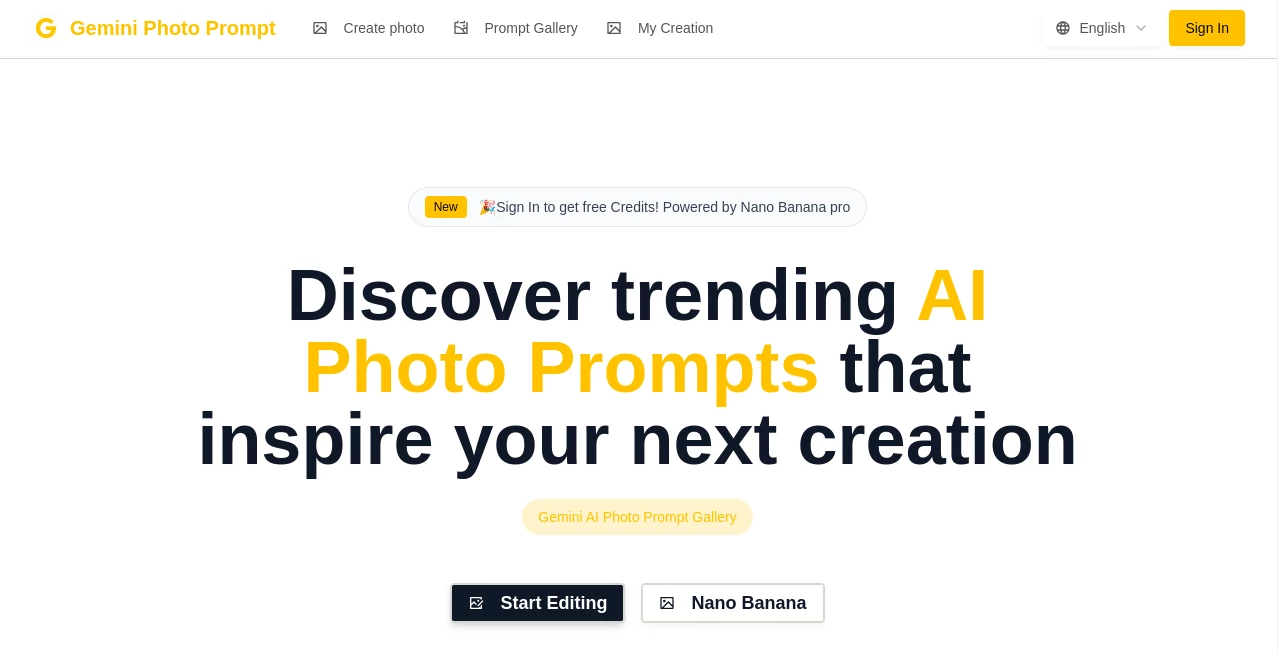
What is Gemini Photo Prompt?
I remember the first time I tried to describe a photo to an AI image generator. I spent twenty minutes typing, tweaking adjectives, and still ended up with something that barely resembled the original scene. Then I found this little gem of a tool, and it was like someone handed me a shortcut straight to the good stuff. You drop in any photo—your own shot, a mood board, even a screenshot—and in seconds it spits out a ready-to-copy prompt that actually captures the vibe, lighting, colors, and details you want. It's one of those tools that feels almost too simple to be this powerful.
Introduction
The moment you realize most AI image generators are only as good as the words you feed them is a bit of a revelation. This platform solves exactly that pain point by doing the heavy lifting for you. Upload a picture, and it analyzes everything—the composition, atmosphere, style, even subtle textures—and writes a prompt optimized for models like Gemini, Midjourney, Flux, or SD3. It's not just a caption writer; it's like having a prompt engineer who studied your photo for hours and then distilled it perfectly. I've seen beginners go from frustrated “why doesn't it look right?” to posting stunning results in minutes. For anyone who loves visuals but struggles with wording, it's a quiet game-changer.
Key Features
User Interface
The whole experience is refreshingly straightforward. You land on a single page with a big upload area that accepts drag-and-drop or file pick. As soon as the photo loads, you see a live preview and a few simple toggles: which model you want the prompt for, how detailed you want it, and whether to include negative prompts. Hit generate, and seconds later the prompt appears with a one-click copy button. No login walls, no cluttered menus—just a clean, focused tool that gets you in and out fast.
Accuracy & Performance
Where it really shines is how accurately it translates visual elements into words. I tried uploading a moody sunset portrait once, and it nailed the golden-hour lighting, soft bokeh, and even the slight grain in the film look—details I would have completely forgotten to mention. It runs blazing fast, usually under five seconds even for high-res images. And the consistency across different photos is impressive; whether it's a product shot, landscape, or candid street photo, it just gets it right.
Capabilities
You can fine-tune the output with options like “more artistic,” “photorealistic,” “detailed,” or “concise.” It also suggests aspect ratios, styles, and even negative prompts to avoid common artifacts. The tool is clearly trained to understand both technical photography terms (f/2.8, 85mm lens, shallow depth of field) and creative directions (cinematic, vaporwave, film grain). You end up with prompts that work beautifully across multiple generators, saving you from rewriting for each one.
Security & Privacy
Privacy is handled with care here. Images are processed in real time and deleted immediately after generation. There's no account required, so your photos never get stored on servers. For anyone cautious about uploading personal or client work, it's reassuring to know the process is ephemeral and private by design.
Use Cases
Photographers use it to quickly turn their own shots into reference prompts for stylized reinterpretations. E-commerce sellers drop product photos and get descriptions that make Midjourney outputs look like pro studio shots. Content creators on social media use it to match the aesthetic of trending posts without endless trial and error. Even designers who aren't great at writing prompts use it as a starting point for mood boards or client mockups. It's become a go-to for anyone who wants AI visuals but doesn't want to spend half their day crafting the perfect sentence.
Pros and Cons
Pros:
- Insanely fast and accurate—often better than what I could write myself
- Completely free with no sign-up required
- Works beautifully across different AI generators
- Super clean, no-nonsense interface
- Privacy-focused—no storage, no accounts
Cons:
- Limited to one photo at a time (though you can queue them manually)
- No built-in image generation—just the prompt
Pricing Plans
It's completely free. No tiers, no credits, no hidden upsells. Just upload and go. In a world where almost everything else asks for your wallet, this feels like a rare gift.
How to Use
It's embarrassingly simple. Go to the site, drag your photo in (or click to browse), choose your preferred model from the dropdown if you want (Gemini, Midjourney, Flux, etc.), and hit Generate. Within seconds, you'll have a polished prompt ready to copy. Paste it straight into your AI image generator of choice. If you want a different flavor, click the little sliders for more/less detail or style, and regenerate. That's it. I usually do three variations in under a minute and pick the one I like best.
Comparison with Similar Tools
Most other prompt generators either require you to describe the image yourself or give you generic results that miss the nuance. This one actually looks at your photo and understands it—lighting, mood, composition, all of it. It's not trying to be a full image generator; it's laser-focused on being the best prompt writer possible. And unlike some competitors, it doesn't bury you in ads or force a subscription. For pure prompt quality and speed, nothing else I've tried comes close.
Conclusion
If you use AI image tools regularly and dread the prompt-writing part, this is the tool you've been waiting for. It takes away the guesswork, saves hours of frustration, and consistently delivers better results than I could manage on my own. It's simple, fast, free, and just works. Honestly, I don't know how I managed before finding it. Give it a try—you'll probably wonder the same thing.
Frequently Asked Questions (FAQ)
Do I need an account?
Nope. Just upload and go.
Is it really free?
Yes, 100% free with no limits or watermarks.
Can I use it for Midjourney / Flux / SD3?
Absolutely. It generates prompts optimized for all major models.
How accurate are the prompts?
Very. It captures lighting, colors, composition, and style details most people would miss.
Is my photo stored anywhere?
No. Images are processed in real time and deleted immediately.
AI Content Generator , AI Design Generator , AI Image to Image , AI Text to Image .
These classifications represent its core capabilities and areas of application. For related tools, explore the linked categories above.
Gemini Photo Prompt details
This tool is no longer available on submitaitools.org; find alternatives on Alternative to Gemini Photo Prompt.
Pricing
- Free
Apps
- Web Tools
Categories

Gemini Photo Prompt Alternatives Product

claude image

Trending AI …
Banana AI

Brat Generat…

Sovibe AI

NanoBananaPro
SeeDream 4.5

AI Photo Edi…
Seedream Ima…
