🧠 AI Quiz
Think you really understand Artificial Intelligence?
Test yourself and see how well you know the world of AI.
Answer AI-related questions, compete with other users, and prove that
you’re among the best when it comes to AI knowledge.
Reach the top of our leaderboard.


















gemini video
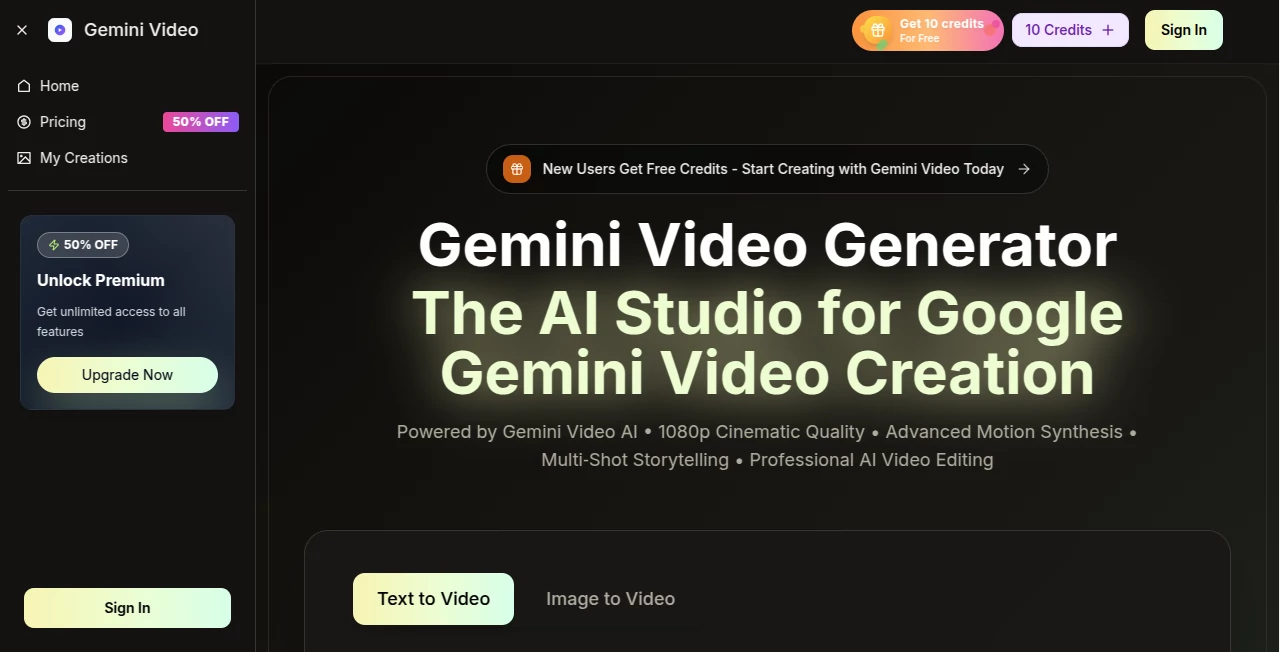
What is gemini video?
Some mornings you wake up with a half-formed idea for a video that feels too ambitious to tackle—until you remember there’s a tool that can take your scattered thoughts and turn them into something that actually looks and sounds professional. This one does exactly that. You type a description, maybe upload a reference image or two, choose your style and ratio, and a few minutes later you’re watching a clean, cinematic clip complete with motion that makes sense and audio that fits the scene. I’ve had days where I needed a quick social promo and walked away with something that felt like it came from a much bigger production team. It’s not perfect every time, but when it hits, it hits hard, and the speed makes experimenting feel exciting instead of exhausting.
Introduction
Video content is everywhere, but actually making it still feels out of reach for most people—cameras, lighting, editing, music licensing, the list goes on. This platform quietly removes most of those hurdles. Built around Google’s Gemini Video models, it lets you go from a text prompt or a still image to a finished clip with synchronized sound, realistic movement, and broadcast-ready polish. What I appreciate most is how it respects your time: generation is fast, the built-in editor gives you real control without complexity, and the results carry commercial rights so you can actually use them. For marketers testing hooks, educators building visual explanations, or creators filling a content calendar, it’s become the shortcut that doesn’t sacrifice quality.
Key Features
User Interface
The workspace is calm and focused. You start by picking aspect ratio and quality, then drop your prompt in a generous text box that even expands smartly if you need more room. Reference images upload with a simple drag, and the generate button sits right where your eyes naturally land. Once the clip is ready, the editor opens with straightforward controls—trim, re-time, adjust color, sync audio—nothing buried or confusing. It’s the kind of layout that lets you stay in flow instead of hunting for options.
Accuracy & Performance
The motion synthesis is where it really stands out. Subjects move naturally, scenes transition smoothly, and the AI seems to genuinely understand spatial relationships and timing. Audio sync lands tightly with dialogue and background sounds, rarely feeling off-beat. Clips render quickly—often in under a minute for shorter pieces—and higher resolutions hold detail without artifacts. In practice, the first generation is frequently usable, and a quick refinement pass pushes it to very presentable.
Capabilities
You can start from text alone or guide the look with reference images, choose from multiple aspect ratios including vertical for social, and output up to 4K with options for 720p or 1080p when speed matters more. The built-in editor lets you fine-tune pacing, grading, and sound placement. Commercial use is included, no watermarks on paid outputs, and permanent history means you can revisit or repurpose old projects anytime. It’s a full little production suite in the browser.
Security & Privacy
Data handling follows standard enterprise-grade practices, with encrypted transfers and no unnecessary retention. Paid plans include stronger privacy controls and priority processing. For creators working with client briefs or branded assets, that level of care makes a difference—you can focus on the idea instead of worrying about where your files end up.
Use Cases
A small brand needs a quick product spotlight for Instagram Reels; they describe the vibe, upload a hero shot, and have a polished vertical clip ready to post the same hour. An educator turns a dense concept into a short animated explainer that students actually watch to the end. A content creator repurposes a still from last week’s shoot into a looping teaser with added motion and music. Teams use it to mock up ad variations rapidly before committing to full production. Wherever fast, good-looking video is the goal, it fits naturally.
Pros and Cons
Pros:
- Motion and audio feel surprisingly natural for an AI-first workflow.
- Commercial rights and no watermark on paid plans remove legal headaches.
- Fast turnaround lets you iterate ideas instead of waiting days.
- Built-in editor gives meaningful control without needing separate software.
Cons:
- Shorter clip lengths (5–10 seconds) suit quick hits better than long narratives.
- Free tier is limited; serious use requires a paid plan.
Pricing Plans
New users get free credits to start exploring. Paid plans are annual with a limited-time discount, ranging from Basic at around $18/month (billed yearly) for solid volume, up to Enterprise for heavy users with much higher limits and priority support. Each tier includes commercial rights and no watermark, so you’re paying for speed, volume, and peace of mind rather than extra features you might not need.
How to Use Gemini Video
Open the workspace, select your aspect ratio and quality level, then write a clear prompt describing the scene, mood, and action. Upload reference images if you want to lock in a look. Click generate and wait a short moment. Review the clip in the editor—adjust timing, color, or audio placement as needed—then export in your chosen resolution. Save the project to revisit later or generate variations with small prompt tweaks. The loop is fast enough that you can refine until it feels exactly right.
Comparison with Similar Tools
Many generators produce single-shot clips or struggle with coherence across motion and sound. This one stands out by focusing on multi-shot storytelling with strong audio integration and a practical editor built right in. It leans on Google’s latest video models, which gives it an edge in realism and prompt understanding compared to older or less integrated options. For creators who value polish over raw length, it consistently delivers more usable output.
Conclusion
Video creation used to demand time, gear, and a steep learning curve. This tool quietly dismantles those barriers, letting good ideas become good-looking reality much faster. It’s not about replacing human creativity—it’s about giving it room to breathe by handling the tedious parts. If you’ve ever hesitated because “making a video takes too long,” this changes the math. Give it a prompt and see what happens; the results might surprise you.
Frequently Asked Questions (FAQ)
How long are the generated videos?
Typically 5 to 10 seconds—ideal for social, ads, intros, and quick explainers.
Do I own the videos I create?
Yes, all outputs come with full commercial rights on paid plans.
Can I upload my own audio?
Absolutely—the editor lets you sync custom tracks or voiceovers.
What resolutions are available?
Up to 4K cinematic quality, with 720p and 1080p options for faster turnaround.
Is there a free way to start?
New users receive free credits to test the full workflow before deciding.
AI Animated Video , AI Image to Video , AI Text to Video , AI Video Generator .
These classifications represent its core capabilities and areas of application. For related tools, explore the linked categories above.
gemini video details
Pricing
- Free
Apps
- Web Tools
Categories

gemini video Alternatives Product

Nano Banana …

sora video

Seedance AI …

Seedance 2

Framepack AI

Seedance 2 V…

AI Animate I…

Veo 4 AI

Seedance 2.0…