
🧠 AI Quiz
Think you really understand Artificial Intelligence?
Test yourself and see how well you know the world of AI.
Answer AI-related questions, compete with other users, and prove that
you’re among the best when it comes to AI knowledge.
Reach the top of our leaderboard.


















Gempix2
Next-Gen AI Image Editing Unleashed

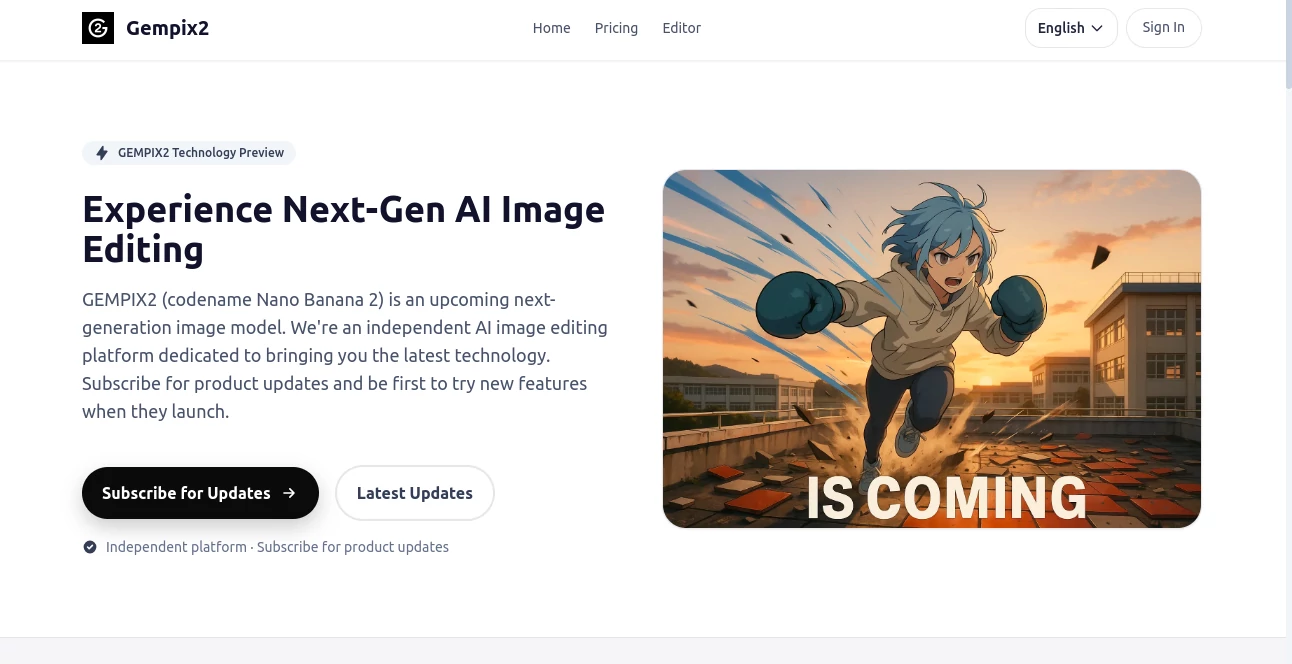
What is Gempix2?
Gempix shakes up the way we fiddle with photos, handing you a toolkit that listens to your words and turns them into spot-on tweaks without the usual hassle. Picture this: you jot down a quick idea, and boom—your snapshot gets a fresh backdrop or a whole new vibe, all in moments. It's pulling in a crowd of tinkerers who love how it skips the steep curves, letting anyone from casual snappers to pro touch-up artists play around with results that wow.
Introduction
Gempix hit the ground running not long ago, cooked up by a bunch of tech heads who'd had it with clunky software that ate up days just to get a decent edit. They kicked things off with a solid base called Nano Banana, but the real buzz is building around its big brother, GEMPIX2, that's set to drop soon and crank everything up a notch. Word's spreading fast in creative circles, where folks are trading tips on how it's cut their workflow in half, turning wild what-ifs into shareable gems overnight. What grabs you is that forward lean—it's not just another editor; it's like having a sharp-eyed buddy who gets your vision and runs with it, keeping pace with the latest tricks without leaving you in the dust.
Key Features
User Interface
You slide in easy, no walls of buttons or hidden tricks—just a clean spot to drop your pic and spill your thoughts in plain talk. It reads you right, popping up previews that you can nudge this way or that, all while the screen stays open and airy. Even if you're glancing over it on a break, the flow pulls you along smooth, like chatting through changes over a quick brew instead of staring down a manual.
Accuracy & Performance
When you lay out what you want, it delivers tight, no fluff—colors blend just so, edges crisp where they count, and the whole thing wraps up quicker than you'd bet. It holds steady on bigger files too, churning without a stutter, so those longer sessions don't drag. Creators nod to how it sticks close to the brief, rarely veering off into weird territory that needs a do-over.
Capabilities
From swapping scenes behind your shot to morphing styles into something dreamy or gritty, it handles the full spread with a wink. Toss in a description, and it layers on details like lighting tweaks or full makeovers that feel handpicked. Looking ahead to GEMPIX2, expect sharper smarts for tricky blends, higher clears on big canvases, and zippier turns that make experimenting a breeze, all while juggling words and pics in one go.
Security & Privacy
Your uploads land in a locked-down spot, zipped tight during the swap and cleared out after a spell—no hanging around or sneaky peeks. It plays by the book on keeping things yours, especially if you're mixing in work stuff, so you can toss in personal snaps without a second glance back. That peace lets you dive deep, knowing the behind-scenes stays buttoned up.
Use Cases
E-tail hustlers zip through product shots, slapping on fresh angles to make listings leap off the page. Social scrollers whip up eye-catchers for feeds, testing vibes that hook likes before posting. Designers loop in quick variants for client nods, shaving hours off the back-and-forth. Even everyday shooters brighten old family frames or dream up holiday cards that land just right, proving it's got legs for fun and the grind alike.
Pros and Cons
Pros:
- Grabs new bells fast, so you're never playing catch-up.
- Talks your language, no jargon walls to climb.
- Hands back full reins on your tweaks for shop or share.
- Keeps the vault tight, easing worries on the upload.
Cons:
- The shiny upgrade's still brewing, so hold for the full kick.
- Base model shines on basics but stretches on wild curves.
- Signing up locks some doors till you commit a bit.
Pricing Plans
You can peek in free for a whirl with the starter kit, but the real juice flows from a sub around the low teens monthly—unlimited spins, priority peeks at fresh drops, and emails that tip you off first. Go yearly and trim a wedge off, or stick to short hauls if you're testing waters. It bundles in that auto-clean on files too, scaling the wipe time to match your pick, keeping costs light for dabblers and depth for die-hards.
How to Use Gempix
Drop your sign-up quick, then snag a spot to upload and chat your changes—like 'fade the sky to dusk' or 'boost the glow on that grin.' Watch the magic unfold, fiddle if it needs a nudge, and pull down the finals crisp for wherever. Stay looped by checking the feed for heads-ups, and when the next wave hits, you're front row to tweak and test right off.
Comparison with Similar Tools
Where some apps bury you in sliders and presets, Gempix keeps it chatty and swift, though those might suit pixel-pushers craving fine reins. Against big-name suites, it darts ahead on fresh tech grabs without the bloat, but could lag on offline tricks for road warriors. It fits snug for word-guided whirlwinds, edging out the rest for folks who think in sentences over strokes.
Conclusion
Gempix lights a fire under image tweaks, blending smarts with speed to make every snap a story worth telling. It nods to the dreamers and doers alike, promising waves of wonders that keep the craft alive and kicking. As the next chapter unfolds with GEMPIX2, it's clear this spot's here to stay, nudging us all toward edits that feel less like work and more like wonder.
Frequently Asked Questions (FAQ)
What's the big deal with GEMPIX2?
It's the upgrade brewing, packing sharper eyes, quicker snaps, and bigger frames—watch for the drop soon.
Why sub now if the new one's coming?
Snag alerts and early dibs, plus run with what's live to build your groove.
Can I flip my edits for cash?
All yours, long as the start's legit—no strings from here.
How safe are my uploads?
Locked and loaded with top-shelf guards, gone after a set spell.
Got tips for wild requests?
Keep it clear and vivid—think scenes over sketches for best hits.
Photo & Image Editor , AI Image to Image , AI Art Generator , AI Design Generator .
These classifications represent its core capabilities and areas of application. For related tools, explore the linked categories above.
Gempix2 details
This tool is no longer available on submitaitools.org; find alternatives on Alternative to Gempix2.
Pricing
- Free
Apps
- Web Tools
Categories

Gempix2 Alternatives Product

AIImageEdit

AI Polaroid …

loraai.me

Nano Image AI

Normal Map G…

Nano Banana …

Createimg.ai

Banana Pro

GTA AI
