
🧠 AI Quiz
Think you really understand Artificial Intelligence?
Test yourself and see how well you know the world of AI.
Answer AI-related questions, compete with other users, and prove that
you’re among the best when it comes to AI knowledge.
Reach the top of our leaderboard.


















Nao Labs

What is Nao Labs?
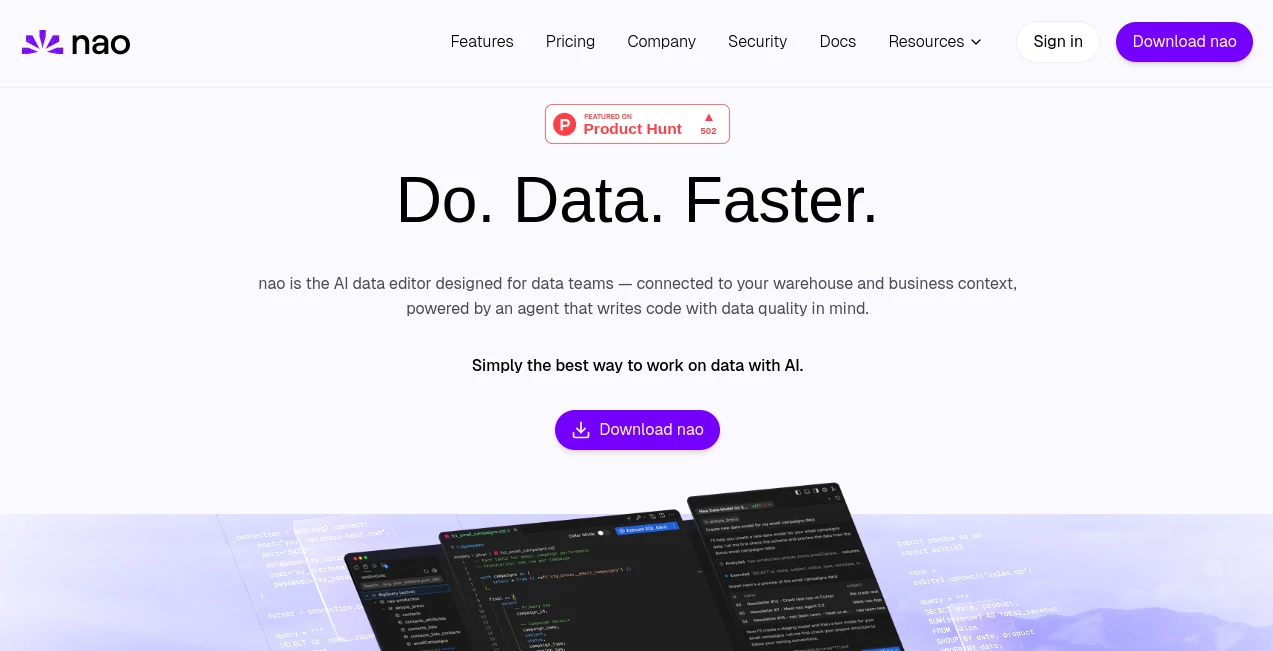
Nao serves as a smart hub for data handlers, blending familiar coding spaces with clever helpers that speed up the daily grind of sifting through numbers and building flows. This setup lets groups dive straight into their stores without the usual back-and-forth between screens, turning scattered checks into smooth runs. Those who've switched over often talk about how it cuts the clutter, letting them spot patterns or fix slips faster than before, all while keeping the big picture in view.
Introduction
Nao came together from the shared gripes of data folks who'd spent too long jumping between apps just to get a simple overview or test a hunch. It launched as a way to pull everything into one spot, starting with basic links to common storage spots and growing from there based on what users actually needed. Pretty soon, teams started sharing wins like whipping up quick reports or catching odd trends that would have slipped by otherwise. What keeps it clicking is that focus on making the tough parts feel routine, so whether you're mapping out a new stream or just poking around, it meets you where you are without extra hoops.
Key Features
User Interface
The main area feels like your usual coding nook, but with extras that pop up right when you need them—like hints for table names or quick ways to pull in bits of info with a shortcut. You can drag stuff over to chat with the smart sidekick, or flip through saved notes without losing your place. It's built to handle a bunch of connections at once, so switching between spots doesn't mean starting over, and the whole thing runs light enough to keep things moving even on busier days.
Accuracy & Performance
When it grabs your setup details, it lines up suggestions that fit just right, pulling in the right spots without mixing up fields or forgetting links. Runs come back fast, whether you're testing a small query or running a bigger sweep, and it flags costs upfront so surprises stay low. Teams notice how it holds steady on repeated checks, keeping outputs consistent so you can trust the trends it surfaces without double-taking every time.
Capabilities
It covers the full loop from pulling raw info to shaping it into something useful, like setting up streams or checking for glitches along the way. Hook it up with tools for modeling, and it shows how pieces connect, or let it dig into numbers for quick takeaways on shifts or standout points. You can even tweak its style with simple notes to match your group's way of working, and upcoming bits promise even more ways to layer in extras without extra steps.
Security & Privacy
Links happen right on your machine, so nothing heads out unless you give the nod, and even then, it's just what you pick. It sticks to solid standards for keeping things locked down, with checks that cover the bases without slowing you. Data teams like that hands-off vibe, knowing their setups stay put and aren't feeding into anything bigger, so focus stays on the work at hand.
Use Cases
Groups building out new paths for info flow use it to test and tweak on the fly, turning rough ideas into solid setups without the usual delays. Analysts lean on it for spotting changes in sales or user patterns, getting answers that guide the next move. Quality watchers run spot-checks to catch drifts early, while explorers just browse to uncover hidden bits that spark fresh questions. Even with add-ons for planning, it helps map dependencies so changes don't ripple wrong.
Pros and Cons
Pros:
- Pulls everything into one view, cutting down on app-hopping.
- Smart hints speed up the hunt for the right pieces.
- Handles checks and fixes without extra tools in the mix.
- Stays true to your setup for outputs that make sense.
Cons:
- Takes a moment to link up if your stores are picky.
- Deeper custom bits might need a few tries to settle.
- No out-of-the-box costs listed, so budgeting stays guesswork.
Pricing Plans
Nao keeps entry straightforward with a free tier for lighter loads, letting you connect and poke around without upfront hits. From there, it scales to paid options that open up more runs and team shares, though exact tabs depend on your setup size. It's geared for growth, so small crews can start simple and bump up as the work piles on, without feeling locked in from day one.
How to Use Nao
Grab the download and set it up on your setup, then link to your main storage spots—pick from the usual suspects like cloud bins or local files. Jump into a fresh sheet to jot a query, let the hints fill in the blanks, and run it to see results right there. Drag over a chunk to ask the helper for a deeper look, or add notes to shape its take. Save your work, tie in planning tools if needed, and watch how it all connects as you build out.
Comparison with Similar Tools
Unlike plain query runners that leave you piecing things together, Nao weaves in the smarts to suggest and check on its own, though those might suit super-simple scans better. Against full-blown suites, it skips the heavy install for quicker starts, but could lag on massive enterprise layers. It fits nice for mid-sized groups wanting that blend of ease and edge without the full overhaul.
Conclusion
Nao quietly shakes up how data groups tackle their stacks, blending sharp tools with helpful nudges to make the routine feel fresh. It turns the drag of digging and debugging into a steadier stride, opening room for the real insights that drive decisions. As info flows keep growing wilder, this one's primed to keep pace, handing teams the clarity to cut through without cutting corners.
Frequently Asked Questions (FAQ)
What spots does it link to?
It hooks up with common ones like cloud queries or on-machine files, covering most setups.
How does the helper know my stuff?
It peeks at your outlines to match suggestions, but only what you share on purpose.
Can I tweak its ways?
Yes, drop notes to guide its style or rules for your projects.
Is it safe for team shares?
Built with locks that keep things tight, meeting standard checks for groups.
What if I need charts?
It spins up visuals from your pulls, ready to drop into reports.
AI Code Assistant , AI Data Mining , AI Developer Tools , AI Research Tool .
These classifications represent its core capabilities and areas of application. For related tools, explore the linked categories above.
Nao Labs details
This tool is no longer available on submitaitools.org; find alternatives on Alternative to Nao Labs.
Pricing
- Free
Apps
- Web Tools
Categories

Nao Labs Alternatives Product

Workik

Domain Rank …

Pinpoint Ans…

HostFinder

Harvey

Klyra AI

vivgrid

TrueSource AI

Somnio
