🧠 AI Quiz
Think you really understand Artificial Intelligence?
Test yourself and see how well you know the world of AI.
Answer AI-related questions, compete with other users, and prove that
you’re among the best when it comes to AI knowledge.
Reach the top of our leaderboard.


















GLM-OCR Online OCR Tool
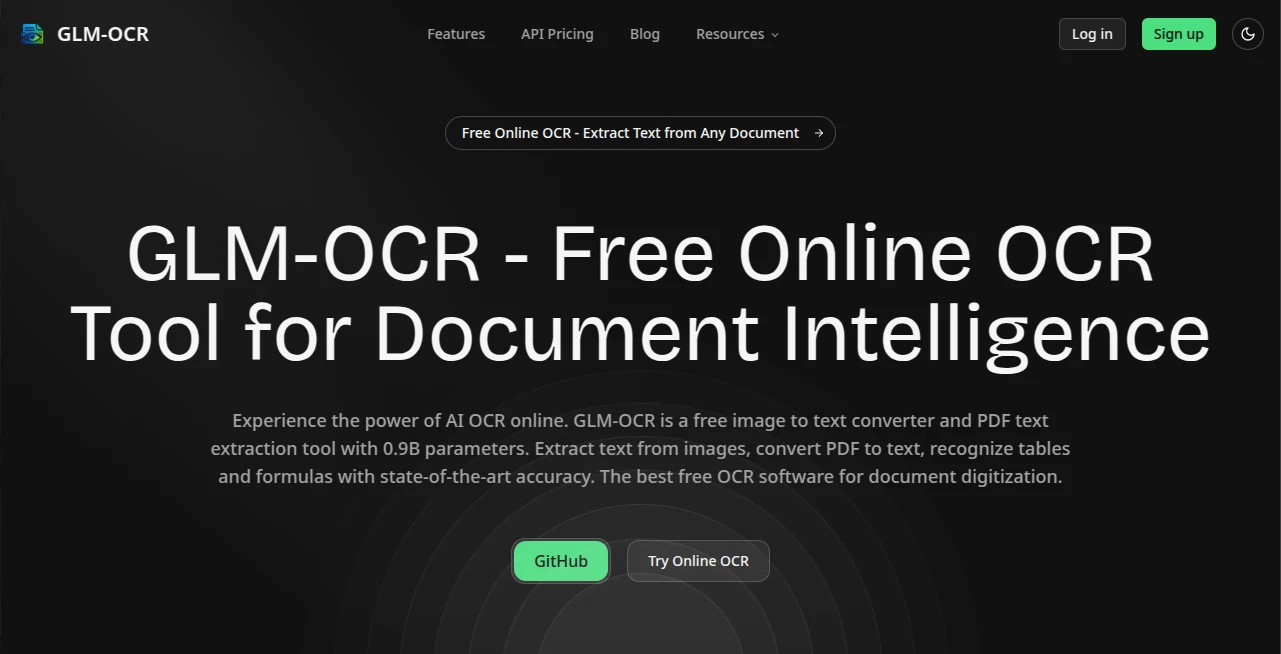
What is GLM-OCR Online OCR Tool?
Anyone who’s ever squinted at a blurry receipt photo or tried to copy-paste from a scanned contract knows the frustration. What should be a 10-second task turns into minutes of retyping, fixing typos, and cursing formatting. This little tool quietly ends that struggle. Upload almost any image or PDF—handwritten notes, old books, invoices, whiteboards—and it pulls out clean, structured text that’s ready to use. I’ve had moments where I snapped a photo of a menu in a dim restaurant and had the full list copied perfectly seconds later. It’s one of those utilities you don’t realize you needed until it saves you from another tedious hour.
Introduction
OCR technology has been around forever, but most free or cheap options still choke on handwriting, angled shots, low contrast, or mixed layouts. This one stands apart because it actually handles the messy real-world stuff—curved pages, faded ink, dense tables, even multi-column documents—without falling apart. It’s fast, surprisingly accurate on tough cases, and doesn’t bombard you with ads or watermarks. Whether you’re digitizing old family letters, extracting data from supplier quotes, or turning lecture slides into notes, it feels like having a very capable assistant who never complains about the quality of your photo.
Key Features
User Interface
The page is deliberately minimal. You drag your file or click to upload, wait a few seconds (usually under 10 even for larger PDFs), and the extracted text appears in a clean, scrollable box. There’s a copy button, export to TXT/Word options, and a preview of the original image right beside it so you can double-check. No sign-up nag, no account required for basic use, no cluttered sidebar. It’s refreshingly focused on the one job it does extremely well.
Accuracy & Performance
This is where it really shines. It picks up handwriting that most tools mangle, handles rotated or skewed documents without complaint, and keeps table structures intact far better than average. Even low-resolution phone photos of printed receipts come out readable and mostly correct. Processing stays quick—rarely more than 15–20 seconds—and it rarely forces you to retry. In everyday use, the first pass is usually good enough to copy-paste or edit lightly.
Capabilities
It supports images (JPG, PNG, WEBP) and PDFs of any reasonable size, recognizes dozens of languages out of the box, preserves layout where it matters (tables, columns), and handles mixed content—printed text, handwriting, even some stylized fonts. The output is plain editable text, not locked images or locked formats. It’s not trying to be a full document editor; it’s laser-focused on getting the raw text out accurately and fast.
Security & Privacy
Files are processed in memory and deleted immediately after extraction—no permanent storage, no cloud backups of your documents. There’s no account required for standard use, so nothing ties back to you personally. For sensitive scans (contracts, medical forms, personal notes), that instant-and-gone approach is exactly what you want.
Use Cases
A freelancer photographs handwritten client notes and turns them into editable meeting summaries in under a minute. An accountant snaps dozens of receipts at the end of the month and has clean expense lists ready for spreadsheets. A student photographs textbook pages during library hours and builds searchable digital notes. Small business owners extract supplier quotes or order forms without retyping. It’s quietly useful in all the places where paper still stubbornly exists.
Pros and Cons
Pros:
- Handles handwriting and difficult photos far better than most free OCR tools.
- No sign-up, no ads, no watermarks on output.
- Very fast—even multi-page PDFs process in seconds.
- Privacy-first: nothing stored after you’re done.
Cons:
- No built-in editing or formatting beyond basic text output.
- Very large or extremely degraded documents can still challenge it (like most OCR).
Pricing Plans
The core experience is completely free—no daily limits, no forced upgrades, no hidden catches. If you process extremely high volumes or need priority support, there is a paid tier, but for 95% of users the free version is more than enough. It’s one of the few genuinely generous tools left on the internet.
How to Use It
Go to the main page, drag your image or PDF into the drop zone (or click to browse), and wait a few seconds. The extracted text appears automatically. Highlight and copy, or click export if you want a file. That’s it. For multi-page PDFs, it processes everything at once and delivers one continuous block of text. If a line looks off, you can usually fix it faster than retyping the whole thing.
Comparison with Similar Tools
Many free OCR sites push ads, require sign-up, add watermarks, or choke on handwriting and tables. This one skips all that noise and just works—clean output, strong accuracy on tough inputs, and zero tracking. It’s not trying to be everything to everyone; it’s simply one of the best at the single job of getting text out of images and PDFs reliably.
Conclusion
In a world full of overcomplicated tools, this one does one thing exceptionally well and stays out of your way. It turns frustrating, error-prone tasks into quick, reliable steps. Whether you deal with paper daily or just occasionally need to rescue text from a photo, it’s the kind of utility that quietly becomes indispensable. Simple, fast, accurate, private—exactly what OCR should have always been.
Frequently Asked Questions (FAQ)
Does it work with handwritten notes?
Yes—surprisingly well, even on messy or angled writing.
Can I upload multi-page PDFs?
Absolutely—it extracts everything in one go.
Is there a file size limit?
Reasonable everyday files are fine; very large ones may need splitting.
Do I need to sign up?
No account needed at all for normal use.
What languages does it support?
Strong on major languages; performance varies on less common scripts.
AI PDF , AI Document Extraction , AI Documents Assistant , AI Files Assistant .
These classifications represent its core capabilities and areas of application. For related tools, explore the linked categories above.
GLM-OCR Online OCR Tool details
Pricing
- Free
Apps
- Web Tools
Categories

GLM-OCR Online OCR Tool Alternatives Product

Image to URL…

David One

photo to URL

TurboScribe

UPDF AI

Markdown to …

Myjourney

TO MD

TopPDF