
🧠 AI Quiz
Think you really understand Artificial Intelligence?
Test yourself and see how well you know the world of AI.
Answer AI-related questions, compete with other users, and prove that
you’re among the best when it comes to AI knowledge.
Reach the top of our leaderboard.


















grok ai video

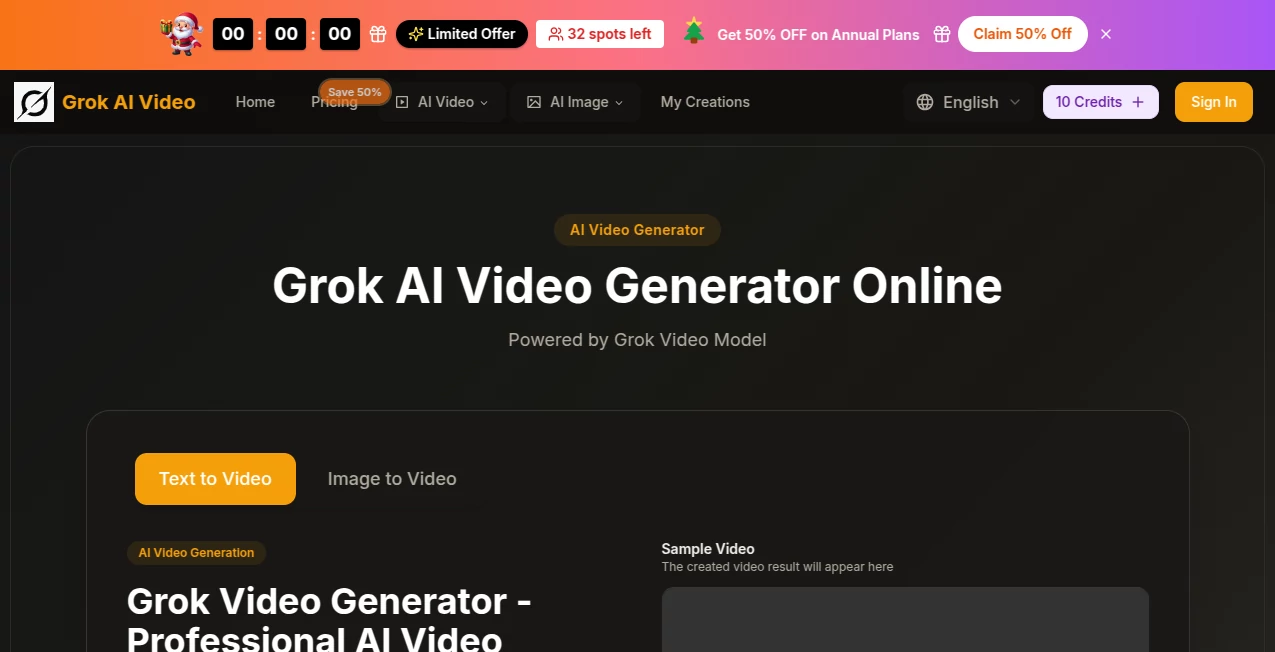
What is grok ai video?
There’s something genuinely exciting about typing a sentence and watching a full cinematic scene unfold—lighting, camera movement, mood, everything—without touching a single editing slider. This tool makes that feeling real and surprisingly consistent. You describe what you want, maybe add a reference image or style note, and within a minute or two you’re looking at footage that looks like it came from someone who actually knows how to direct. I’ve had moments where I showed the output to friends and they assumed I’d spent hours in post-production. That’s the kind of quiet wow factor it brings to the table.
Introduction
Most AI video tools still feel like clever experiments—impressive in short bursts but shaky when you ask for narrative flow or real cinematic language. This one quietly raises the bar by focusing on coherence across shots, natural motion, and a strong sense of atmosphere. It’s built for people who want storytelling, not just random clips: short films, music visuals, brand teasers, concept reels. The results often carry that slightly dreamy, polished look that makes you pause and rewatch. What started as a niche experiment has quickly become a favorite among creators who value quality over quantity and are tired of fighting artifacts and inconsistent characters.
Key Features
User Interface
The dashboard keeps things calm and focused: a wide prompt box, a few clear toggles for aspect ratio and style strength, an optional image upload area, and a generate button that doesn’t hide anything behind menus. Previews load fast enough that you can iterate without losing momentum. It never feels like you’re wrestling with the interface—everything is where your eyes naturally go. That simplicity alone makes long sessions feel lighter than they should.
Accuracy & Performance
Prompt adherence is impressively tight. If you describe a slow dolly shot through rain at golden hour with a woman in a red coat walking away, that’s usually exactly what you get—framing, lighting, pacing all aligned. Motion stays smooth even in longer clips, and character consistency holds up across scenes far better than most competitors. Generation times stay reasonable (often under two minutes for 5–8 second clips), and the output resolution feels crisp enough for social, presentations, or even rough client previews.
Capabilities
It excels at multi-shot storytelling with natural transitions, realistic physics, expressive character acting, and atmospheric lighting that matches high-end references. You can guide camera movement explicitly (“slow zoom in,” “handheld tracking shot,” “crane up”), control mood through lighting and color grade descriptions, and use image references to lock style or character appearance. Audio-reactive visuals are possible when you upload a track, and the model handles both live-action and stylized animation aesthetics with surprising conviction.
Security & Privacy
Uploads and generated videos are treated with care—processed securely and not used for training without explicit opt-in. Paid plans include private mode so your work stays completely off public indexes. For creators working on sensitive or commercial projects, that layer of control matters a lot.
Use Cases
A musician uploads their latest single and gets a moody, cinematic visualizer that syncs perfectly to the beat. A startup founder creates a polished 15-second brand intro for investor decks in under an hour. A short-film director tests scene concepts before committing to live shoots. Content creators batch social hooks that look far more expensive than they actually were. The tool shines anywhere you need narrative impact fast without sacrificing visual sophistication.
Pros and Cons
Pros:
- Cinematic camera language and lighting that feel directed, not random.
- Strong prompt understanding—rarely requires heavy rewording.
- Smooth, natural motion even in longer sequences.
- Fast enough to stay in creative flow during iteration.
Cons:
- Maximum clip length still modest (around 8–12 seconds on most plans).
- Occasional minor artifacts in very complex multi-character scenes.
Pricing Plans
It starts generous: a solid free tier lets you explore quality and style without pressure. Paid plans scale cleanly—Starter for casual creators who want watermark-free clips and more generations, Pro for higher resolution, faster queues, and longer clips, and a top tier aimed at studios with team seats and priority support. Credits roll over monthly, and annual billing cuts the cost noticeably. It’s transparent and creator-friendly—no hidden gotchas.
How to Use Grokaivideo
Log in, head to the create page, and write your scene description in natural language—mention camera moves, lighting, mood, time of day, anything that matters. Upload a style reference image if you want a specific look, or a character photo for consistency. Choose aspect ratio (vertical for social, widescreen for cinematic), hit generate, and wait a short while. Review the result, tweak the prompt if needed (small changes usually fix most things), and export. For music videos, upload your track first and let the motion follow the beat. It’s quick to learn and addictive once you start.
Comparison with Similar Tools
Many generators still produce beautiful but disjointed single shots. This one stands out by treating video as a continuous narrative—shots connect, motion carries through, lighting evolves naturally. Where others feel like slideshows with effects, the output here often feels directed. It trades raw length for higher coherence and cinematic intent, which makes it especially strong for story-driven content rather than pure VFX flexing.
Conclusion
This isn’t just another AI video toy—it’s a serious creative partner that understands what makes footage feel alive. It takes the fear out of starting a project, lets you test bold ideas quickly, and delivers results that look far more expensive than the time you put in. For anyone who’s ever wanted to see their story move the way they imagined it, this tool quietly opens the door wider than most. Give it a real prompt and watch what happens. You might not want to go back.
Frequently Asked Questions (FAQ)
How long can clips be?
Most generations go 5–12 seconds depending on plan and complexity—long enough for strong hooks, teasers, and social posts.
Do I need perfect prompts?
Not really. Clear, descriptive language works best, but even casual wording usually gets close. Small tweaks fix the rest.
Can I use my own audio?
Yes—upload tracks and the motion will react to the beat structure automatically.
What resolutions are available?
Up to 1080p on higher plans, with 720p widely supported. Sharp enough for most professional uses.
Is it good for character consistency?
Very. Reference images lock appearance well across shots—stronger than most tools in this range.
AI Animated Video , AI Image to Video , AI Text to Video , AI Video Generator .
These classifications represent its core capabilities and areas of application. For related tools, explore the linked categories above.
grok ai video details
This tool is no longer available on submitaitools.org; find alternatives on Alternative to grok ai video.
Pricing
- Free
Apps
- Web Tools
Categories

grok ai video Alternatives Product

SocialRails

Aura AI

Sora 2 AI

Seedance 2

Sora 2 AI

Veo 3.1

Seedance 2.0

Seedance 2.0…

Veo
