
🧠 AI Quiz
Think you really understand Artificial Intelligence?
Test yourself and see how well you know the world of AI.
Answer AI-related questions, compete with other users, and prove that
you’re among the best when it comes to AI knowledge.
Reach the top of our leaderboard.


















grok images
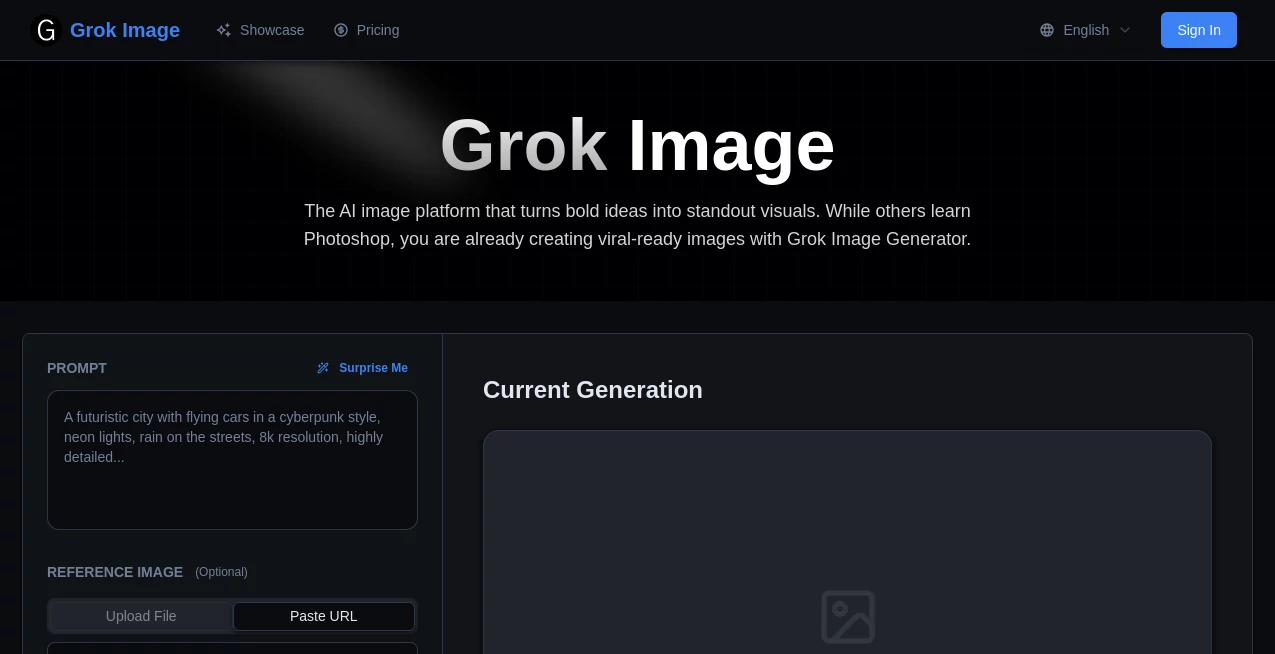
What is grok images?
There's something genuinely thrilling about typing a wild idea into a box and watching it materialize as a crisp, evocative picture moments later. This platform nails that experience, delivering images that often feel like they were pulled straight from a pro's portfolio, all from a few lines of description. I've spent evenings tinkering with prompts for book covers or mood boards, and the outputs rarely disappoint—sharp details, thoughtful lighting, and that subtle coherence that makes everything click.
Introduction
Built for folks who need visuals fast but hate the fuss of traditional design tools, this spot turns natural language into standout artwork without demanding sketch skills or software savvy. It handles everything from everyday product shots to dreamy fantasy scenes, with a knack for long, nuanced prompts that let you layer in mood, color, and story beats. What draws people in is the practical edge—images ready for ads, presentations, or social drops, often in one take. A friend in marketing swears it cut her mockup time in half, churning out variations that helped nail client pitches on the first round. It's the kind of straightforward power that fits right into busy workflows, bridging the gap between vague concepts and polished assets.
Key Features
User Interface
The layout keeps things delightfully uncluttered—a generous prompt field up top, quick picks for resolution and ratios below, and a gallery that fills with your creations as they finish. Hover for details, click to enlarge; it's all intuitive, like browsing a personal inspiration feed. No overwhelming menus or hidden settings—just enough controls to guide the output without slowing you down.
Accuracy & Performance
Feed it a detailed scene, and it grasps the nuances remarkably well, placing elements logically with lighting and shadows that feel authentic. Generations wrap up briskly, even for higher resolutions, and the coherence holds strong across styles, avoiding those odd artifacts that can derail a good idea. In my runs, it consistently delivered usable shots on the first or second try, saving the endless regeneration loops I've endured elsewhere.
Capabilities
It excels at photoreal mocks, editorial fashion, cinematic vistas, or abstract plays, supporting up to four variations per go and a wide spread of aspect ratios for everything from square icons to vertical stories. Long prompts shine here, letting you specify palettes, angles, or embedded text that renders clean. The results scale to 4K with detail intact, perfect for print teases or web heroes that demand sharpness.
Security & Privacy
Your prompts and outputs stay contained, with generations processed securely and no unnecessary lingering data. It's designed for peace of mind, especially when experimenting with brand ideas or personal projects, keeping the focus on creation rather than concerns.
Use Cases
Marketers craft campaign visuals that capture brand essence quick, testing concepts before big shoots. Designers explore style directions for clients, pulling together mood boards that spark better feedback. E-commerce folks stage products in lifestyle settings, boosting listings with shots that feel premium. Writers visualize scenes or covers to share with readers, adding that extra layer to stories.
Pros and Cons
Pros:
- Handles intricate prompts with impressive fidelity, capturing the full vision.
- Variations and ratios make iteration a breeze, speeding up decisions.
- High-res options ready for real-world use, from screens to light prints.
- Straightforward flow that welcomes beginners yet satisfies pros.
Cons:
- Credit-based, so heavy sessions build up over time.
- Best with thoughtful prompts—casual ones might need a refine.
Pricing Plans
A starter pack at five bucks grabs 100 credits for dipping in, scaling to twelve for 300 in the sweet-spot standard, or twenty-nine for a hefty 900 in premium. Credits roll over with active membership and never expire while you're in, covering 1K to 4K resolutions at varying costs. It's flexible one-time buys that fit occasional bursts or steady streams, without the pressure of unused subs wasting away.
How to Use Grok Image Generator
Jot your description—be as vivid as you like about subject, setting, lights, and feel—pick how many variations and the ratio that fits. Submit, sip your drink while it thinks, then browse the arrivals in the gallery. Favorite the keepers, upscale if needed, and download for your project. A quick tweak to the prompt often perfects it on the next round, building toward exactly what you pictured.
Comparison with Similar Tools
It stands apart with deeper prompt grasp and cleaner compositions, especially on involved scenes where others might muddle details or drift off-style. The variation sets and resolution flexibility feel more tailored for practical work, edging out generalists in coherence and speed for iterative flows. For those needing reliable, high-fidelity outputs without constant nudges, it's a standout that delivers more bang per prompt.
Conclusion
This platform quietly redefines how we chase visual ideas, making the leap from thought to image feel almost effortless and always rewarding. It's a companion for the curious and the deadline-driven alike, turning constraints into canvases worth exploring. Give it a spin with a favorite concept—you might just find your next favorite visual waiting on the other side.
Frequently Asked Questions (FAQ)
How detailed can prompts be?
Up to a thousand characters or so—plenty for layering mood, colors, and specifics that shape the outcome.
What styles does it handle?
From photoreal to painterly, anime, fantasy, or minimalist—whatever fits the brief.
Are outputs commercial-ready?
Yes, full rights for personal or business use, no strings.
How many images per generation?
One to four variations, great for comparing options side by side.
Resolution limits?
From 1K everyday to 4K detail-rich, costing credits accordingly.
AI Photo & Image Generator , AI Art Generator , AI Design Generator , AI Text to Image .
These classifications represent its core capabilities and areas of application. For related tools, explore the linked categories above.
grok images details
Pricing
- Free
Apps
- Web Tools
Categories

grok images Alternatives Product

Transform An…

AI Raphael

SellerPic

GPT Image 1.5
Wplace Live

Imgezy

Z-Image Gene…

Nano Banana …
onstyle
