🧠 AI Quiz
Think you really understand Artificial Intelligence?
Test yourself and see how well you know the world of AI.
Answer AI-related questions, compete with other users, and prove that
you’re among the best when it comes to AI knowledge.
Reach the top of our leaderboard.


















Happy Horse: Seedance 2.0 killer
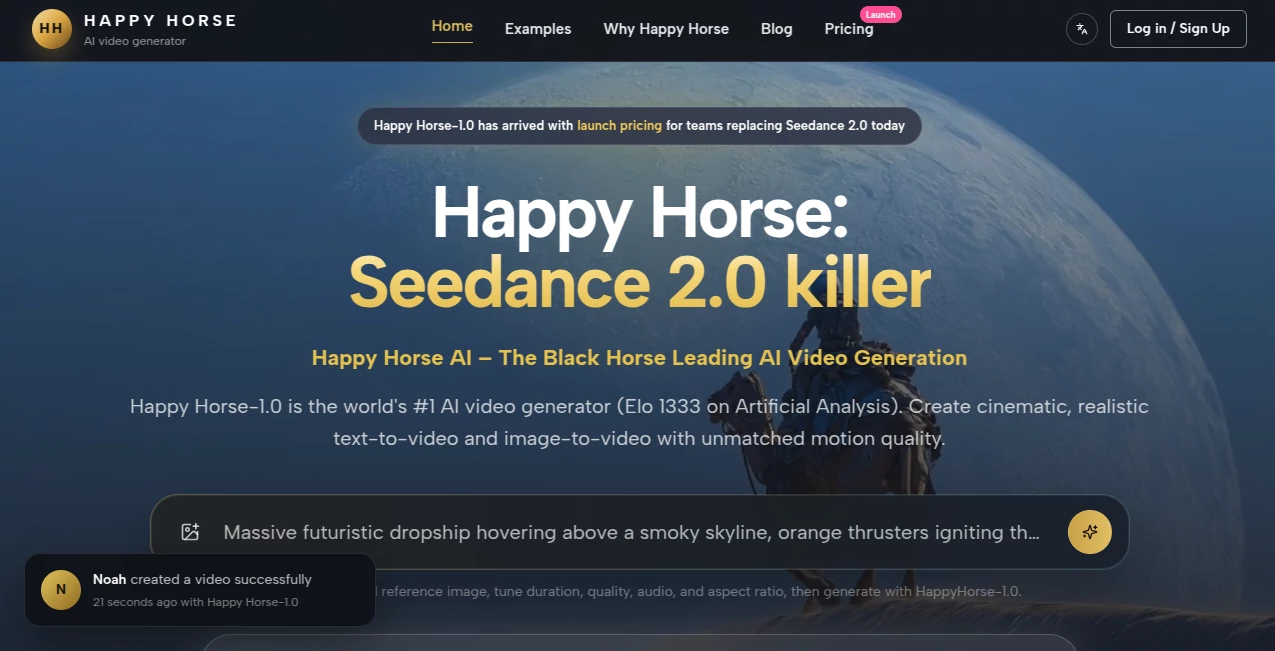
What is Happy Horse: Seedance 2.0 killer?
There’s a special feeling when you describe a scene and the video that comes back doesn’t just move—it breathes. Characters keep their identity, motion has weight, lighting feels cinematic, and the whole clip holds together like someone actually directed it. Happy Horse delivers that experience more consistently than most tools I’ve tried. It’s not perfect every single time, but the hits are strong enough that you keep coming back, excited to see what your next prompt becomes. For creators tired of fixing awkward artifacts or inconsistent faces, this one stands out as a real step forward.
Introduction
AI video tools have been getting better, but many still feel like demos rather than practical production aids. Happy Horse aims higher. Built around the Happy Horse-1.0 model, it focuses on motion quality, realism, and usable footage that creators can actually publish or build upon. Whether you start with text, reference images, or both, the results often carry a cinematic quality that makes them feel intentional rather than generated. It’s gained attention quickly for outperforming expectations in blind tests and for giving creators tools that respect their vision instead of forcing compromises. In a crowded space, it’s carving out a reputation for reliability and creative control.
Key Features
User Interface
The workspace is clean and focused—no overwhelming options or hidden menus. You enter your prompt, upload reference images or clips if you want stronger guidance, choose duration and aspect ratio, and generate. Previews appear reasonably fast, and the flow supports quick iteration without losing your train of thought. It’s approachable for newcomers yet flexible enough for experienced users who want precise control over style and motion.
Accuracy & Performance
Motion feels natural with believable physics and weight. Characters maintain consistent appearance across shots, lighting behaves realistically, and the overall coherence is noticeably stronger than many current alternatives. Generation speed is practical for real workflows, and the model handles complex prompts with multiple subjects and camera movements better than expected. The results often need minimal cleanup, which is a big time-saver in actual projects.
Capabilities
It supports text-to-video and image-to-video workflows, reference-based control for characters and style, multi-shot storytelling, and strong prompt adherence. You can guide scenes with starting or ending frames, adjust motion intensity, and create footage suitable for social media, ads, prototypes, or short films. The emphasis is on cinematic quality and usability rather than raw length, making it especially strong for short, impactful clips that tell a clear story.
Security & Privacy
Your prompts and reference materials are handled responsibly during generation. The platform focuses on delivering the output you need without unnecessary data retention or sharing. For creators working with original ideas or client projects, this respectful approach builds confidence to experiment freely.
Use Cases
Marketers create short product story clips with consistent branding and natural movement. Filmmakers prototype key scenes to test tone and pacing before full production. Social creators build Reels and TikToks that stand out with cinematic quality instead of generic effects. Indie game studios generate concept trailers or narrative sequences quickly. Educators turn lessons into short visual stories that hold student attention. Wherever you need video that feels directed and polished without a big budget or team, it becomes a valuable part of the process.
Pros and Cons
Pros:
- Strong motion quality and cinematic feel that stands out.
- Better character consistency than many competing models.
- Practical control through references and prompt guidance.
- Fast enough iteration for real creative workflows.
- Focus on usable footage rather than just impressive demos.
Cons:
- Clip lengths are best suited for short-form content (multi-shot helps for longer stories).
- Very complex or highly abstract scenes may still need prompt refinement.
- Full unlimited access requires a paid plan.
Pricing Plans
It offers a free tier with daily credits so you can test the quality and see if it fits your workflow. Paid plans unlock higher limits, faster generation, priority access, and more advanced features. Pricing is positioned reasonably for the output quality, making it accessible for individuals and small teams who need reliable video creation without enterprise costs.
How to Use Happy Horse
Start with a clear, descriptive prompt that includes subject, action, mood, and camera direction. Add reference images for characters or style if you want more control. Choose duration and aspect ratio, then generate. Review the result—use additional prompts or references to refine specific parts. For multi-shot stories, build sequences step by step. Download when ready or iterate until the clip feels right. The process rewards clear direction while remaining approachable for quick ideas.
Comparison with Similar Tools
Many AI video generators prioritize raw generation speed or flashy effects but struggle with consistency and usable quality. Happy Horse stands out by focusing on cinematic motion, character coherence, and practical control that creators actually need. It often delivers footage that requires less post-production cleanup, giving it an edge for real-world projects where reliability matters more than benchmark scores.
Conclusion
Creating video that feels alive and intentional no longer requires a full production setup. Happy Horse brings meaningful quality and control into a workflow that actual creators can use every day. It respects your ideas while handling the technical heavy lifting, resulting in clips you’re proud to share. For marketers, storytellers, educators, and indie creators, it opens up new possibilities without the usual AI frustrations. If you’ve been waiting for AI video that feels closer to real filmmaking, this one is worth trying.
Frequently Asked Questions (FAQ)
How long are the generated clips?
Best suited for short, impactful scenes (typically 5–15 seconds), with multi-shot support for longer narratives.
Do I need reference images?
Not required, but they significantly improve consistency for characters and specific styles.
Can I use it for commercial projects?
Yes—paid plans include commercial rights suitable for most professional uses.
What makes it different from other AI video tools?
Stronger focus on cinematic motion, character consistency, and practical usability rather than just raw generation.
Is there a free way to try it?
Yes—the free tier gives daily credits so you can test quality before upgrading.
AI Animated Video , AI Image to Video , AI Video Generator , AI Text to Video .
These classifications represent its core capabilities and areas of application. For related tools, explore the linked categories above.
Happy Horse: Seedance 2.0 killer details
Pricing
- Free
Apps
- Web Tools
Categories

Happy Horse: Seedance 2.0 killer Alternatives Product

seedance 3.0

Kling 4.0 AI

Shoorts AI

Kling 3.0 – …

Wan 2.7

sora video

Ltx 2.3

Voe4 AI Video

vei4 ai