🧠 AI Quiz
Think you really understand Artificial Intelligence?
Test yourself and see how well you know the world of AI.
Answer AI-related questions, compete with other users, and prove that
you’re among the best when it comes to AI knowledge.
Reach the top of our leaderboard.


















Happy Horse
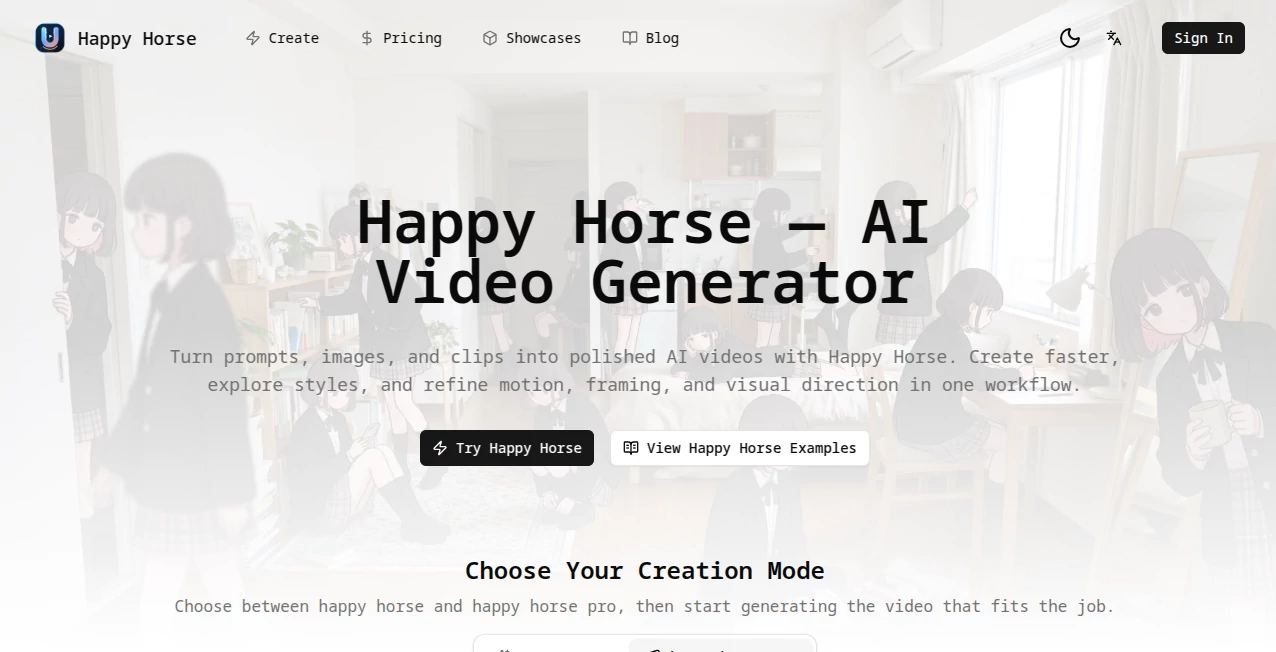
What is Happy Horse?
There’s a special kind of excitement when you describe a scene in plain words and moments later a smooth, cinematic clip plays back that actually feels directed. Not jerky or generic, but with natural motion, consistent characters, and lighting that sets the right mood. This tool delivers that experience reliably, turning text prompts, reference images, or short clips into videos that look and feel professional. I’ve watched creators go from rough ideas to shareable shorts faster than they expected, and the consistency across frames keeps surprising even skeptical users. It’s the kind of tool that makes you want to create more because the results feel worth sharing right away.
Introduction
AI video tools have improved a lot, but many still struggle with basic things like keeping the same face across shots or making movement look natural. Happy Horse focuses on solving those real frustrations. It combines strong prompt understanding with practical controls so you can guide the outcome instead of hoping for the best. Whether you’re making social media content, product ads, story prototypes, or fun personal videos, it gives you polished results without requiring a full production setup. The workflow feels thoughtful—fast enough for quick experiments, controllable enough for more serious projects. For anyone who wants their ideas to move without weeks of editing, it’s become a favorite daily companion.
Key Features
User Interface
The dashboard is clean and inviting. A big prompt area sits front and center, with easy options to upload images or clips for reference. You can choose aspect ratio, length, and style quickly, then generate without digging through complicated menus. Previews appear fast, and the layout stays out of your way so you can focus on creativity. It’s simple enough for beginners yet flexible enough for experienced creators who want precise control.
Accuracy & Performance
Character consistency is one of its strongest points—faces, outfits, and overall style hold steady across shots. Motion feels natural rather than floaty or robotic, and the tool respects your references when you provide them. Generation speed is practical for real workflows, and the outputs maintain good quality even on more complex scenes. The results often need very little cleanup, which saves significant time compared to other tools.
Capabilities
It handles text-to-video, image-to-video, and hybrid workflows where you combine prompts with visual references. Multi-shot storytelling, natural camera moves, and strong element consistency make it suitable for short narratives or branded content. You can guide style, mood, and pacing effectively, and the tool supports different aspect ratios for social, web, or other uses. It’s versatile enough for quick social clips or more thoughtful story pieces.
Security & Privacy
Your prompts and reference files are handled responsibly during generation. The platform focuses on delivering the output without unnecessary long-term storage of user content. This clean approach gives creators confidence when working with original ideas or client material.
Use Cases
Social media creators build consistent character Reels that stand out in feeds. Marketers turn product descriptions into engaging demo videos without expensive shoots. Filmmakers prototype story beats quickly to test tone and pacing. Educators create short explanatory clips that keep students engaged. Indie teams mock up trailers or narrative sequences to pitch ideas. Wherever you need video that looks intentional and moves well, it fits naturally into the process.
Pros and Cons
Pros:
- Strong character and style consistency that feels reliable.
- Natural motion and cinematic quality in the outputs.
- Flexible input options (text, image, clip references).
- Fast enough for real creative iteration.
- Approachable interface that works for different skill levels.
Cons:
- Best results come from clear, well-structured prompts.
- Longer or very complex scenes may need multiple generations.
- Heavy daily use benefits from paid plans for unlimited access.
Pricing Plans
It offers a generous free tier with daily credits so you can test the quality and workflow without commitment. Paid plans unlock higher limits, faster generation, priority access, and additional features for regular users. The pricing feels balanced for the creative freedom it provides—many creators find it pays for itself through time saved and better output quality.
How to Use Happy Horse
Start by writing a clear prompt describing your scene and desired mood. Optionally upload reference images or clips to guide characters, style, or motion. Choose your aspect ratio and length, then generate. Review the preview, refine the prompt or references if needed, and create variations until it feels right. Download the final clip or use it as a base for further editing. The process is quick enough that you can explore several ideas in one session.
Comparison with Similar Tools
Many AI video generators produce interesting clips but struggle with consistency or natural movement. This one stands out by combining good prompt understanding with stronger control and more cinematic results. It feels less random and more directed, making it especially useful for creators who need reliable footage rather than just experimental outputs. The balance of quality, speed, and usability gives it an edge for practical, everyday video creation.
Conclusion
Turning ideas into moving pictures used to be slow and expensive. This tool makes it fast, accessible, and genuinely enjoyable without sacrificing too much quality. It respects your creative direction while handling the technical heavy lifting, resulting in videos you can actually use and share with pride. For marketers, storytellers, educators, or anyone who wants their ideas to move, it opens up new possibilities in minutes instead of days. If you’ve been waiting for AI video that feels useful rather than experimental, this is worth trying.
Frequently Asked Questions (FAQ)
How long are the generated videos?
Typically short clips optimized for social and web use, with options to build longer sequences through multiple generations.
Do I need reference images?
Not required, but adding them significantly improves character consistency and style control.
Can I use the videos commercially?
Check the specific plan terms, but most users find the output suitable for commercial projects on paid tiers.
What if the first result isn’t perfect?
Refine your prompt, adjust references, or generate variations—small changes often lead to much better results.
Is there a free way to try it?
Yes, a generous free tier with daily credits lets you test the quality before upgrading.
AI Animated Video , AI Image to Video , AI Video Generator , AI Text to Video .
These classifications represent its core capabilities and areas of application. For related tools, explore the linked categories above.
Happy Horse details
Pricing
- Free
Apps
- Web Tools
Categories

Happy Horse Alternatives Product

hailuo03

Happy Horse …

Vidmix

Sora AI Vide…
Render of Dr…

Seedance 2.0…
Seedance 2.0

seedance2

ai seedance …