
🧠 AI Quiz
Think you really understand Artificial Intelligence?
Test yourself and see how well you know the world of AI.
Answer AI-related questions, compete with other users, and prove that
you’re among the best when it comes to AI knowledge.
Reach the top of our leaderboard.


















Haxiom

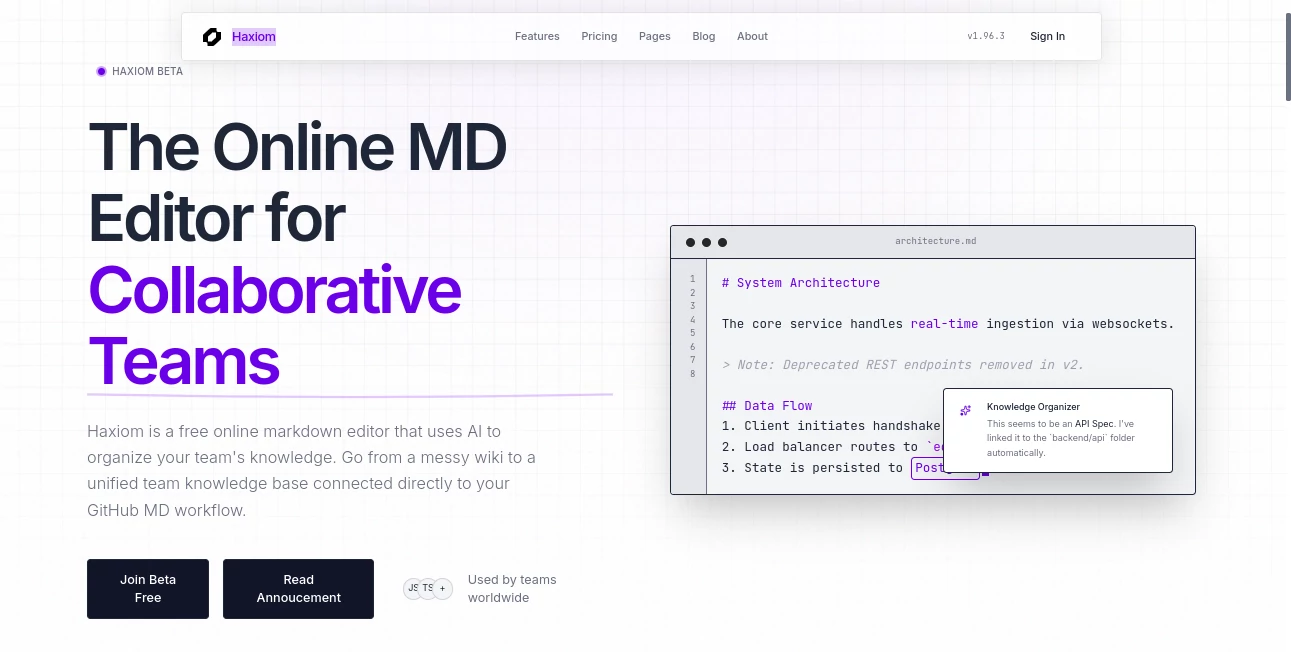
What is Haxiom?
Haxiom steps in as a fresh spot for teams to jot down and shape their shared notes, blending simple text handling with clever aids that keep everything tidy and reachable. This setup turns scattered files into a smooth collection, especially handy for folks who live in code repos and quick edits. Users often mention how it cuts down on the mess of old docs, letting groups focus on the good stuff without losing track of what's what.
Introduction
Haxiom got its start as a way to fix the headaches of team docs that pile up like forgotten emails, kicked off by a few developers who wanted something that played nice with their daily tools. It rolled out in beta not too long ago, catching on quick among remote crews and open-source fans who shared stories of smoother handoffs and fewer 'where's that file?' moments. What draws people in is the way it listens to how teams actually work—grabbing bits from commits or chats and weaving them into something searchable and solid. Over time, it's picked up steam through word-of-mouth on spots like Reddit, where early birds praised its no-fuss approach to keeping knowledge fresh without the usual overhaul.
Key Features
User Interface
The main workspace feels like a shared notepad that everyone can scribble on at once, with markers showing who's typing where and changes popping up live. You dive straight into plain text mode, with side bits for chats or previews that don't crowd the screen. It's the kind of setup that clicks after a minute or two, especially if you're used to simple editors, and it handles math bits or links without skipping a beat.
Accuracy & Performance
When it scans for repeats or pulls up old notes, it gets the sense of things right more often than not, spotting overlaps in meaning even if words shift a bit. Things load quick, even with a bunch of folks editing together, and searches land on point without sifting through junk. Teams note how it keeps up during busy pushes, like merging a week's worth of updates without dropping the ball on what's new or needed.
Capabilities
Beyond basic writing, it hooks into repos to grab changes automatically, flags stuff that's getting dusty, and even suggests ways to reword for clarity. You can spin out public pages that show up nice on search engines or export everything clean, no strings attached. It's geared for everything from quick meeting recaps to full guides, with tools that nudge toward better flow without taking over.
Security & Privacy
Your team's notes stay where you put them, with controls on who sees what and logs to check on access if needed. It ties in safely with outside spots like code hosts, without leaving doors open, and wipes what you don't need after. Groups like the straightforward locks that fit small setups, keeping sensitive bits under wraps without extra hassle.
Use Cases
Dev teams use it to track API changes or build notes, syncing straight from their main repo so nothing falls through cracks. Remote workers jot live during calls, then let it sort into a shared pool that everyone can hunt later. Open projects turn scattered issues into polished overviews, and support crews keep FAQs fresh by catching duplicates before they pile up.
Pros and Cons
Pros:
- Plays nice with everyday tools like code repos, no big switches needed.
- Spots and fixes repeats smartly, saving cleanup time.
- Live edits make group work feel natural, like being in the same room.
- Free start covers most basics, easy to try without commitment.
Cons:
- Still in early days, so a few rough edges in bigger setups.
- Free spots limit group size, pushing upgrades for larger crews.
- Search shines on clear asks; fuzzy ones might need refining.
Pricing Plans
The no-cost option handles unlimited notes for small groups of three, with core search and editing on tap. For more hands or deeper aids, the mid-tier runs about four bucks per person yearly, adding sync and spotting tools. Top level at ten brings custom tweaks and extra support, all billed ahead to keep things steady. It's built to grow with you, starting light and layering on as the team does.
How to Use Haxiom
Sign up for the early access, then start a new sheet and invite your folks to jump in. Type away in the usual format, watch it grab from your linked spot if set up, and let the helpers flag any extras. Hunt for bits by asking plain questions, tweak as a group, and push out shares when ready. Check back weekly to see what's shifted, keeping the whole thing humming without much nudge.
Comparison with Similar Tools
Unlike broader workspaces that layer on extras, Haxiom sticks to text roots with smart touches, making it lighter for code-heavy groups though those might miss fancy boards. Against plain editors, it adds the group smarts and upkeep without the weight, but could lag behind heavy hitters in endless storage. It fits right for teams wanting quick, connected notes over all-in-one sprawls.
Conclusion
Haxiom brings a welcome breath to team docs, smoothing the path from chaotic captures to clear collections that actually get used. It reminds folks that good tools don't shout—they just make the work easier, letting ideas flow without the fog. As more outfits chase remote rhythms, this one's poised to keep notes not just saved, but alive and useful long after the meeting ends.
Frequently Asked Questions (FAQ)
How does it tie into my code spot?
It watches for updates and pulls them in automatically, keeping your guides in step.
What's the group limit on free?
Up to three can edit together, plenty for small chats or tests.
Can I make pages public?
Yes, spin them out for free with search-friendly setups ready to go.
Does it handle equations?
It renders math clean, pulling in tools that make formulas pop right.
What if I spot a duplicate?
It flags them by sense, so you merge before things get messy.
AI Knowledge Base , AI Knowledge Management , AI Team Collaboration , AI Documents Assistant .
These classifications represent its core capabilities and areas of application. For related tools, explore the linked categories above.
Haxiom details
This tool is no longer available on submitaitools.org; find alternatives on Alternative to Haxiom.
Pricing
- Free
Apps
- Web Tools
Categories

Haxiom Alternatives Product

Sourcetable

Schedpilot

eesel AI

Nifty

Maestra

Meet-Ting

Read PDF Alo…

UPDF AI

Google Skills
