🧠 AI Quiz
Think you really understand Artificial Intelligence?
Test yourself and see how well you know the world of AI.
Answer AI-related questions, compete with other users, and prove that
you’re among the best when it comes to AI knowledge.
Reach the top of our leaderboard.


















git-lrc
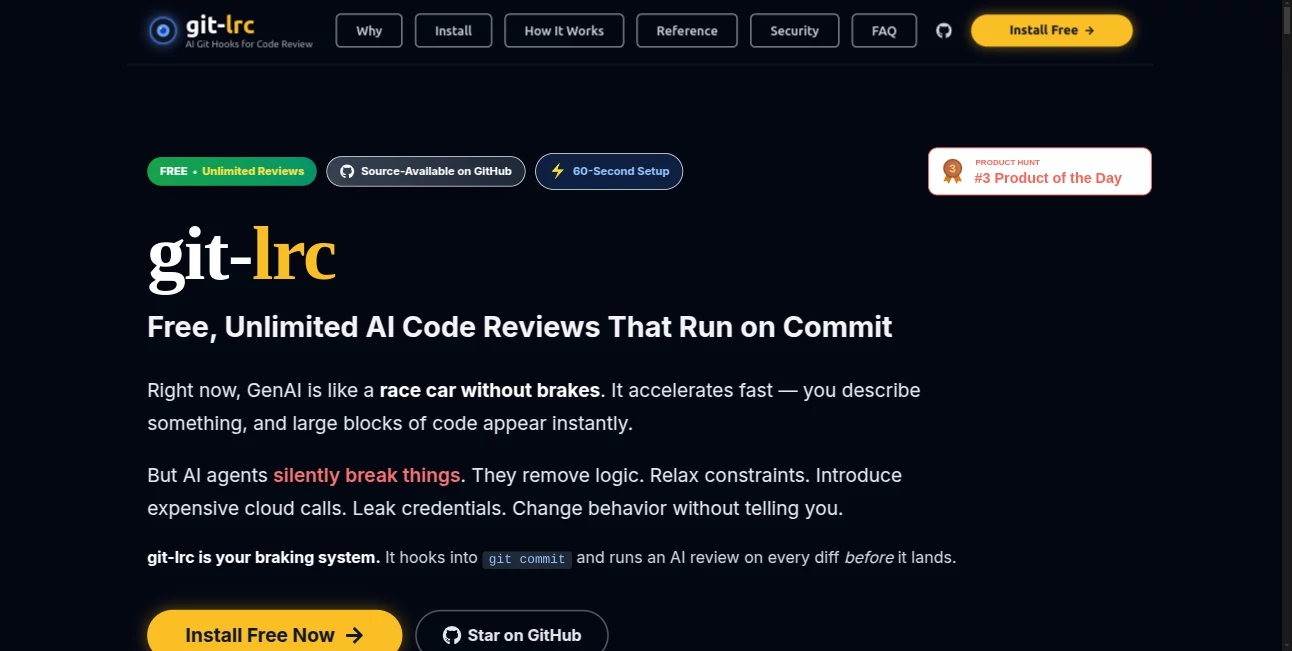
What is git-lrc?
Nothing kills momentum in a development team quite like waiting for code reviews. You push a commit, then sit there hoping someone has time to look at it before the context fades. This tool changes that experience completely. It automatically triggers a thoughtful AI review the moment you commit, giving you feedback while the code is still fresh in your mind. I’ve watched teams go from “we’ll review it tomorrow” to “here’s what the AI caught—let’s fix it now.” The speed and consistency make it feel like having an extra, always-available senior developer who never gets tired or misses a pull request.
Introduction
Code reviews are essential, yet they’re often the bottleneck that slows everything down. Git LRC solves this by bringing instant, intelligent reviews directly into your Git workflow. As soon as you push a commit, it analyzes the changes and delivers clear, actionable feedback on code quality, potential bugs, security issues, and style improvements. It’s completely free and unlimited, which makes it especially appealing for indie developers, small teams, and open-source contributors who can’t always afford enterprise review tools. The best part? It doesn’t replace human review—it makes human review faster and more focused by catching the obvious stuff early.
Key Features
User Interface
The setup is delightfully simple. You add a single webhook or use their GitHub App, and everything happens automatically in the background. Feedback appears as comments directly on your pull requests or commits—no extra dashboard to check, no manual triggering. The comments are clear, well-formatted, and easy to understand even for junior developers. It blends into your existing workflow so naturally that after the first week you almost forget it’s there—until you notice how much cleaner your code is becoming.
Accuracy & Performance
The AI catches real issues: logic errors, performance concerns, security vulnerabilities, and style inconsistencies that humans often miss when tired or rushed. It’s fast—reviews usually appear within seconds of the commit. The suggestions are practical rather than generic, and the tone stays constructive. In practice, teams report catching bugs earlier in the cycle and spending less time on nitpicky style debates during human reviews.
Capabilities
It supports multiple languages and frameworks, understands context across files, spots potential bugs before they reach production, suggests optimizations, and flags security risks. It works with GitHub, GitLab, and other major platforms through simple integration. You get unlimited reviews with no hidden limits, making it suitable for both small personal projects and active team repositories. The feedback is detailed enough to be useful but concise enough not to overwhelm.
Security & Privacy
Your code stays secure—reviews happen through secure webhooks without unnecessary data retention. It’s designed with privacy in mind for teams handling sensitive codebases. No training on your private repositories, and you maintain full control over what gets reviewed and shared.
Use Cases
A solo developer working on a side project gets instant feedback that helps them write cleaner code without waiting for friends to review. A small startup team uses it to maintain quality while moving fast, catching issues before they pile up in pull requests. Open-source maintainers use it to give consistent guidance to new contributors without burning out. Even larger teams adopt it as a first-pass filter, so human reviewers can focus on architecture and business logic instead of basic mistakes.
Pros and Cons
Pros:
- Truly unlimited and completely free—no usage caps or surprise bills.
- Instant feedback that keeps development momentum high.
- Practical, actionable suggestions that actually improve code quality.
- Seamless integration that doesn’t disrupt existing workflows.
- Works as a helpful assistant rather than a replacement for human review.
Cons:
- Still an AI—occasional suggestions may need human judgment to validate.
- Best results come when the codebase follows reasonably standard patterns.
- Advanced customization options are still evolving.
Pricing Plans
It’s genuinely free with unlimited usage. No paid tiers, no usage-based billing, no enterprise upsell pressure. The team behind it believes quality code review should be accessible to everyone, and they’ve built the tool accordingly. That alone makes it stand out in a space full of expensive alternatives.
How to Use Git LRC
Install the GitHub App or set up a simple webhook for your repository. Once connected, every new commit or pull request automatically triggers a review. Check the comments that appear in your PR—address the suggestions, make changes, and push again if needed. Over time, you’ll notice patterns in the feedback and start writing better code from the first draft. The whole process requires almost zero extra effort after the initial setup.
Comparison with Similar Tools
Many code review tools are either very expensive enterprise solutions or lightweight linters that only catch surface-level issues. This one sits in a sweet spot: intelligent enough to find meaningful problems, fast enough to be useful on every commit, and free enough that any team can adopt it without budget discussions. It complements rather than competes with human reviewers, making the entire review process more efficient and less painful.
Conclusion
Good code review shouldn’t be a luxury or a bottleneck—it should be a natural part of writing better software. Git LRC makes that possible by bringing fast, reliable AI feedback directly into your Git workflow without any cost or complexity. It helps teams ship cleaner code, catch issues earlier, and keep the joy in development instead of turning it into a review waiting game. For anyone who writes or maintains code, it’s one of those rare tools that quietly makes everyday work noticeably better.
Frequently Asked Questions (FAQ)
Is it really completely free?
Yes—unlimited reviews with no hidden fees or usage limits.
Which platforms does it support?
It works seamlessly with GitHub and supports other Git providers via webhooks.
Does it replace human code review?
No—it augments human review by handling the repetitive and obvious issues, letting humans focus on higher-level concerns.
How accurate are the suggestions?
Very practical for most common issues; always use human judgment for critical decisions.
Is my code safe?
Yes—reviews are processed securely and your code is not used for training or shared.
AI Code Assistant , AI Code Explanation , AI Code Generator , AI Developer Tools .
These classifications represent its core capabilities and areas of application. For related tools, explore the linked categories above.
git-lrc details
Pricing
- Free
Apps
- Web Tools
Categories

git-lrc Alternatives Product

Kimi K2.5

Devplan

Project Genie

SuperAI

Screenshot t…

Kimi K2.5

CodeProt

Scillus

Vibe Coding