🧠 AI Quiz
Think you really understand Artificial Intelligence?
Test yourself and see how well you know the world of AI.
Answer AI-related questions, compete with other users, and prove that
you’re among the best when it comes to AI knowledge.
Reach the top of our leaderboard.


















Hey Dream AI

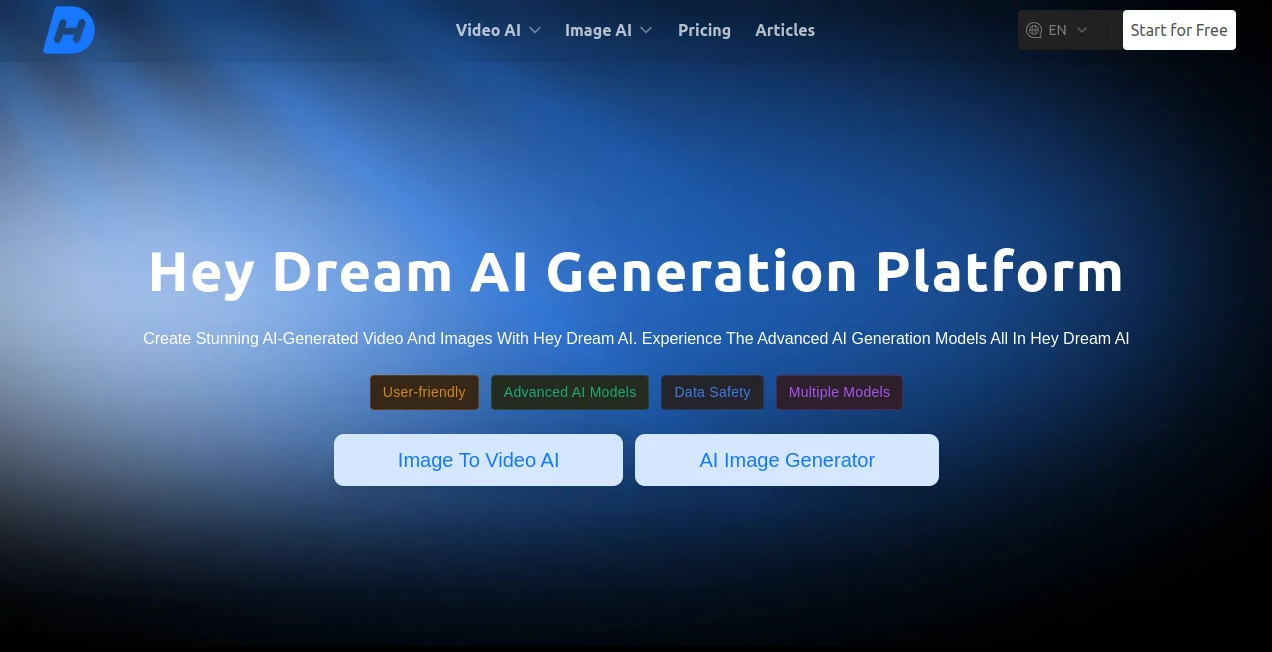
What is Hey Dream AI?
I've always loved messing around with creative tools, but nothing quite hits like seeing a simple sentence turn into a stunning video clip or a crisp image that looks straight out of a pro studio. This platform nails that feeling every time—it's straightforward, packed with serious firepower, and best of all, you can jump in for free and still get impressive results. Whether you're brainstorming a social post or just playing with wild ideas, it feels like having a creative partner who never gets tired.
Introduction
When I first stumbled across this, I was skeptical—another AI generator promising the world? But after a few tries, it quickly became my go-to for quick visuals. It pulls together some of the best models out there, from text-to-video beasts to image creators that handle everything from photorealistic portraits to dreamy surreal scenes. The fact that you can start without paying and still produce royalty-free stuff is a huge plus. It's perfect for marketers testing ad concepts, artists exploring new styles, or anyone who wants to turn thoughts into visuals without the usual hassle. The variety of models means you can pick what suits the mood, and the results often surprise you with how polished they look right off the bat.
Key Features
User Interface
The layout is clean and welcoming—drop your prompt or image, pick a model from the list, and hit generate. Everything's right there without buried menus or confusing steps. I appreciate how it shows you exactly what each model specializes in, so you don't waste time guessing. On mobile it holds up too, which is handy when an idea hits you away from the desk.
Accuracy & Performance
Prompts get interpreted with impressive detail—whether you're asking for a cinematic scene or a subtle portrait, it captures the essence without weird artifacts. Generation times stay reasonable, even for video, and the quality holds up at higher resolutions. I've run the same idea through a few models and the differences are clear, but all deliver something usable right away.
Capabilities
You get text-to-video, image-to-video, product-to-video for marketing, plus tools like old photo restoration and cartoonization. Models cover a wide range—some excel at photorealism, others at anime or surreal styles. Video clips come with smooth motion and beat-sync options, and images hit up to 8K with fine textures. It's versatile enough for quick social content or more serious creative work.
Security & Privacy
Your inputs stay handled securely, with options for private generations on paid plans. The platform emphasizes data safety, so you can experiment freely without worrying about where your ideas end up. It's reassuring when you're working on something personal or client-related.
Use Cases
A small business owner creates product videos that feel like professional shoots, boosting conversions without hiring a crew. An artist restores old family photos, bringing faded memories back to life. Social media creators whip up short clips with perfect music sync, keeping their feed fresh. Game devs generate concept art or animated teasers, iterating fast without manual drawing. It's the kind of tool that fits into daily workflows seamlessly, saving time and sparking new ideas.
Pros and Cons
Pros:
- Free tier with daily credits lets you experiment without commitment.
- Access to multiple top-tier models in one place—variety without switching sites.
- High-quality outputs that look pro, especially for video and detailed images.
- Royalty-free results mean you can use them commercially right away.
Cons:
- Free plan has shared queues and limited credits, so busy times might slow you down.
- Video length caps at shorter clips—great for social, but not full-length projects.
Pricing Plans
Start free with 20 daily credits (60 for new users) and no watermarks—plenty to get a feel for it. Paid plans add more credits, priority access, private generations, and commercial rights. Monthly or yearly options save you money, and it's all about unlocking more volume and features as your needs grow. The jump from free to paid feels worth it once you see how much faster and more flexible it becomes.
How to Use Hey Dream AI
Head to the generator page, type your prompt or upload an image, choose a model that fits (like Veo for cinematic or Nano Banana for anime vibes), and hit generate. Preview the result, tweak the prompt if needed, and download. For video, add audio or reference clips for better sync. I usually start with a basic idea, generate a few variations, then refine the best one—takes minutes and often surprises me with how close it gets to what I pictured.
Comparison with Similar Tools
Many generators force you to pick one model and deal with watermarks or low limits on free tiers—this one gives you a whole lineup of heavy hitters from the start, plus no watermarks even for free users. It stands out for video quality and image-to-video smarts, where others often fall flat on consistency or motion. The product-to-video feature is a real edge for marketing folks, and overall it feels more generous and capable without the usual restrictions.
Conclusion
This tool has quickly become a favorite for anyone who wants to turn ideas into visuals without the usual barriers. It's powerful yet approachable, free to start, and delivers results that look way better than the price tag suggests. Whether you're creating for fun or work, it opens up possibilities that used to take hours or a team—now it's just you, a prompt, and a few clicks. Give it a spin; you might find yourself coming back more often than you expected.
Frequently Asked Questions (FAQ)
How long are the videos?
Short clips perfect for social media—great for Reels or TikTok-style content.
Can I use the outputs commercially?
Yes, royalty-free—paid plans unlock full commercial rights.
What models are available?
A strong lineup including Veo, Sora, Kling, Wan, Seedance, and more.
Is there a watermark on free generations?
No watermarks even on the free tier—clean outputs from the start.
How many credits do I get daily?
20 per day, with 60 for new users—enough to play around and create.
AI Animated Video , AI Image to Video , AI Video Generator , AI Text to Video .
These classifications represent its core capabilities and areas of application. For related tools, explore the linked categories above.
Hey Dream AI details
This tool is no longer available on submitaitools.org; find alternatives on Alternative to Hey Dream AI.
Pricing
- Free
Apps
- Web Tools
Categories

Hey Dream AI Alternatives Product

seedance 2
Seedance 2.0…

seedance2
Kling 3.0

Klyra AI
Seedance 2.0…

Seedance 2.0
Veo 3.2 AI V…

ds video