🧠 AI Quiz
Think you really understand Artificial Intelligence?
Test yourself and see how well you know the world of AI.
Answer AI-related questions, compete with other users, and prove that
you’re among the best when it comes to AI knowledge.
Reach the top of our leaderboard.


















Rosie AI

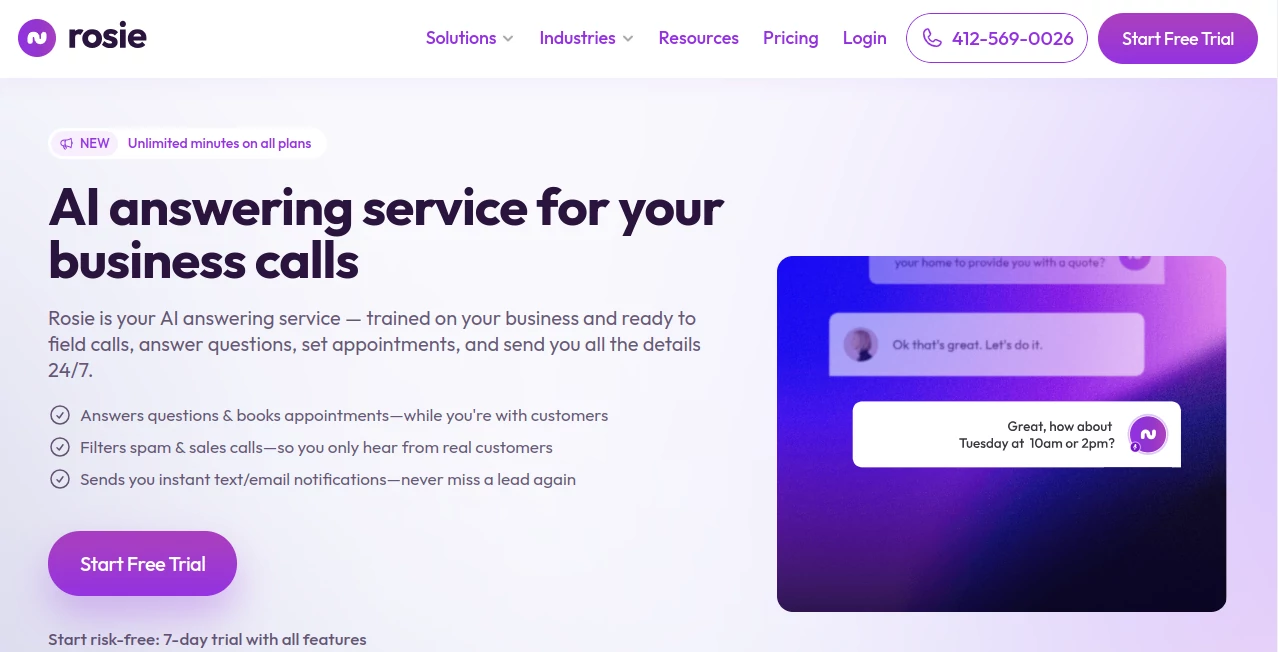
What is Rosie AI?
Imagine your phone ringing off the hook at 2 a.m. with a hot lead asking about services, and instead of fumbling for your device or letting it go to voicemail, a friendly voice jumps in, books the appointment, and texts you the details—all while you catch those precious Z's. That's the quiet revolution this service sparks for small business owners like plumbers, realtors, or salon pros who can't afford to miss a beat. I've chatted with folks who've ditched their old voicemail setups for this, and they swear it feels like hiring a superstar receptionist who never clocks out, turning potential chaos into a steady stream of happy customers.
Introduction
Running a business often means juggling calls that come at the worst times—mid-meeting, during family dinner, or heaven forbid, on vacation. This AI-powered answering whiz steps up as your round-the-clock guardian, fielding inquiries with the warmth of a local expert while weeding out the spam that clogs your line. Drawing from your Google profile or website, it learns your lingo in seconds, crafting responses that sound genuine, not robotic. What blows me away is how it's already handled over 1.4 million calls for more than 1,400 businesses, saving a whopping 1.2 million minutes of hassle. Picture a HVAC tech getting a text at dawn about a booked service call, complete with the customer's details—no more playing phone tag. It's not just tech; it's the kind of reliable partner that lets you focus on what you love, growing your gig without the grind.
Key Features
User Interface
Setting things up feels like a casual coffee chat rather than a tech ordeal—just link your site or Google spot, tweak a few FAQs over a quick review, and you're live with a custom greeting that matches your vibe, be it buttoned-up professional or laid-back local. The dashboard? Clean as a whistle, with call logs, transcripts, and summaries popping up in real time, easy to scan on your phone during a site visit. One salon owner I know raved about testing it with a mock call right there in the setup—her voice prompt nailed the flow, and boom, confidence locked in before the first real ring.
Accuracy & Performance
Trained fresh on your business nuggets, it dishes out spot-on answers that adapt on the fly, handling a flurry of calls without missing a syllable or dropping the ball. Performance-wise, it's a beast—unlimited minutes mean no cutoffs mid-convo, and those instant summaries? Gold for spotting patterns, like which services pull the most interest. Users tell me it's caught nuances in accents or slang that left other systems stumped, delivering that human touch with machine reliability, all while filtering out robocalls like a pro bouncer at the door.
Capabilities
Beyond basic chit-chat, it books slots via text links, transfers urgent matters to your team, and even fires off promo details or pricing sheets tailored to the caller's curiosity. Zapier hooks let it dance with your calendar or CRM, automating follow-ups that close deals faster. For premium folks, elite tweaks via file uploads mean it can handle niche queries, like a law firm quizzing on case types or a property manager sorting tenant woes. It's this swiss-army versatility—23,000 appointment links sent, 37,000 texts dispatched—that turns cold calls into warm handshakes, without you lifting a finger.
Security & Privacy
With enterprise-level locks on every exchange, your call data stays fortress-secure, transcripts encrypted and accessible only to you—no shady shares or lingering logs to worry over. It's the peace that comes from knowing sensitive client chats, like billing deets or service quotes, are shielded tight, compliant and considerate. In my talks with users, this is the unsung hero; one accountant mentioned sleeping better knowing spam sales pitches get the boot before they buzz his line, all without risking a data slip.
Use Cases
A real estate agent fields a midnight inquiry about open houses, gets the slot booked and a follow-up text with directions—deal sealed before breakfast. Or take that electrician swamped with storm-season surges; it triages the emergencies, logs the rest, and notifies the crew, keeping the van rolling without radio silence. Home service pros love how it nurtures leads during off-hours, while office-based outfits like accountants use it to streamline billing chats, turning "when's my invoice due?" into automated nudges that pay off. It's these slices of real life—saving a construction firm from callback overload or a limo service from lost luxury rides—that show its true grit.
Pros and Cons
Pros:
- Never-miss reliability that captures every lead, day or night, without the fatigue.
- Spam-slaying smarts free up your focus for the calls that count.
- Custom-fit responses that build trust, sounding like your best front-desk hire.
- Time-saver supreme, with transcripts and alerts that streamline your day-to-day.
Cons:
- Premium perks like transfers shine brighter for growing teams, less so for solos.
- Initial setup tweak time, though it's a one-and-done that pays dividends quick.
Pricing Plans
It rolls out welcoming with a basic tier at $49 a month—unlimited minutes, spam shields, and FAQ firepower to get you started strong. Bump to growth for around $99, unlocking appointment magic and transfers that scale with your hustle, or go annual for two free months to sweeten the pot. Scale plans cater to multi-spot empires, while custom builds for franchises toss in dedicated hand-holding. No nickel-and-diming on minutes; it's all-in value that feels like a steal compared to $2-a-minute old-school services, especially when you're stacking saved hours.
How to Use Rosie
Kick off by syncing your online presence—Google profile or site—for an instant knowledge boost, then hop into the editor to polish your greeting and FAQs, maybe adding a fun twist like "How can I brighten your day?" Test the waters with a call to yourself; hear that warm welcome echo back, refined to your rhythm. Forward your number, sit back as it fields the flood—texts ping with summaries, bookings land in your calendar, and voicemails? Ancient history. One user, a busy barber, shared how he dialed in during setup, tweaked a line about walk-ins, and watched his no-shows vanish as leads poured in prepped and primed.
Comparison with Similar Tools
Stack it against voicemail drudgery or pricey human handlers, and it comes out swinging—cheaper than $2-per-minute outsourcers, smarter than static messages that let gems slip away. Where others echo generic scripts or lag on integrations, this one learns your business inside out, zaps spam proactively, and books on the spot, all for a fraction of the fuss. It's the upgrade that feels custom-crafted, leaving rigid rivals in the rearview as you race ahead with responses that resonate.
Conclusion
This isn't merely a call handler; it's the unsung hero stitching your business days into seamless successes, catching opportunities you'd otherwise chase shadows for. By blending brains with a bedside manner that charms, it frees you to chase bigger dreams—more jobs landed, fewer headaches nursed. If your line's been a liability more than a lifeline, give it a whirl; the first "yes" from a filtered lead might just be the yes to your next big leap.
Frequently Asked Questions (FAQ)
How does it learn my business?
It pulls straight from your site or Google setup, then you fine-tune with FAQs—quick as a setup call, lasting as your growth.
What about tricky accents or jargon?
Built tough for real talk, it adapts to dialects and industry lingo, with users noting it even picks up on polite nudges for more info.
Can it handle bookings across time zones?
Seamlessly, syncing with your calendar to suggest slots that work for everyone, no crossed wires.
Is there a trial to test the waters?
Jump right in with the basic plan's easy entry—many find the first week's wins seal the switch.
How's the spam filter holding up?
Like a champ, nixing robocalls and pitches before they buzz, letting genuine gems glow through.
AI Speech Recognition , AI Voice Assistants , AI Customer Service Assistant , AI Scheduling .
These classifications represent its core capabilities and areas of application. For related tools, explore the linked categories above.
Rosie AI details
This tool is no longer available on submitaitools.org; find alternatives on Alternative to Rosie AI.
Pricing
- Free
Apps
- Web Tools
Categories

Rosie AI Alternatives Product

SocialRails

Chatref

Reloq

Helploom

Klyra AI

TurboScribe

Instantly Id…

Weblo AI

Jotform AI A…