
🧠 AI Quiz
Think you really understand Artificial Intelligence?
Test yourself and see how well you know the world of AI.
Answer AI-related questions, compete with other users, and prove that
you’re among the best when it comes to AI knowledge.
Reach the top of our leaderboard.

















HiveDeck

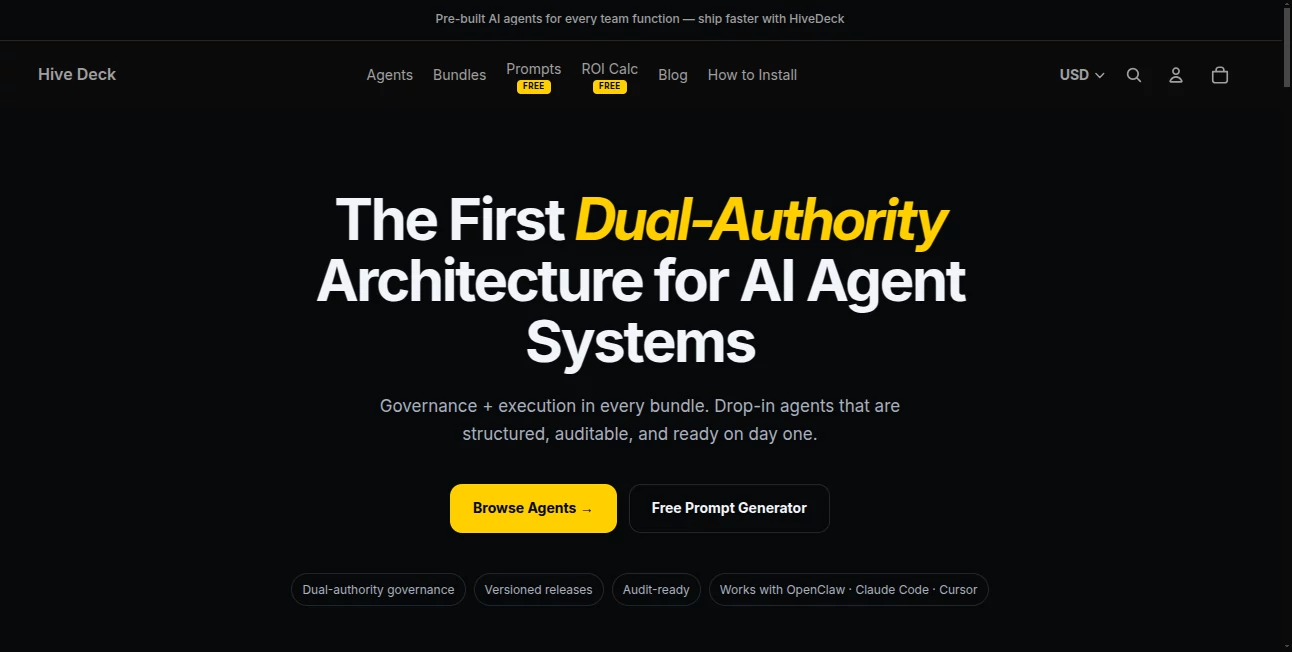
What is HiveDeck?
Some days you just want one place where your ideas actually stay organized, your AI helpers talk to each other, and nothing gets lost between tabs or forgotten apps. That’s the kind of calm, focused flow this platform quietly delivers. You can brainstorm in one pane, generate visuals in another, write copy with context from both, and have it all saved, searchable, and ready the next time you open it. I’ve had weeks where I bounced between five different tools—ChatGPT here, Midjourney there, Notion somewhere else—and ended up with fragments everywhere. Switching to something like this felt like finally getting my creative desk in order. Everything talks, remembers, and builds on what came before.
Introduction
Most creators and small teams live in chaos: scattered chats, dozen browser tabs, screenshots in folders, notes in three apps. This workspace changes that by bringing powerful AI models, real-time collaboration, file management, and long-term memory into one clean surface. No more copy-pasting context between tools or explaining the same project five times. It learns your style, keeps your history, and lets teammates jump in without missing a beat. For solopreneurs it’s a second brain; for growing teams it’s a shared studio that scales without turning into a mess. The difference is noticeable the first time you ask it to “continue where we left off yesterday” and it actually remembers the mood board, the tone guide, and the half-finished thread.
Key Features
User Interface
The canvas is generous and distraction-free. Multiple AI panes live side-by-side so you can chat with one model while another generates images from the conversation. Drag-and-drop file uploads, real-time cursor tracking for collaborators, collapsible sidebars for notes and assets—it all feels built by people who actually work this way. Dark mode is proper dark, not gray-washed, and the mobile view keeps the same logic so you’re never starting over when you switch devices.
Accuracy & Performance
Responses stay on-topic because the context window is generous and it actually reads your previous messages and attached files. Image generations respect style references and prompt history instead of starting from zero every time. Latency is low even with multiple agents working simultaneously. In practice, it rarely “forgets” what you were building toward, which is still rare among multi-model workspaces.
Capabilities
Side-by-side access to top models (text, image, code), long-term project memory, real-time multiplayer editing, file uploads with AI analysis, canvas-style organization, export to markdown/PDF/video, custom agent personas, and built-in asset library. You can turn a mood board into copy, copy into visuals, visuals into code snippets—all without leaving the project. It’s less about single-task tools and more about letting ideas flow naturally across modalities.
Security & Privacy
End-to-end encryption for chats and files, workspace-level access controls, no model training on user data, SOC 2 Type II compliance on higher plans. You own everything you create, and private workspaces stay private. For teams handling client work or proprietary ideas, that combination of power and protection is hard to overstate.
Use Cases
A solo designer keeps mood boards, client briefs, generated assets, and copy iterations in one project—nothing gets lost between Figma, ChatGPT, and Drive. A marketing team brainstorms campaign ideas together, has one person generate visuals while another writes hooks, then exports everything for review. A content creator builds a weekly video series by storing research, scripts, thumbnails, and voiceover notes in the same space. A small agency manages multiple clients with separate secure workspaces, each remembering the brand voice and past deliverables. Wherever fragmented workflows slow you down, this stitches them back together.
Pros and Cons
Pros:
- Context persists across sessions and collaborators—no more “remind me what we were doing”
- Multiple models visible at once means faster iteration between text, image, and code
- Beautiful canvas organization keeps creative projects feeling like creative projects
- Privacy and security actually enterprise-grade on paid tiers
- Free tier is generous enough to feel real value before paying
Cons:
- Still growing library of built-in agents (though custom personas help)
- Higher-end collaboration features live in Pro/Team plans
- Very large file uploads can queue during peak hours on lower tiers
Pricing Plans
Free tier gives meaningful access: multiple models, decent memory, basic collaboration—enough to feel the difference. Pro unlocks unlimited memory, advanced agents, priority speed, and team seats. Team/Enterprise adds SSO, custom domains, audit logs, dedicated support. Pricing is competitive for what you get—many users say it replaces three separate subscriptions (chat, image gen, project management) and still costs less.
How to Use HiveDeck
Create a workspace (personal or team), invite collaborators if needed, start a new canvas or project. Drag in files (images, PDFs, text), open AI panes (one for writing, one for visuals, etc.), and begin prompting. The system remembers context automatically. Organize assets into sections, add notes, generate variations side-by-side. When ready, export as markdown, PDF, or even video walkthrough. For recurring projects, just reopen—the memory brings everything back exactly where you left it.
Comparison with Similar Tools
Chat-only tools lose context when you switch tabs. Image generators don’t remember what you wrote yesterday. Project management apps don’t generate anything. This one combines long-term memory, multi-model access, real collaboration, and visual organization in a way that feels purpose-built for creative and technical work. It’s not trying to be everything to everyone—it’s trying to be the one place creators and teams actually want to live.
Conclusion
Creative work thrives when ideas can flow freely between brain, words, images, and teammates. Too many tools fragment that flow; this one restores it. It doesn’t shout about being revolutionary—it simply works better than the scattered stack most people use today. When your project remembers itself, your collaborators see the same context, and your AI helpers build on yesterday’s progress, suddenly the bottleneck isn’t the tools anymore. It’s you having too many ideas and not enough time. And that’s a very good problem to have.
Frequently Asked Questions (FAQ)
How much context does it actually remember?
Long-term memory across sessions, files, and collaborators—hundreds of messages and assets without losing thread.
Can multiple people work at the same time?
Yes—real-time cursors, simultaneous editing, comments, everything you expect from modern collab tools.
What models are available?
Access to leading text, image, and code models with more being added regularly.
Is my data used for training?
No—private workspaces are never used for training. Enterprise plans offer explicit guarantees.
Can I bring my own API keys?
Yes—paid plans let you connect your own keys for cost control and preferred providers.
AI Workflow Management , AI Productivity Tools , AI Team Collaboration , AI Notes Assistant .
These classifications represent its core capabilities and areas of application. For related tools, explore the linked categories above.
HiveDeck details
This tool is no longer available on submitaitools.org; find alternatives on Alternative to HiveDeck.
Pricing
- Free
Apps
- Web Tools
Categories

HiveDeck Alternatives Product

KarmaGuy

Jamy.ai | Au…

Your Own AI

Miro

ChatGPT

Coresite

FINIITE AI

Skywork Supe…

Slackactivity
