
🧠 AI Quiz
Think you really understand Artificial Intelligence?
Test yourself and see how well you know the world of AI.
Answer AI-related questions, compete with other users, and prove that
you’re among the best when it comes to AI knowledge.
Reach the top of our leaderboard.


















ImageToVideo

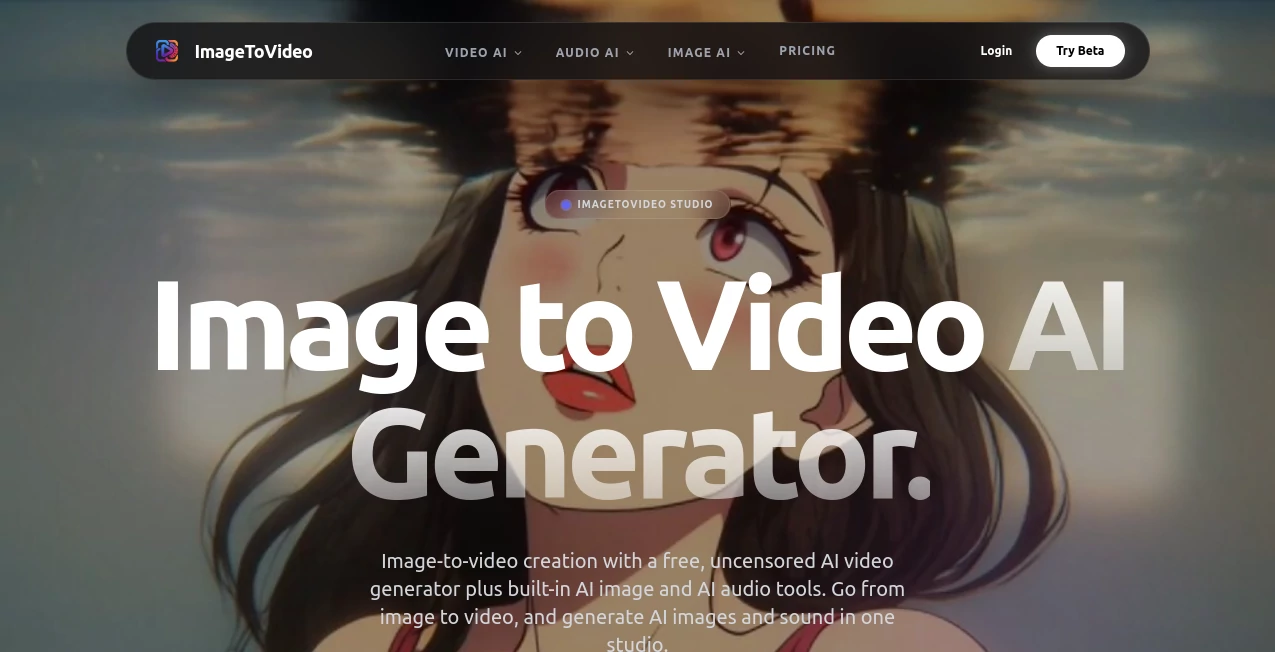
What is ImageToVideo?
There's something downright thrilling about uploading a single snapshot and watching it spring to life as a smooth, captivating video clip. This all-in-one studio nails that magic, bundling image-to-video smarts with handy extras for crafting pictures and sounds that fit just right. No heavy restrictions holding you back, it's the kind of playground where ideas run wild, and the outputs often surprise with their crisp detail and natural flow. I've tinkered with a few similar setups, but this one's freedom and built-in toolkit make it a standout for quick, creative bursts.
Introduction
At a time when everyone's chasing that perfect short clip for feeds or stories, this platform cuts straight to the chase with an uncensored approach that lets you explore without constant roadblocks. It started as a straightforward converter but grew into a full creative hub, adding tools for fresh images and custom audio that tie everything together seamlessly. Community shares highlight cinematic shorts from simple uploads or hyper-real assets that pop in ads—it's empowering for solo creators dodging censorship woes elsewhere. What draws people in is the no-nonsense freedom paired with quality that punches above its free entry, turning casual experiments into share-worthy pieces that linger in viewers' minds.
Key Features
User Interface
The workspace feels welcoming from the first click, with clear sections for video, image, and audio tasks that guide without overwhelming. Uploads drop in easy, prompts fill naturally, and previews load swift so you can iterate without losing momentum. It's the sort of intuitive layout that had me generating a fun clip from an old photo in under ten minutes, grinning at how little fuss stood between idea and output.
Accuracy & Performance
Fluid motion comes through strong here, with high-def results that keep details sharp and movements believable, even on tricky subjects. Generations hum along in minutes for videos or seconds for images, handling queue spikes without dragging. Users often mention the reliable fidelity—textures hold up, lighting feels balanced—and that rare consistency where first tries land close to the vision, saving endless reruns.
Capabilities
Core strength lies in breathing life into stills with dynamic clips tailored for socials or storytelling, backed by an image creator for upscales and styles plus audio tools for music, voices, or effects. It's a cohesive studio where you can start with a photo, animate it, then layer sound that matches the vibe—all uncensored for broader exploration. The integration shines when building full pieces in one go, from raw upload to polished export.
Security & Privacy
Uploads travel encrypted, and the policy keeps things straightforward: process, deliver, and let you decide what shares. No unnecessary retention means peace for personal or bold projects, with controls that put creators first. It's reassuring in a space full of vague terms, fostering that trust to push boundaries without second-guessing.
Use Cases
Social media pros animate product shots into engaging reels that hook scrollers without stocky feels. Storytellers craft atmospheric shorts from concept art, layering custom tracks for immersive teasers. Advertisers mock campaigns with hyper-real visuals that test ideas cheap and fast. Even hobbyists revive old photos into lively memories or experiment with avatar clips that capture personality in motion.
Pros and Cons
Pros:
- Uncensored freedom opens doors censored elsewhere slam shut.
- All-in-one for video, image, and audio—streamlines the whole flow.
- High-def outputs with natural motion that impress right away.
- Free access gets you started solid, scaling gentle for more.
Cons:
- Free tier limits commercial scope, nudging toward paid for business.
- Queue times can stretch during peaks, though priority helps higher plans.
Pricing Plans
Dive in free with core tools unlocked for personal fun, building a feel without commitment. Paid tiers step up for higher res, batch runs, faster lanes, and broader rights—ideal when projects turn pro. It's balanced to reward explorers while supporting heavy creators, with clear paths from casual to commercial without surprise hurdles.
How to Use ImageToVideo
Land on the main hub, pick your mode—video from image, fresh picture, or audio brew. Upload your starter file if needed, jot a description or tweak styles, then let it process. Preview pops quick for approval, download clean, and loop for variations. I turned a sketch into a looping ad backdrop this way: upload, prompt motion, add generated music, done in a single session.
Comparison with Similar Tools
Censored rivals often block bold ideas cold, while this one's open ethos paired with integrated audio and image tools sets it apart for complete creations. It trades ultra-long clips for focused, high-quality shorts that load fast and engage deep, outpacing fragmented workflows where you jump sites for each step. For uncensored, all-round play, it leads the pack with reliability that keeps inspiration flowing.
Conclusion
This studio wraps creative freedom in a package that's hard to beat, letting stills dance, ideas sing, and stories unfold without chains. It's the spark for unrestricted expression in a guarded landscape, delivering quality that fuels shares and smiles alike. Give it a whirl with a favorite photo—you might just find your next clip waiting to wow.
Frequently Asked Questions (FAQ)
What makes it uncensored?
Fewer blocks on prompts mean broader exploration, perfect for artistic edges.
How long do videos run?
Short, snappy clips optimized for social impact and quick shares.
Can I go commercial?
Paid plans expand rights for business, while free suits personal vibes.
Audio from scratch?
Yes—text to music, voices, or effects that sync beautifully.
Generation speed?
Seconds for images, minutes for videos—fast enough to keep ideas hot.
AI Image to Video , AI Video Generator , AI Music Generator , AI Art Generator .
These classifications represent its core capabilities and areas of application. For related tools, explore the linked categories above.
ImageToVideo details
This tool is no longer available on submitaitools.org; find alternatives on Alternative to ImageToVideo.
Pricing
- Free
Apps
- Web Tools
Categories

ImageToVideo Alternatives Product

Nano Banana …
Seedance 2.0…
Seedance 2.0

sora video

Brat Generat…

Seedance 2 V…

VeoNano
Render of Dr…

Wan AI Video…
