
🧠 AI Quiz
Think you really understand Artificial Intelligence?
Test yourself and see how well you know the world of AI.
Answer AI-related questions, compete with other users, and prove that
you’re among the best when it comes to AI knowledge.
Reach the top of our leaderboard.


















Image Animator AI

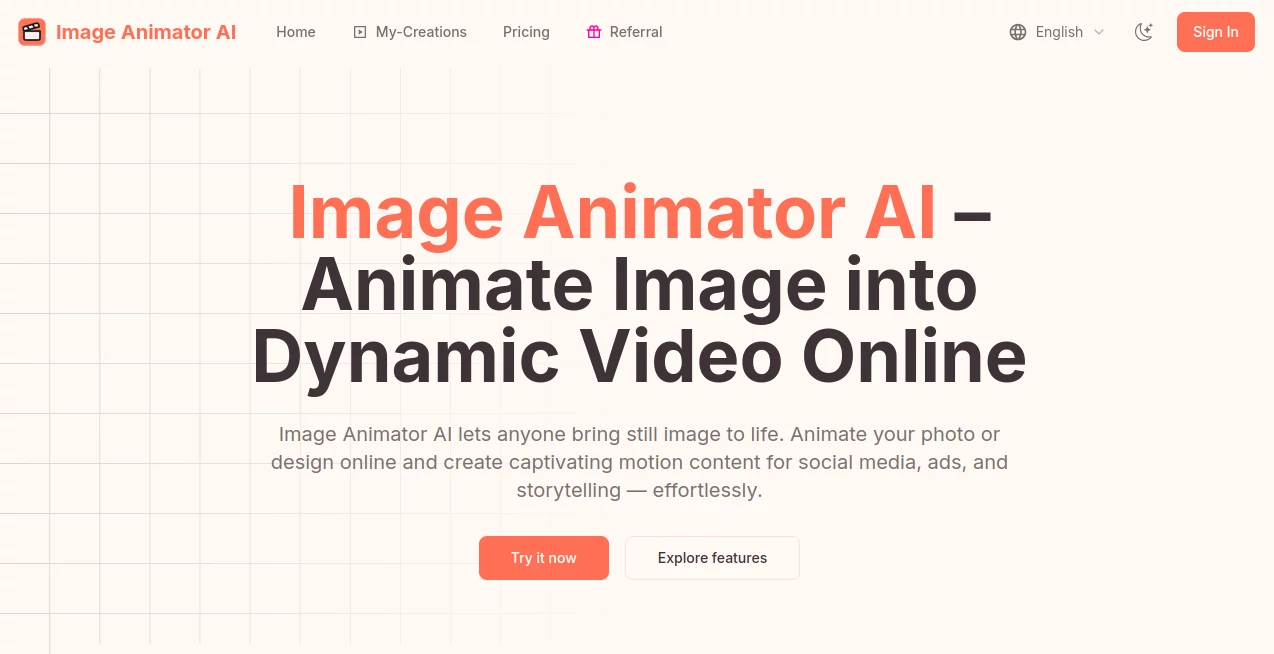
What is Image Animator AI?
ImageAnimator slips into your creative routine like an old friend with a fresh trick, taking those quiet pictures you've got lying around and nudging them into lively clips that tell a bit more story. It's the kind of spot where a simple family snapshot or a product pic can suddenly sway with a gentle breeze or zoom with purpose, all without you breaking a sweat over timelines or tracks. Folks who've given it a whirl often end up sharing how it sparked a whole afternoon of tinkering, turning idle moments into something worth hitting play on again.
Introduction
ImageAnimator came along a couple of years back, pieced together by a handful of tech enthusiasts who'd grown weary of hauling heavy software just to add a dash of life to their images. It started as a quiet experiment in making motion feel approachable, but soon enough, it drew in a crowd of everyday creators—from social sharers to small business owners—who appreciated how it cut the cord on complicated setups. Over time, they've layered in sharper ways to handle the details, like syncing sounds that match the sway or keeping frames from jumping the rails. What keeps people circling back is that sense of discovery, where a half-baked idea about a photo's next move lands as a clip that surprises even you with its flow.
Key Features
User Interface
The front door opens to a no-fuss upload area where you can drag your picture right in or click to browse, followed by a plain box to jot down what kind of motion you're after—like a soft pan across a landscape or a character giving a knowing glance. Once you tap generate, a holding pattern keeps you posted, and soon your new clip pops up in a personal spot for a once-over, with easy buttons to download or tuck it away. It's all browser-bound, so no apps to wrangle, and even the example reels in the gallery feel like quick inspiration rather than a sales pitch.
Accuracy & Performance
When you describe a subtle shift, like leaves rustling in a park scene, it tends to capture that without overdoing the drama, holding the original look steady across the seconds. Things move along briskly, wrapping most jobs in a handful of minutes even if you're aiming for something with a bit more polish, so the wait doesn't kill your momentum. Users often mention how it shines on keeping the core intact, avoiding those awkward glitches where edges blur or timing feels off, making the end result something you'd show off without hesitation.
Capabilities
It reaches beyond basic wiggles, pulling in ways to layer natural camera sweeps or match audio that fits the vibe, whether you're livening a portrait with a warm smile or staging a product against a changing backdrop. You can pick from a few backend brains to tweak the style, and the outputs land as clean files ready for your next step, complete with rights to use them in bigger projects if you've ponied up. It's geared for those everyday leaps, like turning a flat ad image into a teaser that hooks, without demanding you master the mechanics.
Security & Privacy
Your uploads get a quick once-over and then fade from the system once the clip's in your hands, with options to keep things under wraps from the get-go if you don't want them popping up in shared spots. Deletions are straightforward but final, so it's wise to snag a copy first, and the whole setup runs on tried-and-true payment paths that keep your details snug. It's the sort of quiet reliability that lets you experiment without glancing over your shoulder, knowing your rough cuts stay in your corner.
Use Cases
Social butterflies use it to jazz up feed posts, like giving a vacation shot a dreamy drift that pulls likes from old friends. Shop keepers stage their wares in mini-stories, showing a necklace catching light from different angles to nudge browsers toward buy. Storytellers weave personal tales, animating family heirlooms with a touch of yesterday's warmth for albums that play back memories. Even quick campaign crafters mock up hooks for emails or ads, testing flows that land better than stills ever could.
Pros and Cons
Pros:
- Jumps straight into action without downloads or deep dives.
- Delivers clips that feel pro without the pro price tag.
- Personal stash keeps your work organized and at hand.
- Flexible enough for fun flings or work wins.
Cons:
- Runs on credits, so heavy play means topping up.
- Public lean means extra steps to stay private.
- Best on clear prompts—fuzzy ones might need a redo.
Pricing Plans
A starter taste comes cheap at a buck fifty for a batch of tries, enough to get the feel without full commitment. The middle road hits around nine for a solid haul of generations, tossing in quicker turns and full use rights, while the top shelf at eighteen stretches further for those in the thick of it, all with the same perks and a year to spend. It's set up as one-and-done buys rather than endless subs, keeping things light if you're dipping in now and then.
How to Use ImageAnimator
Log in to unlock the maker, then slide your image into place and sketch out the motion in words—think "gentle zoom on the face with a soft smile." Pick your preferred engine if you like, hit the button, and give it a minute to mull. When it's ready, flip through the options in your space, grab the one that clicks, and export it straight to your drive or share link. Swing back to refine or build on it, turning singles into series over time.
Comparison with Similar Tools
Unlike the big editing beasts that swallow afternoons in layers and cuts, ImageAnimator keeps it to a quick prompt and preview, though those might offer more manual reins for perfectionists. Against free-for-all filters that add flash but little flow, it layers in smarter shifts that stick, but could trail in sheer variety for the endlessly picky. It fits folks who want results over rituals, bridging the easy and the effective where others tip too far one way.
Conclusion
ImageAnimator nudges the line between still and stirring, handing creators a simple way to add that extra beat without the usual hassle. It turns passing fancies into playable pieces that linger, proving a touch of tech can warm up the ordinary in ways that surprise. As more hands reach for motion in their media, this one's poised to keep the path clear, inviting wider wanders into worlds that move just right.
Frequently Asked Questions (FAQ)
What's the main trick here?
It turns quiet pictures into short clips with motion that matches your mood.
Do I need fancy gear to start?
Nope, just a browser and your image—everything happens right there.
Can I sell what I make?
With the paid packs, yes—full nod to use in shops or shares.
How do I keep things under my hat?
Flip the private switch at the start, and it stays off the public radar.
What if I want to wipe something?
Head to your page and delete away, but grab a copy first since it's gone for good.
Photo & Image Editor , AI Animated Video , AI Image to Video , AI Video Generator .
These classifications represent its core capabilities and areas of application. For related tools, explore the linked categories above.
Image Animator AI details
This tool is no longer available on submitaitools.org; find alternatives on Alternative to Image Animator AI.
Pricing
- Free
Apps
- Web Tools
Categories

Image Animator AI Alternatives Product

Sora2 AI Vid…

Render of Dr…

JoyFlix AI

Veo 4 AI

Veo 3.1

Klyra AI

Seedance 2.0…

AI Ease AI P…

RunwayAI
